
How to Choose a Smart Thermostat, Indoor Air Quality Monitor or Hygrometer
A basic hygrometer is enough for checking a room's temperature and humidity, while an indoor air quality monitor answers a question about a specific pollutant. If you want readings while you're away, check the connection where the sensor will sit. For heating or cooling control, match the thermostat or infrared controller to the equipment before deciding which app features are worth paying for.
Quick answer
- For a room you check in person, an inexpensive temperature and humidity display is enough for spot checks. Bluetooth can add a history you can review from nearby.
- For humidity readings away from home, direct Wi-Fi saves you a separate gateway. If a probe or a detailed log also matters, budget for a compatible gateway if the logger uses Bluetooth. For that choice, compare local probe logging on the Inkbird with remote room readings on the Wi-Fi TH08.
- For stuffy rooms, airborne particles, or radon, choose the sensor that answers the question. Direct CO₂ readings help you assess ventilation, a PM2.5 sensor tracks fine particles, and radon needs its own test or sensor.
- For central HVAC or electric floor heating, start with the equipment and wiring. Central thermostats need to support your system's stages, and electric-floor thermostats need to match the voltage, load, and probe.
- For a mini-split or window AC, check the exact unit and its remote. A compatible infrared controller can add schedules or phone control if it can reach the indoor unit with its signal. For a compatible ductless system, compare Sensibo Sky's humidity triggers with Honeywell D6 Pro's local buttons.
📑 Table of Contents
- Choose what to measure or what to control first
- Spend more when it adds a reading or a control you need
- Your heating and cooling equipment sets the thermostat choices
- The pollutant determines which air monitor you need
- A hygrometer's tolerance matters near a decision threshold
- Remote alerts depend on the connection where the sensor sits
- A log or probe can put the reading where you need it
- The integration has to support the action you want
- An IR controller needs a signal path to each AC
- Models we compared
- Which comparison should you read?
- Budget for hubs, installation, and upkeep
- FAQ
Choose what to measure or what to control first
| Type | What it does | What you still handle | Who it suits |
|---|---|---|---|
| Offline hygrometer | Shows temperature and relative humidity (RH) on a display | Check readings in person | Anyone checking one room |
| Bluetooth hygrometer or logger | Adds nearby phone access and, on some models, stored history | Return within range to retrieve readings | Anyone who wants a record between visits |
| Bluetooth logger with a gateway | Relays readings for remote access | Power the gateway and maintain Bluetooth and Wi-Fi coverage | Anyone who needs a logger's history or probe alongside remote readings |
| Direct Wi-Fi hygrometer | Sends readings over your home network | Keep the sensor powered and within Wi-Fi coverage | Anyone who wants remote room readings without a separate bridge |
| Zigbee temperature and humidity sensor | Shares readings with a compatible hub for automations | Check hub support and coverage | Homes with a compatible Zigbee network |
| Focused PM or direct CO₂ monitor | Tracks particles or gives a reading for assessing ventilation | Act on changes in the reading | Anyone with one specific air quality question |
| Multi-pollutant or dedicated radon monitor | Tracks several readings or focuses on radon | Check the included sensors and follow radon test guidance | Anyone tracking several pollutants or checking for radon |
| IR AC controller | Adds app control to a compatible mini-split or window AC | Aim it at the unit and check how it handles the original remote | Homes with a compatible IR remote |
| Central HVAC thermostat | Adds schedules and, on smart models, app control | Match power, wiring, and equipment | Homes with compatible low-voltage HVAC |
| Electric-floor thermostat | Controls a compatible electric radiant floor | Match voltage, load, and the floor probe | Homes with electric floor heating |
Spend more when it adds a reading or a control you need
These examples show what US hardware costs for different jobs. Allow for installation separately where needed.
| Hardware cost | What it adds | What you still do | When to stop there |
|---|---|---|---|
| Local display | Temperature and humidity at a glance | Read the screen in person | You only need occasional spot checks |
| Around $10 | Bluetooth history | Bring your phone within range | You're usually home when you check readings |
| Around $25–$30 | A probe for local logging, or direct Wi-Fi for remote room readings | Retrieve the local log or keep the Wi-Fi sensor in network range | You need one of those functions on its own |
| Around $35 | PM2.5 alongside temperature and humidity | Act when particle readings rise | Fine particles are your main air quality concern |
| Around $65–$70 | A probe logger and a gateway for remote access | Find a powered gateway spot with Wi-Fi and Bluetooth coverage | You need to check probe readings or view the log while away |
| Around $90–$110 | App control for compatible central HVAC | Check wiring and allow for installation and any required adapter | The thermostat's own room reading is enough |
| Around $330 | Radon and other air readings in one monitor | Follow radon testing guidance and act on what you measure | You want radon and other readings in the same place |
Your heating and cooling equipment sets the thermostat choices
A smart thermostat for central HVAC needs to match the system type, voltage, heating and cooling stages, and available terminals. A conventional system and a heat pump can have different requirements, even if their wall controls look alike. Identify the wires by their terminal labels, then look up the exact system in the Nest compatibility guide or ecobee equipment guide.
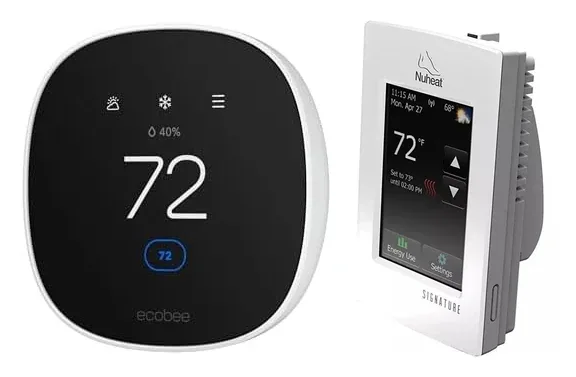
The ecobee Essential supports one heat-pump compressor stage plus up to one stage of auxiliary heat. If your heat pump has two compressor stages, look for a thermostat that supports both.
A C wire provides a return path for continuous low-voltage power. The Nest Thermostat 2020 can run without one in some installations, while other setups need a C wire or the Nest Power Connector. The ecobee Essential needs C and R wires or a compatible Power Extender Kit. Check whether your wiring supports ecobee's kit. It needs at least four wires and excludes heat-only and dual-transformer systems.
An optional room sensor lets the ecobee Essential factor in another room's temperature and occupancy. With one HVAC zone, an adjustment based on a bedroom sensor still affects the rest of the zone. Once you know both models fit your system, compare Nest's built-in occupancy sensing with ecobee's optional room sensing and HomeKit.
An electric-floor thermostat has to match the heating cable's voltage and load. The NUHEAT Signature and Schluter DITRA-HEAT-E-WiFi handle compatible 120 or 240 V systems up to 15 A. If you plan to reuse a buried probe, check its resistance curve against the Schluter thermostat manual. With those requirements in hand, compare NUHEAT and Schluter for electric-floor integrations and existing probe support.
The pollutant determines which air monitor you need
A PM2.5 monitor tracks when fine particle levels rise or fall. A USB-powered display such as the GoveeLife H5106 works for spot checks near an outlet. If the spot is farther from power, compare the battery-powered View Pollution for tracking trends with the H5106's plug-in display.
A direct CO₂ monitor helps you assess ventilation in a room people use. Look for a direct sensing method such as nondispersive infrared (NDIR). A display labeled eCO₂ can be an estimate based on readings of volatile organic compounds (VOCs).
A multi-pollutant monitor can bring several measurements onto one screen. The Qingping Air Monitor 2 shows PM10, CO₂, and an estimate of total VOCs (eTVOC), among other readings. Use eTVOC to follow changes over time in the same room. To measure the concentration of a particular chemical, use a test specific to that chemical.
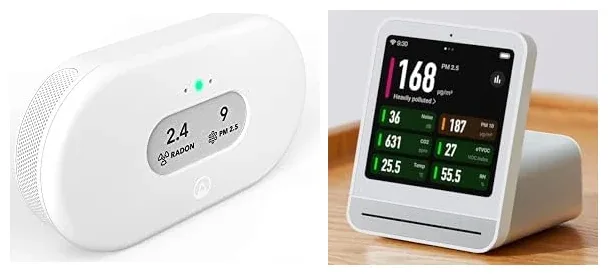
Radon requires its own sensor or test. For an annual average, follow the EPA's long-term radon testing guidance. If you want several readings on one device, compare the battery-powered View Plus with radon sensing and the Qingping Air Monitor 2 with PM10 on its interactive display.
Keep certified smoke and carbon monoxide (CO) alarms in place. CO₂ is carbon dioxide, and each air monitor covers a specific set of pollutants. Use a monitor to see when conditions change and decide whether to run a purifier, dehumidifier, humidifier, or fan. The EPA's guide to home air monitors explains how to use those readings.
A hygrometer's tolerance matters near a decision threshold
A low-cost display can tell you whether a room is within a broad humidity range. If an alert would prompt you to act at 55% RH, the sensor's stated accuracy matters more than the number of digits on the screen. The Govee H5179 is rated to within ±3 percentage points of RH, so a 55% reading could correspond to 52–58% RH under the rated conditions.
A salt check gives you one reference point. The NBS humidity calibration method puts saturated sodium chloride at 75.47% RH at 68°F under controlled conditions. A sealed chamber needs time for temperature and humidity to stabilize. Agreement there tells you how the hygrometer reads around that point. It can still behave differently in a much drier room.
Remote alerts depend on the connection where the sensor sits
Bluetooth is enough if you collect readings while you're in range. If you want the readings to trigger a routine, compare the H5075's CSV history with Xiaomi Monitor 3 automation, which uses a compatible Bluetooth Mesh gateway for Xiaomi Home.
Direct Wi-Fi gives you remote access as long as the sensor's network is up. The Govee H5179 connects directly to 2.4 GHz Wi-Fi. To get SensorPush HTP.xw readings remotely, place its gateway where it has power, Wi-Fi, and Bluetooth reach to the sensor. If you want a local log too, compare the H5179's direct Wi-Fi with SensorPush logging and an optional gateway.
Remote readings let you check in, and a log lets you look back. If you need a notification when a reading crosses a threshold, check that your model and connection can send that alert to your phone when you’re away from home.
Zigbee makes sense when you have a compatible hub and want to use the sensor's readings in routines. Check whether your exact hub can share the readings your routine needs, then compare Aqara and Sonoff for an existing Aqara hub or a mixed setup with a supported Zigbee hub.
A log or probe can put the reading where you need it
A logger that records to its own memory keeps taking readings while your phone is away. The timestamps let you see when the temperature changed between visits. If you download readings once a week, check how many readings the device can hold at your preferred recording interval. More frequent readings fill the same amount of storage sooner.
A probe lets you take a reading at its tip while the logger sits elsewhere. Of the two Inkbird IBS-TH2 Plus probe options, the temperature-probe package suits fridge or freezer temperature checks. Choose the separate temperature-and-humidity probe if you need both readings at the tip.
The Inkbird stores readings locally over time. The Wi-Fi TH08 runs on three AAA batteries and lets you check room temperature and humidity remotely. TH08 is sold in several versions, so match the Wi-Fi and battery specifications as you compare Inkbird IBS-TH2 Plus probe logging with TH08 remote room readings.
The integration has to support the action you want
The app you use needs to support your particular routine. The ecobee Essential connects to Apple Home through native HomeKit and supports Google Assistant and Alexa. The Nest Thermostat 2020 sets up in Google Home and supports Matter. If you use Matter or a bridge, check that it passes through the controls or sensor readings your routine needs.
An internet-dependent integration can interrupt a routine when the connection goes down. Home Assistant's Nest integration uses Google's cloud services, and its ecobee integration polls the cloud. If a routine needs to keep running during an outage, check the connection path for that integration.
An IR controller needs a signal path to each AC
A mini-split can use a wired thermostat if the equipment supports it directly or through an approved interface. An infrared controller needs a compatible remote, and some units may support neither route. For IR control, use the working remote and exact indoor unit to check Sensibo's compatibility guidance and make sure the setup supports the commands you use, such as changing the set temperature. At the planned spot, check for power, a clear signal path to the AC, and Wi-Fi coverage on a band your controller supports. The D6 Pro installation manual, for example, calls for one controller per indoor unit.
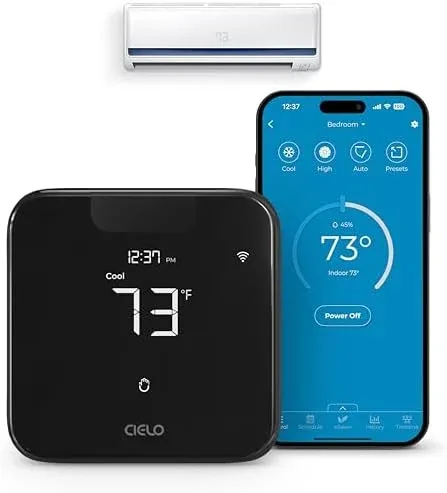
An app can show a setting that no longer matches the AC. On some window or portable units, pressing the unit's own buttons can leave the app out of sync. If others in your home use the handheld remote, check how the controller handles those commands, too.
Sensibo Air and Cielo Breez Lite both offer sensor-triggered automation. For control beyond the maker's app, compare the Air's native Apple Home support and API access with the Lite's app controls and routines.
Cielo Breez Max offers on-device controls and automation for a new setup. If you already use a compatible D6 Pro to change the temperature at the wall, compare a Breez Max setup with keeping your D6.
Sensibo Sky can adjust a compatible AC when humidity crosses a threshold and identify its remote during setup. If you want to set the temperature at the wall on a compatible mini-split, compare the D6 Pro's local buttons with Sky's humidity triggers.
Basic phone control may be all you need. If you want schedules, sensor triggers, or a particular app integration, check which of those functions the model supports and whether they come with the controller or require a paid plan.
Models we compared
| Model | Job | Readings or controls | Connection and extra hardware | Power | US price, Nov 23, 2026 |
|---|---|---|---|---|---|
| Aqara WSDCGQ11LM | Hygrometer | Temperature, RH, pressure | Zigbee, compatible hub required | CR2032 | n/a |
| Sonoff SNZB-02P | Hygrometer | Temperature, RH | Zigbee, compatible gateway required | CR2477 | n/a |
| Govee H5179 | Hygrometer | Temperature, RH | 2.4 GHz Wi-Fi | 3 AA | $29.99 (Govee) |
| SensorPush HTP.xw | Hygrometer | Temperature, RH, pressure | Bluetooth, compatible gateway for remote access | CR2477 | n/a |
| Govee H5075 | Hygrometer | Temperature, RH | Bluetooth to nearby phone | 2 AAA | $10.39 (Govee) |
| Xiaomi Monitor 3 | Hygrometer | Temperature, RH | Bluetooth, compatible Bluetooth Mesh gateway for linked functions | CR2450 | n/a |
| Inkbird IBS-TH2 Plus | Hygrometer and logger | Temperature, RH, choice of temperature or temperature-and-humidity probe | Bluetooth, optional IBS-M2 gateway for remote access | 2 AAA | $24.99 with temperature probe or $29.99 with temperature-and-humidity probe (Inkbird) |
| TH08 (Wi-Fi, three-AAA version) | Hygrometer | Room temperature, RH | Wi-Fi | 3 AAA | n/a |
| Airthings View Plus 2960 | Air monitor | Radon, CO₂, VOC, PM2.5, temperature, RH | Wi-Fi | 6 AA or USB-C | $329.99 (Airthings) |
| Qingping Air Monitor 2 | Air monitor | PM2.5, PM10, CO₂, eTVOC, temperature, RH | Wi-Fi | USB-C or rechargeable battery | n/a |
| Airthings View Pollution 2980 | Air monitor | PM2.5, temperature, RH | Wi-Fi | 6 AA or USB | n/a |
| GoveeLife H5106 | Air monitor | PM2.5, temperature, RH | 2.4 GHz Wi-Fi | USB | $34.99 (Govee) |
| Sensibo Air | IR AC control | Temperature, RH, compatible AC commands | Wi-Fi | USB | n/a |
| Cielo Breez Lite | IR AC control | Temperature, RH, compatible AC commands | Wi-Fi | USB | n/a |
| Cielo Breez Max | IR AC control | Temperature, RH, compatible AC commands | Wi-Fi | USB or optional 24 V | n/a |
| Honeywell Home D6 Pro DC6000WF1001/U | IR ductless control | Temperature, compatible AC commands | Wi-Fi | Wall adapter | n/a |
| Sensibo Sky | IR AC control | Temperature, RH, compatible AC commands | 2.4 GHz Wi-Fi, compatible IR remote required | USB adapter | n/a |
| Nest Thermostat 2020 | Central HVAC control | Thermostat, occupancy | Wi-Fi, optional Power Connector if needed | HVAC wiring, 2 AAA backup | $89.99 (Google Store) |
| ecobee Smart Thermostat Essential | Central HVAC control | Thermostat, optional room sensor | Wi-Fi, compatible Power Extender Kit if needed | C and R wires or compatible Power Extender Kit | $109.99 (ecobee) |
| nVent NUHEAT Signature AC0055 | Electric floor control | Floor and room temperature | Wi-Fi | 120/240 V, up to 15 A | n/a |
| Schluter DITRA-HEAT-E-WiFi DHERT104/BW | Electric floor control | Floor and room temperature | Wi-Fi | 120/240 V, up to 15 A | n/a |
Which comparison should you read?
Start with the reading you need or the equipment you want to control.
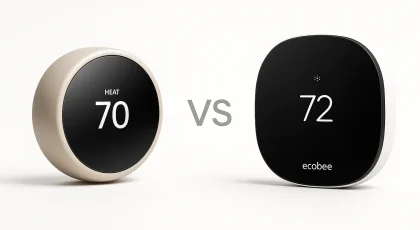 Google Nest Thermostat vs ecobee Smart Thermostat EssentialFor central HVAC: compare Nest occupancy with ecobee room sensing and HomeKit
 NUHEAT Signature vs Schluter DITRA-HEAT-E-WiFi: Sensors and Smart HomesFor electric floors: compare integrations and compatible existing probes
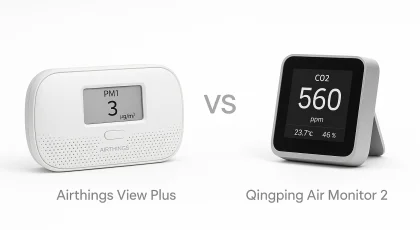 Airthings View Plus vs Qingping Air Monitor 2: Hands-Off or Interactive?For air quality: compare radon and battery placement with PM10 and an interactive display
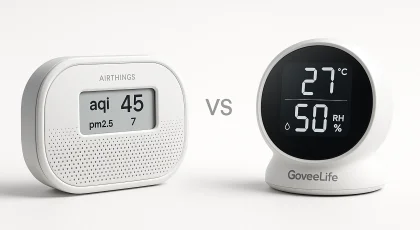 Airthings View Pollution vs GoveeLife H5106: Trends or Quick Checks?For PM2.5: compare battery placement and trends with a powered display
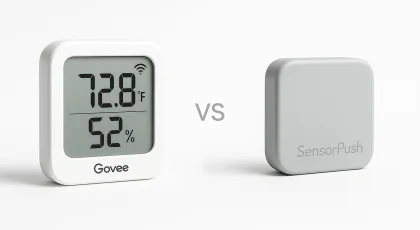 Govee WiFi vs SensorPush HTP.xw: Remote Alerts or Precise Tracking?For remote humidity: compare direct Wi-Fi with logging and an optional gateway
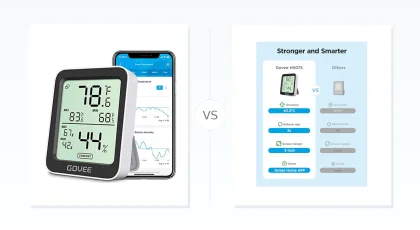 Govee H5075 vs Xiaomi Monitor 3: Logging or Xiaomi Home Automation?For Bluetooth readings: compare CSV history and gateway-enabled automation
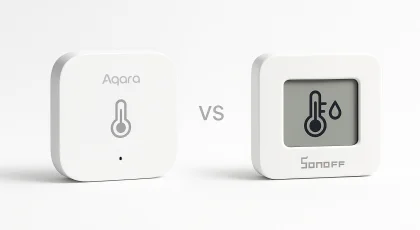 Aqara WSDCGQ11LM vs Sonoff SNZB-02P: Which Fits Your Zigbee Setup?For Zigbee sensors: compare an Aqara hub with supported mixed hubs
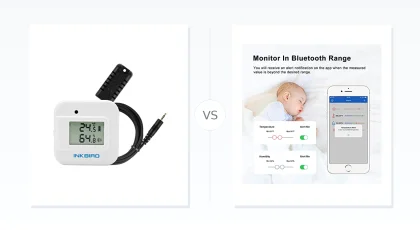 Inkbird IBS-TH2 Plus vs Tuya TH08: Data Logger or Wi-Fi Room Monitor?For logged readings: compare Inkbird probes with Wi-Fi room readings on TH08
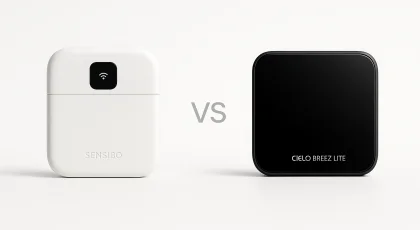 Sensibo Air vs Cielo Breez Lite: Automation or Simple AC Control?For AC control: compare HomeKit and API access with simple app control
 Cielo Breez Max vs Honeywell Home D6 Pro: Automation or Simple ControlFor AC control: compare new Max automation with existing D6 wall controls
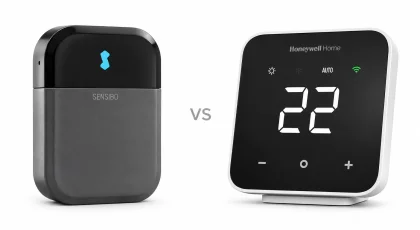 Sensibo Sky vs Honeywell Home D6 Pro: Automation or on-device controls?For compatible ductless AC: compare humidity triggers with local buttons
Budget for hubs, installation, and upkeep
Temperature and humidity sensors can have different power needs even when they do the same job. Check the type and number of cells each battery-powered device takes, especially if you're putting sensors in several rooms. For the Qingping Air Monitor 2, allow for a replacement particle sensor cartridge when needed.
An Inkbird IBS-TH2 Plus and the US IBS-M2 gateway together cost $64.98 with the temperature probe or $69.98 with the temperature-and-humidity probe. The gateway is only needed if you want remote access. A compatible hub is required for the Aqara and Sonoff Zigbee sensors. Add a compatible gateway for remote SensorPush access or to link the Xiaomi Monitor 3 to other devices.
The ecobee Essential totals $134.98 with the Power Extender Kit if the kit is needed and your wiring supports it. The optional ecobee SmartSensor two-pack costs $74.99. Some Nest installations also need a separate Power Connector. The prices here cover hardware before tax and shipping. Allow for professional installation separately if the wiring or floor system calls for it.
Multiple indoor AC units can mean multiple controllers, so count the indoor units you want to control when budgeting for hardware.
FAQ
Are cheap humidity sensors good?
Do air quality meters work?
Can you put a regular thermostat on a mini-split?
Can my phone check the humidity in my house?
Do you need a subscription for Sensibo?
Updated November 23, 2026.