Sensibo Sky vs Honeywell Home D6 Pro: AC automation or on-device controls?
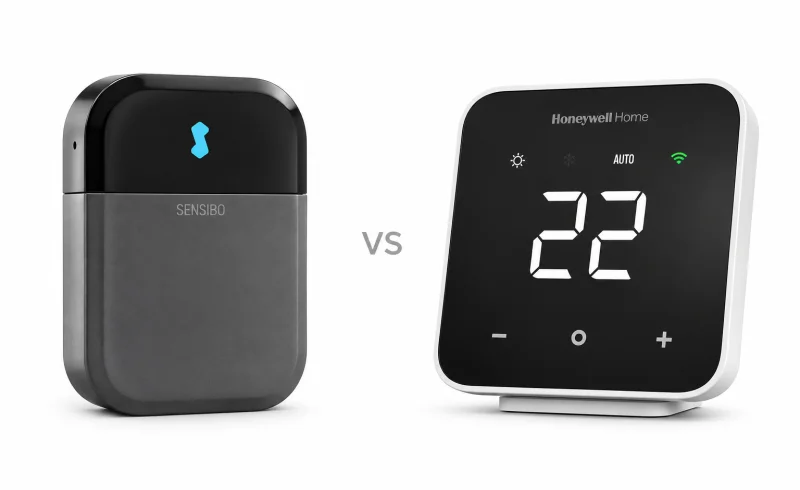
Sensibo Sky offers humidity-triggered automation for compatible ACs; Honeywell Home D6 Pro suits compatible mini-splits with on-device temperature controls.
TL;DR
Sensibo Sky suits a working infrared-remote AC—including window and portable units—and households that want automatic adjustments triggered by temperature or humidity. Its automatic remote detection also makes it a convenient starting point if you prefer that to entering system identifiers.
Honeywell Home D6 Pro suits a compatible ductless mini-split when you want to adjust temperature without reaching for your phone: its display and +/− buttons handle those everyday changes, though fan settings remain app-only. Check your mini-split’s brand/model configuration before choosing it. Compatibility comes first for either controller, and placement matters: both need plug-in power, 2.4 GHz Wi-Fi and a clear infrared path to the AC.
| Feature | Sensibo Sky | Honeywell Home D6 Pro WiFi Ductless Controller |
|---|---|---|
| Compatibility and control | ||
| Remote AC settings | Cool, Heat, Fan, Dry and Auto; temperature, fan speed and swing. [1] [2] [3]Available modes and levels depend on device capabilities. | Heat, Cool, Auto and Off; temperature and fan speed through the Resideo app. [4] [5] [6]Auto Changeover and fan selection are app functions. Setpoint range depends on the selected ductless model. |
| AC types and compatibility checks | ACs and heat pumps with working IR remotes, including window, portable, split, high-wall, cassette and central systems. [7] [8] [3]One Sky per unit; line of sight required. Automatic remote detection has manual setup and fine-tuning options. | IR control of 800+ ductless mini-split models; brand/model configuration required. [4] [5]Check the guide's brand/model IDs; generic models may need several trials. Clear IR path required; the manual advises removing original-remote batteries. |
| Automation and integrations | ||
| Temperature and humidity response | Climate React automatically adjusts the AC using temperature and humidity triggers. [3] | App Auto Changeover switches heat/cool using room and set temperatures; high/low temperature and humidity alerts. [5] [9] |
| Voice and smart-home integrations | Alexa, Google Home, Siri, SmartThings, IFTTT, API and Home Assistant. [3] [10]No Apple HomeKit support. Home Assistant setup requires a Sensibo API key. | Amazon Alexa and Google Home. [4] |
| Schedules and phone-based home/away control | Seven-day schedules, timers and phone geofencing that turns the AC on or off on arrival/departure. [3] | Seven-day, 5–2 or one-week app schedules; geofencing can start heating or cooling as you head home. [6] [9]Scheduling uses Internet time and app programming; the D6 has no clock. |
📑 Table of Contents
Which controller fits your air conditioner?
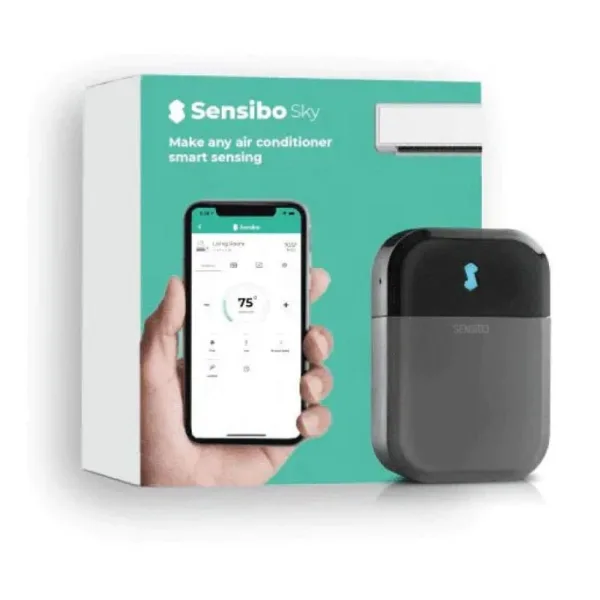
Sensibo Sky controls air conditioners and heat pumps by sending infrared commands that mimic their remote. For a window or portable AC, start with Sky: its compatibility guide includes both, alongside split, high-wall, cassette and central systems, provided the AC has a working infrared remote. That remote requirement matters more than the unit’s shape.
D6 Pro is aimed at ductless mini-splits. Honeywell Home lists compatibility with more than 800 models, with brand and model configuration required. Check your system against the installation guide’s brand and model IDs before choosing it; generic models may require trying several IDs, and Honeywell directs owners to contact it for unlisted brands.

For a compatible mini-split, setup is a useful deciding factor: Sky offers automatic remote detection, with fine-tuning or manual setup if needed; D6 Pro uses brand/model selection. Sky is the more convenient starting point if you prefer remote detection to entering system identifiers.
Which everyday controls will you use?
For changing temperature, mode and fan speed remotely, either controller covers the basics on a compatible AC. Sky also offers Dry, Fan and swing controls, with available modes and levels depending on your equipment. Choose it if adjusting airflow direction or switching to Dry mode is part of your regular routine.
D6 Pro offers remote temperature, fan-speed and mode adjustment, listing Heat, Cool, Auto and Off modes.
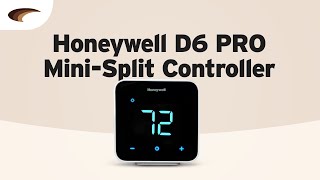
D6 Pro is particularly useful if you want to change the temperature without reaching for your phone. Its display normally shows room temperature: press + or − once to see the set temperature, then press again to adjust it.
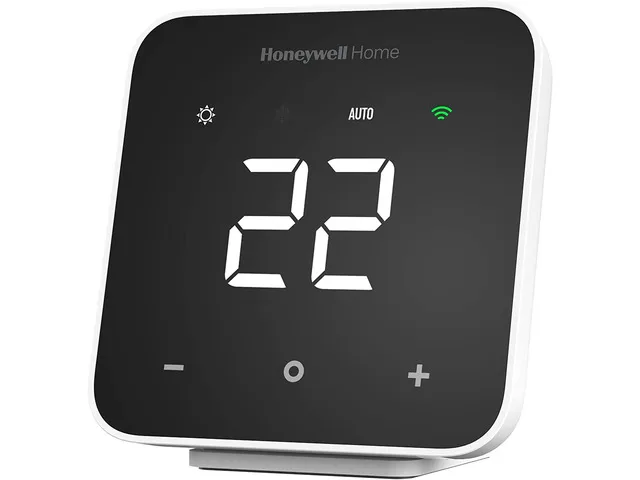
Keep the phone handy for fan changes, though: D6 Pro’s Auto, Low, Medium and High fan settings are app-only. For everyday temperature tweaks at the controller, D6 Pro is a practical choice; for regular swing and Dry-mode adjustments, Sky is the better fit when your AC supports them.
Automatic climate adjustment or room alerts?
Sky senses temperature and humidity, and Climate React can use either to trigger automatic AC adjustments. Choose it if you want the AC to respond to changing room conditions—for example, using a humidity trigger rather than relying only on a temperature setting.
D6 Pro offers Auto Changeover in the app, switching between heating and cooling based on the set temperature and room temperature. That is useful during changeable weather when the same room needs heating in the morning and cooling later. You can also use the D6 controller’s temperature sensor—the default—or the ductless unit’s sensor, giving you a choice of where temperature is measured.
For keeping an eye on a room, D6 Pro’s app can alert you when temperature or humidity is too high or low. Those notifications suit someone who wants to know when conditions need attention; Sky’s Climate React suits someone who wants temperature or humidity thresholds to prompt an AC adjustment automatically.
Schedules and arriving-home comfort
Both controllers offer seven-day scheduling and location-based automation, so either can suit a regular workweek or changing arrival times. Sky adds timers and uses your phone’s location to turn the AC on or off as you arrive or leave—useful when you want cooling tied to your movements rather than a fixed hour.
D6 Pro offers seven-day, weekday/weekend (5-2) and one-week schedules, plus geofencing with a sleep period. Its scheduling runs through the app using internet time; the controller has no clock. The Honeywell Home app can start warming or cooling as you head home.
Choose D6 Pro if weekday/weekend programming or a geofencing sleep period fits your routine. Sky suits those who want seven-day schedules, timers and arrival/departure switching without needing those additional schedule formats.
Connecting to your smart home
Both controllers work with Alexa and Google Home, so either fits a household that mainly wants voice control. D6 Pro combines those integrations with Resideo app control; Sky also offers iOS, Android and browser-based HTML5 apps, useful if you want access from a computer as well as your phone.
Sky is the better fit for a more connected setup. Its SmartThings, IFTTT, Siri and API support gives you more ways to include the AC in household automations. For an Apple household, distinguish Siri support from Apple HomeKit: Sky supports Siri but does not support HomeKit, so choose it for Siri access rather than integration into Apple Home.
For Home Assistant users, Sky’s integration requires a Sensibo API key and polls the Sensibo API once per minute. That makes Sky a practical choice for bringing AC control into an existing Home Assistant setup, with status updates on a minute-by-minute cadence rather than continuously.
Finding a workable powered location
Both controllers need plug-in power and a clear infrared path to the AC, so choose a spot with an outlet nearby and no furniture blocking the signal. Sky uses USB power; D6 Pro supports tabletop or wall placement.
D6 Pro is the convenient choice for a shelf or side table: its included stand, six-foot USB cable and wall plug give you a ready-made tabletop setup. Adhesive strips are included for wall mounting. Sky offers supplied double-sided tape or a screw-hole, making it straightforward to mount facing the AC.
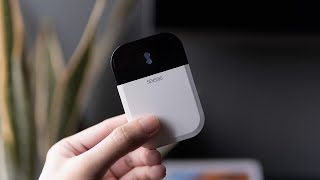
Check Wi-Fi before mounting either device. D6 Pro specifies 2.4 GHz Wi-Fi, and Sky requires 2.4 GHz rather than 5 GHz. For a home with only a 5 GHz network, plan to provide a compatible 2.4 GHz connection first. Sensibo also recommends setting Sky up near the router initially, then moving it to its intended position.
Final Verdict
Choose by AC compatibility first, then by how you want to control the room. Sensibo Sky is the better fit for compatible window or portable units, humidity-triggered AC adjustments and broader smart-home integration. Its automatic remote detection also avoids entering brand and model identifiers.
Honeywell Home D6 Pro WiFi Ductless Controller suits compatible mini-splits when you want temperature buttons on the controller or a choice between its temperature sensor and the ductless unit’s sensor. Fan changes still require the app.
Both cover basic remote control on compatible equipment and need plug-in power, a clear infrared path and 2.4 GHz Wi-Fi. Neither is the overall winner; the deciding factors are equipment fit and your preferred controls.
FAQ
How do I check the D6 Pro’s target temperature without changing it?
Can I still set up Sensibo Sky if automatic remote detection fails?
Will Home Assistant show changes to Sensibo Sky immediately?
Do I need to set a clock on the D6 Pro before creating schedules?
📄 Sources & Documentation
Sensibo Sky
- [7] support.sensibo.com support.sensibo.com
- [8] support.sensibo.com support.sensibo.com
- support.sensibo.com support.sensibo.com
- [1] Sensibo Sky manual media.hornbach.de
- [2] www.openhab.org openhab.org
- [3] sensibo.com sensibo.com
- [10] www.home-assistant.io home-assistant.io
- support.sensibo.com support.sensibo.com
- support.sensibo.com support.sensibo.com
- support.sensibo.com support.sensibo.com
"Images are used for editorial and informational purposes only. All trademarks and images belong to their respective owners."