
How to Choose a Robot Vacuum: Floors, Obstacles, Fit and Care
A robot that only picks up crumbs and a robot that mops every other day are different purchases. Start with your floors and furniture, pick a basic vacuum, a mapping dry vacuum or a vacuum/mop, and then decide which chores you want the dock to take over. Pickup results, mop handling and fit under your furniture matter more than the suction number or the length of the dock's feature list.
Quick answer
- A simple home on a tight budget: A basic vacuum with a charging base covers routine pickup on open hard floors. You empty the bin and clear the brush yourself.
- Hard floors with rugs: Get a vacuum/mop that lifts or drops its pads, or lets you set no-mop zones around rugs. A wash/dry dock pays off once you mop often enough that pad washing becomes a chore; you still refill tanks and clean the tray.
- Carpet and shedding pets: Look at hair pickup on carpet and at brush tangling, and plan on checking the brush anyway. The X11 OmniCyclone vs Saros 10R choice for carpet hair and removable pads comes down to the X11's higher hair pickup or the Saros' detachable mop pads.
- Cluttered floors: A room map plans the route; object avoidance handles the sock in the way. You want both, and you still pick up cords and pet accidents before a run.
- Low furniture: Rule out any robot taller than the gap before comparing anything else. With a 3.35-inch body for the C20 and 4.09 inches for the N30, C20 vs N30 OMNI for furniture fit is the place to start.
📑 Table of Contents
- Choose the chores before the equipment level
- Set a budget around the work you want to reduce
- Match carpet pickup and hair handling to your floors
- Read pickup tests before the Pa rating
- Choose how the mop meets rugs
- Map rooms separately from avoiding clutter
- Decide whether a camera and app fit your routine
- Measure the gaps, doorways and rugs first
- Trade floor space and consumables for fewer chores
- Models compared: body fit, mop handling and dock work
- Calculate parts costs before assuming a two-year total
- Keep a manual vacuum and a maintenance routine
- Plan for repair support, not a promised lifespan
- Which comparison should you read?
- FAQ
Choose the chores before the equipment level
Each step up in equipment should take away a job you actually repeat. A bigger dock leaves different work behind, and a home that rarely needs mopping gets little from automatic pad washing.
| Equipment level | What it handles | Work that remains | Who it suits |
|---|---|---|---|
| Bounce-and-turn vacuum with charging base | Routine pickup without a saved room map | Empty bin, care for brush/filter, prepare the floor | A simple layout and an owner comfortable with manual handling |
| Mapping vacuum with manual bin | Planned routes and model-specific room controls | Empty robot bin and maintain cleaning parts | A home where room choice matters more than dock automation |
| Vacuum/mop with charging base | Pickup and regular damp mopping on permitted floors | Empty bin, refill onboard water, wash and dry pads | An owner willing to handle the wet-cleaning parts |
| Vacuum with auto-empty dock | Transfers dry debris out of the robot | Replace bag or empty container, maintain filters | A household bothered by frequent robot-bin emptying |
| Vacuum/mop with wash/dry/refill dock | Automates the listed pad and water jobs | Empty dirty water, refill clean water, clean trays and robot parts | A home that mops often enough to justify the station |
If you never mop, a mapping dry vacuum skips the pads and water tanks entirely. In Roomba Max 715 Vac vs Dyson R1 Nurovi Dry for mapped vacuum-only cleaning, the Roomba saves up to five maps and the Dyson navigates with LiDAR.
Set a budget around the work you want to reduce
Spend more when the extra automation removes a chore you do every week. The price bands below follow Vacuum Wars' November 16, 2026 buying guide. Features overlap between bands and sales move models down a tier, so compare what a specific robot does at its current price.
| Budget band | Automation to look for, depending on model | Work that persists | Reason to move up |
|---|---|---|---|
| Under $300 | Basic floor cleaning | Bin, brushes, filters and manual stair cleaning | Room mapping if route and room control matter |
| $300–$600 | Some models offer mapping, a simple mop or auto-empty | Bags/bin and any manual pad care | Pad washing when frequent mopping makes it a chore |
| $600–$1,000 | More automated docks and mopping designs | Tanks, filters and dock care | Specific dock functions that remove recurring work |
| $1,000–$1,300 | More complete docks and obstacle hardware | Water, brushes and trays | Access features your openings or thresholds require |
| $1,300–$1,600 | Flagship sensor, cleaning and dock designs | Parts care and manual cleaning | A specialized function you will use |
| Over $1,600 | Newer or specialized features | Consumables, water and manual cleaning | Skip it if simpler equipment already handles the job |
A basic vacuum is enough for a simple layout when emptying the bin and clearing the brush by hand don't bother you. The eufy 11S Max is that kind of robot: bounce navigation, a remote and buttons, and a low 2.85-inch body.
Match carpet pickup and hair handling to your floors
Pet hair on carpet is two problems. Hair pressed into the pile is harder to lift than loose crumbs, and hair that winds around the brush means cleanup even after the floor looks clean.
On flattened hair, the X11 OmniCyclone has the edge: Vacuum Wars recorded 100% pickup of flattened 2.5-inch hair for the X11 OmniCyclone and 92% for the Saros 10R. The Saros answers with mop pads it leaves at the dock, which keeps wet pads off your rugs. Either way, the brush still needs a regular check.
For grit in carpet, the Freo 20 pulled ahead in Vacuum Wars' embedded-sand test, removing 93% to the Flow 2's 84%, although a separate home review still found grit and hair left in a rug after the Freo. The Flow 2's dock doses detergent on its own. The Freo 20 vs Flow 2 choice for carpet grit and dock care weighs that pickup result against the automatic dosing.
Read pickup tests before the Pa rating
A suction figure in pascals doesn't tell you what ends up in the bin. Brush contact, the floorhead and the floor surface all change pickup, and each brand rates Pa its own way.
Vacuum Wars' methods measure suction at the brushhead housing and weigh embedded carpet debris and hair in separate tests. A pickup result on your kind of floor is a better reason to spend more than a higher Pa number.
Choose how the mop meets rugs
A vacuum/mop suits regular damp cleaning on floors the maker approves for wet use. Spills and dried-on stains still call for a mop in your hand, and a spinning pad, roller or track mop tells you how it cleans, not how well.
With rugs, pad handling decides the choice. Some robots lift the mop, some leave it at the dock and some rely on no-mop zones, and the right one depends on rug pile. ECOVACS lists a 0.39-inch roller lift for the X11, while the Saros 10R detaches its pads. On a thick rug, removal keeps the mop farther away than a lift does.
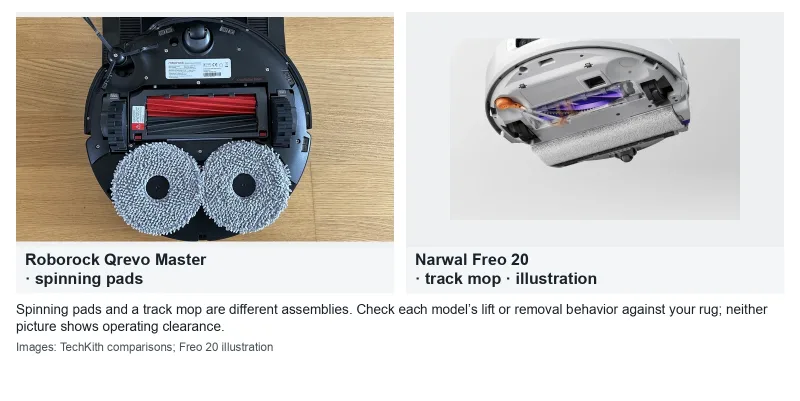
High-pile rugs rule out the Saros 20. The Hook Up measured 78.8% pickup for the S2 and 62.8% for the Saros 20 on high-pile carpet after a two-pass vacuum-only run with flour, salt, flax and rice, and the Saros 20 manual says not to use the robot on high-pile carpet at all. On carpet in general, RTINGS' S2/Saros comparison preferred the Saros for pickup.
Map rooms separately from avoiding clutter
Mapping plans the route through your rooms; obstacle avoidance deals with the cord or sock on that route. Bounce-and-turn robots skip mapping altogether, and a good map does nothing for a phone charger on the floor.
RTINGS' Saros 20/X60 comparison splits the pair cleanly: the Saros picked up more on hard floors, and the X60 handled obstacles better. Saros 20 vs X60 for hard floors and clutter helps you decide which of those jobs matters more in your home.
Against the S2, the Saros 20 wins on low furniture with its smaller profile, while RTINGS rated the S2 better with clutter. The Omni S2 vs Saros 20 choice for obstacles and low furniture turns on which of the two would keep a robot out of your rooms.
Pet accidents need a floor check before every run. RTINGS saw the S2 and X60 avoid pet waste, but in The Hook Up's obstacle course the S2, X60, Saros 20 and Flow 2 all ran over simulated waste. Avoidance lowers the odds; it doesn't make unattended cleaning safe in a home with accident-prone pets.
Decide whether a camera and app fit your routine
A robot vacuum doesn't need a camera to map. Mapping can run on LiDAR alone, and some brands add cameras for object recognition, so if you'd rather not have a camera roaming the house, look at the sensor list and privacy controls of the exact model.
Some robots skip the app entirely. eufy's 11S Max has no Wi-Fi and runs from a remote and buttons, while Roborock says the Saros 20 needs its app to work as intended. The S2 sits in between: its user guide shows physical controls, but mapping starts in the app and scheduling is app-only.
Measure the gaps, doorways and rugs first
Low furniture calls for a lower body or a sensor that retracts. Measure the opening at its lowest point, including braces under the frame. Body height rules a robot out quickly; whether it actually works its way under depends on the raised sensor and how the robot sits while cleaning.
For a gap between the two heights, the retracting sensor is the design to look at. Dreame lists the X50 Ultra at 3.50 inches with its sensor retracted, against 4.06 inches for Roborock's Qrevo Master, in X50 Ultra vs Qrevo Master for robot height.
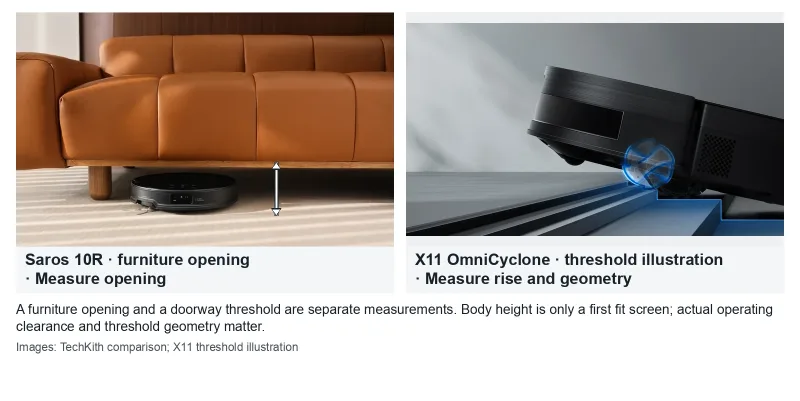
A threshold is the raised strip between two floors, and its shape matters as much as its height. Roborock rates the Saros 20 for a two-step threshold up to 3.46 inches combined, as long as the first rise is no higher than 1.77 inches, the flat between steps is 4.72 to 5.51 inches deep and the second rise is no higher than 1.69 inches. A single 3.46-inch step is a different obstacle.
Rugs and stairs need their own attention. A robot suited to the pile can vacuum a rug, but the mop has to clear it too, and no robot cleans stairs. Block the top of the stairs and follow the model's guidance on edges and dark flooring.
Trade floor space and consumables for fewer chores
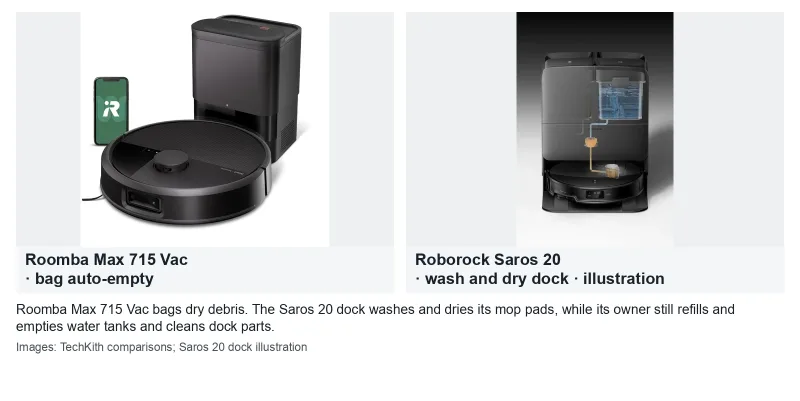
An auto-empty station earns its place when emptying the robot's bin is the chore you want gone. The debris goes to a bag or container that still needs attention, and the station needs floor space of its own, more than the robot does.
A full mop dock changes the wet-cleaning work without ending it. Look at washing, drying, refilling and detergent dosing one by one, then count what's left: clean-water refills, dirty-water emptying, tray cleaning, brushes, filters and sensors. Auto-empty and pad washing are separate jobs, so check the dock list for both.
Models compared: body fit, mop handling and dock work
Cross off bodies too tall for your opening, then compare how each mop handles rugs and which dock jobs match your chores. US prices are for the exact model as of November 16, 2026; coupons and stock change often.
| Model | Segment | Body height, inches | Mop and carpet handling | Dock jobs | US price |
|---|---|---|---|---|---|
| Roborock Qrevo Master | Vacuum/mop + dock | 4.06 | Spinning pads lift 0.39 in | Wash, dry, refill | — |
| Dreame X50 Ultra | Vacuum/mop + dock | 3.50 with sensor retracted | Pads lift 0.41 in or detach | Empty, wash, dry, refill | $999.99 at Dreame, $849.99 with coupon |
| ECOVACS DEEBOT N30 OMNI | Vacuum/mop + dock | 4.09 | Automatic mop lift | Empty, wash, dry | — |
| eufy Omni C20 | Vacuum/mop + dock | 3.35 | Pads lift 0.41 in | Empty, wash, dry, refill | — |
| Roborock Saros 20 | Rotating-mop combination + dock | 3.14 | Detachable mounts; not for high-pile carpet | Empty, wash, dry, refill | $1,599.99 at Roborock |
| Dreame X60 Max Ultra Complete | Vacuum/mop + dock | 3.13 with sensor retracted, 4.05 raised; needs a 3.19-in opening | Pads lift or detach (app setting) | Empty, wash, dry, refill, dose detergent | $1,499.99 at Dreame |
| eufy Omni S2 | Roller-mop combination + dock | 3.86 | Mop lifts on short/medium pile in vacuum-only mode | Empty, wash, dry, dose detergent | $1,599.99 at eufy |
| ECOVACS DEEBOT X11 OmniCyclone | Roller-mop combination + bagless dock | 3.86 | Roller lifts 0.39 in | Bagless empty, wash, dry | $1,099.99 at ECOVACS |
| Roborock Saros 10R | Vacuum/mop + dock | 3.14 | Detachable pads | Empty, wash, dry | — |
| Narwal Freo 20 | Track-mop combination + dock | 3.74 | Track lifts over carpet (Vacuum Wars) | Empty, wash, dry | — |
| Narwal Flow 2 | Track-mop combination + dock | 3.74 | Track lifts 0.39 in | Empty, wash, dry, dose detergent | — |
| iRobot Roomba Max 715 Vac | Dry vacuum + auto-empty dock | — | Vacuum only | Bag auto-empty | — |
| Dyson R1 Nurovi Dry | Dry vacuum + auto-empty dock | 3.78 | Vacuum only | Auto-empty | — |
Calculate parts costs before assuming a two-year total
Parts costs are worth working out per model. Count the replacements over the period you care about, subtract the spares in the box, divide by the pack size, round up to whole packs and multiply by the pack price. Count pads in pairs where they're sold that way, and decide whether a replacement in the final month belongs in the total.
The Dreame X60 Max Ultra Complete's mop pads show how it works. Dreame sells a two-pair pack for $36.99 and recommends replacing pads every one to three months, and the Complete's accessory bag holds three spare pairs. If the two pads in the box are the first installed pair and you replace them every three months, months 3 through 24 take eight pairs. After the three spares, the remaining five pairs need three packs: 3 × $36.99 = $110.97 for mop pads alone.
Pads are only part of the bill. Dreame also sells a one-set brush pack for $25.99 with a six-to-twelve-month replacement guideline, recommends a new bag every two to four months and asks you to clean the used-water tank after each run. How often the robot runs, and whether you count the month-24 swap, moves the total.
eufy packages parts differently. Its $79.99 S2/S2 Pro accessory kit holds two pairs of side brushes, two filter sets, one roller brush, one brush guard, one dust bag, one roller mop and one water-tank filter. On the listing's six-month schedule, four kits cost $319.96 over two years. The S2 user guide times several parts by hours of use, so the real count follows how often the robot runs.
For a full ownership budget, add any paid service you plan to turn on, cleaning solution, other consumables and repairs.
Keep a manual vacuum and a maintenance routine
A robot cuts down routine floor cleaning without taking over every job. Stairs and ground-in dirt still need a regular vacuum, brushes tangle, navigation misses spots or runs over things, and wet mops and docks need care.
Follow the exact model's maintenance instructions and adjust for what it picks up. Check brushes, empty or service the debris container, clean sensors and filters as directed, and wash or replace the wet-cleaning parts. Heavy shedding and frequent mopping change that routine more than any automation label.
Plan for repair support, not a promised lifespan
Replaceable batteries and wheels, available consumables, repair access and manufacturer support are what keep a robot running for years. Weigh them when you compare models.
A robot that cleans every day needs parts you can buy and upkeep you can keep up with. Follow the manual, check that parts are sold for your model, and treat replacement intervals as upkeep guidance, not predicted failure dates.
Which comparison should you read?
Choose the card that matches the constraint still separating your shortlist.
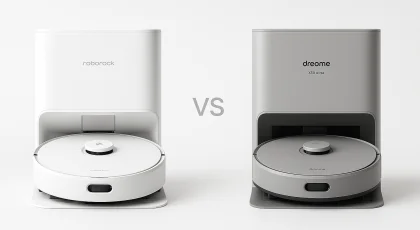 Roborock Qrevo Master vs Dreame X50 Ultra: Which Saves You Time?For low furniture: compare retracted and fixed body heights
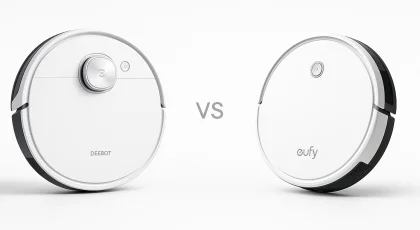 ECOVACS N30 OMNI vs eufy Omni C20: Automation or Low Clearance?For low furniture: C20's shorter body or N30's larger profile
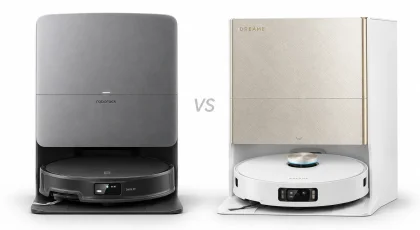 Roborock Saros 20 vs Dreame X60 Max Ultra Complete: cleaner hard floors or better obstacle avoidance?For hard floors or clutter: Saros 20 or X60
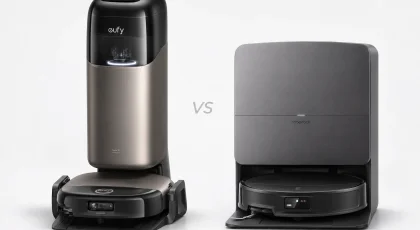 eufy Omni S2 vs Roborock Saros 20: clutter or low furniture?For clutter or low furniture: Omni S2 or Saros 20
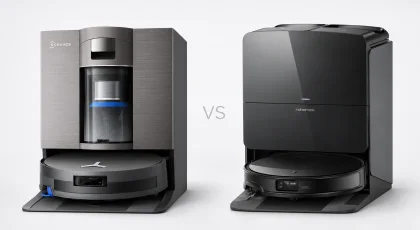 ECOVACS X11 OmniCyclone vs Roborock Saros 10R: pet hair or reach?For carpet hair or removable pads: X11 or Saros 10R
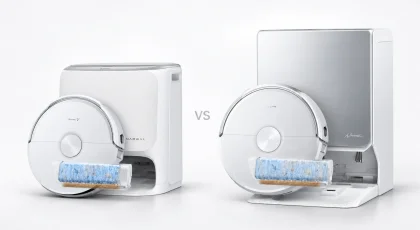 Narwal Freo 20 vs Narwal Flow 2: carpet grit or coffee stains?For carpet grit or automatic detergent: Freo 20 or Flow 2
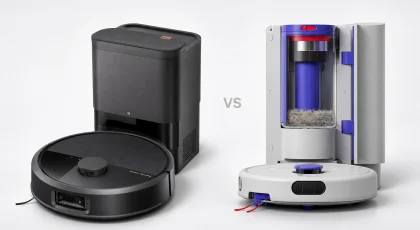 Roomba Max 715 vs Dyson R1: Which Robot Handles a Real Home?For dry cleaning and mapped floors: compare Roomba and Dyson
FAQ
What features matter when choosing a robot vacuum?
Are robot vacuum and mop combos worth it?
Do all robot vacuums map a room?
Can a robot vacuum run without Wi-Fi?
Can robot vacuums avoid pet waste?
How do I keep a robot vacuum running for years?
Updated November 16, 2026.