
Google Nest Thermostat vs ecobee Smart Thermostat Essential: Simplicity-Driven Automation or Deliberate Comfort Control?
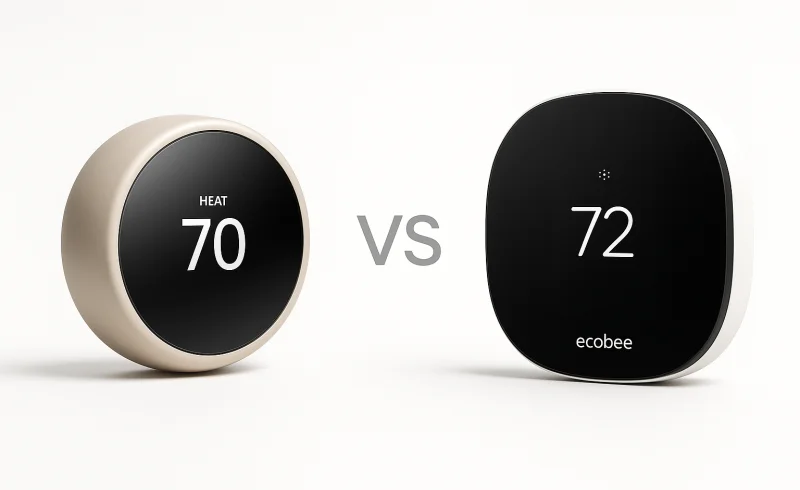
Discover the differences between Google Nest Thermostat and ecobee Smart Thermostat Essential. Understand installation requirements, smart home ecosystem compatibility, and HVAC system support to make an informed decision on the best thermostat for your needs.
TL;DR
Quick Decision:
- If you want an easy install that often works without a C-wire and a thermostat that uses motion sensing to automate energy savings → choose Google Nest Thermostat.
- If Apple Home compatibility, explicit comfort routines, and a thermostat-first app matter more than hands-off automation → choose ecobee Smart Thermostat Essential.
- If your HVAC system is complex (multi-stage, radiant, dual-fuel) → ecobee’s broader equipment support is the safer bet.
Key Differentiators:
Nest’s built-in motion sensor enables genuinely occupancy-aware setbacks—ideal if you prefer the thermostat to react on its own. Ecobee trades that for deliberate comfort settings you configure once, giving predictability at the cost of extra upfront attention. Ecosystem flexibility is a major fork: Nest lives inside Google Home with no HomeKit, while ecobee covers Apple Home, Alexa, and Google Assistant, making it the obvious choice for mixed-device homes. On wiring, Nest’s ability to run without a C-wire lowers installation friction in older houses; ecobee’s always-powered design demands a C-wire or a separate power kit, which adds planning but yields rock-solid power stability.
Who Should Skip Both:
If you expect whole-home comfort optimization with remote sensors out of the box, neither thermostat includes them—look instead at ecobee’s higher-tier models that bundle sensors, or a dedicated multi-zone system.
| Feature | Google Nest Thermostat | ecobee Smart Thermostat Essential |
|---|---|---|
| Power | ||
| Powering method | From HVAC system wires; battery backup with 2 AAA 1.5V alkaline batteries | Wired 24VAC through terminals C and R; Power Extender Kit sold separately for homes without a C wire |
| Power consumption | Less than 1 kWh/month | Less than 3 VA |
| Without C-wire installation | Designed to work if your home doesn’t have a common (C) wire; some systems may require a C wire or power-supply accessory | Power Extender Kit (sold separately) available for installation in homes without a C or common wire |
| Display | ||
| Display | 2.4-inch QVGA IPS liquid crystal display with digital brightness enhancement film and mirrored glass lens | 2.8 inch full-color LCD touchscreen |
| Resolution | 240 x 320 pixels | 240 x 320 pixel display |
| Sensors | ||
| Built-in sensors | Motion; Temperature; Humidity; Capacitive touch; Ambient light | Temperature; Humidity |
| Physical | ||
| Dimensions | Diameter: 3.3 in (84 mm); Depth: 1.07 in (27.25 mm) | Height: 92mm (3.62in); Width: 92mm (3.62in); Depth: 23mm (0.91in) |
| Color options | Snow; Sand; Fog; Charcoal | Black front, white sides and back |
| Connectivity | ||
| Wi-Fi | 802.11b/g/n 2.4 GHz, 802.11a/n 5 GHz Wi-Fi | Wi-Fi 6 @ 2.4 GHz |
| Bluetooth | Bluetooth Low Energy | Bluetooth BLE 5.4 |
| Remote control | Google Home app on iOS or Android | ecobee app; controllable through smartphone, tablet, or Apple Watch |
| Smart home integrations | Google Home and other smart home platforms; compatible with Gemini for Home voice assistant and all Matter-certified voice assistants; works with Hey Google and Alexa | Google Assistant, Apple HomeKit, Amazon Alexa |
| Environmental | ||
| Operating humidity | Up to 90% RH unpackaged | 5% to 95% RH (non-condensing) |
| Operating temperature | 32° to 104°F (0° to 40°C) | 14° to 122°F (−10° to 50°C) |
| HVAC Compatibility | ||
| Heat pump support | 1 stage of heating and cooling with auxiliary or emergency heat (O/B, AUX) | Heat pump (2H/1C) |
| Conventional system support | 1 stage of heating (W1) and cooling (Y1), plus a second stage of either heating (W2) or cooling (Y2) | Conventional (2H/1C and 1H/2C) |
| Warranty & Compliance | ||
| Warranty | 1-year standard warranty | 3-year extended warranty |
| Languages | English; French; Spanish | English |
| ENERGY STAR certified | Yes | Yes |
📑 Table of Contents
Installation & Power Requirements
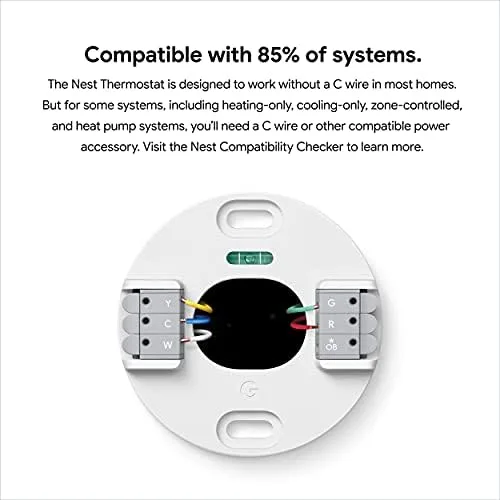
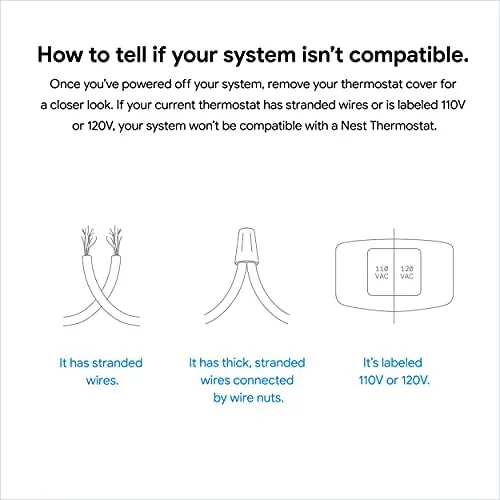
Google Nest Thermostat is designed to run from HVAC system wires and includes battery backup (2× AAA 1.5V), with explicit support for installs without a common (C) wire in most homes. In practice, that means many older 4-wire setups can get to a working baseline without pulling new wire, though Google notes some systems may still need a C-wire or a power accessory. This «works in more homes out of the box» philosophy generally reduces installation friction when you don’t know what’s behind the wall.
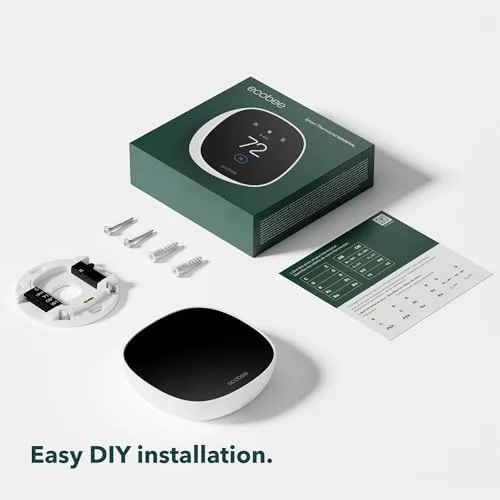
ecobee Smart Thermostat Essential is specified as wired 24VAC through terminals C and R, and ecobee explicitly states it requires a C-wire to function properly. If your home doesn’t have one, you’re pushed toward a Power Extender Kit (sold separately), which adds planning, wiring work at the HVAC control board, and sometimes professional help. Ecobee’s approach is more deterministic (powered like traditional controls), but it’s less forgiving for older wiring.
Conclusion: On pure install viability, Nest has the clear edge because it’s built to operate without a C-wire in many cases, while ecobee effectively makes a C-wire (or add-on hardware) mandatory.
Google Nest Thermostat also has a power-management trade-off: because it may «power steal» when there’s no C-wire, a common complaint is power-related oddities like a «Delayed» message tied to low power/missing C-wire, and there are isolated reports of the thermostat failing to call heat if its batteries fully discharge (even if you have backup AAs). That doesn’t negate its broader compatibility advantage, but it’s a real risk factor for edge-case HVAC setups where stable power isn’t available. Nest’s stated power consumption is <1 kWh/month, suggesting low draw—yet the practical issue is power stability, not just efficiency.
ecobee Smart Thermostat Essential, by contrast, avoids the «battery-as-critical-backup» failure mode because it’s meant to be continuously powered via C + R (24VAC). That said, the up-front requirement can become the bigger «cost» in time and complexity: if you don’t already have a C-wire, you’re either buying the separate PEK or changing wiring—exactly the kind of step that can turn DIY into a service call.
Conclusion: Nest is easier to install in more older homes, but ecobee’s always-powered design is inherently cleaner once the C-wire requirement is met—making this a simplicity-vs-planning trade-off.
Winner: Google Nest Thermostat
Display & User Interface
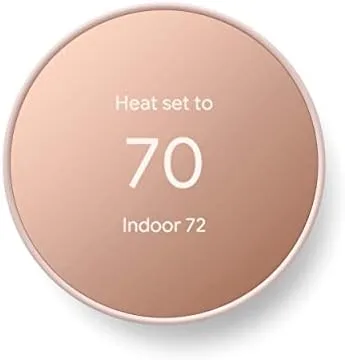
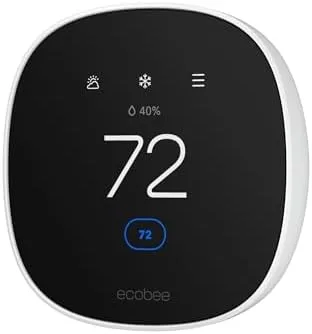
The Google Nest Thermostat uses a 2.4-inch QVGA IPS LCD with a mirrored glass lens and relies on a capacitive touch strip for navigation rather than direct touch on the screen. Resolution is 240×320, so on-paper sharpness is adequate, but the UI is intentionally simplified for quick setpoint changes and basic scheduling. It also includes an ambient light sensor to auto-adjust brightness, which can help readability in changing light.
The ecobee Smart Thermostat Essential steps up to a 2.8-inch full-color LCD touchscreen at the same 240×320 resolution. The bigger panel and direct touch input generally make on-device actions (changing modes, adjusting settings) feel more straightforward, aligning with ecobee’s more «thermostat-first» control approach. It lacks Nest’s ambient light sensor in the spec list, so brightness adaptation may be less automatic depending on how you place it.
Conclusion: With 2.8" touchscreen vs 2.4" display + touch strip, ecobee offers the more usable on-device interface for hands-on control, while Nest counters with a sleeker mirrored design and an ambient light sensor that can improve day-to-day screen comfort.
Winner: ecobee Smart Thermostat Essential
Sensors & Automation
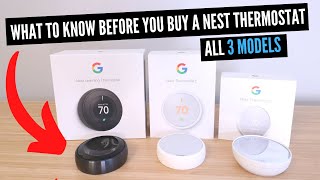
The Google Nest Thermostat has a broader onboard sensor array: motion, temperature, humidity, ambient light, and capacitive touch. That sensor mix matters for automation because it gives the thermostat more context (especially occupancy via motion) without extra hardware. In practice, this supports a more «hands-off» control philosophy where the thermostat can react automatically instead of waiting for manual schedule changes.
The ecobee Smart Thermostat Essential lists only temperature and humidity as built-in sensors. That’s sufficient for core HVAC regulation, but it limits what the thermostat can infer (notably, whether anyone is home) unless you add optional accessories. ecobee’s automation strength instead tends to come from deliberate configuration—comfort settings and routines—rather than occupancy inference.
Conclusion: On sensor-driven automation, Google Nest Thermostat has the clear advantage because it includes motion sensing (plus ambient light and touch) while ecobee Essential is limited to temperature + humidity out of the box.
The Google Nest Thermostat can use its motion sensor to support occupancy-based behavior—most notably switching into energy-saving behavior like an Eco mode when the home appears empty. However, multiple reviewers report Wi‑Fi connectivity problems with Nest Thermostats, which can blunt the real-world benefit of automations that depend on cloud/app connectivity.
The ecobee Smart Thermostat Essential can’t replicate occupancy-triggered energy behavior on its own because it lacks a built-in motion sensor; functionally, you’re leaning on user-defined schedules/comfort settings to manage setbacks. Also, some users note weak or lost internet can disrupt features like scheduling and remote access, so reliability of «smart» features still depends on network stability. The upside is that ecobee’s more explicit control model tends to be predictable if you prefer the thermostat not to «guess.»
Winner: Google Nest Thermostat — its built-in motion sensor enables genuinely different automation (occupancy-aware behavior) that ecobee Essential can’t match without add-ons, even though both can be affected by connectivity issues in real-world use.
Smart Home Ecosystem & App Control
Google Nest Thermostat is built to live inside Google Home, and its official remote-control path is explicitly the Google Home app on iOS or Android. On integrations, it supports Hey Google and Alexa and is listed as compatible with Gemini for Home and Matter-certified voice assistants (useful if you’re standardizing on Matter where possible), but it does not offer Apple HomeKit support in the provided specs. That ecosystem posture aligns with a «set it and forget it» philosophy, but it can feel limiting in households that expect equal support across platforms.
ecobee Smart Thermostat Essential takes a broader approach: it supports Google Assistant, Amazon Alexa, and Apple HomeKit, and it’s explicitly controllable via the ecobee app plus Apple Watch. That combination is a practical advantage for iPhone-first households and mixed-device families where some users default to Apple Home while others use Google/Alexa. If Apple Home matters, ecobee is the only one here that meets that requirement out of the box.
Conclusion: For cross-platform smart homes—especially Apple HomeKit households—ecobee Smart Thermostat Essential is clearly more flexible, while Nest Thermostat is the better fit when you’re all-in on Google Home.
Google Nest Thermostat control largely flows through Google Home, which treats the thermostat as one device among many; that can be convenient for whole-home routines but may bury HVAC-specific detail compared to a dedicated thermostat app experience. A common complaint is Wi‑Fi connectivity problems with Nest in the field, which can directly affect app control and remote access (Multiple reviewers report connectivity-related issues). Google also documents standard remediation like checking app versions and restarting devices, but the key point is that app-centric control depends on stable connectivity.
ecobee Smart Thermostat Essential is more «thermostat-first» in day-to-day software use, with the ecobee app oriented around HVAC controls rather than a general smart-home dashboard. ecobee also notes that weak or lost internet can disrupt scheduling and remote features (Some users note online-dependency friction), but that’s a more general reality of cloud-connected thermostats rather than a Nest-only risk. In practice, ecobee’s advantage is more about UI/control depth and platform consistency than immunity to connectivity issues.
Conclusion: On app experience and ecosystem reach, ecobee Smart Thermostat Essential has the edge for users who want a thermostat-centric control model and reliable cross-ecosystem access; Nest Thermostat is strongest when Google Home is your primary interface and you prefer simpler controls.
Winner: ecobee Smart Thermostat Essential
HVAC Compatibility
Google Nest Thermostat is best aligned with simpler HVAC setups: it supports a 1-stage heat pump (1H/1C) with auxiliary or emergency heat (O/B, AUX). On conventional systems, it supports 1H/1C plus a second stage of either heating (W2) or cooling (Y2)—but not both at once. In practice, that means it covers many common single-stage homes well, but can hit limits when equipment adds stages or complexity.
ecobee Smart Thermostat Essential supports a wider range of multi-stage configurations, including a 2-stage heat pump (2H/1C). For conventional systems, it explicitly supports 2H/1C and 1H/2C, giving it more flexibility for homes with staged heating or staged cooling. It’s also stated as compatible with radiant heating and dual-fuel heat pumps (manufacturer claim), which expands the ceiling for «non-basic» systems.
Conclusion: For typical single-stage systems, both are likely to fit, but ecobee’s broader support (2H/1C heat pumps, 2H/1C or 1H/2C conventional, plus radiant/dual-fuel) makes it the safer choice for advanced HVAC equipment.
Winner: ecobee Smart Thermostat Essential
Energy Savings & Warranty
Energy savings claims
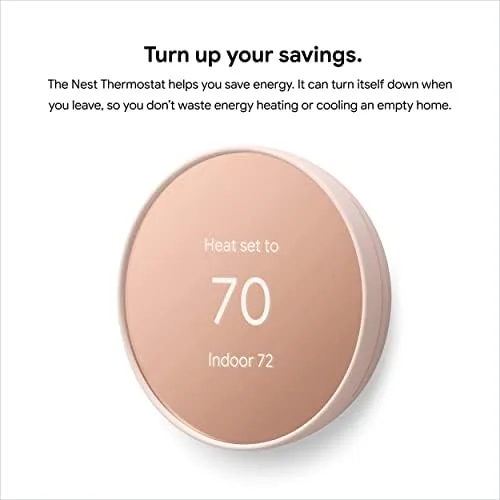
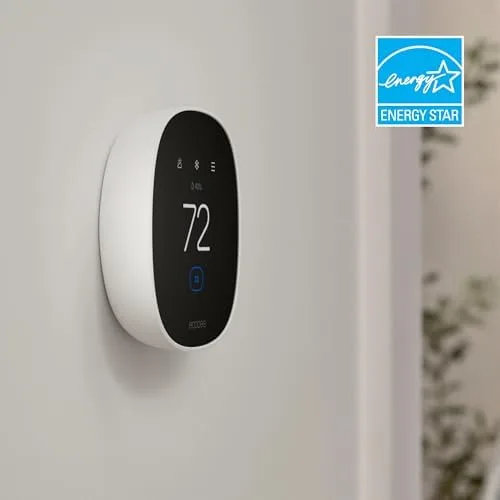
The Google Nest Thermostat is ENERGY STAR certified, which signals it meets baseline efficiency criteria for smart temperature control. However, it doesn’t provide a specific «up to $X/year» savings figure in the provided specs/facts, so the payoff is harder to quantify from official numbers alone.
The ecobee Smart Thermostat Essential is also ENERGY STAR certified, but it goes further with a concrete marketing claim of «up to $250 a year» in heating and cooling savings (manufacturer-stated) (ecobee). That doesn’t guarantee your result, but it does give shoppers a clearer benchmark for expected savings.
Conclusion: Both meet the ENERGY STAR bar, but ecobee has the edge on transparency by backing efficiency messaging with a specific up to $250/year claim, while Nest provides no comparable dollar figure here.
Warranty coverage
The Google Nest Thermostat includes a 1-year standard warranty. That’s typical for entry-to-mid smart home hardware, but it provides less long-term coverage if the device fails after the first year.
The ecobee Smart Thermostat Essential ships with a 3-year extended warranty, tripling the coverage window versus Nest. For a device that’s expected to run continuously for years, that extra protection can materially reduce ownership risk.
Conclusion: On warranty alone, ecobee is the clear winner with 3 years vs. Nest’s 1 year.
Winner: ecobee Smart Thermostat Essential
The Bottom Line
After breaking down installation, interface, automation, ecosystem support, HVAC compatibility, and warranty, the choice comes down to whether you prioritize quick setup and hands-off automation—or broader system fit and platform flexibility.
You have an older home without a C-wire: The Google Nest Thermostat is the better pick because it’s designed to run without a C-wire in many homes, avoiding adapters and extra wiring work.
You use Apple HomeKit and Siri: The ecobee Smart Thermostat Essential is the clear choice since it supports HomeKit out of the box, while Nest’s ecosystem is centered on Google Home.
You have a multi-stage HVAC or dual-fuel heat pump: The ecobee Smart Thermostat Essential wins because its wider multi-stage and advanced system compatibility makes it the safer match for non-basic equipment.
You want the simplest possible smart thermostat with minimal interaction: The Google Nest Thermostat is the better fit thanks to its motion-driven Eco mode and auto-scheduling approach that’s built for «set it and forget it» use.
For most households,
: its broader HVAC compatibility, cross-platform smart home support (including HomeKit), and longer 3-year warranty outweigh Nest’s easier C-wire-free installs and stronger built-in sensor automation.If your system is simple and you’re firmly in Google Home—especially in an older house where wiring is uncertain—go Nest; otherwise, ecobee is the more flexible buy you’re less likely to outgrow.
FAQ
Do I need a C-wire for the Nest Thermostat?
Can the ecobee Smart Thermostat Essential work without a C-wire?
Which thermostat works with Apple HomeKit?
Will these thermostats save me money on energy bills?
Is the Google Nest Thermostat easier to install than the ecobee Smart Thermostat Essential?
What does the "Delayed" message mean on my Nest Thermostat?
What happens if the Nest Thermostat's batteries are completely dead?
📄 Used Manuals & Documentation
Google Nest Thermostat
ecobee Smart Thermostat Essential
"Images are used for editorial and informational purposes only. All trademarks and images belong to their respective owners."