
NUHEAT Signature vs Schluter DITRA-HEAT-E-WiFi Thermostat: Compatibility, Scheduling, and Smart-Home Differences
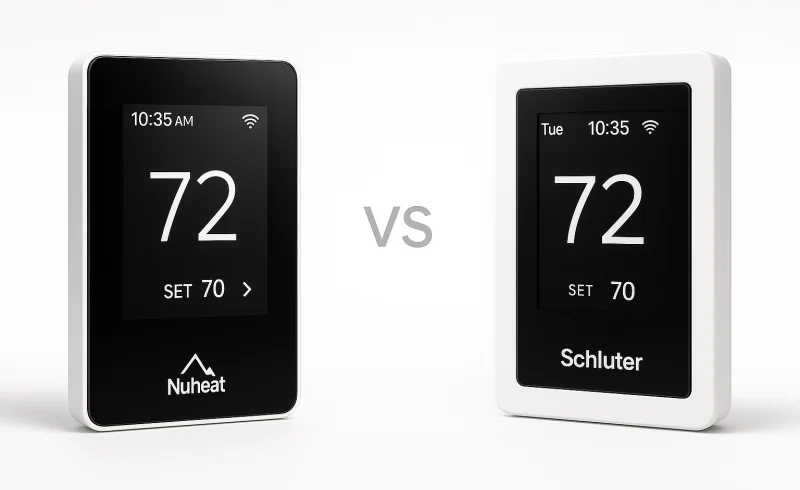
Explore the differences between nVent NUHEAT and Schluter DITRA-HEAT thermostats to determine which best fits your floor-warming system. Learn about their compatibility, scheduling, and remote access capabilities for an informed decision.
TL;DR
These two thermostats are much closer electrically than the original comparison suggested. Both are line-voltage controls for electric radiant floor heating, both support 120/240 V systems up to a 15 A resistive load, both include a Class A GFCI, and both provide a 3.5-inch color touchscreen plus remote app and web access. Both also continue to control the floor locally if Wi-Fi is unavailable. :contentReference[oaicite:0]{index=0}
The meaningful differences are elsewhere:
- NUHEAT Signature is stronger for smart-home integration. NUHEAT currently documents support for Amazon Alexa, Google Assistant, IFTTT, Control4, Crestron, ELAN, RTI, Universal Devices, URC, and an open API for custom integrations. :contentReference[oaicite:1]{index=1}
- Schluter DITRA-HEAT-E-WiFi is more flexible with existing floor sensors. Its installer menu supports the supplied 10 kΩ sensor, a 12 kΩ sensor, or a custom resistance curve, which can matter when replacing an older thermostat without opening the floor. NUHEAT describes the Signature as compatible with electric floor-heating systems generally, but warns that readings can vary with an existing sensor that is not 10 kΩ. :contentReference[oaicite:2]{index=2}
- Schluter provides more detailed schedule and energy accounting. It exposes six events per day and can calculate kWh and heating cost after the load and electricity tariff are configured. NUHEAT uses a weekly schedule organized around named day periods and includes Early Start, while its operating manual describes the on-device energy view primarily in terms of heating runtime. :contentReference[oaicite:3]{index=3}
- Being in a Schluter floor system is not, by itself, a compatibility requirement. Schluter explicitly says the DHERT104/BW can replace a non-Schluter thermostat on an electric radiant floor-heating system as long as the load stays within the thermostat's limits. :contentReference[oaicite:4]{index=4}
If the project is hydronic, uses a conventional low-voltage HVAC control circuit, or otherwise does not match a line-voltage electric floor-heating application, neither thermostat is the right control type.
| Feature | nVent NUHEAT Signature Thermostat | Schluter DITRA-HEAT-E-WiFi Thermostat |
|---|---|---|
| Power | ||
| Frequency | 50/60 Hz | 50/60 Hz |
| Maximum load | 15 A max (resistive load) | 15 A max (resistive load) |
| Built-in GFCI | Class A | Class A |
| Supply voltage | 120 V / 240 V | 120 V / 240 V |
| GFCI trip level | 5 mA | 5 mA |
| Maximum power at 120 V | 1800 W | 1800 W |
| Maximum power at 240 V | 3600 W | 3600 W |
| General | ||
| Product type | WiFi-enabled programmable thermostat | Programmable Wi-Fi thermostat |
| Intended heating system | nVent NUHEAT electric floor heating system | Schluter DITRA-HEAT floor warming system / DITRA-HEAT-E-HK heating cables |
| Warranty | ||
| Limited warranty | 3-year manufacturer’s warranty | 3-year limited warranty |
| Connectivity | ||
| Wi-Fi | Yes | Yes |
| Wi-Fi standard | 802.11 b/g/n | IEEE 802.11 b/g/n |
| Remote monitoring and control | iOS/Android app and MyNUHEAT.com web portal | Mobile app and web/online control |
| Display & Interface | ||
| Display | 3.5" color touchscreen | 3.5" color screen with interactive touch control |
| Setup wizard | Yes | Yes |
| Programming & Monitoring | ||
| Programmability | 7-day programmability | 6 programming periods per day |
| Weather display | Displays local weather forecast | Displays local temperature and weather forecast |
| Energy monitoring | Energy use monitor | Tracks energy consumption and costs |
📑 Table of Contents
- Compatibility: Neither Thermostat Is as Ecosystem-Locked as It Looks
- Electrical Installation and Load Planning
- Scheduling: Six Events vs Named Periods, but Both Anticipate Slow Floors
- Smart-Home Integration and Remote Control
- Energy Monitoring: Runtime vs Calculated kWh and Cost
- Daily Interface, Floor Protection, and Safety
- Long-Term Ownership
- The Bottom Line
- FAQ
Compatibility: Neither Thermostat Is as Ecosystem-Locked as It Looks
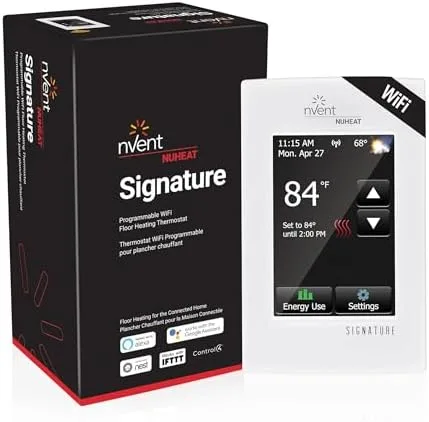

The branding makes these devices look more proprietary than they actually are. NUHEAT markets the Signature for its own electric floor-heating systems, but its published product material also describes it as compatible with electric floor-heating systems generally. The important retrofit caveat is the floor sensor: NUHEAT notes that an existing non-NUHEAT sensor may produce different temperature readings if it is not a 10 kΩ sensor. :contentReference[oaicite:5]{index=5}
Schluter is even more explicit. Although the DITRA-HEAT-E-WiFi is the thermostat associated with DITRA-HEAT-E-HK cable, Schluter says it can also replace a non-Schluter thermostat on another electric radiant system that stays within the 15 A limit. Its sensor menu is unusually useful in that context: the thermostat can be set for the supplied 10 kΩ sensor, a 12 kΩ sensor, or a custom sensor whose resistance values are entered manually. :contentReference[oaicite:6]{index=6}
That makes sensor compatibility, not brand matching, the first retrofit question. If an existing floor sensor is buried under finished tile, confirming its resistance curve before changing controls can save a much larger problem later.
Both thermostats can also run from their built-in room sensor rather than the floor sensor. That can keep a system controllable if a floor sensor fails, but it changes how floor protection works. NUHEAT's manual says Air/Room mode disables the floor sensor, while its Combined mode can control from room temperature while still enforcing a floor limit. Schluter likewise offers Floor, Room/Floor Protection, and Room modes; in Room-only mode, floor protection is not active. :contentReference[oaicite:7]{index=7}
Compatibility advantage: Schluter DITRA-HEAT-E-WiFi for retrofits with an existing or uncertain floor sensor. For a new installation with the supplied sensor and a properly sized electric floor-heating load, both are straightforward fits.
Electrical Installation and Load Planning

At the circuit level, there is little to separate them. The NUHEAT Signature is rated for 120/240 V, a 15 A resistive load, 1800 W at 120 V, and 3600 W at 240 V, with a built-in Class A GFCI. Schluter publishes the same 15 A, 1800/3600 W limits for the DITRA-HEAT-E-WiFi and specifies a Class A GFCI with a 5 mA trip level. :contentReference[oaicite:8]{index=8}
Those numbers matter more than the logo on the faceplate. A floor-heating thermostat is switching a substantial resistive load, so circuit sizing, conductor sizing, sensor placement, grounding, and local electrical code requirements are installation issues rather than app-setup details. Schluter explicitly calls for an electrical box and recommends a deep single-gang box or equivalent space for the wiring. NUHEAT likewise publishes dedicated thermostat wiring diagrams and directs field wiring to qualified electrical practice. :contentReference[oaicite:9]{index=9}
For larger heated areas, neither thermostat's 15 A direct-load ceiling necessarily forces the project into multiple unrelated controls. Schluter offers the DITRA-HEAT-E-RR power module, and says up to 16 modules can be linked to one compatible thermostat. NUHEAT publishes relay/contactor wiring for loads that exceed the thermostat's direct switching capacity. The architectures differ, but both have documented paths for larger systems. :contentReference[oaicite:10]{index=10}
Electrical result: essentially a tie for a single 15 A zone. The more relevant distinction on a larger project is whether the installer prefers Schluter's branded expansion module or NUHEAT's documented relay/contactor approach.
Scheduling: Six Events vs Named Periods, but Both Anticipate Slow Floors
Electric radiant floors respond much more slowly than forced-air HVAC, so a useful schedule is not just a list of on/off times. The control has to start early enough for the floor mass to reach temperature when the room is actually in use.
Both thermostats address that problem. NUHEAT calls its feature Early Start: the thermostat calculates when to begin heating so the floor reaches the scheduled temperature at the scheduled time. Schluter calls the equivalent behavior Adaptive Function and says it learns how much earlier heating must begin after several days of operation. :contentReference[oaicite:11]{index=11}
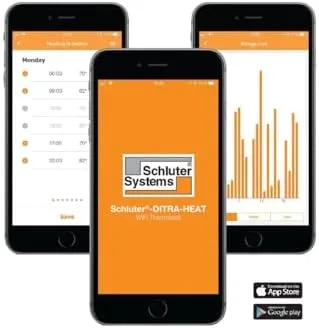
The difference is how much schedule detail each interface exposes. NUHEAT's published schedule is organized around named periods such as Wake, Leave, Return, and Sleep, with a seven-day programming model. Schluter presents six events per day, and individual events can be enabled or disabled and copied across days. :contentReference[oaicite:12]{index=12}
For a bathroom that mainly needs a warm floor before the morning routine and again in the evening, either structure is sufficient. Six events become more useful when the room has several distinct occupancy windows or when weekday schedules vary significantly.
Schluter also includes an Open Window function. When enabled, the thermostat looks for a rapid temperature drop and temporarily shuts heating off for 30 minutes. :contentReference[oaicite:13]{index=13}
Scheduling advantage: Schluter DITRA-HEAT-E-WiFi, mainly for the six configurable daily events and open-window logic. The gap is smaller than the raw event count suggests because both thermostats already include adaptive start behavior.
Smart-Home Integration and Remote Control
This is where the NUHEAT Signature has the clearest functional advantage.
NUHEAT currently lists integrations with Amazon Alexa, Google Assistant, IFTTT, Control4, Crestron, ELAN, RTI, Universal Devices, and URC, and it advertises an open API for custom integrations. That makes the Signature relevant not just as a remote thermostat, but as a component in a larger automation system. :contentReference[oaicite:14]{index=14}
The older Schluter DITRA-HEAT-E-WiFi model compared here is focused on its own remote app and website. Schluter documents control from a smartphone, tablet, or computer, and multiple thermostats can be associated with the same account. The company does not position this DHERT104/BW model around the broad voice-assistant and home-platform integrations it now advertises for newer Schluter smart thermostats such as the DITRA-HEAT-E-RS1. :contentReference[oaicite:15]{index=15}
Both thermostats still function locally when the wireless network is unavailable, so losing Wi-Fi does not mean losing basic floor control. Remote access, weather data, and account-based features are the parts that depend on connectivity. :contentReference[oaicite:16]{index=16}
There is one current NUHEAT ownership detail worth knowing. NUHEAT's product page now directs Signature users to the NUHEAT Conductor app, while its current troubleshooting material still documents the MyNUHEAT.com portal and the earlier Signature app. In other words, the Signature's connected-control software is in a transition period, even though the underlying thermostat remains a current product. :contentReference[oaicite:17]{index=17}
Smart-home advantage: NUHEAT Signature. If the requirement is only app and browser access, the two are much closer; if third-party automations are part of the plan, NUHEAT has substantially broader documented support.
Energy Monitoring: Runtime vs Calculated kWh and Cost
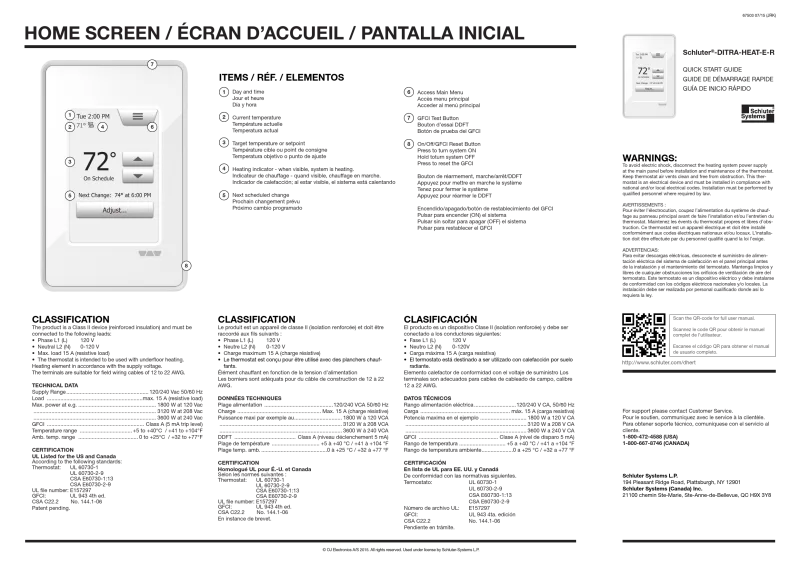
Both manufacturers use the phrase "energy use," but the underlying information is not identical.
NUHEAT's operating manual says the Signature tracks how long the floor-heating system has actually been heating, with views across different time ranges. That is useful for spotting schedule changes and unusually long heating cycles, but the on-device manual does not describe a built-in electricity-tariff calculation. :contentReference[oaicite:18]{index=18}
Schluter goes further. During setup, the thermostat can automatically measure the heating load or accept a manually entered floor load. Its Energy Use screen then reports usage history, calculated electricity consumption in kWh, and heating cost; the cost calculation uses the electricity tariff entered in settings. :contentReference[oaicite:19]{index=19}
That distinction is practical. Runtime answers, "How long was the floor actively heating?" Schluter's additional calculation tries to answer, "Approximately how much electrical energy did that represent, and what does that translate to at the tariff I entered?"
Energy-monitoring advantage: Schluter DITRA-HEAT-E-WiFi. Its reporting is more directly useful when the goal is to compare schedule changes against estimated operating cost.
Daily Interface, Floor Protection, and Safety
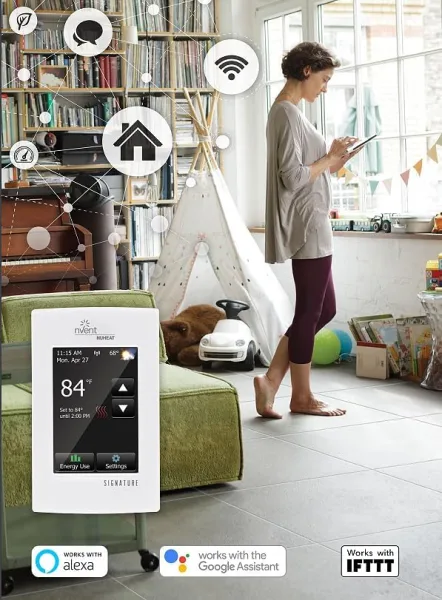
Both devices use a 3.5-inch color touchscreen and a setup wizard. Both provide manual temperature overrides in addition to scheduled operation. Neither requires a network connection for ordinary local control. :contentReference[oaicite:20]{index=20}
Both also provide floor-temperature protection for temperature-sensitive finishes. NUHEAT limits engineered wood/laminate mode to 82°F (28°C). Schluter's Laminate protection likewise sets an 82°F (28°C) maximum, while its installer menu also provides Tile and Custom protection profiles. In either product, room-only sensing removes the direct floor-temperature safeguard, which is why the sensor configuration matters as much as the thermostat interface. :contentReference[oaicite:21]{index=21}
The safety baseline is also similar: both incorporate a Class A GFCI, and both provide on-device test/reset procedures. Schluter additionally offers a child lock on this model, which can be useful in a shared bathroom or rental setting. :contentReference[oaicite:22]{index=22}
Daily-use result: close to a tie. Schluter has more installer-level configuration and a child lock; NUHEAT's main differentiator appears after setup, in its wider connected-home ecosystem rather than the wall interface itself.
Long-Term Ownership
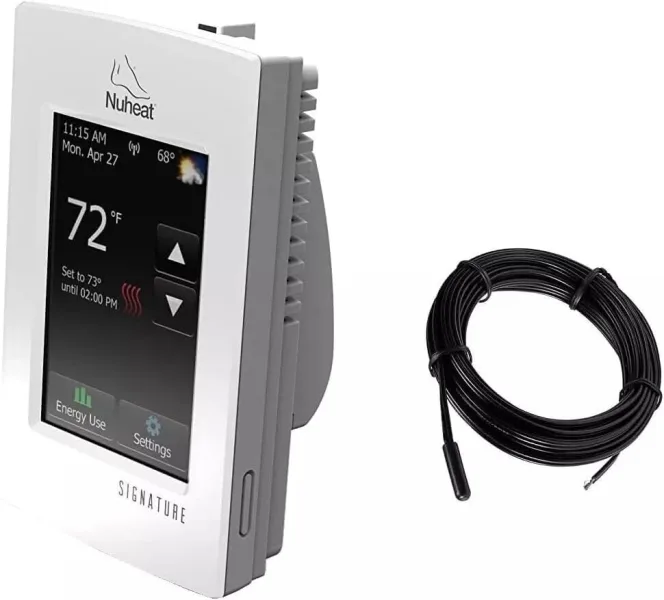
Both thermostats carry a three-year thermostat warranty, and both can continue following local control logic without an active Wi-Fi connection. That is important because the heating function itself should not depend on a cloud service being reachable at every moment. :contentReference[oaicite:23]{index=23}
The ownership risks are different, however.
For NUHEAT, the main question is the connected-service layer. The Signature remains current, but NUHEAT is moving users toward the Conductor app while older support pages still reference the previous app and MyNUHEAT workflow. The thermostat's broad third-party integration support is a strength, but those remote and automation features necessarily depend on accounts, servers, and software maintained outside the wall unit. :contentReference[oaicite:24]{index=24}
For Schluter DHERT104/BW, the hardware is still listed in Schluter's current DITRA-HEAT documentation, but Schluter also states that this thermostat cannot obtain software updates. That does not prevent local schedules or basic operation, but it means the device should be evaluated as a mature, largely fixed-feature platform rather than one likely to gain new capabilities later. :contentReference[oaicite:25]{index=25}
The retrofit story again favors Schluter because of its 10 kΩ, 12 kΩ, and custom sensor options. A thermostat is replaceable; a floor sensor embedded under finished flooring is much less convenient to change. That is one of the most consequential practical differences in this comparison. :contentReference[oaicite:26]{index=26}
The Bottom Line
The original "Schluter ecosystem versus standalone NUHEAT" framing is too simplistic. Both thermostats can work beyond their own branded heating systems, and both cover the same basic electrical job: a 120/240 V electric radiant floor-heating zone up to 15 A with built-in GFCI protection, local touchscreen control, scheduling, and remote access. :contentReference[oaicite:27]{index=27}
The more useful decision is based on the installation and control priorities:
- For an existing floor with an unknown or non-10 kΩ sensor: the Schluter DITRA-HEAT-E-WiFi is the more accommodating control because it supports 10 kΩ, 12 kΩ, and custom sensor curves.
- For extensive smart-home automation: the NUHEAT Signature has the broader documented integration set and an open API.
- For detailed day-part scheduling and calculated energy cost: the Schluter DITRA-HEAT-E-WiFi provides six daily events plus kWh and tariff-based cost reporting.
- For simple remote app and browser control: either covers the requirement, and both retain local operation when Wi-Fi is down.
- For a new Schluter DITRA-HEAT installation: the Schluter thermostat remains the most directly documented system companion, but that is an installation-coherence advantage rather than a hard compatibility rule.
There is no defensible universal winner here. NUHEAT is the more capable connected-home controller; Schluter is the more configurable floor-heating controller. The right fit depends less on the brand of heating cable than on the buried sensor, the schedule complexity, and whether the thermostat needs to participate in a wider automation system.
FAQ
Can I use the Schluter thermostat with a non-Schluter heating cable?
Do these thermostats work with Alexa or Google Home?
Which thermostat is easier to install?
How do I troubleshoot a blank screen on my NUHEAT Signature thermostat?
What does the E0 error code on a Schluter DITRA-HEAT-E-WiFi thermostat mean?
Can I control my Schluter thermostat without Wi-Fi?
"Images are used for editorial and informational purposes only. All trademarks and images belong to their respective owners."