
How to Choose Smart Plugs and Switches: Load, Wiring and Controls
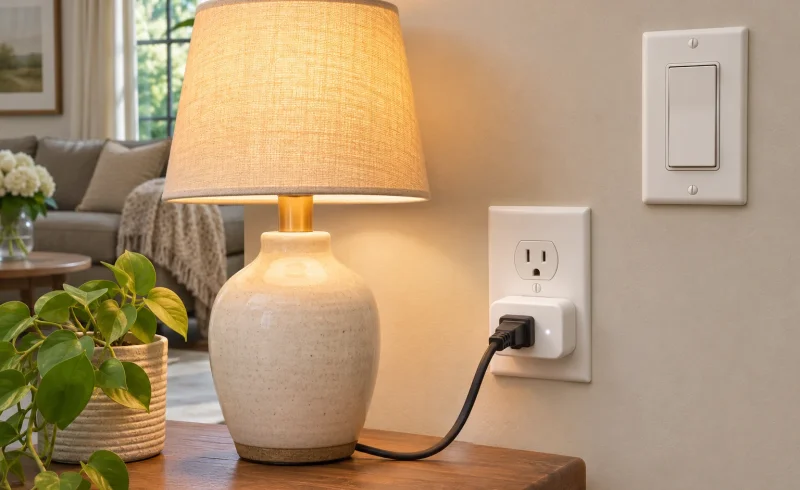
A table lamp, a desk full of chargers, and a hallway light switched from both ends need different controls. Start with what you want to switch, dim, or measure, then check the wiring, the people who need to control it, and what your smart-home setup already includes.
Quick answer
- One lamp on a budget. Use one indoor on/off smart plug to schedule a lamp that comes back on when power returns. If you want the lamp in your smart-home app or want a separate wall control, compare Kasa scheduling with Apple Home and an optional wall companion.
- Several things at one outlet. If your desk lamp and chargers need different schedules, count independently controlled sockets. Compare a strip for Apple Home with one offering more switched outlets.
- A porch or patio. For separate schedules on two outdoor loads, choose a two-outlet outdoor smart plug with independent outlet control.
- One circuit of ceiling lights. If the fixtures should switch together and brightness can stay fixed, check the wiring for a compatible on/off wall switch.
- Lights you want to dim from the wall. Match the dimmer to your bulbs. To keep two existing switches wired to the same light, choose a compatible wired multi-way dimmer.
📑 Table of Contents
- Put the control where the power goes
- Match the electrical rating to the appliance
- Check the neutral wire and how many switches control the light
- Use a dimmer only when the bulbs match it
- Choose a connection your household can use
- Count the outlets you actually need to switch
- Use energy monitoring to see where consumption adds up
- Count upkeep and required hardware before comparing prices
- Models we compared
- Which comparison should you read?
- FAQ
Put the control where the power goes
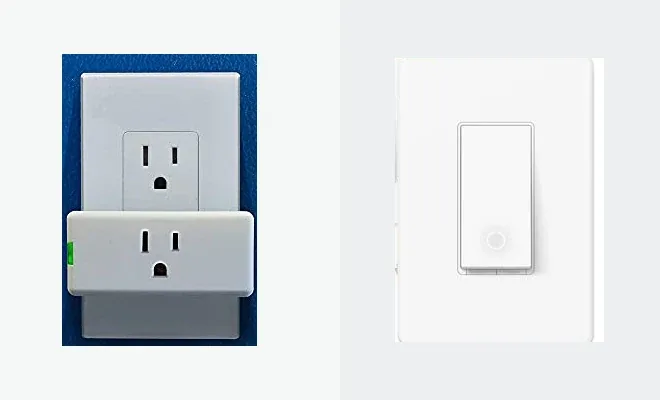
A smart plug switches power to a compatible plug-in appliance. It moves with the appliance, which makes it a practical choice for renters. A wall switch controls the fixtures on a wired circuit from a fixed location.
| Equipment | What it controls | What you still handle | Who needs it |
|---|---|---|---|
| Basic indoor plug | On/off and schedules for one plug-in load | Set the appliance itself so it runs when power returns | A renter or anyone automating one lamp |
| Smart power strip | Multiple plug-in loads at one location | Assign loads to separately switched or always-on sockets and check their combined load | A desk or media cabinet with different schedules |
| Outdoor smart plug | Power to compatible equipment outdoors | Set a schedule for each load | A porch or patio with a plug-in load |
| Energy-monitoring plug | On/off plus power and usage readings for a plug-in load | Interpret the readings and decide what to change | Anyone trying to understand what an appliance uses |
| On/off wall switch | Fixtures connected to one circuit | Match the switch to the wiring and load | Fixed lights that should switch together |
| Wall dimmer or dimmer kit | Brightness of compatible bulbs on the circuit | Match the bulbs and wiring, then set up any remotes or bridge | A room that needs adjustable light or an extra control point |
For a lamp that needs adjustable brightness, a compatible smart bulb can set the level at the light itself. The smart lighting guide covers bulbs and fixtures you can control individually.
Match the electrical rating to the appliance
The load type matters as much as the number on the box. The Tapo P125M is rated for up to 15 A (1,800 W) for general resistive loads and up to 1/6 hp for a motor. Some appliances draw a brief surge of current when they start. Check the plug’s instructions for motors, compressors, and high-inrush adapters against the appliance.
Leave room for any cord or adapter in a neighboring socket. The P125M is designed for dry indoor locations.
For a porch lamp and patio lights on separate schedules, the IP64-rated Kasa KP400 switches its two outlets independently. Match the outdoor plug to the location, follow its placement instructions, and cap unused outlets.
Check the neutral wire and how many switches control the light
A box without neutral needs a switch designed for it
The Tapo S505, Tapo S500D, Cync 93131905, and Kasa HS200 require a neutral wire at the switch. Check the selected model’s grounding requirements as well. Have the circuit safely isolated before inspecting the box, and use a qualified installer when you need one to identify the wiring or fit the switch.
For on/off control without a neutral, the four-button, three-channel Aqara WS-K04E needs a 5 W minimum load and handles up to 10 A of resistive load. If you want adjustable brightness and can control it at the light, consider the smart bulb route. If your box has a neutral and you need one on/off circuit, the S505 handles single-pole switching with a neutral.
A light controlled from two walls needs a multi-way plan
In US wiring, a single-pole switch controls a circuit from one wired location. A 3-way circuit lets two wired switches control the same light. The S505 and S500D fit single-pole installations. To add a wireless control point to one of those installations, budget for a separate Tapo Button and Tapo Hub.
The Cync 93131905 can keep traditional switches in use on 3-way or 4-way circuits using its included traveler wire. Follow the installation instructions for the exact model and circuit.
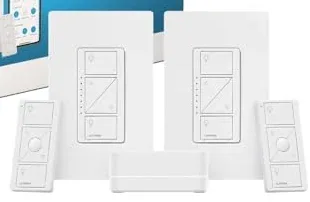
A Caséta Pico remote adds a physical control point without new switch wiring. The Lutron P-BDG-PKG2W-A includes two wall dimmers, two Pico remotes, and a bridge. If only one circuit needs on/off control, the Kasa HS200 covers that job with one Wi-Fi switch.
 Lutron Electronics
Use a dimmer only when the bulbs match it
An on/off switch cuts or restores power to the whole circuit. A dimmer adjusts light output when the bulbs support its dimming method and their combined wattage fits its rating for that bulb type. Choose the on/off switch if schedules and wall control are all you need.
The Cync 93131905 is rated for up to 150 W of LED lighting or 450 W of incandescent or halogen lighting. The Tapo S500D uses leading-edge TRIAC dimming and is rated for 300 W of incandescent lighting or 150 W of LED lighting under its MLV specification. If a bulb is labeled “dimmable,” check that it supports the method your dimmer uses.
Choose a connection your household can use
Wi-Fi, Thread, and Zigbee describe how commands get from one device to another. Matter gives compatible devices and smart-home platforms a common way to understand those commands. A Wi-Fi device can use the maker’s app directly, while adding it to a Matter platform can still call for that platform’s own controller.
For nearby Bluetooth control, the Philips Hue Smart Plug works on its own. Use a Hue Bridge to connect it over Zigbee or add it to a Matter platform. If you already use Hue or want Matter over Wi-Fi, compare the Hue Bridge route with the Tapo P125M, which uses Bluetooth for setup and Wi-Fi for Matter.
For Zigbee setup with the Aqara WS-K04E, start with an Aqara Zigbee hub. For Thread setup, have a Matter controller and a Thread border router to connect the switch to the rest of your home network. A compatible device can fill both roles.
For a wall dimmer, choose Matter control with the Cync 93131905 or native Wi-Fi control with the Tapo S500D based on the app you want to use.
An iPhone on iOS 18 or later can add and control compatible Matter accessories in Apple Home locally without a home hub. Thread accessories have separate connectivity requirements, and Apple Home requires a home hub for remote control, sharing, and automations.
The Kasa EP10 fits households using Kasa, Alexa, Google Assistant, or SmartThings for basic plug schedules and switching. For Apple Home or Decora Smart, the Leviton D215P-1RW supports a plug-in setup with an optional wall companion if you want a physical control elsewhere.
Count the outlets you actually need to switch
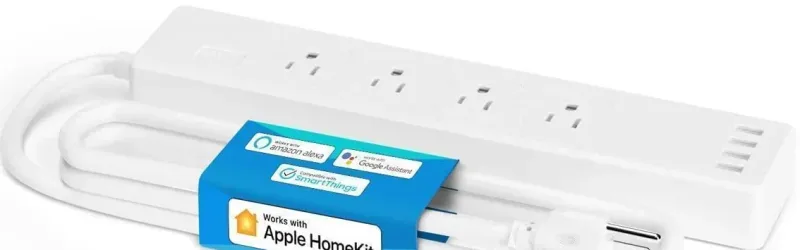
Count the devices that need their own schedules and those that should stay powered. With the US Meross MSS425FHK, Apple Home support comes with four separately switched AC outlets and four USB ports switched together. A desk or media cabinet with more AC loads can use the Geeni GN-SW008-101’s six individually switched outlets and two always-on sockets. Add up what you plan to plug in and check that total against the limit in the strip’s instructions.
 Meross
Use energy monitoring to see where consumption adds up
Watts show what an appliance draws at a given moment. To see how much energy it used over a period of time, look at kilowatt-hours (kWh). The Tapo P110M tracks usage and estimates cost when you enter your electricity rate. That estimate can help you decide whether to shorten an appliance’s running time. To track several appliances separately, the Tapo Store has a four-pack of P110M plugs for $28.69.
Count upkeep and required hardware before comparing prices
A physical remote can add a small recurring job. Lutron uses a replaceable CR2032 battery in its Pico remotes, and Caséta app and remote access are free. For an installed control, budget for the switch or dimmer and any installation you need. Add a bridge or controller if your chosen mode requires one. A button or companion is an extra only if you want another place to operate the device.
US hardware prices are from November 22, 2026. Allow separately for shipping, taxes, installation, and any additional platform controller.
| Example hardware budget | What it adds | What you still handle | When the extra spend makes sense |
|---|---|---|---|
| Under $30 | One Tapo S505 schedules a circuit, one Kasa KP400 switches two outdoor outlets independently, or four Tapo P110M plugs track separate loads | Check wall wiring for the S505 or leave the appliance set to run when power returns | A single on/off plug covers one indoor load that only needs a schedule. |
| About $38 to $55 | One Meross MSS425FHK (US) schedules several outlets or one Aqara WS-K04E controls three channels | Check strip load limits or account for wiring and platform hardware | A desk needs separate schedules or a room needs several channels. One plug or switch can cover a single load. |
| $119.98 for one Hue plug and one Hue Bridge | Starts a Bridge-based Hue setup and gives the plug a Matter route | Set up the Bridge and count any platform controller separately | You want the Hue Bridge features and do not already own a Bridge. Nearby Bluetooth control can use the plug on its own. |
The $119.98 Hue hardware example adds one $39.99 plug and one $79.99 Hue Bridge at Philips Hue. If you already have a Hue Bridge, the plug is the only Hue hardware to add.
Models we compared
| Model | Type and controlled outputs | Connection | Neutral required | Dims connected load | US price, quantity, and seller |
|---|---|---|---|---|---|
| Kasa EP10 | On/off plug | Wi-Fi | N/A | No | n/a |
| Leviton D215P-1RW | On/off plug | Wi-Fi, Matter with firmware update | N/A | No | n/a |
| Tapo P125M | On/off plug | Wi-Fi, Matter | N/A | No | n/a |
| Philips Hue Smart Plug | On/off plug | Bluetooth or Zigbee, Matter via Hue Bridge | N/A | No | $39.99 for one at Philips Hue |
| Meross MSS425FHK (US) | Strip with 4 separately switched AC outlets and 4 USB ports switched as a group | Wi-Fi, Apple HomeKit | N/A | No | $37.99 for one at Meross Store |
| Geeni GN-SW008-101 | Strip with 6 separately switched AC outlets and 2 always-on outlets | Wi-Fi | N/A | No | n/a |
| Aqara WS-K04E | Wall switch with 4 buttons and 3 channels | Zigbee or Thread, Matter via Thread | Optional | No | $54.99 for one at Aqara Store |
| Tapo S505 | On/off wall switch | Wi-Fi, Matter | Yes | No | $9.99 for one at Tapo Store |
| Cync 93131905 | Wall dimmer | Wi-Fi, Matter | Yes | Yes | n/a |
| Tapo S500D | Wall dimmer | Wi-Fi | Yes | Yes | n/a |
| Lutron P-BDG-PKG2W-A | Kit with 2 wall dimmers, 2 Pico remotes, and a bridge | Caséta, bridge | No | Yes | n/a |
| Kasa HS200 | On/off wall switch | Wi-Fi | Yes | No | n/a |
Which comparison should you read?
Once you’ve matched the device type to the job, compare the two models that fit the controls or setup you want.
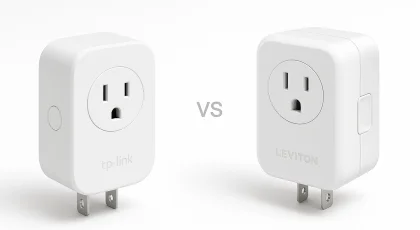 TP-Link EP10 vs Leviton D215P-1RW: Kasa Basics vs Apple Home and MatterFor a basic plug: Kasa control or Apple Home and a wall companion
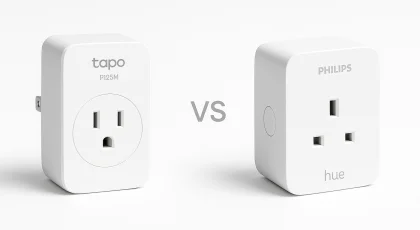 Tapo P125M vs Philips Hue Smart Plug: Matter or Hue Integration?For a plug ecosystem: Wi-Fi Matter or the Hue Bridge path
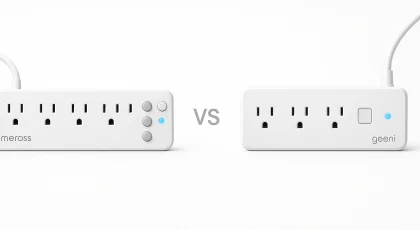 meross MSS425F vs Geeni GN-SW008-101: Platforms or More Outlets?For several loads: Apple Home strip or more controlled outlets
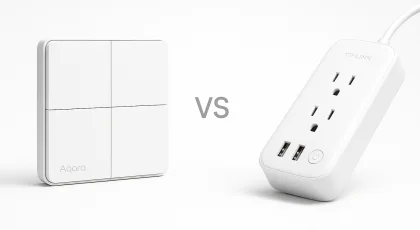 Aqara WS-K04E vs TP-Link S505: Scene Control or Simple Switching?For wall controls: no-neutral multi-channel or neutral-required on/off
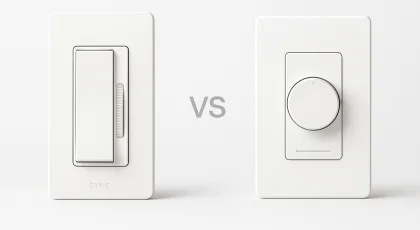 Cync 93131905 vs Tapo S500D: Multi-Location Control or Simple Setup?For dimmer platforms: Cync with Matter or Tapo S500D with native Wi-Fi
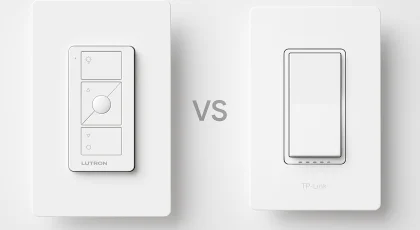 Lutron P-BDG-PKG2W-A vs TP-Link HS200: Dimming Kit or Wi-Fi Switch?For a lighting kit: two dimmers and remotes or one on/off switch
FAQ
Can one wall dimmer set two bulbs to different brightness levels?
Can I put each USB charger on its own schedule with a smart strip?
Do smart plug schedules stop when the internet goes out?
Can a wireless button make a single-pole dimmer work on a 3-way circuit?
Updated November 22, 2026.