Satechi Slim X3 Bluetooth Backlit Keyboard vs iClever BK10 Bluetooth Keyboard
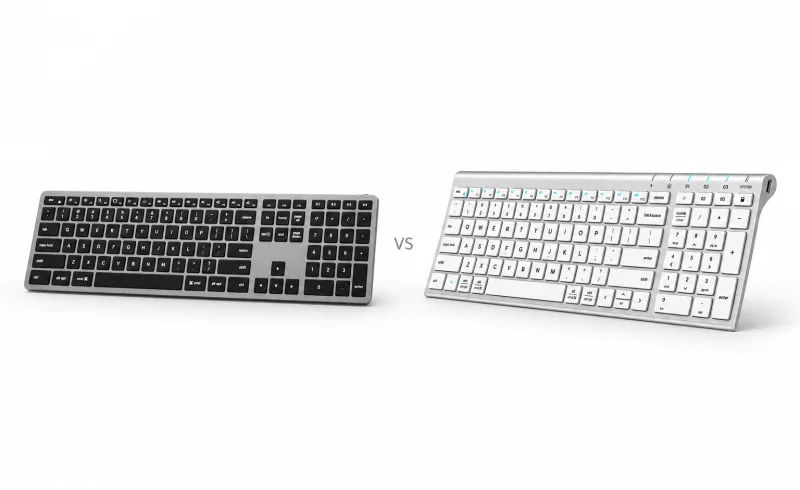
The Satechi Slim X3 suits Mac desks with backlighting, four Bluetooth hosts and USB wired mode, while the iClever BK10 suits Android-inclusive setups.
TL;DR
The Satechi Slim X3 fits a Mac-centered desk, with macOS function keys, adjustable white backlighting and a USB wired mode. Its four Bluetooth assignments let you add a fourth device without replacing an existing pairing. If your Mac uses FileVault, keep another way to enter your startup password: the Slim X3 cannot do that.
The iClever BK10 is the more straightforward choice for an Android-inclusive setup, with Windows, Mac, iPhone/iPad and Android support and automatic operating-system and layout recognition. Its three Bluetooth channels cover a laptop, tablet and phone. Both keyboards include a numeric keypad; the useful choice is between the Slim X3’s lighting, fourth pairing and wired option, and the BK10’s mixed-platform setup.
| Feature | iClever BK10 Bluetooth Keyboard | Satechi Slim X3 Bluetooth Backlit Keyboard |
|---|---|---|
| Lighting and battery | ||
| Backlight controls | — | White backlight with 10 brightness levels and automatic dimming. [1] [2]Backlight controls require pairing with a host device. |
| Battery life and charge time | Up to 45 days at 2 hours/day; about 2 hours to charge. [3] [4]Manufacturer-stated runtime; the manual separately lists 90 hours of uninterrupted work. | Up to approximately 80 hours; 2–3 hours to charge. [1] [5]Manual maximum; a reviewer says runtime depends on backlight brightness. |
| Layout and connections | ||
| Layout and key design | Full-size layout with number pad and low-profile scissor keys. [3] | Slim extended layout with numeric keypad and macOS function keys. [2] [5] |
| Connections and device switching | 3 Bluetooth devices with channel-key switching. [6]Hold a channel key for 5 seconds to pair; press once to switch. | 4 Bluetooth devices with dedicated switching buttons; USB-C wired mode. [7] [5]Hold a Bluetooth button for 3 seconds to pair; press it to switch. For wired mode, connect the cable and press Fn + USB key. |
| Operating-system support and limitations | Windows 8+ with Bluetooth HID, macOS 10.12+, iOS 9+, Android 6+. [3] [4]Automatic OS/layout recognition. Manual lists Windows 7 PCs/laptops, Bluetooth adapters, Mac mini, Samsung Smart TVs and Nokia phones as not fully compatible. | macOS 10.4+, iOS 13+; Windows 10. [5] [8] [9] [10]Apple minimums: 2022 review. Windows 7/8 unsupported; Windows function keys may differ, and a reviewer could not enter Alt codes. FileVault blocks startup password entry; operation resumes after login and Bluetooth reconnection. |
📑 Table of Contents
Layout and keys for everyday typing
For spreadsheet work or frequent number entry, both keyboards give you a numeric keypad, so neither requires a separate number pad. The Slim X3’s keypad sits on the right side.
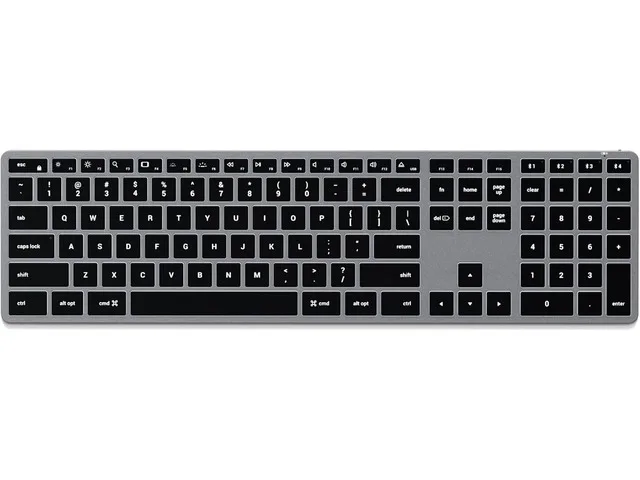
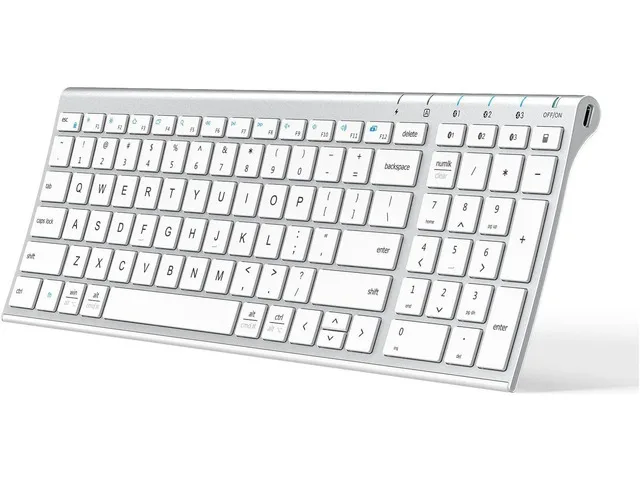
The more useful distinction is the keys themselves. The Slim X3 combines an extended layout and slim profile with macOS function keys—a practical reason to choose it for a Mac-centered desk.
The BK10 has a full-size layout and low-profile scissor mechanism. It is worth considering if that key mechanism is your preference for everyday typing; iClever also describes its key travel as optimized.
Switching between three or four devices
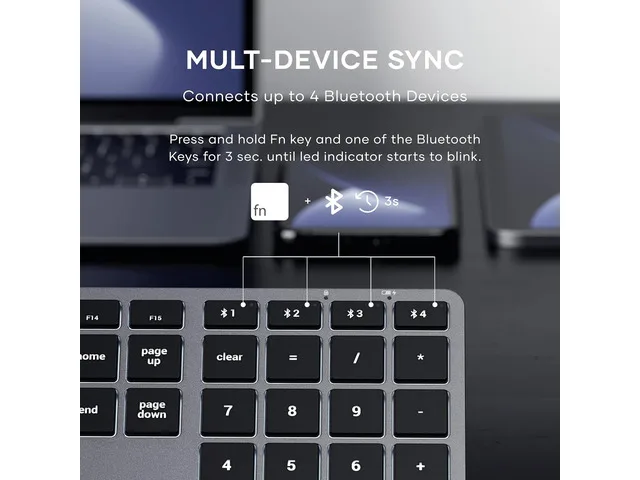
Choose the Slim X3 if you regularly move between four compatible devices: it keeps four Bluetooth assignments, so a fourth host need not displace another. Hold a Bluetooth key for three seconds to pair, then press its assigned key to switch.
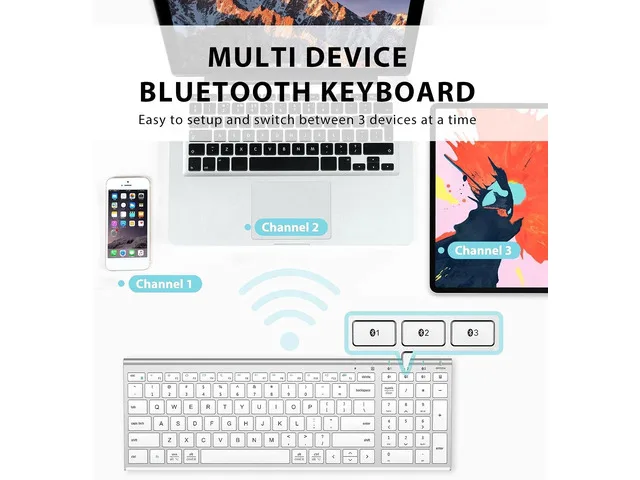
For a laptop, tablet and phone, the BK10’s three channels cover that setup. Each stores one device; hold its channel key for five seconds to pair, or press once to switch. The review’s multi-device control chapter (03:15) focuses on this everyday switching task.
A cable-based workflow is another reason to choose the Slim X3. To enter USB wired mode, connect the USB-C cable and press Fn plus the USB key between F12 and F13; the power LED turns green. That gives you a wired alternative when you prefer not to use Bluetooth.
Matching your operating system and login workflow
For a desk shared between different platforms, the BK10 supports Windows, Mac, iPhone/iPad and Android, with automatic operating-system and layout recognition. That makes it the more straightforward choice here for an Android-inclusive setup. If you buy the UK-layout version, follow its manual’s instruction to select British rather than PC-British when configuring the input layout.
The Slim X3 also works with Windows 10, but not Windows 7 or 8. Its macOS/iOS-based function keys may behave differently on Windows, so factor shortcut behavior into your choice if Windows is your main workspace.
For a Mac with FileVault enabled, consider the login routine before choosing the Slim X3: it cannot enter your password at startup. Keep another way to enter that password available; the keyboard works normally after login once Bluetooth reconnects.
Adjustable lighting for a dim desk
For evening typing, the Slim X3 offers ten white-backlight levels and automatic dimming, letting you adjust key illumination to suit a dim room.
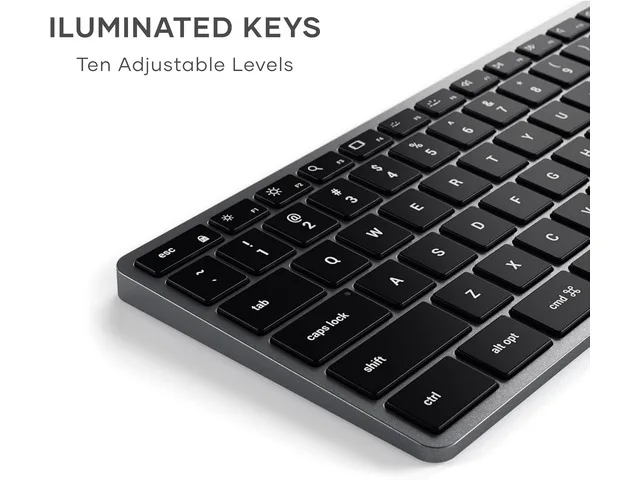
Pair it before adjusting the lighting: its backlight keys work only when paired with a host device. If adjustable illumination is essential, the Slim X3 is the one to get.
Charging and planning time away from a cable
For occasional home use, iClever promises the BK10 up to 45 days between charges at two hours of use daily. It charges over USB-C and sleeps after 30 minutes, making it a practical option for a desk you return to briefly each day.
Satechi lists approximately 80 hours of maximum battery life and a two-to-three-hour charge for the Slim X3. Plan around that hours-based figure rather than treating it as a calendar-day equivalent to iClever’s light-use claim.
The BK10 takes approximately two hours to charge, so either keyboard’s recharge can fit into a longer break. Its flashing low-battery warning helps you plan that break; red indicates charging and green means it is full.
Final Verdict
Choose the Satechi Slim X3 Bluetooth Backlit Keyboard if you need four assigned Bluetooth hosts, a wired USB option or adjustable lighting. Its ten white-backlight levels suit a dim desk, though lighting controls require a paired host. For a FileVault-enabled Mac, keep another way to enter your startup password available.
The iClever BK10 Bluetooth Keyboard is the more straightforward choice for an Android-inclusive setup, with Windows and Apple support too. Its three channels accommodate a laptop, tablet and phone. Pick by host count, platform mix and whether you want wired operation or lighting.
FAQ
Which keyboard has a wired mode?
How long does each keyboard's battery last?
Does the Slim X3 work with Windows?
📄 Sources & Documentation
Satechi Slim X3 Bluetooth Backlit Keyboard
- macsources.com macsources.com
- [5] 9to5mac.com 9to5mac.com
- [10] satechi.com satechi.com
- [9] gbatemp.net gbatemp.net
- [7] support.satechi.com support.satechi.com
- support.satechi.com support.satechi.com
- [8] support.satechi.com support.satechi.com
- [1] Satechi Slim X3 Bluetooth Backlit Keyboard manual support.satechi.com
- support.satechi.com support.satechi.com
- [2] satechi.com satechi.com
"Images are used for editorial and informational purposes only. All trademarks and images belong to their respective owners."