Kindle Scribe (no light) vs Paper Pure: Books or Work Notes?
TL;DR
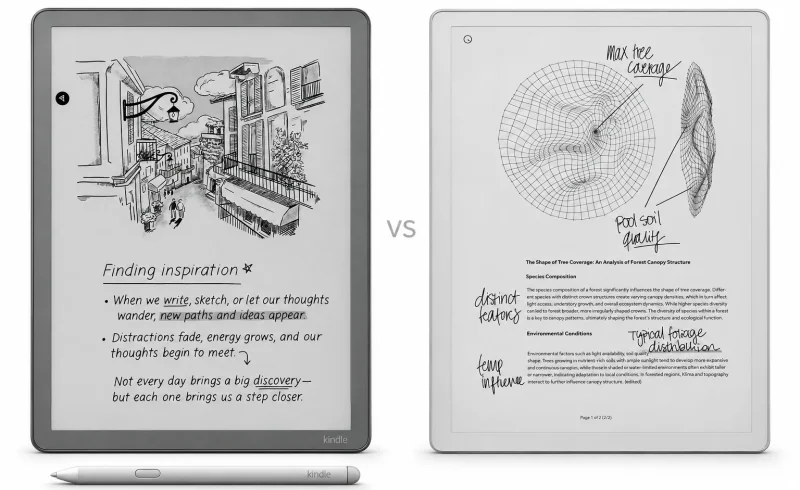
The 16 GB, third-generation Kindle Scribe without Front Light suits readers who also take handwritten notes; reMarkable Paper Pure suits handwritten work documents and sharing. Writing is a tie: reviewers split over the feel, with Scribe's smoothness and included physical eraser on one side and Paper Pure's resistance and document tools on the other.
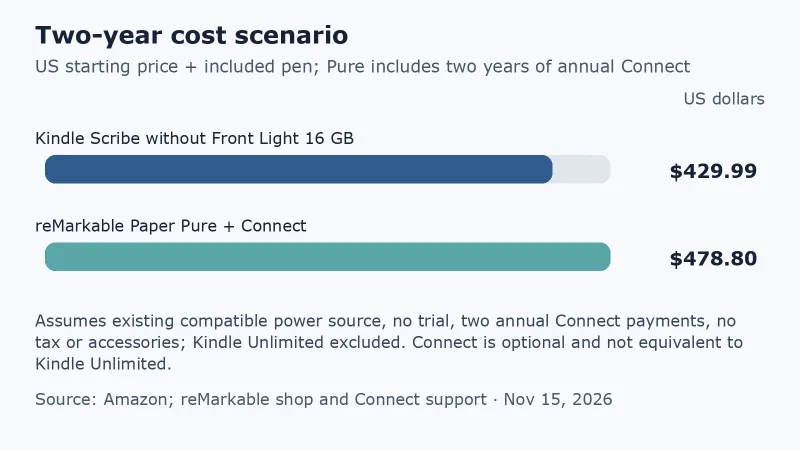
US starting prices on November 15, 2026 are $429.99 for Scribe and $399 for Paper Pure, including their pens, a $30.99 difference if you already have a compatible USB power source. Optional annual Connect brings Paper Pure to $478.80 over two years, versus $429.99 for Scribe without an optional book subscription, before tax and accessories.
| Decision point | Kindle Scribe without Front Light, 16 GB | reMarkable Paper Pure |
|---|---|---|
| Supplied pen | Premium Pen | Marker |
| Physical eraser on supplied pen | Yes | No, optional Marker Plus adds it |
| Pen charging | No charging needed | Charges while attached to tablet |
| Handwriting search | Yes, AI notebook search | Yes, Connect required |
| Note organization | Folders and templates | Folders, tags and templates |
| Screen diagonal | 11 in | 10.3 in |
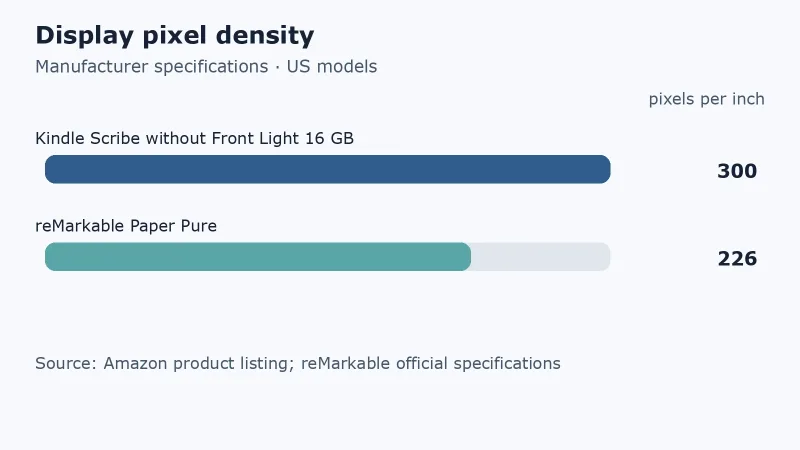
| Pixel density | 300 ppi | 226 ppi |
| Built-in front light | No | No |
| Claimed battery life | 16 weeks reading, 3 weeks writing | Up to 3 weeks |
| Device weight, without pen | 400 g | Approximately 360 g |
| Internal storage | 16 GB, 10 GB user available | 32 GB |
| Kindle Store | Yes | No |
| PDF annotation | Yes | Yes |
| EPUB import | Yes, conversion via Send to Kindle | Yes |
| Optional note subscription | None required for listed notebook features | Connect: $3.99/month or $39.90/year |
| US device and supplied pen | $429.99 | From $399 |
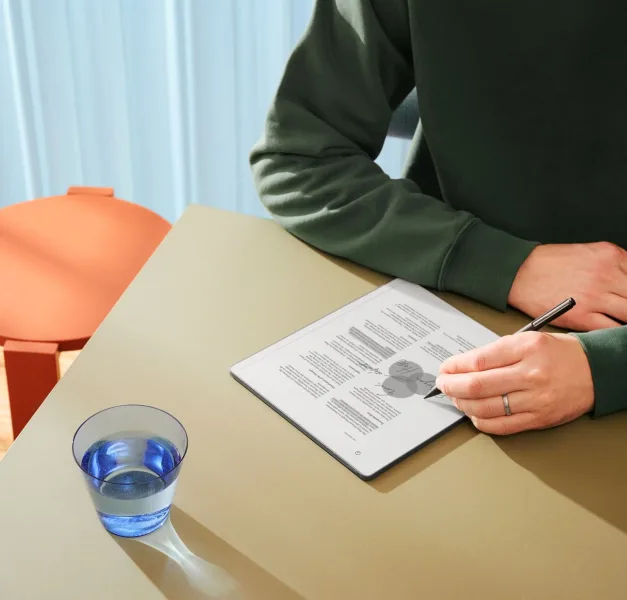
These are US specifications and starting prices. Scribe's AI notebook search is available in the US; Paper Pure's included Marker differs from the optional Marker Plus shown in the photos. Prices assume an existing compatible USB power source.
📑 Table of Contents
- Scribe includes an eraser, while writing feel divides reviewers
- Scribe brings Kindle books into the notebook
- Paper Pure connects work notes to document sharing
- Paper Pure's text conversion can scramble a list
- Scribe packs more pixels into a larger display
- Paper Pure is lighter to hold; Scribe lasts longer between charges
- Optional Connect changes the two-year cost
- Final Verdict
- FAQ
Scribe includes an eraser, while writing feel divides reviewers
Scribe's included Premium Pen lets you flip it over to erase, as with a pencil. Paper Pure's standard Marker has no physical eraser; the optional Marker Plus adds one. Scribe's pen needs no charging, while reMarkable's pens charge when attached to the tablet.
Paper Pure offered more resistance and responded to pen grip in a handwriting comparison by ZDNET's Kyle Kucharski; Scribe flowed smoothly with no lag he could perceive, and he called writing a tie. WIRED's Nena Farrell found Paper Pure more accurate to her strokes, but found Scribe's smooth, springy feel more comfortable to write on.
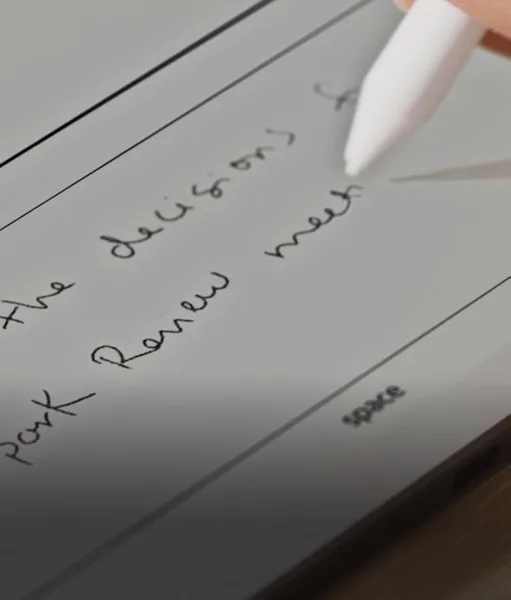

Paper Pure's resistance also shaped TechEdit's writing impression (07:23): the reviewer described it as scratchy without feeling rough.
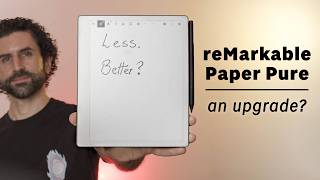
Paper Pure provides nine writing tools. ZDNET counted five brushes on Scribe, each with five thickness settings, spanning pen, fountain pen, marker, pencil and highlighter.
Scribe brings Kindle books into the notebook
Scribe accesses the Kindle Store, supports handwritten annotations in eligible books and connects to library borrowing through Libby. ZDNET and WIRED both chose it for ebook reading.
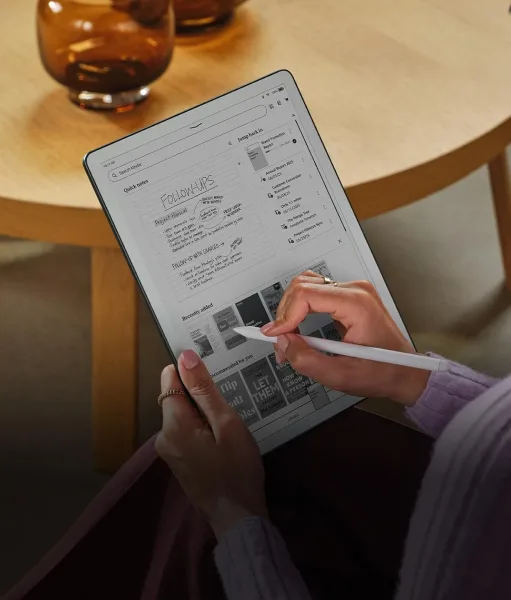
Paper Pure reads PDF and EPUB files you import through its desktop or mobile app, without a Kindle Store. Scribe also accepts EPUB, through Send to Kindle conversion.
Paper Pure connects work notes to document sharing
Paper Pure organizes handwritten notes with folders, tags and templates, then lets you annotate, email or screen-share documents. ZDNET chose it for office use, and WIRED for software beyond reading; both highlighted the work around the handwritten page, including sharing.
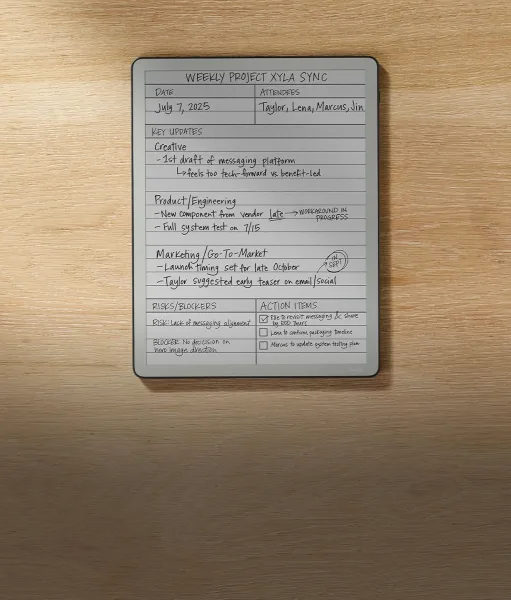
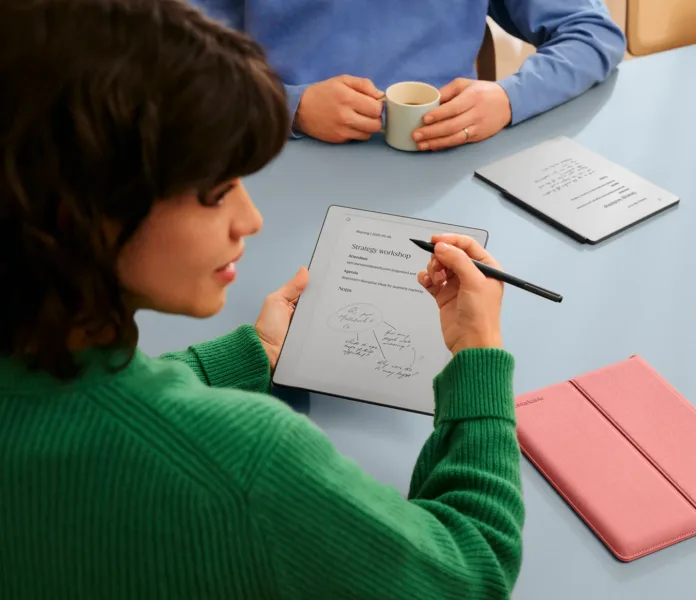
Scribe has folders, templates, AI notebook search and summaries, plus Google Drive and OneDrive import and export. Those transfers create copies, so an annotated document must be exported back to the drive instead of updating its original through live sync.
Paper Pure integrates with Drive, OneDrive and Dropbox and can email documents or selected pages as PDF, PNG or SVG. Basic handwriting conversion and those cloud integrations sit outside Connect. Paid Connect features include handwriting search, note editing in the companion apps, webnotes links, and Slack and Miro tools.
Paper Pure's text conversion can scramble a list
Paper Pure can recognize handwriting while losing the structure that made the note readable. Android Authority's Kaitlyn Cimino converted a to-do list on Paper Pure and lost its template, with the tasks mixed together.
TechRadar's Steve Clark recovered fineliner and ballpoint writing accurately but with odd formatting; calligraphy gave the recognizer trouble even with neat capitals. Digital Trends' Nadeem Sarwar also encountered difficulty with messy or calligraphic handwriting and needed dashes to keep list items separate. A page that reads well in handwriting can therefore require editing before its typed version goes to a colleague.
Scribe packs more pixels into a larger display
Scribe has an 11-inch, 300 ppi display, against Paper Pure's 10.3-inch, 226 ppi panel, according to their manufacturers. ZDNET noticed the Scribe's extra detail in small text and extremely fine pen marks.
Paper Pure's text looked crisp to Cimino, while Sarwar noticed some fuzziness and Clark saw slight pixel blur in documents. Neither device has a front light, so reading in a dark room requires an external light.
Paper Pure is lighter to hold; Scribe lasts longer between charges
Paper Pure weighs approximately 360 g without its pen, against Scribe's 400 g. WIRED found Pure the most comfortable to hold because of its weight and thicker bezel. ZDNET also singled out the thick left bezel when describing its handling.
Scribe sometimes reacted to a hand when its user intended to hold or draw on it. ZDNET repeatedly triggered pages or menus while holding Scribe, encountered fewer such actions on Paper Pure and reduced them with Scribe's swipe-only setting. A resting palm also caused unwanted page turns in Kit Betts-Masters' drawing test (27:01). Android Authority found palm rejection reliable during Cimino's month with Scribe, while Chalid Raqami also praised it.
Scribe has the longer battery life in WIRED's comparison, which calls it the model's best claim to fame: Farrell's reMarkable ran down within a few weeks even when left untouched, while her Kindles powered on whenever she reached for them. Amazon rates Scribe at 16 weeks of reading or three weeks of writing at 30 minutes a day; reMarkable claims up to three weeks for Paper Pure. Sarwar's experience was kinder to Paper Pure: one charge lasted a month, including two weeks of heavy notes and PDF work. Both devices charge by USB-C.
Optional Connect changes the two-year cost
Paper Pure starts at $399 and Scribe at $429.99, a $30.99 upfront difference with their standard pens included.
Optional Connect costs $3.99 a month or $39.90 a year. Two annual payments add $79.80 to Paper Pure: $478.80 over two years, against Scribe's $429.99 device cost. The calculation assumes an existing compatible USB power source and paid Connect from the start, without a trial, tax, accessories or price changes.
Without Connect, Paper Pure's cloud storage continues to retain only files used and synced within the last 50 days, and companion-app note-taking is unavailable. Local notebooks are separate from that cloud retention rule. Eligible owners may receive a 50-day trial, which changes billing timing.
Kindle Unlimited is an optional ebook subscription excluded from this calculation; Scribe's listed notebook features require no subscription.
Final Verdict
Tie: ZDNET and WIRED choose Scribe for Kindle reading and Paper Pure for work documents, while their writing judgments split between Scribe's smooth feel and Paper Pure's resistance and stroke accuracy.
- Books alongside handwritten notes: Kindle Scribe without Front Light gives the notebook Kindle access and an included pen eraser.
- Meeting notes, document sharing and editing across devices: reMarkable Paper Pure, with Connect required for the paid workflow features described above.
- Longest time between charges: Kindle Scribe without Front Light, WIRED's battery pick.
- Reading in dim rooms: neither; WIRED suggests paying $70 more for the lit third-generation Scribe.
- Handwriting first: Tie; ZDNET called it even, while WIRED separated Paper Pure's stroke accuracy from Scribe's smooth feel.