Google Pixel 10 vs Samsung Galaxy S26: zoom, video and charging setups
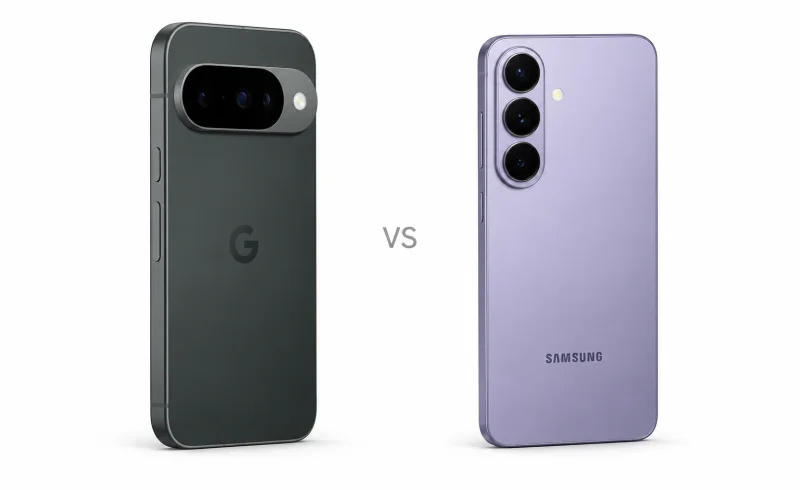
Compare Google Pixel 10’s 5× telephoto and Qi2 charging with Samsung Galaxy S26’s 8K/30 video to find the fit for your photos, projects and desk setup.
TL;DR
Choose the Pixel 10 for tighter framing of distant subjects with its 5× optical telephoto. The Galaxy S26’s 3× telephoto and 8K/30fps recording suit less tightly cropped photos and video projects that need 8K. Pixel’s extra reach is useful for daylight travel snapshots, but its 5× detail has limits, particularly if you want enlargements.
Your desk setup can also decide it: Pixel’s 15W Qi2 charging makes it a practical option for magnetic accessories. However, neither first- nor second-generation Pixel Stands can charge it wirelessly. Pixel's Qi2 support is what makes magnetic accessories a safe bet.
| Feature | Google Pixel 10 | Samsung Galaxy S26 |
|---|---|---|
| Everyday use and support | ||
| Processor and RAM | Tensor G5; 12 GB RAM [1] [2] | Exynos 2600 or Snapdragon 8 Elite Gen 5; 12 GB RAM [3] [4] [5]Snapdragon in North America; Exynos outside North America. |
| Software update commitment | 7 years of OS and security updates [6]Counted from initial US Google Store availability. | 7 OS generations; 7 years of security updates [7] [8]Counted from global launch; listed security support ends February 28, 2033. Timing varies by model and market. |
| Wi-Fi support and measured 6 GHz throughput | Wi-Fi 6E; 794 Mbit/s transmit, 739 receive [2]Notebookcheck test with Asus ROG Rapture GT-AXE11000, at 1 m with clear line of sight. | Wi-Fi 7; 1,334 Mbit/s transmit, 1,245 receive [4]Notebookcheck's Exynos model, tested at 6 GHz with Asus ROG Rapture GT-AXE11000. |
| Display, cameras and charging | ||
| Wireless charging | 15 W Qi2 [9] [10] [2]Older Qi chargers are limited to 5 W. First- and second-generation Pixel Stands are incompatible. | 15 W wireless [11] [4] |
| Optical telephoto reach | 5× optical zoom [9] [1] | 3× optical zoom [3] [8] |
| Claimed wired charge in 30 minutes | Up to 55% [9]Google's claim using a 30 W PPS charger. | Up to 55% [3] [8]Samsung's claim for approximately 30 minutes using a 25 W adapter. |
| Display size, resolution and refresh | 6.3-inch OLED; 1080 × 2424; 60–120 Hz [9] [2] [12]DXOMARK's 2025 review reported that 120 Hz required manual enabling. | 6.3-inch AMOLED; 1080 × 2340; up to 120 Hz [8] [4]Samsung lists 6.1 inches accounting for rounded corners. |
📑 Table of Contents
Everyday apps and demanding games
Both phones have 12GB RAM: the Pixel 10 uses Tensor G5, while Samsung offers regional Snapdragon and Exynos variants. Memory capacity alone gives little reason to choose between them for everyday apps.
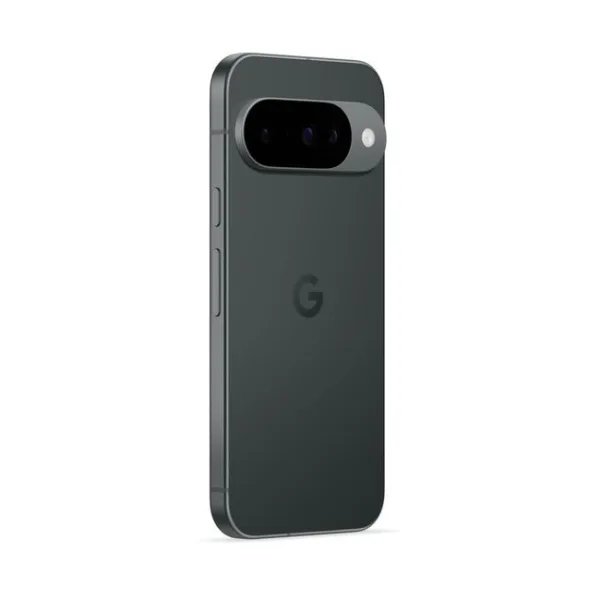
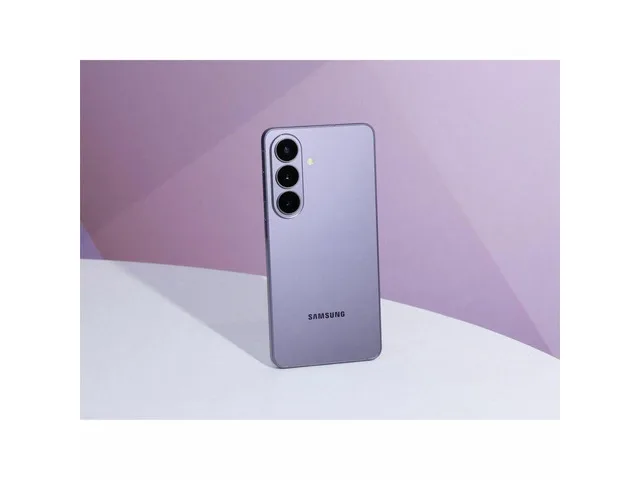
For gaming, check which Galaxy S26 you are buying: North American models use Snapdragon 8 Elite Gen 5 for Galaxy; models elsewhere use Exynos 2600. The review’s chipset discussion (03:35) covers those variants; the Pixel review’s chipset and performance chapter (03:57) addresses Google’s phone.

For PUBG Mobile players, Notebookcheck’s Exynos S26 testing gives a concrete settings trade-off: 118.5fps at Smooth versus 59.4fps at Ultra HD. Choose lower detail when smoother motion matters more. Its reported heat and substantial performance losses under sustained load also matter for long sessions.
On the Pixel, Tom’s Guide noticed lower frame rates in Age of Origins and Diablo Immortal. If demanding games drive your choice, look at results for your game and regional handset.
Screen comfort indoors and outdoors
Neither phone gives you a larger screen: both have 6.3-inch OLED displays. The Pixel 10 has a 2424 × 1080 resolution versus the Galaxy S26’s 2340 × 1080, and both reach 120Hz. On the Pixel, enable 120Hz manually for smoother scrolling.
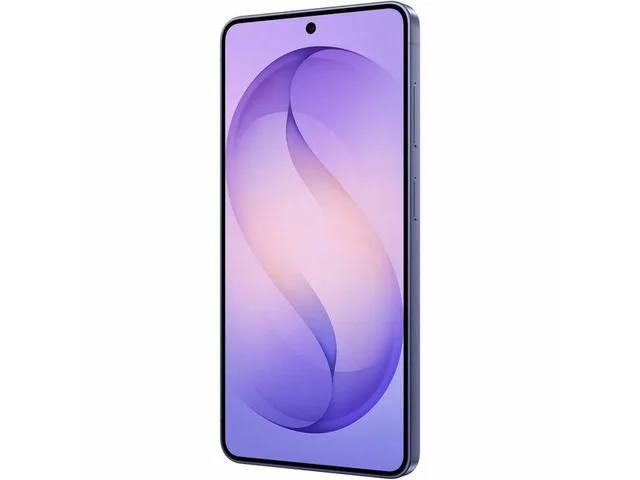
For outdoor use, Google promises peak brightness up to 3,000 nits. On the Galaxy, leave automatic brightness enabled for direct-sunlight readability: Notebookcheck measured 422 nits manually, or 709 with Additional Brightness enabled.
If screen flicker bothers you, try both before choosing, especially for evening reading. Notebookcheck measured approximately 240Hz flicker across tested Pixel brightness levels; the base Pixel lacks the Pro models’ 480Hz accessibility option. The Galaxy also uses 240Hz PWM, with a secondary 480Hz frequency, which may bother sensitive users.
Framing distant subjects
Choose the Pixel 10’s 5× optical telephoto if you often want tighter framing of distant architectural details or subjects you cannot approach. The Galaxy S26 has 3× optical zoom, making its telephoto a better fit when you want a less tightly cropped view.
Longer reach does not automatically mean finer detail. Notebookcheck found the Pixel’s 5× shots suitable for casual social sharing in good light, but noted reduced detail and color, plus added noise, against the rivals it compared. For daylight travel snapshots, the Pixel’s framing advantage is useful; for detail-heavy enlargements, that review gives reason to temper expectations.
Video formats for your projects
Choose the Galaxy S26 for 8K recording at 30 fps if your project requires that resolution or you want room to crop into a lower-resolution edit. The Pixel 10 does not record 8K.
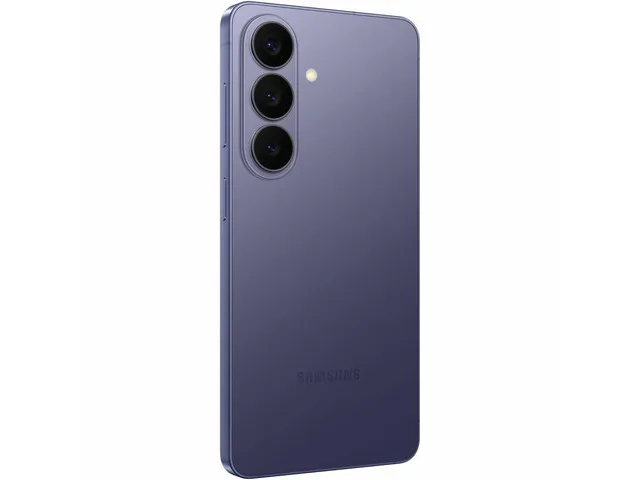
For travel footage, the Pixel records 4K at 60 fps on its main, 5× telephoto and selfie cameras, letting you keep that format across those viewpoints. Its 10-bit HDR recording is limited to Full HD: choose between 4K detail and that HDR format according to your delivery requirements.
For selfie-led projects, Galaxy’s front camera also reaches 4K at 60 fps, so that requirement alone need not decide your choice.
Battery life and smoother scrolling
On the Pixel 10, smoother scrolling costs some endurance. Tom’s Guide measured 13 hours 13 minutes with Smooth Display off and 12 hours 25 minutes with it on. That 48-minute difference makes disabling it worth considering on long days away from a charger; keep it enabled if scrolling comfort matters more.
For the Galaxy S26, Samsung promises up to 30 hours of video playback. Notebookcheck found Galaxy endurance adequate rather than outstanding and charging slow. If you often rely on a brief top-up before heading out, that charging assessment matters more than the playback claim.
Reusing chargers and desk accessories
For a magnetic charging desk, the Pixel 10 offers 15W Qi2 charging. In its August 2025 review, Tom’s Guide reported using a MagSafe wallet and 3-in-1 charger, making Pixel a practical choice for those accessories. Check your older charging stand, though: first- and second-generation Pixel Stands cannot charge it wirelessly; older Qi1.x chargers work at up to 5W. The Galaxy S26 also supports 15W wireless charging, while Pixel's Qi2 support makes it the safer pick for a magnetic setup.
For wired top-ups, Google promises up to 55% in 30 minutes with a 30W PPS charger; Samsung promises up to 55% in approximately 30 minutes with a 25W adapter. Those similar targets make your existing adapter’s specification more useful than wattage alone when deciding what to reuse. Samsung’s UK listing excludes the charger, so budget for one if needed.
For a monitor-based desk, Tom’s Guide’s August 2025 review used Pixel’s Android 16 desktop mode over USB-C after enabling developer options. That makes Pixel worth considering if you are comfortable with that extra setup.
Long-term support and regional connectivity
Both suit a long ownership cycle. Google promises seven years of OS and security updates for Pixel 10, counted from initial US Google Store availability. Samsung promises seven generations of OS upgrades and seven years of security updates from global launch, with availability and timing varying by model and market. Its UK listing gives 28 February 2033 as the security-support endpoint.
If you swap physical SIMs when travelling, check the regional handset before buying. US Pixel 10 models are eSIM-only; the Indian variant has a nano-SIM tray. The UK Galaxy S26 supports two physical SIMs, physical SIM plus eSIM, or dual eSIM, giving you more ways to combine work and personal lines.
For a home with a Wi-Fi 7 router, the UK Galaxy S26 supports Wi-Fi 7, while Pixel 10 stops at Wi-Fi 6E. Choose Galaxy if using that newer network standard matters to your setup.
Final Verdict
Choose Google Pixel 10 for tighter framing of distant subjects with its native 5× telephoto, especially for casual daylight travel photos; detail-heavy enlargements are less convincing. Choose Samsung Galaxy S26 if your projects require 8K/30 recording.
Your existing setup can decide the rest. Pixel offers 15W Qi2 charging, but neither generation of Pixel Stand can charge it wirelessly. For physical SIM use, match the regional handset: US Pixels are eSIM-only, while the UK Galaxy supports physical SIMs. Both offer long update commitments.
FAQ
Is my existing 30W charger enough for the Pixel 10’s advertised charging speed?
Do I get seven full years of updates if I buy either phone later?
Does the Galaxy S26 use a Snapdragon chip?
📄 Sources & Documentation
Google Pixel 10
"Images are used for editorial and informational purposes only. All trademarks and images belong to their respective owners."