MINISFORUM UM870 Slim vs UM780L Slim: RAM upgrades and display connections
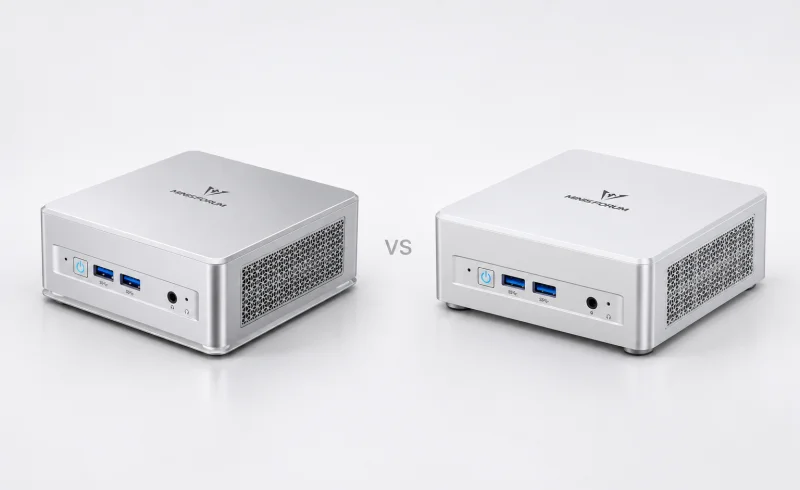
The MINISFORUM UM870 Slim suits those planning RAM upgrades, while the UM780L Slim fits fixed-memory setups where its 65–100 W USB-C power input matters more.
TL;DR
The UM870 Slim is the clearer choice if you want to upgrade RAM later or expect to need more than 32 GB: its replaceable memory supports up to 96 GB. The UM780L Slim fits a setup where fixed 16 GB or 32 GB memory is enough and USB-C power matters, with a specified 65–100 W PD input range.
Your monitor can change the choice: the UM870 supports 4K at 120 Hz over HDMI, while the UM780L needs DisplayPort or USB4 for that mode, with a compatible monitor and cable. For everyday work or gaming, there is no clear performance winner here; the small peak-clock difference and shared Radeon 780M graphics are not strong reasons to choose one over the other.
| Feature | MINISFORUM UM870 Slim | MINISFORUM UM780L Slim |
|---|---|---|
| Displays and placement | ||
| Display outputs | HDMI up to 8K/60 or 4K/120; DP up to 4K/240; USB4 [1]HDMI maxima are non-DSC. DP supports 4K/120 at 8-bit without DSC or 4K/240 at 10-bit with DSC. | HDMI 4K/60; DP 4K/120; USB4 up to 8K/60 or 4K/120 [2] |
| Size and mounting | 130 × 126.5 × 50.4 mm; 0.67 kg [1]Manufacturer's package list includes wall-mounted installation. | 130 × 126 × 47.2 mm; 0.6 kg; wall-mountable [2]Manufacturer lists placement behind a compatible display or beneath a desk. |
| Processor, graphics and upgrades | ||
| Processor | Ryzen 7 8745H; 8 cores / 16 threads; up to 4.9 GHz [1] | Ryzen 7 7840HS; 8 cores / 16 threads; up to 5.1 GHz [2]Listed sustained TDP: Performance 65 W; Balance 54 W; Silent 45 W. |
| Memory and SSD expansion | Two DDR5 SODIMM slots, up to 96 GB; two M.2 2280 PCIe 4.0 x4 SSD slots [1]DDR5-4800/5600 MT/s; manufacturer lists storage support up to 4 TB. | 16 or 32 GB non-upgradable LPDDR5X-7500; two M.2 2280 PCIe 4.0 x4 SSD slots [2] [3]RAM upgradeability is identified by Mr Memory's compatibility listing. |
| Integrated graphics hardware | AMD Radeon 780M [1] | AMD Radeon 780M [2] |
📑 Table of Contents
Processor choices for everyday work
Both PCs give you eight cores and 16 threads for multitasking. The UM870 Slim’s Ryzen 7 8745H reaches up to 4.9 GHz; the UM780L Slim’s Ryzen 7 7840HS reaches 5.1 GHz. That small peak-clock difference is not a compelling reason alone to choose between them for browsing, documents and spreadsheets.
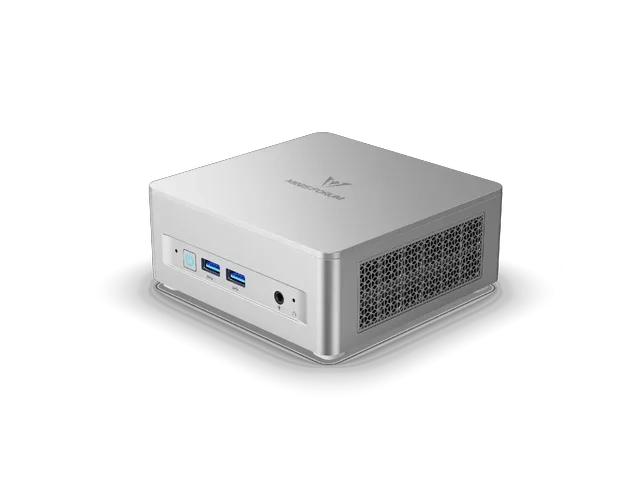
For heavier productivity, the UM780L Slim lists sustained TDP targets of 65 W in Performance mode, 54 W in Balance and 45 W in Silent—useful options for adjusting its processor power budget. For long renders or exports, a matched sustained-workload test would matter more than the 0.2 GHz turbo difference.
What Radeon 780M means for gaming
Both the UM870 Slim and UM780L Slim use Radeon 780M graphics. You’re choosing between implementations of the same integrated GPU, rather than stepping up to a different graphics model.
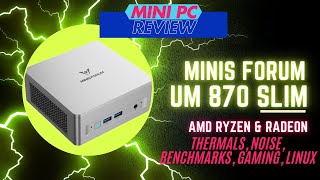
If gaming will decide which PC goes in your home, comparable frame-rate results in your preferred games would be more useful than the shared Radeon name; these specifications alone give neither model a clear gaming advantage.
RAM flexibility and SSD expansion
Choose the UM870 Slim if you expect to need more than 32 GB of RAM or want to replace memory later. Its two DDR5 SODIMM slots support up to 96 GB, giving you room to expand as larger projects or virtual machines demand more memory.
The UM780L Slim comes with 16 GB or 32 GB of LPDDR5X-7500 memory, and its installed RAM is non-upgradable. Choose the capacity you intend to keep; the 32 GB version makes more sense if you anticipate heavier multitasking later.
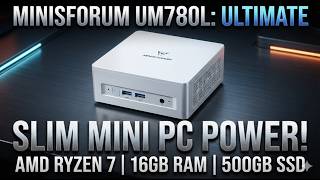
Storage expansion is less of a dividing line: both have two M.2 2280 PCIe 4.0 ×4 NVMe SSD slots, allowing a second drive for photos, games or project files rather than replacing the first. MINISFORUM lists storage support up to 4 TB for the UM870 Slim.
Connecting a high-refresh 4K monitor
For a 4K 120 Hz monitor connected by HDMI, choose the UM870 Slim: its HDMI 2.1 output supports that mode without Display Stream Compression (DSC). The UM780L Slim specifies 4K at 60 Hz over HDMI, so use its DisplayPort or USB4 Type-C output for 4K at 120 Hz. Your monitor and cable must also support the intended mode.
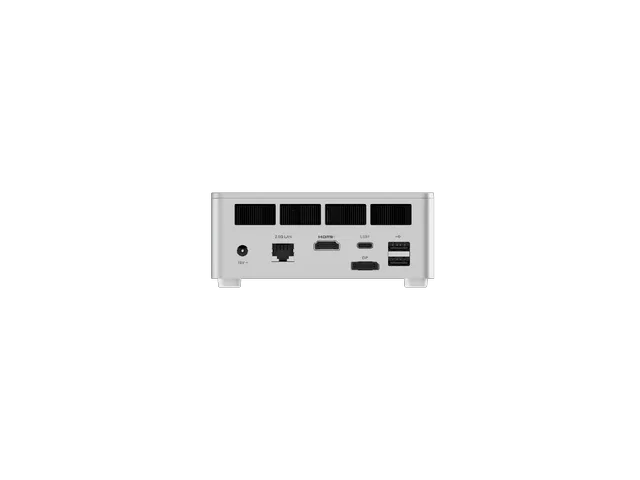
If your monitor accepts DisplayPort, both PCs offer a route to 4K at 120 Hz. The UM870 Slim additionally specifies 4K at 240 Hz with 10-bit color over DisplayPort using DSC—a reason to choose it for a compatible higher-refresh display. These output modes determine the display signal, not the frame rates games will achieve.
Peripherals, USB-C power and daily reconnection
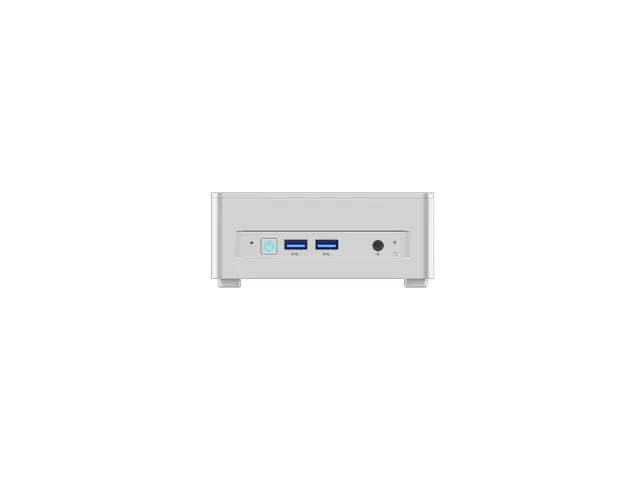
For a keyboard, mouse, external drive and wired network, neither PC demands much compromise. Both the UM870 Slim and UM780L Slim have two USB-A 3.2 Gen 2 ports, two USB-A 2.0 ports, a 3.5 mm audio jack and 2.5GbE networking, plus Wi-Fi 6E and Bluetooth 5.2. Reserve the faster USB-A ports for storage and use USB 2.0 for basic peripherals. On the UM780L Slim, the faster pair and audio jack sit at the front for easy access.
For a USB-C-powered setup, the UM780L Slim’s USB4 port specifies 40 Gbps, DisplayPort Alt Mode and 65–100 W PD input. That gives you a defined power range when choosing a USB-C power source; the port also supports 15 W PD output for an attached device.
If you plan to run Bazzite and suspend daily, test wake-up with your intended installation before settling in. A March 2025 UM870 Slim report, using Bazzite 41.20250317, described roughly minute-long wakes and occasional audio, USB or Bluetooth problems; a January 2026 commenter reported video returning after 3–4 minutes. These dated experiences warrant checking your setup, rather than choosing the UM780L Slim on an assumption of better resume behavior.
Noise and power at the desk
For a home-office PC left running between tasks, the UM870 Slim drew 5.2 W at Windows idle in Igor’sLAB’s test. In the same review, noise at 40 cm was 34.1 dB(A) at idle against a 33.2 dB(A) room background, rising to 38.2 dB(A) under load. That puts idle noise close to the room’s background level, with more noise during demanding work.
MINISFORUM specifies under 40 dB in Balance mode for the UM780L Slim. If quietness will decide which PC sits beside you, a comparable UM780L Slim test is needed before choosing it as the quieter option; its Balance-mode claim cannot be ranked directly against the UM870 Slim’s review measurements.
Fitting the PC behind a display or under a desk
For a tight space, the UM780L Slim is slightly smaller: 130 × 126 × 47.2 mm and 0.6 kg, versus the UM870 Slim’s 130 × 126.5 × 50.4 mm and 0.67 kg. Their footprints are nearly identical; height is the more useful difference when checking clearance.
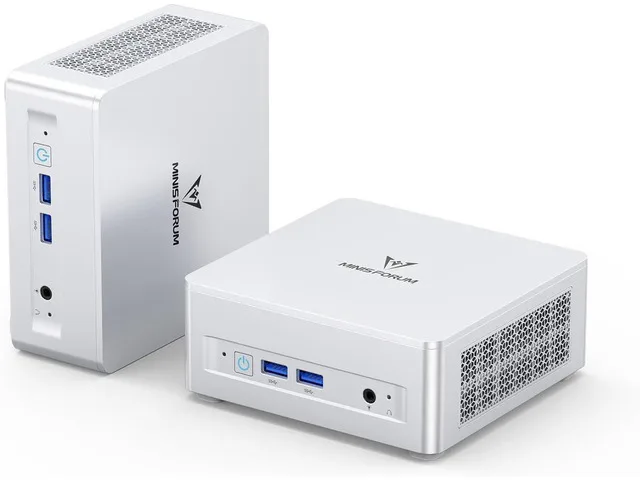
Choose the UM780L Slim for its stated support for installation behind a compatible display or beneath a desk. The UM870 Slim package includes wall-mount installation hardware, a power adapter and cable, and an HDMI cable. Before planning a hidden installation, check that the mounting arrangement fits your display or desk.
Final Verdict
Choose the MINISFORUM UM870 Slim if you want replaceable RAM, capacity above 32 GB or 4K at 120 Hz specifically through HDMI. Its two SODIMM slots support up to 96 GB, leaving room for larger projects later.
The MINISFORUM UM780L Slim suits tighter height clearance and USB-C power planning with its specified 65–100 W PD input. Choose its fixed 16 GB or 32 GB RAM capacity for the long term; 4K at 120 Hz requires DisplayPort or USB4 and a compatible monitor and cable. Neither model has a clear lead for sustained productivity, gaming performance or quietness.
FAQ
Can I install two 4 TB SSDs for 8 TB of storage?
Can my USB-C monitor replace the UM780L Slim’s power adapter?
Does the UM780L Slim’s Silent mode mean I won’t hear it?
📄 Sources & Documentation
MINISFORUM UM780L Slim
"Images are used for editorial and informational purposes only. All trademarks and images belong to their respective owners."