Airthings Wave Radon vs Wave Plus: radon focus or broader air monitoring?
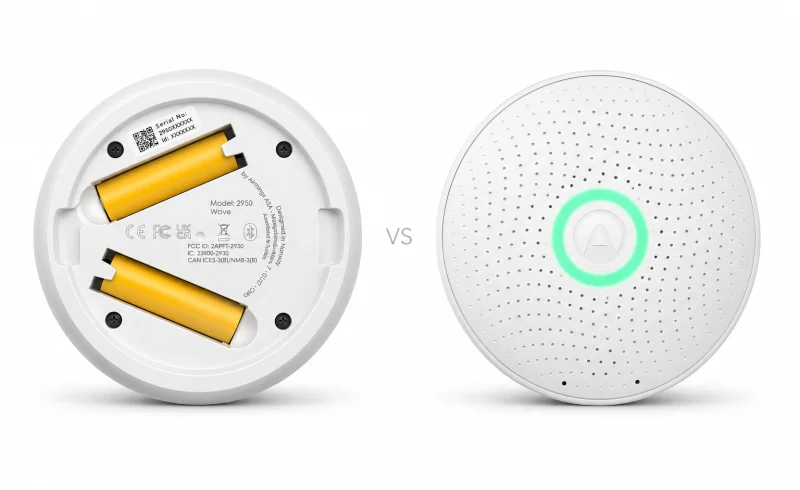
Airthings Wave Radon focuses on radon, temperature and humidity; Wave Plus adds CO₂, TVOC and air pressure, while both need a supported View-series hub for remote readings.
TL;DR
Choose Wave Radon if radon is your main concern: it also measures temperature and humidity, and both models use the same radon sensor. Wave Plus adds CO₂, TVOC and air pressure, making it the better fit for tracking more indoor-air indicators—not an upgrade to the radon-sensing hardware.
Plan on at least a month of radon monitoring with either. If you want to check readings away from home, both require a View-series hub setup; choosing Plus does not remove that requirement.
| Feature | Airthings Wave Plus | Airthings Wave Radon |
|---|---|---|
| Day-to-day use | ||
| Power and setup | 2 AA batteries; setup through the app using Bluetooth [1] | 2 AA alkaline batteries; app and Bluetooth required for setup [2] |
| Radon readings over time | Hourly radon updates with rolling averages [3] [4]Airthings recommends collecting at least 30 days of measurements. | Hourly radon data with rolling averages [3] [2]The manual recommends one month of initial data collection. |
| App access and remote notifications | Nearby Bluetooth sync; hub needed for remote readings and timely notifications [5]A powered View-series monitor can serve as the internet hub. | Nearby Bluetooth sync; hub needed for remote access and notifications [2] [6]A Wi-Fi-connected View-series monitor can serve as the hub. |
| What each monitor measures | ||
| Indoor measurements | Radon, CO₂, TVOC, temperature, humidity, air pressure [5] | Radon, temperature, humidity [2] [6] [7] |
| Radon sensing method | Passive diffusion chamber; alpha spectrometry [5] | Passive diffusion chamber; alpha spectrometry [2] [6] [7] |
📑 Table of Contents
What changes for radon monitoring?
Wave Radon and Wave Plus use the same radon sensor, so choosing the Plus does not buy you different radon-sensing hardware.
Both use passive diffusion chambers with alpha spectrometry and cover the same stated range: 0–500 pCi/L (0–20,000 Bq/m³), as listed for Wave Radon and Wave Plus. Neither offers a wider radon measurement range.
For a household focused on radon, Wave Radon covers the core sensing job, producing hourly data points and rolling averages to help you follow changes over time. Choose between them for reasons beyond the radon sensor itself.
Do you need more than radon readings?
Wave Radon measures radon, temperature and humidity. Wave Plus adds CO₂, total volatile organic compounds (TVOC) and air pressure. Choose Wave Radon if radon is your main concern; choose Wave Plus if you also want to track those additional indicators around the home.
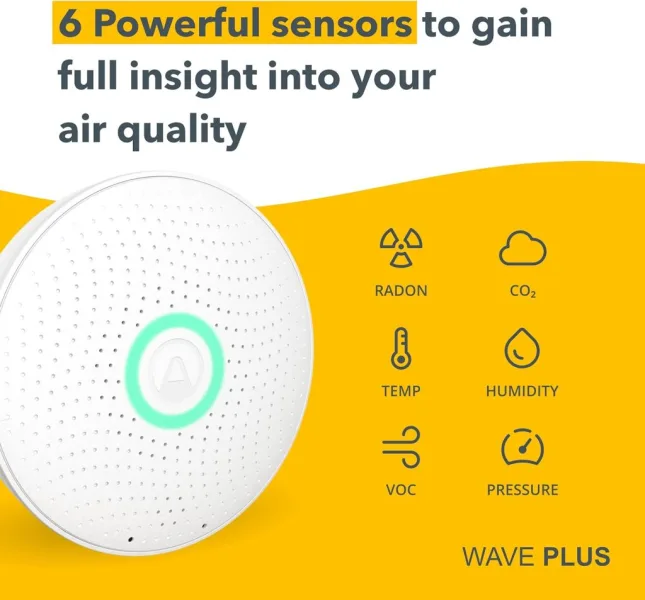
Wave Plus samples its sensors every five minutes, but its CO₂ and TVOC sensors need approximately seven days to settle. Give it that initial week before interpreting those readings. For more on these additional measurements, the review has chapters on VOCs (11:43) and CO₂ (12:46).
The practical choice is breadth: Wave Radon covers the simpler monitoring brief, while Wave Plus suits a household investigating several indoor-air indicators rather than radon alone.
How long should you collect radon data?
Plan on at least a month with either monitor, rather than judging your home’s radon level from the first few days. The Wave Radon manual recommends an initial month of collection; Airthings likewise recommends at least 30 days for Wave Plus.
Keeping either running for two months improves precision. At 200 Bq/m³, Airthings puts Wave Radon’s seven-day average at approximately ±5% after two months, and lists approximately 5% for Wave Plus after two months. For a household investigating radon, allow the same monitoring time whichever you choose: Wave Plus is not a shortcut to a more settled result.
Where can you place either monitor?
Both run on two AA batteries and use an app with Bluetooth for setup, so neither needs a nearby power socket. Wave Radon requires alkaline AAs; Wave Plus also uses two AAs.
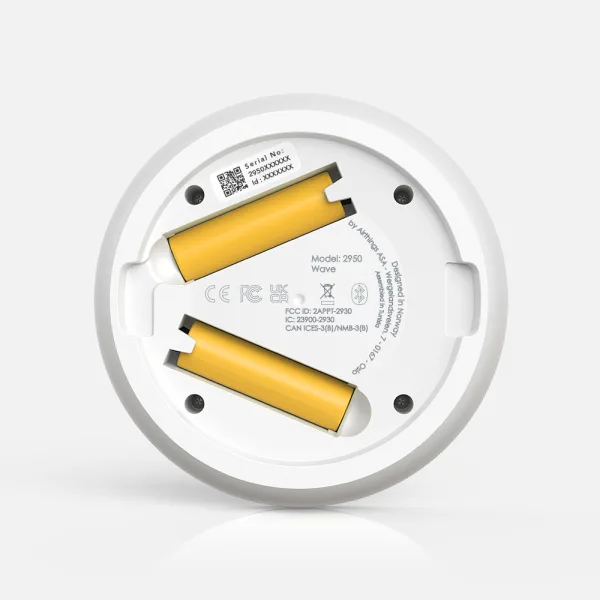
Place either indoors at breathing height, on a stable surface or wall-mounted, following Airthings’ placement guidance. Avoid direct sunlight, heavy dust and water. Keep Wave Radon away from windows, doors and vents; Wave Plus calls for at least one metre of separation.
Neither suits a very damp location: both require humidity below 85%, and excessive humidity can permanently damage Wave Plus’s radon sensor. For an ordinary living room or bedroom, placement and power offer little reason to choose one over the other.
Can you check readings away from home?
Both monitors offer remote access through a View-series hub. Wave Radon can link to a Wi-Fi-connected View monitor; Wave Plus needs a powered View-series monitor for remote readings and timely notifications. For checking your home while travelling, plan the hub setup whichever you choose.
Without a hub, both rely on nearby Bluetooth access, and Wave Radon’s remote notifications also require a hub. The review’s Syncing Data chapter (15:51) covers the Wave Plus syncing topic.
Remote access is therefore a tie: choosing Wave Plus does not remove the need for a hub. Choose it for its additional air measurements, rather than as a simpler route to checking readings away from home.
How do graphs and alert settings help?
Both Wave Radon and Wave Plus offer historical graphs, period averages and notification settings, so either lets you follow trends rather than focus on a single reading. The app’s selectable graph periods run from three hours to one year, useful for switching between recent changes and longer-term patterns.
Both let you customize sensor thresholds, changing the status indicators, charts and notifications together. That makes your chosen boundaries consistent across the ways you check readings.
Wave Plus also stores up to 80 days of readings locally for Bluetooth syncing—useful if you leave time between app checks. For everyday graphs and alert controls, though, either covers the core job.
Final Verdict
Choose Wave Radon if your main concern is radon, with temperature and humidity alongside it. Both use the same radon sensor, so Wave Plus is not a shortcut to more settled radon readings; allow at least a month with either.
Choose Wave Plus if you also want CO₂, TVOC and air-pressure readings to investigate a broader range of indoor-air indicators. Allow approximately seven days for its CO₂ and TVOC sensors to settle.
For checking readings away from home, either needs a supported View-series hub setup. The reason to choose Plus is broader measurement coverage, not simpler remote access.
FAQ
Can I use rechargeable batteries in Wave Radon?
Can I put either monitor on a shelf beside a window?
Do I need to sync Wave Plus with my phone every day?
📄 Sources & Documentation
Airthings Wave Radon
- [2] Airthings Wave Radon manual airthings.com
- [3] help.airthings.com help.airthings.com
- [7] www.airthings.com airthings.com
- [4] help.airthings.com help.airthings.com
- help.airthings.com help.airthings.com
- help.airthings.com help.airthings.com
- help.airthings.com help.airthings.com
- [6] www.airthings.com airthings.com
Airthings Wave Plus
- help.airthings.com help.airthings.com
- [3] help.airthings.com help.airthings.com
- [4] help.airthings.com help.airthings.com
- [1] Airthings Wave Plus manual airthings.com
- help.airthings.com help.airthings.com
- help.airthings.com help.airthings.com
- help.airthings.com help.airthings.com
- [5] www.airthings.com airthings.com
- c-nrpp.ca c-nrpp.ca
"Images are used for editorial and informational purposes only. All trademarks and images belong to their respective owners."