GQ RadonScan vs RadonScan-Plus: Local Monitoring or Wi-Fi Access?
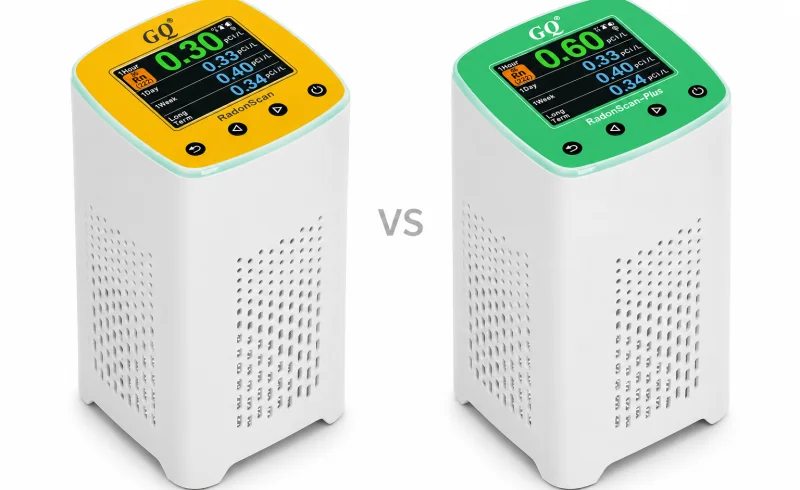
GQ RadonScan and RadonScan-Plus have the same measurement range, alerts and local logging; the Plus adds Wi-Fi phone viewing for checks away from the monitor.
TL;DR
Both continuously monitor indoor radon, with the same measurement range, on-screen averages, local alerts and automatic logging. The RadonScan covers the job if you want to check readings on the monitor; choose the RadonScan-Plus if Wi-Fi phone viewing matters, so you can check without walking over to it—not for a wider measurement range.
The Plus also offers online sharing and global access, but online submission requires an account, detector registration and network/server configuration. If you do not need that access, its main practical distinction matters less. Either model needs continuous USB-C power in a suitable location, and longer averages matter more than the first reading after startup.
| Feature | GQ RadonScan | GQ RadonScan-Plus |
|---|---|---|
| Everyday use | ||
| Power | USB-C power; 24/7 operation without batteries. [1] | USB-C power; 24/7 operation without batteries. [2] |
| Wi-Fi access | — | Wi-Fi mobile app access and GMC-Map submission; Wi-Fi can be disabled. [2] [3]Online submission requires an account, detector registration, and Wi-Fi/server settings. |
| Readout and alerts | Color LCD; hourly, daily, weekly and long-term averages; audible and visual alerts. [1] [4]LED indicator can be disabled. | Color LCD; hourly, daily, weekly and long-term averages; audible and visual alerts. [2] [3] |
| Radon measurement and setup | ||
| Placement guidance | Representative breathing air; avoid drafts, windows, doors, direct sunlight and moisture. [4] | Representative breathing air; avoid drafts, windows, doors and direct sunlight. [3] |
| First readings and averaging | Background reading about 5 minutes after power-on; longer averaging recommended. [4] | Background reading about 5 minutes after power-on; longer averaging recommended. [2] [3]Listing calls 5 minutes a test result; guide recommends at least 1 day of auto-calibration, though 1 hour may give reliable estimates. |
| Radon range and reproducibility | Rn-222; 0–100 pCi/L (0–3700 Bq/m³); 30% reproducibility. [4] | Rn-222; 0–100 pCi/L (0–3700 Bq/m³); 30% reproducibility. [3] |
📑 Table of Contents
What radon levels can they measure?
Both the RadonScan and RadonScan-Plus continuously monitor indoor radon for home use. Their measurement ranges are a draw: each measures radon-222 from 0.00–100 pCi/L (0.00–3700 Bq/m³), so the Plus does not extend the range of concentrations you can track. See the guides for RadonScan and RadonScan-Plus.
Both also list 30% reproducibility, a measure of repeatability rather than an accuracy rating. Neither has an advantage on these specifications: choose between them for how you want to view and keep readings, rather than expecting the Plus to measure a wider range or offer better stated repeatability.
How soon should you interpret the readings?
Both the RadonScan and RadonScan-Plus display background radon levels about five minutes after power-on. Neither offers a faster first look, and both guides recommend averaging readings over a longer period for the most accurate results. Treat that first number as a starting point rather than your conclusion about a room.
For the RadonScan-Plus, radon values are calculated and saved hourly during auto-calibration. Its guide recommends at least one day of calibration, although one hour may provide reliable estimates; longer tests improve accuracy. If you are checking a room you use every day, plan to leave the monitor running and interpret the longer average rather than choosing either model for its five-minute startup reading.
Checking averages and alerts on the monitor
Both monitors have a color LCD with customizable settings. The RadonScan and RadonScan-Plus show 1-hour, 1-day, 1-week and long-term averages and let you switch between pCi/L and Bq/m³. Either lets you check shorter-term changes alongside the longer average directly on the monitor.
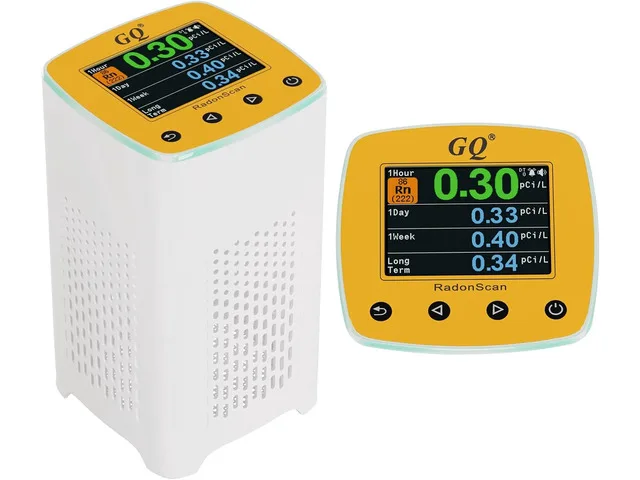
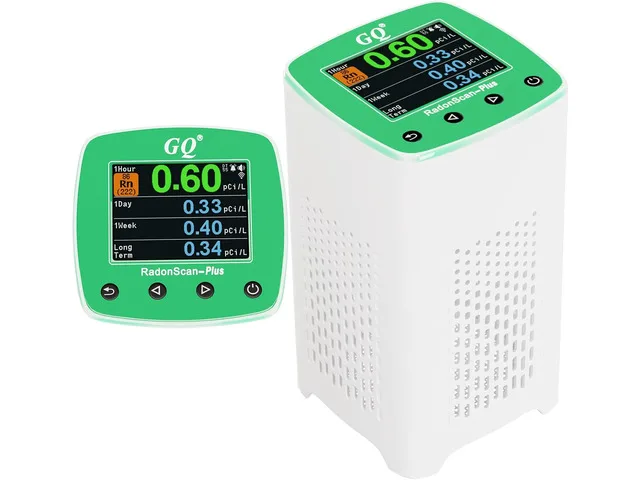
Both also provide audible and visual high-radon alerts, drawing attention without requiring you to keep watching the numbers. RadonScan’s indicator uses green, yellow and red for normal, medium and high readings, and can be switched off. The Plus also includes local alarms, so these everyday display and alert functions alone give no reason to favor it.
Viewing readings over Wi-Fi
RadonScan-Plus is the safer choice if checking readings on your phone matters. It supports real-time mobile-app viewing over Wi-Fi, letting you check without walking over to the monitor. It can also connect to GQ GMC-Map for online data sharing and global access. Wi-Fi can be switched off when you do not want to use it.

Allow time for setup rather than expecting instant online access. Online submission requires an account, detector registration, user and counter IDs, and Wi-Fi and server settings. That configuration is worthwhile if you want online access as part of your routine; phone viewing is the practical reason to favor the Plus over the standard RadonScan.
Keeping a local reading history
Both RadonScan and RadonScan-Plus automatically log data to internal memory every second. For keeping a history on the monitor itself, either covers the basic job without online submission.
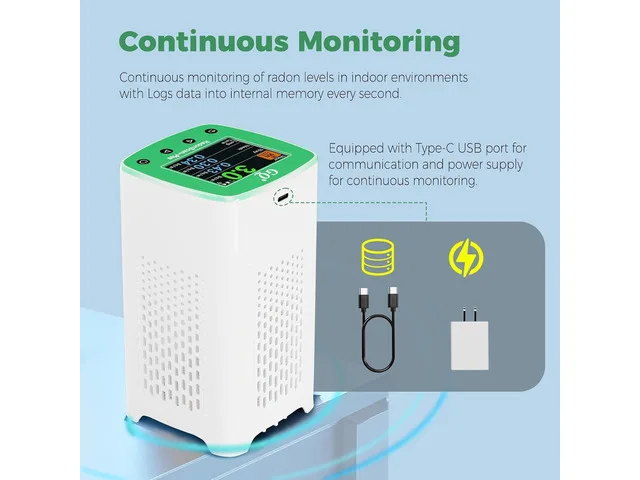
RadonScan has 1 MB of flash memory and preserves cumulative data when switched off. The Plus retains hourly, daily, weekly and long-term radon data through power-off, so switching it off does not erase those records. Avoid its Reset Data command when you want to keep your history: it clears saved radon and radiation data.
Both provide USB-C for data communication and power. Local logging alone therefore gives little reason to choose the Plus; choose it for its online features instead.
Finding a suitable powered location
Both RadonScan and RadonScan-Plus can run 24/7 on USB-C power without batteries. Plan for continuous power at your chosen spot rather than routine battery changes; neither model has an advantage on that requirement.
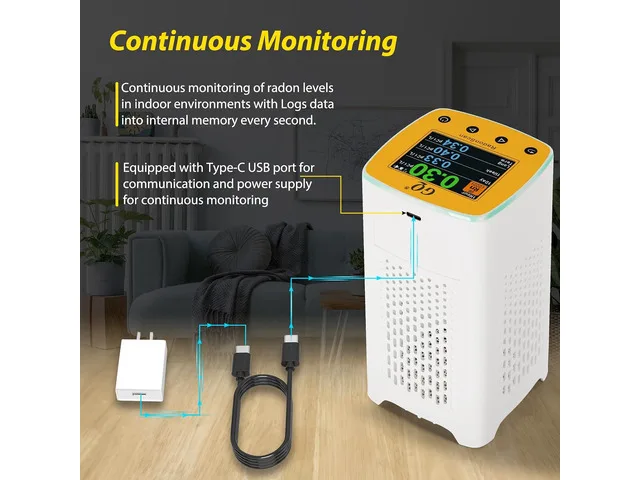
Choose a location representative of the air you breathe, away from drafts, windows, doors and direct sunlight, as advised for RadonScan and RadonScan-Plus. RadonScan’s guide also advises avoiding moisture. In a room you use daily, prioritize a suitable powered spot over a convenient windowsill: paying for the Plus does not remove these placement constraints.
Final Verdict
Choose the GQ RadonScan-Plus if phone viewing is a priority: it supports Wi-Fi app access and online sharing, though online submission requires an account, detector registration and network configuration.
For checking readings directly on the monitor, either model covers the job with the same four averaging periods, audible and visual alerts, and local logging. The standard GQ RadonScan is a suitable choice for that routine; the Plus’s practical appeal is online access, not a wider measurement range or better stated repeatability.
FAQ
Will unplugging the RadonScan-Plus erase my readings?
Can I use the RadonScan-Plus without keeping Wi-Fi on?
Can I turn off the standard RadonScan’s colored status light?
📄 Sources & Documentation
GQ RadonScan
"Images are used for editorial and informational purposes only. All trademarks and images belong to their respective owners."