Kindle Colorsoft (2026) vs Kobo Libra Colour: Which to Buy?
TL;DR
The Kobo Libra Colour costs $259.99, $30 less than the $289.99 Kindle Colorsoft (2026, 16GB), and $229.99 in Kobo's sale through December 2, also the current price at Amazon and Best Buy, which doubles the gap to $60. For less money it adds page-turn buttons, stylus support, library borrowing on the device, native EPUB and CBZ files and 32GB of storage; the Colorsoft keeps Kindle Store purchases, Kindle+ and Audible on one reader.
- Screen: a draw. Reviewers with 2024 and 2025 Colorsofts found its comic colors slightly more vibrant, while The Inktelligent saw clearer PDF images on the Libra; neither gap is worth $30 on its own.
- Leaving Kindle: since January 20, 2026, Amazon lets buyers download EPUB and PDF files of purchases their publishers made DRM-free; DRM-protected books stay in Kindle apps and devices.
- Already own a 2024 or 2025 Colorsoft: keep it. The 2026 model is thinner, with near-identical color.
| Colorsoft 2026 | Libra Colour | |
|---|---|---|
| Price | $289.99 | $259.99 ($229.99 through Dec. 2) |
| Display | 7-in color E Ink, 300 ppi black and white, 150 ppi color | 7-in color E Ink, 300 ppi black and white, 150 ppi color |
| Front light | Adjustable warm light, no auto-brightness | Adjustable warm light, no auto-brightness |
| Page-turn buttons | No (Kindle Click remote, $34.99) | Yes, two (Kobo Remote also works) |
| Stylus | No | Kobo Stylus 2 ($69.99) |
| Storage | 16GB (10.8GB available) | 32GB |
| Library ebooks (Libby/OverDrive) | Borrow in the Libby app, delivered to the Kindle (US) | Browse and borrow on the device |
| EPUB | Converted through Send to Kindle | Native |
| CBZ / CBR comics | No | Yes |
| Dropbox / Google Drive | No | Yes |
| Subscription | Kindle+ ($11.99/month) | Kobo Plus |
| Audiobooks | Audible, over Bluetooth | Kobo Audiobooks, over Bluetooth |
| Battery (rated) | Up to 56 days | Up to 40 days |
| Waterproofing | IPX8 (2 m, 60 min) | IPX8 (2 m, 60 min) |
| Thickness, weight | 6.8 mm, 204 g | 8.3 mm, 199.5 g |
Battery ratings assume 30 minutes of reading a day with Wi-Fi off: front light at 13 on the Colorsoft, at 30% with Bluetooth also off on the Libra.
📑 Table of Contents
- The two color screens trade small wins, depending on what's on the page
- The Colorsoft keeps DRM-protected Kindle books and Kindle+ on one reader
- The Libra borrows library books and opens EPUB and CBZ files on its own
- The Libra turns pages with built-in buttons and takes a stylus
- For one-handed reading, the Libra costs less with nothing added
- Battery life and water resistance end even
- Owners of a 2024 or 2025 Colorsoft gain little from the 2026 model
- Final Verdict
- FAQ
The two color screens trade small wins, depending on what's on the page
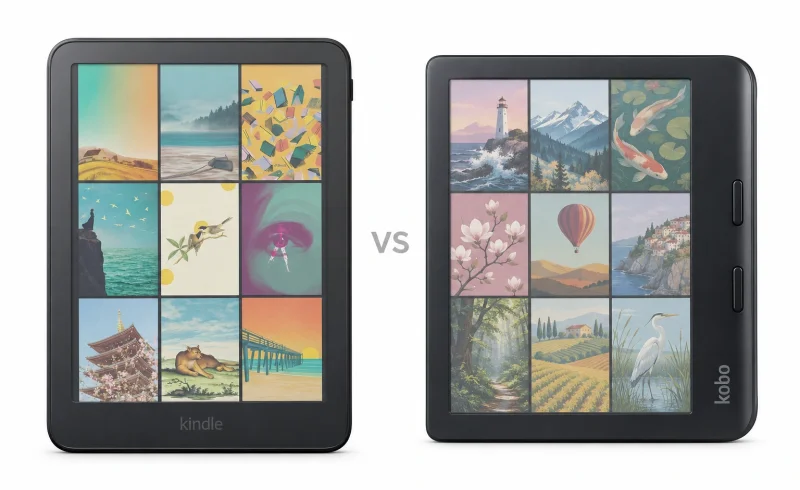
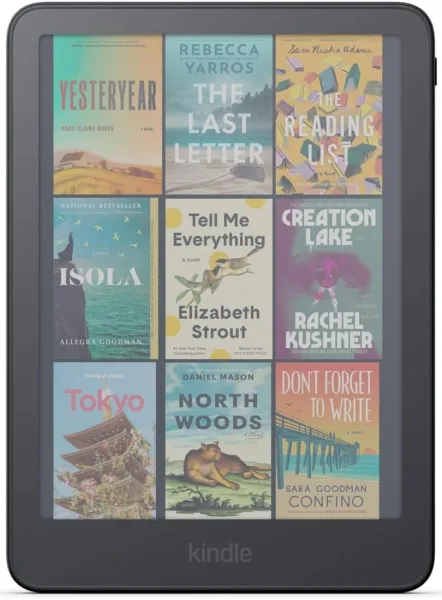
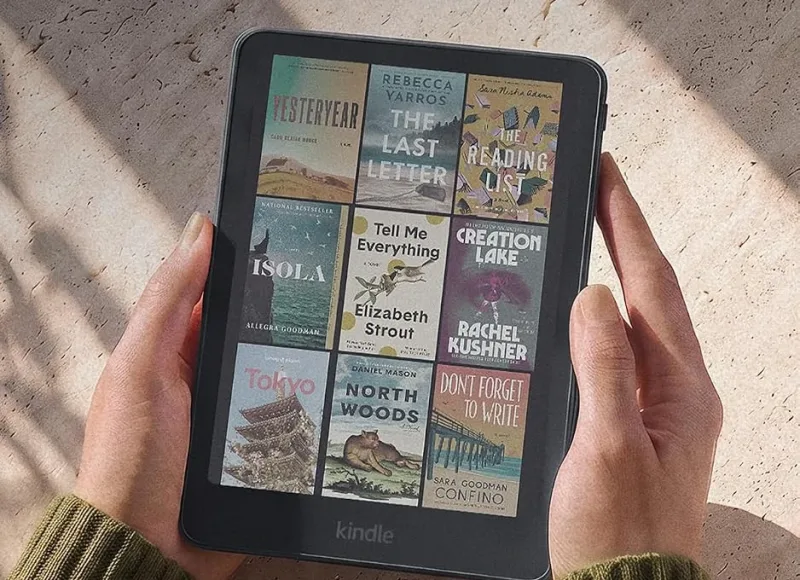
Both readers show color at 150 ppi and black-and-white text at 300 ppi on a 7-inch E Ink screen, so covers, highlights and comic panels look closer to newsprint than to a magazine. For 2026, Amazon rebuilt the display stack with a flush front, a light guide with nitride LEDs and custom waveforms, which it says add brightness and contrast. Next to the previous Colorsoft, Wired's Nena Farrell saw a slightly more yellow undertone on the 2026 screen, but colors that "looked identical to my naked eye."
Comparisons with the Libra used the 2024 and 2025 Colorsofts, and they split by content. With comics, Lifehacker's Michelle Ehrhardt saw fewer washed-out colors and much less of the rainbow effect on the 2024 Colorsoft, while on the Kobo "the same details were often either splotchy or lost entirely." The Verge's Sheena Vasani calls the 2025 model "slightly more vibrant in most instances, but the difference isn't dramatic." On identical PDFs, The Inktelligent's comparison (03:04) found most images darker and muddier on a 2025 16GB Colorsoft than on the Libra, though the Kindle almost always left less ghosting from the previous page.
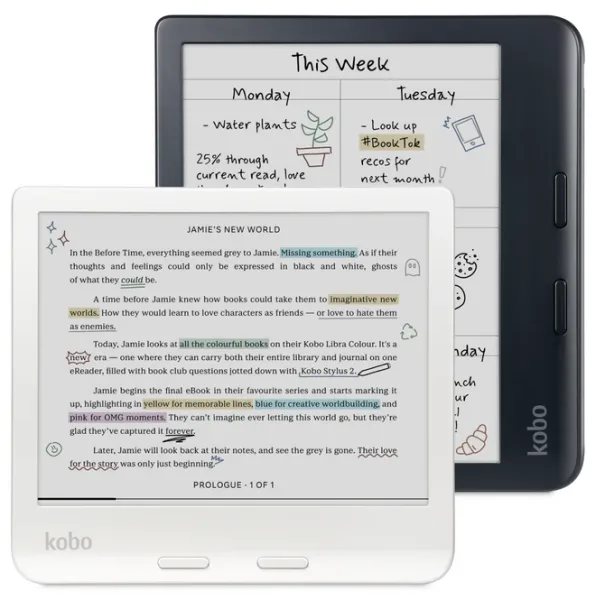
Held together, the screens are close. Dave Taylor, with the Libra next to a Colorsoft Signature Edition (14:56), calls them "extremely comparable screens." Mashable's Samantha Mangino names the Libra the best color e-reader overall for its "strong color accuracy despite the softer tones," though she lists "occasional ghosting issues" among its drawbacks.
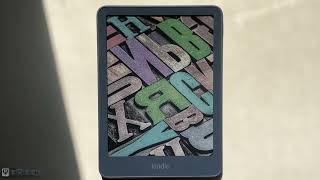
Neither screen looks like paper with the light off. The 2026 Colorsoft's gray background is darker than a Paperwhite's: PCMag needed the front light at about half brightness to read as easily as on an unlit Paperwhite, and in The eBook Reader's lighting test (01:01) the screen looks darker than regular E Ink, so the front light has to stay on.
For comics bought from Amazon, several reviewers found the Kindle slightly more saturated; for PDFs and illustrated pages, The Inktelligent preferred the Libra. Either way, the difference is small next to the $30 price gap.
The Colorsoft keeps DRM-protected Kindle books and Kindle+ on one reader
A Kindle library is what justifies the Colorsoft's price: Vasani says the Libra would be her pick "if I didn't already own so many Kindle books." DRM-protected Kindle Store books open only in Kindle apps and on Kindle devices, and since Amazon removed the Download & Transfer via USB option on February 26, 2025, purchases reach a Kindle over Wi-Fi. Since January 20, 2026, buyers can download EPUB and PDF files of books whose publishers chose to sell them DRM-free, from Manage Your Content and Devices; books borrowed through Kindle+ don't qualify. A reader moving to the Libra can keep older purchases in the Kindle app on a phone or tablet and use the Kobo for new books and library loans.
The Kindle Store is also the bigger shop, with a much wider self-published selection, though Tom's Guide's Erin Bashford found every book on her to-read list in Kobo's store. Engadget's Cherlynn Low writes that "Kobo's interface and library simply can't hold a candle to Amazon's." Kindle+ (formerly Kindle Unlimited) costs $11.99 a month and lends up to 20 books, audiobooks or comics at a time. Amazon sells the Colorsoft at the same $289.99 with three months of Kindle+ included, after which the subscription renews automatically.
Comics bought from Amazon open panel by panel with a double tap on the Colorsoft. In 2024, The eBook Reader's Nathan Groezinger called Kobo's color content selection "pitiful by comparison," with comics downloaded at reduced resolution. Wirecutter's Brenda Stolyar recommends the Colorsoft only to readers who mainly read graphic novels and comic books. Comics kept as CBZ or CBR files are a different case: the Libra opens them natively.
The Libra borrows library books and opens EPUB and CBZ files on its own
OverDrive is built into the Libra: sign in with a library card, then browse, borrow and place holds on the reader without picking up a phone. PCMag's Libra review called library access "the star of the show." On the Colorsoft, borrowing runs through the Libby app instead. In the US, a loan goes out through Read With... > Kindle and arrives via the Amazon account, and the reader itself can't browse library collections.
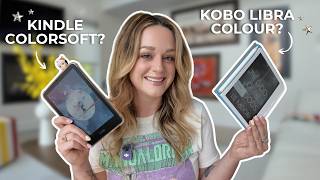
The Libra opens 15 formats natively, including EPUB, CBZ and CBR, and pulls books from Dropbox and Google Drive. The Colorsoft reads Amazon's formats, PDF and DRM-free MOBI; EPUB files go through Send to Kindle, which converts them (up to 200 MB from the web), and CBZ or CBR comics need converting in Calibre first.
The Libra has 32GB; the Colorsoft has 16GB with 10.8GB available. Wirecutter points comic and graphic novel readers to the larger capacity.
The Libra turns pages with built-in buttons and takes a stylus
The Libra puts two physical page-turn buttons on the wider side of its asymmetric body and rotates the screen for either hand, so it reads one-handed out of the box; Mashable's Mangino calls it "the best e-reader I've tested" ergonomically. The Colorsoft is touch only, and the $79.99 Page-Turn Cover fits only the Signature Edition. Taylor calls the Libra's buttons "a huge benefit," since "a lot of people don't want to constantly be touching the screen that they're reading."
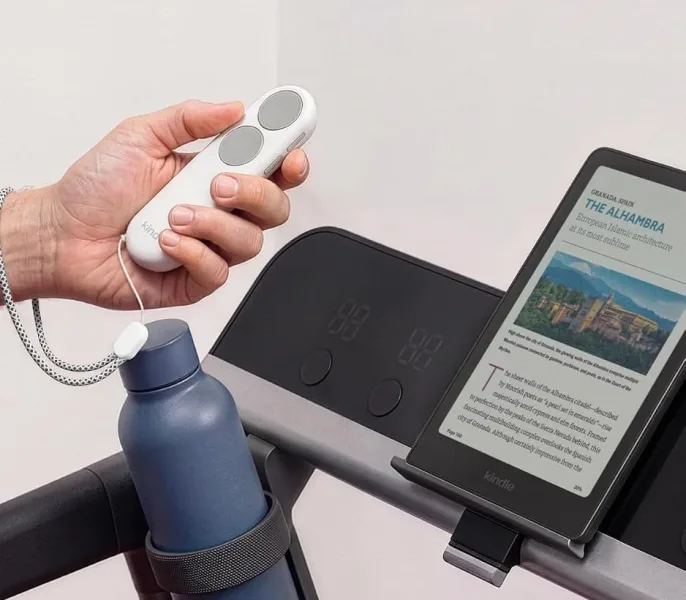
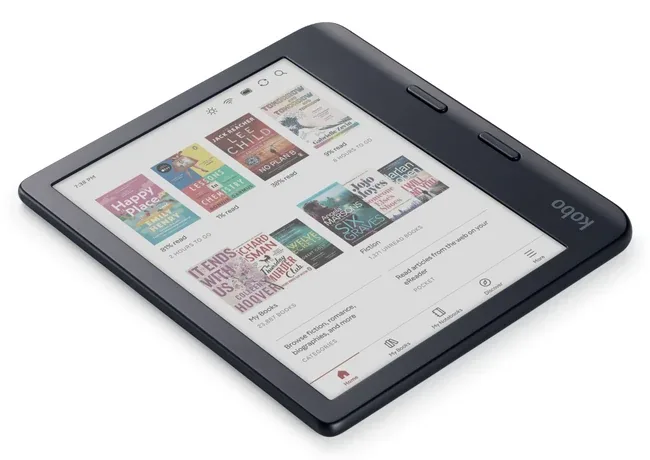
Turning pages from across the room takes a remote on either reader: the $34.99 Kindle Click for the Colorsoft, and the Kobo Remote, which pairs with the Libra Colour over Bluetooth. The Colorsoft is 1.5 mm thinner and shaped differently: taller and narrower, 174.7 by 126.8 mm against 161 by 144.6 mm, closer to a book page.

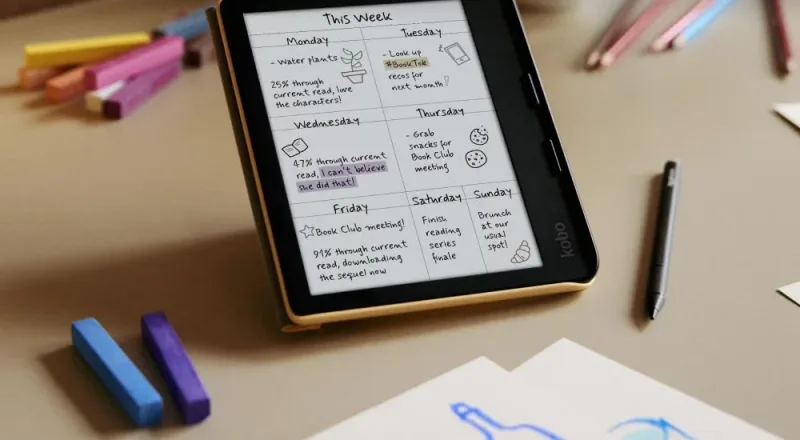
The $69.99 Kobo Stylus 2 writes and highlights directly on the page in ebooks and PDFs, and PCMag notes that this works in every Kobo book, library loans included. In an Advanced Notebook, a double tap turns handwriting into typed text. The Colorsoft has no stylus; highlights go on with a finger, in five colors. In Liv Charette's annotation chapter (09:35), she enjoys annotating on the Kobo "way more" than on the Colorsoft. Mashable says palm rejection "could use some work," and Taylor calls the stylus "not a must." For pages of handwritten work notes, Kindle Scribe vs reMarkable Paper Pure compares larger pen tablets.
For one-handed reading, the Libra costs less with nothing added
The Libra reads one-handed at $259.99, or $229.99 in Kobo's sale through December 2, against $289.99 for a Colorsoft without buttons. For page turns from a distance, the Colorsoft and Kindle Click come to $324.98. Adding the $69.99 Stylus 2 brings the Libra to $329.98 at its regular price, $5 more than the Colorsoft with Click, or $299.98 during Kobo's sale, $25 less.
Battery life and water resistance end even
Amazon rates the Colorsoft for up to 8 weeks and Kobo rates the Libra for up to 40 days, both at 30 minutes a day under different light settings; Good e-Reader's Michael Kozlowski found the Colorsoft's front light keeps real-world life "well below the advertised 8 weeks," and Alex Reviews Tech's Alex Kidman saw his Libra go from 100% to 48% in about two weeks.
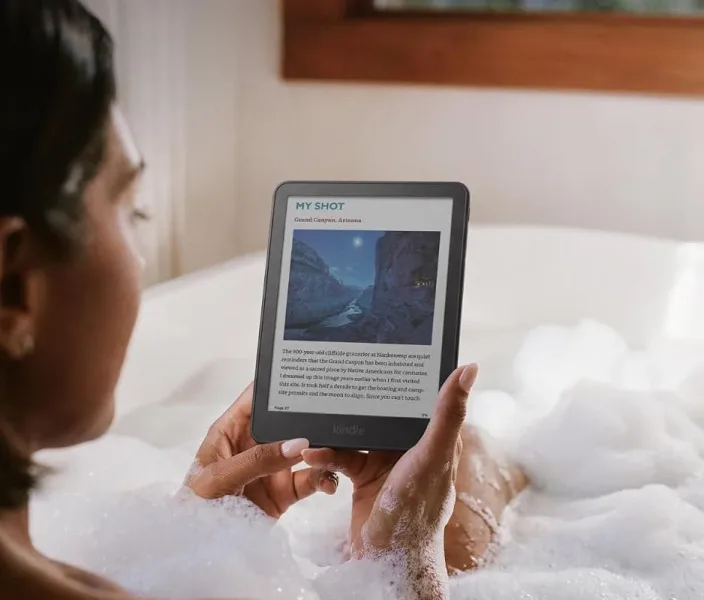
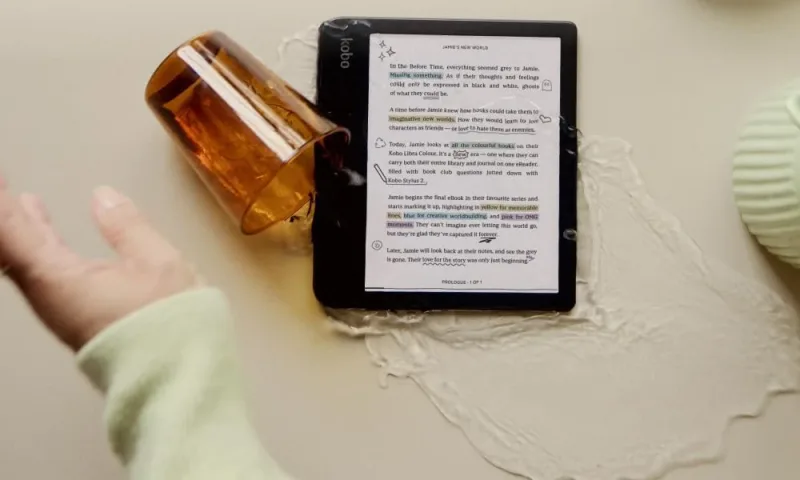
Both are rated IPX8 for up to 60 minutes in 2 meters of fresh water, so the bath or the pool deck is fine for either.
Owners of a 2024 or 2025 Colorsoft gain little from the 2026 model
The 2026 Colorsoft is 6.8 mm thick and 204 g, thinner and lighter than the model it replaces. The power button moves from the bottom edge to the top of the right side, the front is flush with the screen, and the back panel opens for a battery swap. Swiping through the same book on the 2026 16GB model and a 2024 Signature Edition, Good e-Reader saw page turns that looked "absolutely identical."
Owners of the original 32GB model would also lose space: the 2026 16GB model has 10.8GB available, against 24.7GB free on the 32GB 2024 model in Good e-Reader's storage check (03:49). The same video calls the 2026 model "a non-upgrade" for anyone who already owns a Kindle.
An owner who wants page buttons can add the Kindle Click instead, since it works with any Kindle from 2024 or later. E Ink has announced a new color screen, but Farrell doesn't expect it in devices until next year at the earliest.
Final Verdict
For most readers the Libra Colour is the safer pick at $30 less; the Colorsoft makes sense when most of a library is DRM-protected Kindle books or Kindle+.
- A large Kindle library, Kindle+ or Audible: Colorsoft, which keeps purchases and progress synced with Amazon's apps.
- Comics bought from Amazon: Colorsoft, with panel-by-panel view.
- Library loans through Libby or OverDrive: Libra, which browses and borrows without a phone.
- Your own EPUB and CBZ files: Libra, with native support and 32GB.
- Reading one-handed: Libra, with buttons on the grip.
- Margin notes: Libra with Stylus 2.
- Skip the Colorsoft if you borrow most books from the library or want page buttons without buying a remote.
- Skip the Libra if most of your books are DRM-protected Kindle Store purchases you want on one e-reader.
For mostly text, PCMag names the black-and-white Kindle Paperwhite its Editors' Choice among e-readers.