Sonos Beam Ultra vs Bose Lifestyle Ultra Soundbar: Is Bose Worth More?
TL;DR
The Sonos Beam Ultra suits most homes: its compact cabinet, Atmos height speakers and adjustable dialogue suit films and everyday TV at an official US price of $699. The Bose Lifestyle Ultra Soundbar lists at $1,099 and sells for $899 at Amazon, a $200–$400 premium, and makes sense for a household using built-in Alexa or Google Cast. Prices are from November 19, 2026, for the bars alone.
| Feature | Sonos Beam Ultra | Bose Lifestyle Ultra Soundbar |
|---|---|---|
| US standalone price, November 19, 2026 | $699 | $1,099; $899 at Amazon |
| Manufacturer channel configuration | 7.1.2 | 5.1.2 |
| Standalone Dolby Atmos | Yes | Yes |
| Dialogue adjustment | Four Speech Enhancement levels | Adjustable SpeechClarity |
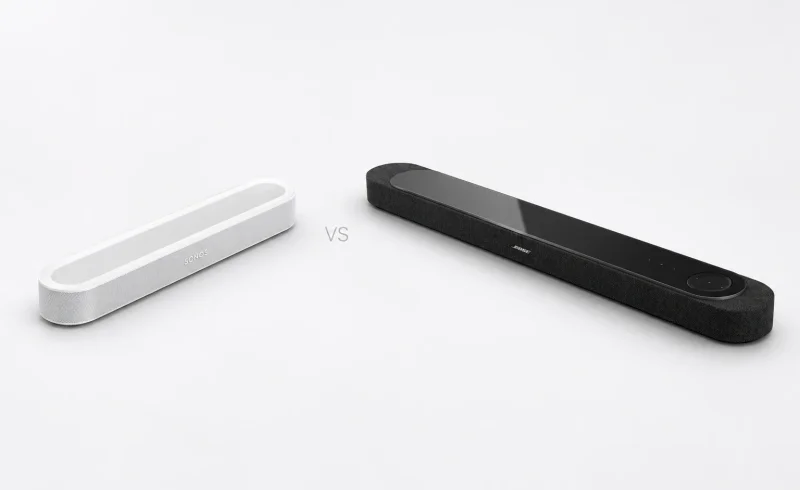
| Cabinet width | 29.53 in | 43.28 in |
| Speaker height | 2.56 in | 2.648 in |
| Speaker depth | 4.13 in | 4.922 in |
| TV connection | HDMI ARC/eARC, cable included | HDMI ARC/eARC, cable included |
| Bluetooth version | 5.3 | 5.3 |
| Room calibration | Trueplay, iOS and Android | CustomTune, most iOS and Android phones |
| Optional rear speakers | Pair of Sonos Era 100, Era 300, Play or Move 2 | Pair of Lifestyle Ultra Speakers |
| Optional subwoofer | Compatible Sonos Sub | Lifestyle Ultra Subwoofer, or wired Bass Module 700 |
Bose dimensions use its “Speaker” label; its “Entire Product System” height is 3.632 in. Channel configurations are manufacturer descriptions. Bose requires an HDMI eARC TV connection for its Dolby Atmos experience, with compatible TV audio and Atmos content. Prices cover standalone hardware before tax, with an existing compatible TV, Wi-Fi and phone.
📑 Table of Contents
- Beam makes the case for standalone cinema
- Bose has more bass on its own; music splits reviewers
- Beam leaves 13.75 more inches of console space
- Beam adds optical; both need an open top for Atmos
- Bose suits Cast and Alexa; Beam has Night Sound
- Rear speakers add immersion and another setup dependency
- Bose's premium makes sense for Cast households
- Final Verdict
- FAQ
Beam makes the case for standalone cinema
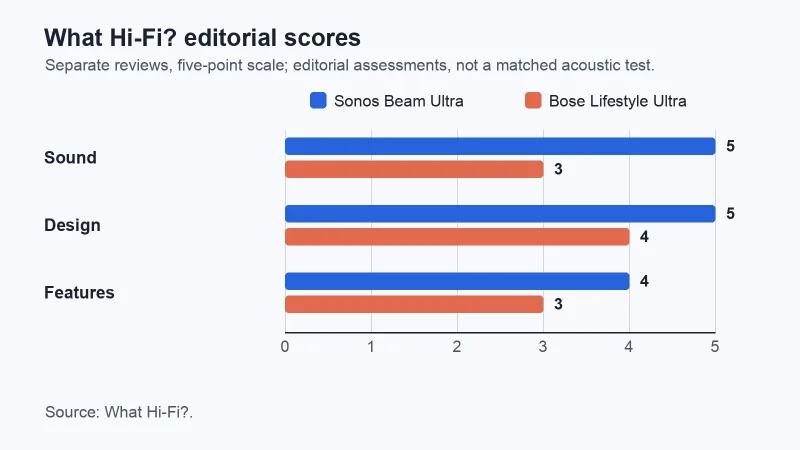
The Beam's movie sound draws praise for placing effects above the screen while keeping speech intelligible. What Hi-Fi?'s Beam review gives sound 5/5, describing accurately placed overhead effects in Blade Runner 2049 and clear, expressive dialogue in Bumblebee. Voices project less directly toward the listener than with some rivals, however.
The same publication's Bose review gives sound 3/5. Rain in Blade Runner 2049 stayed near the screen, and crescendos in F1: The Movie sounded restrained. Increasing height and surround settings widened the presentation somewhat, without resolving those complaints. Speech remained intelligible in the noisy racing scene.
Popular Mechanics' Stefan Vazharov reaches a different overall recommendation after weeks with each: Bose is his overall selection, Beam his compact selection. He praises Bose's contained bass and crisp speech, and the Beam's unexpectedly large presentation.
Dialogue also leans to the Beam. RTINGS' Beam review rates it very good for dialogue and TV shows, crediting detailed midrange and a discrete center channel, though Atmos processing can make voices sound a little artificial. RTINGS' Bose review rates the Lifestyle Ultra decent: SpeechClarity made voices too shouty, and whispers and shouts come out at similar levels. SoundGuys' Beam review found Medium Speech Enhancement helpful in a quiet room and High helpful in a noisy office. Tom's Guide heard clear football announcers with Bose's SpeechClarity at Medium.
Bose has more bass on its own; music splits reviewers
The Beam filled Andrew Robinson's 20-foot-wide room during a Transformers chase at 00:52. He reports roughly 40 Hz in-room bass, with bass thinning as limiting engages near 90 dB at his listening position.
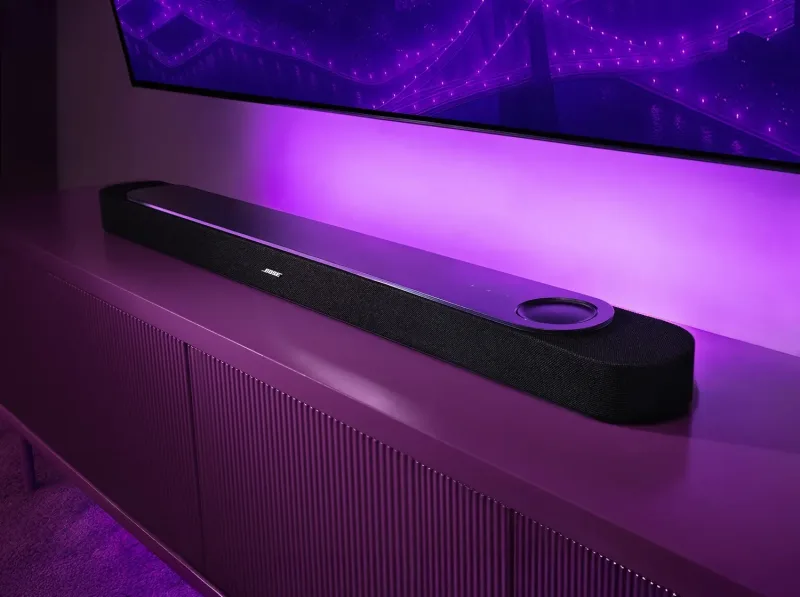
Without a subwoofer, Bose hits harder. Engadget's Billy Steele calls the bass output the most impressive thing about the bar, enough that small and medium rooms may not need a sub. Popular Mechanics hears deep, well-contained bass out of the box, and Gizmodo's James Pero found the Beam's low end decent but short of the Lifestyle Ultra's. RTINGS still missed deep rumble from the Bose in films, games and music, so explosions felt through the sofa need a subwoofer on either system.

Music splits reviewers. What Hi-Fi? recommends the Beam's expressive, coherent playback. Tom's Guide hears pleasant, balanced stereo but little improvement over Beam Gen 2. For an existing Gen 2 owner who mostly streams stereo music, that is a reason to keep it.
Tom's Guide's Bose hands-on says music sounds fantastic for a soundbar: Gorillaz came out balanced and clear, though the soundstage shrank with the sub switched off and an orchestral Star Wars theme needed more width than the bar gave. Engadget found the Bose adequate for music in an open-plan room. The longer cabinet alone promises no broader stereo image.
Beam leaves 13.75 more inches of console space
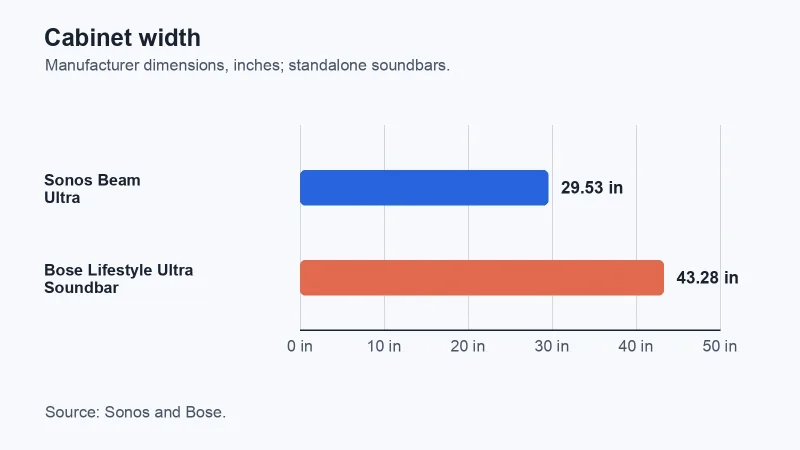
The Beam measures 29.53 inches wide against Bose's 43.28 inches. A narrow media console can settle the choice before sound preferences enter it. The Beam is also 4.13 inches deep against Bose's 4.922 inches. Sonos gives a bar height of 2.56 inches; Bose gives 2.648 inches under its Speaker label and 3.632 inches under Entire Product System. TV stands with a low bottom edge need clearance for the installed unit.
Tom's Guide's Kate Kozuch recommends the Beam for bedrooms, apartments and medium rooms. Its small footprint fits that role even though Robinson heard it fill a much wider room. For a large room where bass weight at high volume matters, Arc Ultra is the alternative raised by several Beam reviewers.
Beam adds optical; both need an open top for Atmos
Both bars connect to the TV's HDMI ARC/eARC port and use the TV for source switching. Neither supplies HDMI passthrough for a console or Blu-ray player, so external sources connect to the television. A TV with few spare ports can constrain either setup.
The Beam also accepts an optical TV connection through an adapter sold separately, though optical removes Sonos voice control of TV power. Beam supports DTS Digital Surround; RTINGS reports that Bose lacks DTS, a relevant distinction for a disc library.
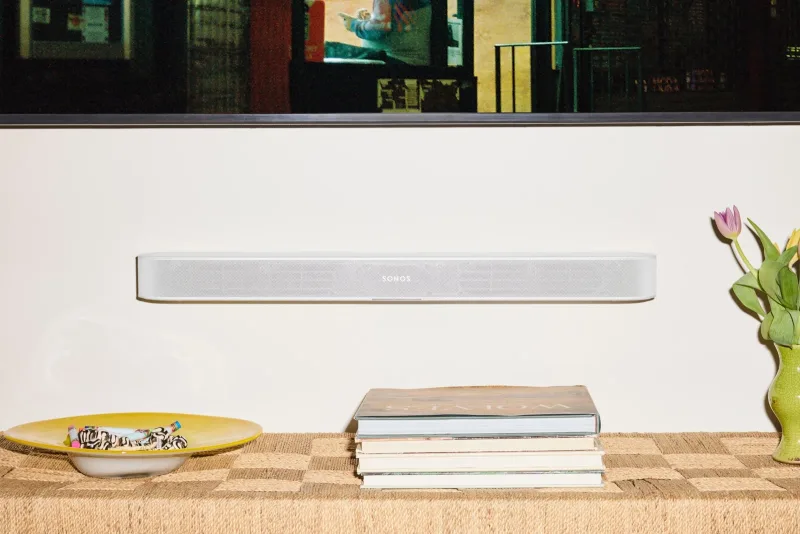
Sonos recommends enabling Simulated Overhead Sound in the app if clearance above the Beam is under four inches. The Sonos guide shows the setting under Height Audio; the user turns it on. Engadget's Devindra Hardawar found that mode less convincing than the upward-firing mode.
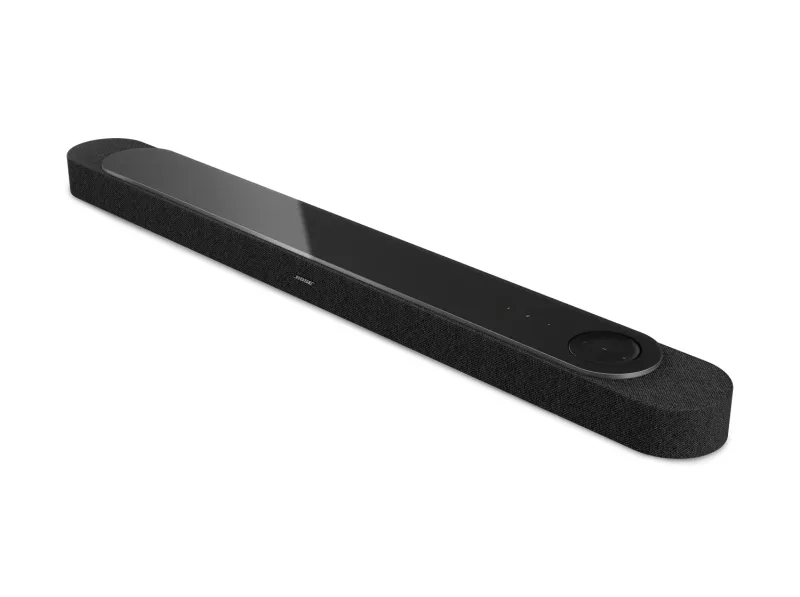
Bose also needs unobstructed top and side drivers. The Bose owner guide calls for at least 0.4 inches behind the bar and, when wall mounting, at least four inches from the bar's top to the TV. Bose requires HDMI eARC for its Dolby Atmos experience, with compatible TV audio and Atmos content.
Bose suits Cast and Alexa; Beam has Night Sound
Bose puts Google Cast and built-in Alexa alongside AirPlay and Spotify Connect. Cast needs enabling for each product in the Bose app. The Lifestyle Ultra fits a household already sending music through Cast or asking Alexa for playback. Popular Mechanics reports that the Beam lacks Cast; Sonos offers Sonos Voice Control.
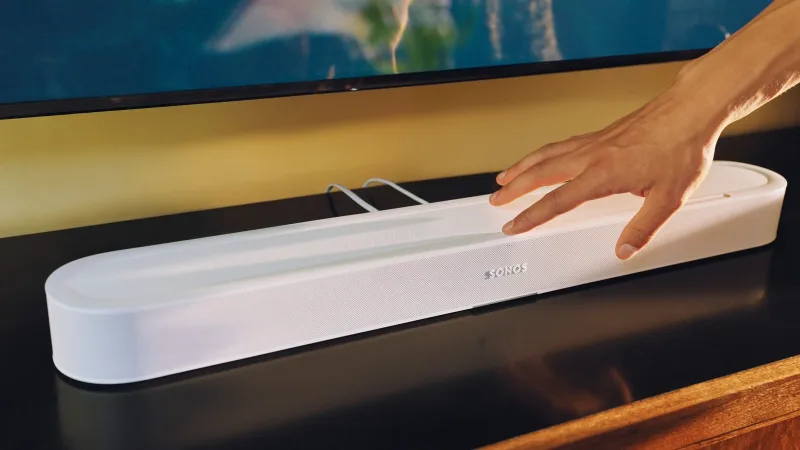
Beam's Night Sound reduces loud effects and lifts quieter sounds for late viewing. Both bars support Bluetooth and AirPlay, so an iPhone alone gives little reason to choose Bose. Both also calibrate through iOS or Android: Beam's Quick Trueplay uses the bar's microphones, while Advanced tuning uses iOS; Bose CustomTune uses the phone microphone.
Both apps adjust Atmos height-channel volume. Bose also provides bass, treble and center-channel adjustments, letting listeners change voice level separately from the height effects. Beam combines its Height Audio slider with Speech Enhancement and Night Sound. Height adjustment alone gives no reason to pay more for Bose.
The Sonos app and an account are required before the Beam plays TV sound; Bose uses its app for setup and services.
Rear speakers add immersion and another setup dependency
Both systems expand beyond the bar. Beam accepts a compatible Sonos Sub and paired rears, including Era 100, Play or Move 2. Bose accepts its Lifestyle Ultra Subwoofer wirelessly or by cable, or a Bass Module 700 by cable. Its rear pair must be Lifestyle Ultra Speakers: older Bose Surround Speakers and Surround Speakers 700 are incompatible.
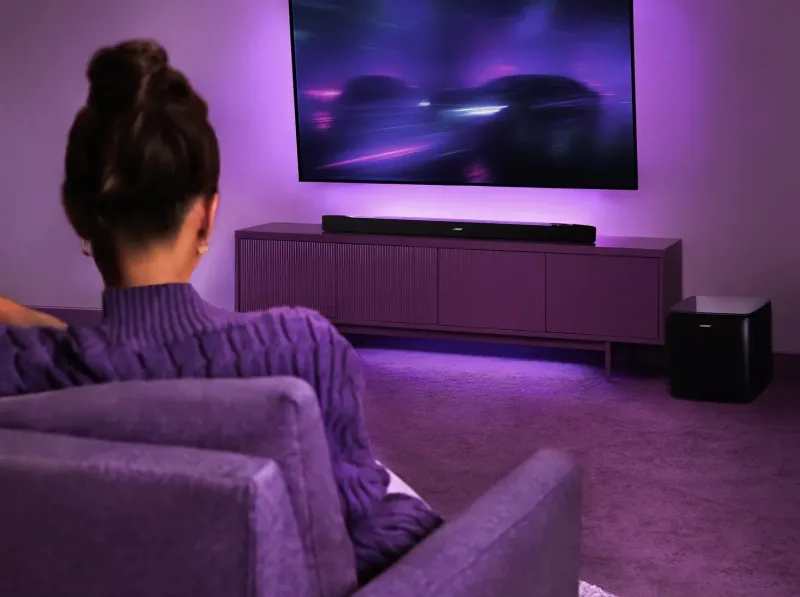
Rear-speaker choice affects height effects. Robinson heard a nearly continuous surround field from Beam with two Play speakers, but overhead effects stopped short of the space behind him; Era 300 rears can extend those effects. He also could not use in-ceiling speakers through Sonos Amp as discrete Atmos height channels, or turn Era 300s into front mains with Beam as the center.
SoundGuys heard a substantial immersion change with Bose's sub and rears, but the bar, subwoofer and rear speakers needed repeated hard restarts at 08:03 before syncing. The app also showed disconnection during playback, followed by reconnection and another room-tuning run. That experience involved the expanded system.
eCoustics' Ryan Waniata had both Play rears disconnect from his Beam system, with one dropping off the network; it rejoined after a few minutes and stayed connected for weeks. SoundGuys' Beam tuning and Tom's Guide's Bose setup each worked first time.
Bose's premium makes sense for Cast households
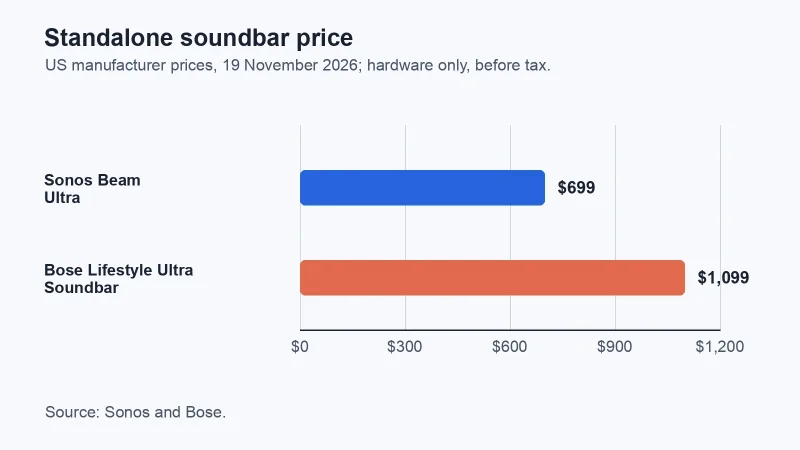
The standalone hardware costs $699 for Beam and $1,099 for Bose at official US prices on November 19, 2026; Amazon sells the Bose for $899 the same day, while the Beam stays at $699. Neither requires a subwoofer or rear pair to begin watching TV. Bose costs $400 more at list price and $200 more at Amazon. Cast and built-in Alexa can justify that expense for an established household routine; a viewer who mainly wants films, speech adjustment and late-night listening can stop at the $699 Beam.
Beam Gen 2 owners who want overhead movie effects have a reason to upgrade: Tom's Guide hears a meaningful immersive change, and What Hi-Fi? hears a larger, weightier presentation. Gen 2 voices remain somewhat more direct in the latter's review.
Final Verdict
For most homes, choose the Sonos Beam Ultra: its compact fit, movie sound and speech controls suit everyday viewing for $200–$400 less than Bose.
- Bedrooms, apartments and narrow consoles: Sonos Beam Ultra, with a 29.53-inch cabinet and adjustable speech.
- Cast music and built-in Alexa: Bose Lifestyle Ultra Soundbar, with both integrated into its app and streaming setup.
- Late-night films or DTS Digital Surround sources: Sonos Beam Ultra, for Night Sound and format support.
- More bass without buying a subwoofer: Bose Lifestyle Ultra Soundbar, which reviewers credit with the stronger low end on its own.
- Existing Bass Module 700: Bose Lifestyle Ultra Soundbar, if a wired subwoofer connection suits the room.
Skip Sonos Beam Ultra if Google Cast is central to how the household plays music. Skip Bose Lifestyle Ultra Soundbar if films and late-night TV are the priority and Cast or built-in Alexa would go unused.
For a large room where high-output bass and stereo separation take priority over compact size, Sonos Arc Ultra is the alternative raised by Beam reviewers.