Govee Floor Lamp 2 vs Philips Hue Gradient Signe Table Lamp
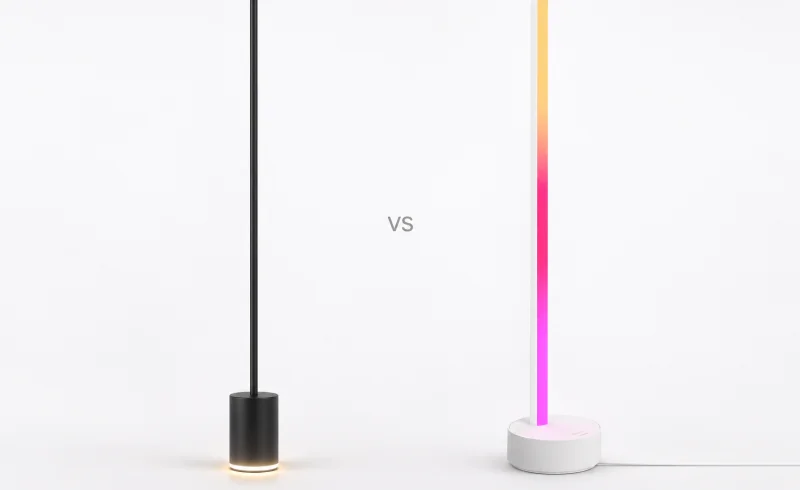
Govee Floor Lamp 2 leaves tables free and delivers more white light, while Philips Hue Gradient Signe Table Lamp suits bedside placement and existing Hue setups.
TL;DR
Choose Govee Floor Lamp 2 for a floor-standing accent that leaves tables free and contributes more everyday white light: it is rated at 1,725 lumens at 4000 K, versus Hue’s 1,040 lumens. Its editable animations and included remote also suit a room where you want playful effects and quick physical controls.
Hue Gradient Signe Table Lamp fits a bedside cabinet or sideboard and offers a slightly warmer evening glow. It is a natural addition to an existing Hue setup, though Matter requires a Hue Bridge. Placement can settle the choice: Matter Alpha’s reviewer found Govee easily toppled on deep carpet, making Hue on sturdy furniture more practical there.
| Feature | Govee Floor Lamp 2 | Philips Hue Gradient Signe Table Lamp |
|---|---|---|
| Light and placement | ||
| Multicolor lighting | Gradients, paintable segments and a separately controlled base ring. [1]Matter Alpha's 2024 review reported that the base ring re-lit when using Matter or the main power button. | Multiple colors blend along the lamp's length into wall gradients. [2] [3] |
| Lamp size and placement | 60-inch floor lamp intended for ambient corner lighting. [1] [4]Matter Alpha's 2024 review reported instability on deep carpets, but not on wood, tiles or short carpets in its setup. | 553 mm-high table lamp with a 111 × 111 mm footprint. [3] |
| Colors and white-light range | 16 million colors; 2,200–6,500 K white light. [5] [1] | Colored and white light; 2,000–6,500 K. [2] [3] |
| Controls and effects | ||
| Physical controls | Included remote controls power, color, brightness and white temperature. [5]TechRadar's reviewer found the remote convenient. | No on-lamp power button; app, voice or Hue switch control. [6] [3]TechRadar's 2023 reviewer found the missing button inconvenient when half asleep. |
| Scenes and reactive effects | DIY animated patterns, microphone-reactive music and multi-light Music DreamView. [1] | Slowly cycling dynamic scenes, Hue Effects and Entertainment sync. [3] [2] [6]Entertainment sync requires a Hue Bridge; it is unavailable through Bluetooth. |
| App, voice and smart-home connectivity | Govee Home on 2.4 GHz Wi-Fi; Alexa, Google Assistant and basic Matter control. [7] [1] [4] [5] [8]Apple Home pairing took retries in TechRadar's 2024 and Impulse Gamer's 2026 reviews; MobileSyrup's May 2024 attempts failed. | Hue app; Bluetooth/Zigbee; Alexa, Google Home, Apple Home and Matter. [3] [2] [9]Matter requires a Hue Bridge, sold separately. Bluetooth control works without one. |
📑 Table of Contents
Gradients, white light and ambient brightness
Govee is the better fit when you want an accent lamp to contribute more everyday white light. It is rated at 1,725 lumens at 4000 K, versus 1,040 lumens at 4000 K for Hue Signe. That gives Govee more output for brightening a living-room corner.
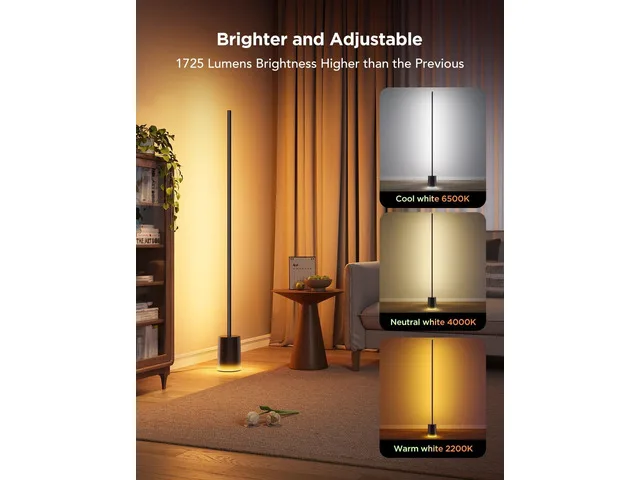
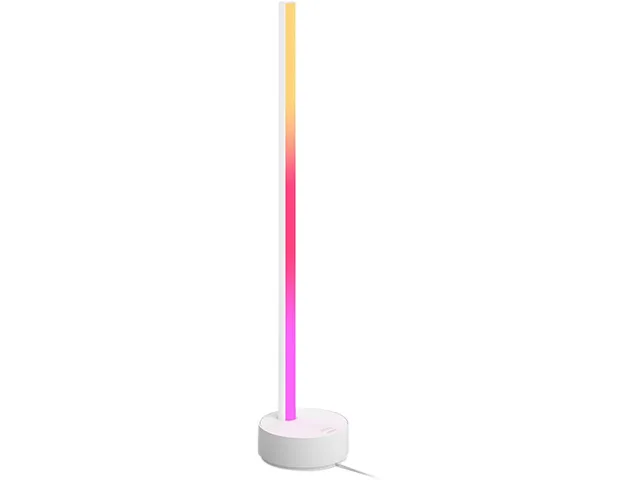
For winding down, Hue Signe reaches a slightly warmer 2000 K, extending to 6500 K; Govee spans 2200–6500 K. Both therefore cover warm evening light and cooler daytime whites, with Hue offering the warmer endpoint.
Neither limits you to one solid color: Govee supports multicolor gradients, while Hue Signe displays multiple colors along its length for wall-directed gradients. Choose Govee for greater white-light output, or Hue Signe if a warmer evening glow matters more.
A tall floor accent or a compact table lamp?
Choose Govee if you want a tall accent without giving up tabletop space. Its 60-inch structure needs assembly: four aluminum sections join to the base with plates and screws, followed by fitting the LED strip and wiring. Allow some setup time rather than expecting a lamp you simply unpack and plug in.
Hue Signe suits a bedside cabinet or living-room sideboard, provided there is clearance above it. It measures 553 mm high × 111 mm long × 111 mm wide, with a 2 m cable. Plan the cable route too: on TechRadar’s 2023 review unit, it exited the front of the base, making a discreet run behind furniture less straightforward.
Flooring can settle the choice. Matter Alpha’s reviewer found Govee easily toppled on deep carpet, but had no stability issue on wood, tile or short carpet. For a deep-carpeted room, Hue Signe on sturdy furniture is the more practical placement.
Designing accents and animated scenes
Choose Govee if you want to design your own moving accent. Its Color mode lets you paint individual segments, including the base ring, while DIY mode offers patterns, colors and adjustable animation speed. You can build a coordinated color scheme for a living-room corner, then adjust its movement to suit a quiet evening or a party.
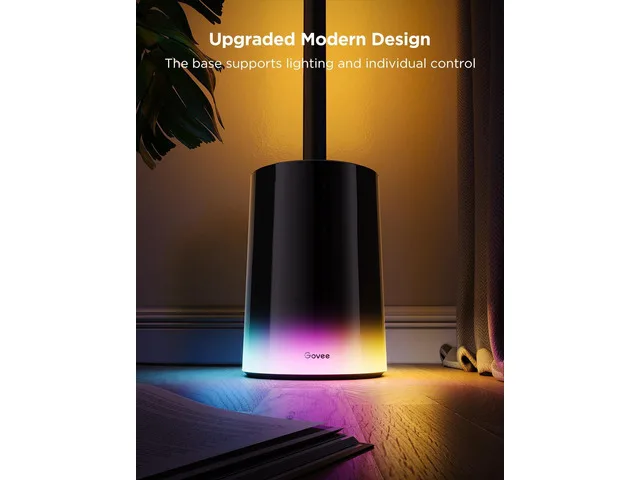
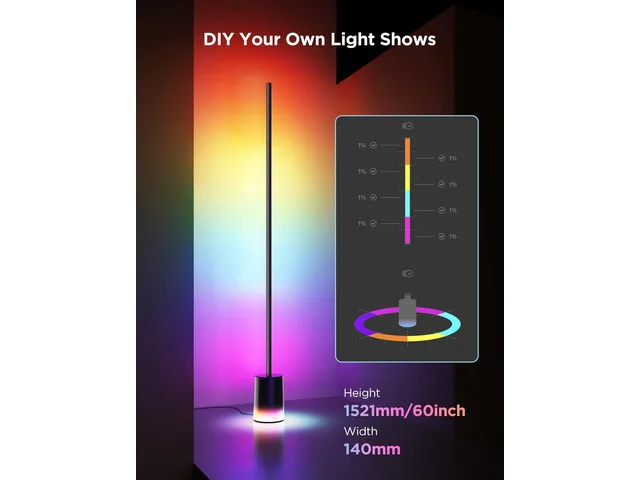
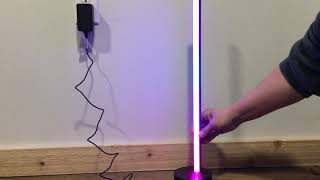
The separately controlled base ring adds another accent near floor level. If you prefer only the upright illuminated, note that Matter Alpha’s 2024 review found the ring could be switched off in the app but returned when using Matter or the main power button.
Hue Signe suits a different brief: gently changing color rather than building a custom animation. Its dynamic scenes slowly cycle through a scene’s colors, displaying several at once. That makes it a straightforward choice for a shifting evening backdrop; Govee is the pick when editing the pattern is part of the appeal.
Quick adjustments without opening an app
Govee is the more convenient choice if you want physical controls ready to use. Its included remote handles power, brightness, single colors, white/warm-white light and music-reactive modes. The magnetic mounting plate fits anywhere along the tower, letting you keep the remote at a comfortable height rather than reach for your phone.
For Hue Signe beside a bed, plan where your controls will sit. TechRadar’s 2023 reviewer found the lack of an on/off button on the base inconvenient when half asleep, relying instead on the app or voice commands. Hue Signe also supports dimming with Hue switches, making a reachable switch useful for sleepy brightness adjustments.
Connecting the lamp to your home
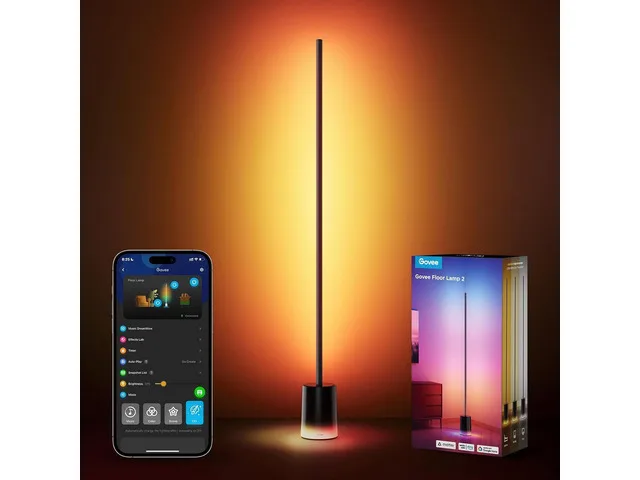
Govee connects through the Govee Home app on Android or Apple devices using 2.4 GHz Wi-Fi, so check your router’s settings before pairing. It supports Alexa and Google Assistant, schedules and scenes, making it a straightforward fit for voice-controlled daily routines.
Hue Signe offers Bluetooth control without a Bridge, useful if you want to start with one lamp. For a Matter-connected home, its Matter integration runs through a Hue Bridge, making Hue Signe a natural addition if you already own one.
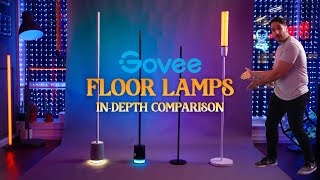
The Govee comparison’s smart-home integrations chapter (8:53) covers connection options; its brightness chapter (5:10) addresses light output.
For a new Hue setup, budget for the separately sold Bridge if you want Matter. Add the lamp in the Hue app by serial number or search; searching can take a few minutes.
Planning music and screen synchronization
Govee suits a music-reactive room: Matter Alpha’s 2024 review describes scenes driven by its built-in microphone, plus Music DreamView control for sharing effects across multiple lights. Use the lamp alone for a reactive corner, or coordinate other lights for a party.
For a PC desk, Govee’s Movie DreamView uses the free Govee Desktop app with LAN control enabled. You can map lamp segments to positions around the monitor; Razer Chroma compatibility also makes it a candidate for a Chroma-based gaming setup.
Hue Signe fits an existing Hue entertainment setup: it can join a Hue Entertainment area. Plan on a Bridge rather than Bluetooth for entertainment synchronization, as TechRadar’s 2023 review explains. Choose it to extend that system; choose Govee for microphone-reactive lighting or its named PC synchronization route.
Final Verdict
Choose the Govee Floor Lamp 2 for a tall floor accent that leaves furniture free, delivers more white-light output and includes a remote. Its editable animations and microphone-reactive modes also suit rooms where lighting is part of the entertainment.
Choose the Philips Hue Gradient Signe Table Lamp for bedside or sideboard placement, a warmer evening setting and Bluetooth control without a Bridge. It also fits an existing Hue system, though Matter and entertainment synchronization require a Bridge. Allow clearance for its 553 mm height and plan reachable controls: it has no on/off button on the base.
FAQ
Will Govee’s base ring stay off if I use Matter or the power button?
Is installing Govee Desktop enough to synchronize the lamp with my PC screen?
Can I tuck Hue Signe’s cable straight behind a bedside cabinet?
📄 Sources & Documentation
Govee Floor Lamp 2
"Images are used for editorial and informational purposes only. All trademarks and images belong to their respective owners."