
Govee Glide Hexagon Light Panels Ultra vs Govee Glide Hexa Light Panels
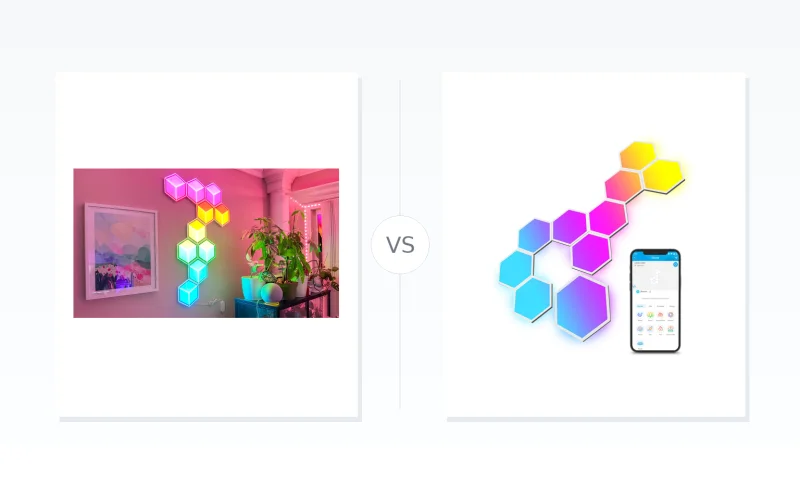
Compare Govee Glide Hexagon Light Panels Ultra and Glide Hexa Light Panels across layout planning, controls, PC integrations, and mounting requirements. Both share app, voice, and Wi-Fi baselines, while their documented configuration constraints differ.
TL;DR
- Govee Glide Hexagon Light Panels Ultra has documented frame-and-surface controls and listed Govee Desktop, DreamView, and Razer Chroma support; comparable Glide Hexa desktop support remains unverified.
- Govee Glide Hexa Light Panels requires app-led layout planning, cable-slot assignments, and calibration; its two linking cables per panel limit can rule out some branching designs.
- Neither product has an established overall layout-flexibility or installation-ease advantage: Ultra’s six-side splicing and Hexa’s cable limit measure different constraints.
Key Differentiators: Ultra allows frames and light surfaces to be controlled together or separately, while Hexa’s documented configuration centers on planned panel topology. Ultra also carries a ceiling-installation caution and one reviewer reported confusing app installation guidance; its listed Razer Chroma support did not work in that reviewer’s setup.
Shared Limits: Both are indoor-only, non-waterproof, require clean, dry, smooth mounting surfaces, pair over 2.4 GHz Wi‑Fi only, and support Alexa and Google Assistant.
Market price overview

Govee Glide Hexagon Light Panels Ultra
 Govee
Govee Govee
Govee
Govee Glide Hexa Light Panels
Govee Govee
Govee Govee
Govee| Feature | Govee Glide Hexa Light Panels | Govee Glide Hexagon Light Panels Ultra |
|---|---|---|
| Identity | ||
| Model | H6061 | H606A |
| Product type | Modular indoor light panels | Modular indoor light panels |
| Connectivity | ||
| Control app | Govee Home [1] | Govee Home [2] |
| App pairing network | 2.4 GHz Wi-Fi, 802.11 b/g/n; 5 GHz unsupported [1] | 2.4 GHz Wi-Fi, 802.11 b/g/n; 5 GHz unsupported [2] |
| Voice assistant control | Alexa and Google Assistant | Alexa and Google Assistant [3] |
| Operating Environment | ||
| Water exposure | Not waterproof; avoid splashing or dripping water [1] | Not waterproof; do not expose to splashing or dripping water [2] |
| Intended location | Indoor use only [1] | Indoor use only [2] |
| Operating temperature | -10°C to 40°C (14°F to 104°F) [1] | -10°C to 40°C (14°F to 104°F) [2] |
| Installation and Interconnection | ||
| Mounting surface | Clean, completely dry, smooth surfaces such as glass or wood; unsuitable for uneven, bumpy, or wet surfaces such as brick or stucco [1] | Clean, completely dry, smooth surfaces such as glass or wood; unsuitable for uneven, bumpy, or wet surfaces such as brick or stucco [2] |
| Mounting pressure | Press the panel center against the wall for more than 30 seconds [1] | Press the panel center against the wall for more than 30 seconds [2] |
| Dimming driver use | Do not install with a dimming driver [1] | Do not install with a dimming driver [2] |
Sources for this table
📑 Table of Contents
Light Configuration
Panel topology
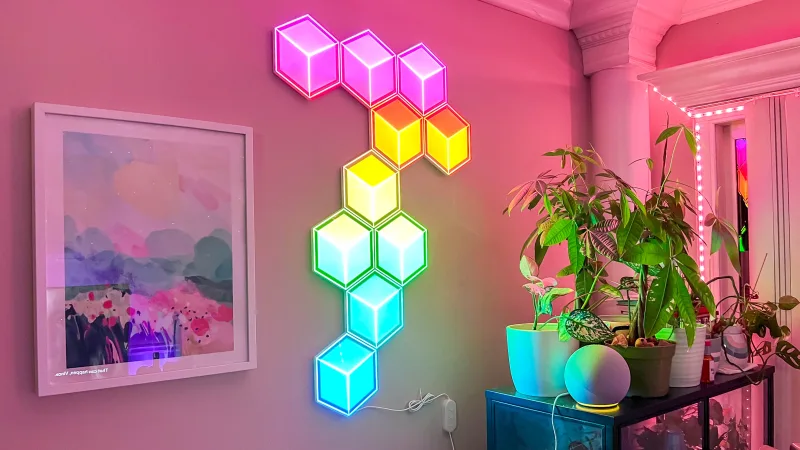
Govee Glide Hexagon Light Panels Ultra can be spliced on any of each panel’s six sides, according to Govee. This describes connection-direction flexibility, not a maximum panel count or permitted branching complexity.
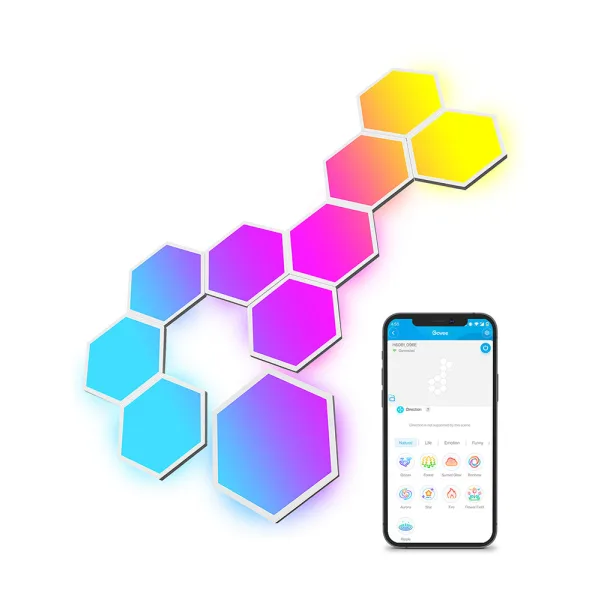
Govee Glide Hexa Light Panels use an app-planned layout that maps panels to specified cable slots. Its manual limits each panel to two linking cables, so the chosen geometry must remain physically connectable within that constraint.
Conclusion: Six-side splicing and a two-cable-per-panel limit measure different things, so they do not establish a general layout-flexibility winner. Ultra emphasizes directional connection options, while Hexa makes cable-aware app planning essential.
Visual configuration
Govee Glide Hexagon Light Panels Ultra lets users control its frames and light surfaces together or separately, per its manual. That creates an explicitly documented way to vary the visual treatment of an installed arrangement.
Govee Glide Hexa Light Panels documents app-based layout design, with users selecting the intended arrangement and following app-indicated cable-slot assignments. This supports deliberate configuration of the panel topology rather than documenting an equivalent frame-and-surface control mode.
Conclusion: Ultra’s manual documents separate or combined frame-and-surface control. An equivalent Glide Hexa control mode is not established here. Its two-cable limit and Ultra’s six-side splicing describe different connection constraints, so neither establishes greater overall layout flexibility.
PC & Smart Controls
PC and ecosystem integrations
Govee Glide Hexagon Light Panels Ultra is listed as supporting Govee DreamView, Razer Chroma, and Govee Desktop in addition to Govee Home. That gives it documented options for PC-centred lighting arrangements and device-group control through desktop software or Wi‑Fi/LAN, according to a GamingTrend review.
Govee Glide Hexa Light Panels is documented for Govee Home, Alexa, Google Assistant, and control-box operation. The supplied Glide Hexa sources do not establish its current desktop-software or third-party PC integration capabilities, which is not proof that those capabilities are unavailable.
Conclusion: Ultra has documented PC-integration options. Glide Hexa’s current desktop capabilities are not established here, so a direct comparison of PC support remains unresolved.
App, voice, and pairing baseline
Govee Glide Hexagon Light Panels Ultra uses Govee Home and supports Alexa and Google Assistant control. Its manual requires a 2.4 GHz 802.11 b/g/n Wi‑Fi router for app pairing and states that 5 GHz Wi‑Fi is unsupported.
Govee Glide Hexa Light Panels likewise uses Govee Home and supports Alexa, Google Assistant, and direct control-box operation. Its pairing requirement is the same: 2.4 GHz 802.11 b/g/n Wi‑Fi, with no 5 GHz Wi‑Fi support.
Conclusion: Their documented app pairing and mainstream voice-control baseline is effectively identical, so neither gains an advantage here.
Integration caveat
Govee Glide Hexagon Light Panels Ultra officially lists Razer Chroma support. However, one GamingTrend reviewer reported being unable to make Chroma work in their setup; that single report does not establish the frequency of integration issues.
Govee Glide Hexa Light Panels cannot be rated against that Chroma experience without comparable integration evidence.
Conclusion: Both support the same documented app-pairing and voice-control baseline. Ultra’s listed PC integrations may be relevant to a desktop setup, but the available evidence does not establish a PC-capability or reliability advantage over Glide Hexa.
Mounting & Setup
Govee Glide Hexagon Light Panels Ultra requires a clean, completely dry, smooth surface such as glass or wood; its manual rejects uneven, bumpy, or wet surfaces including brick and stucco. It also specifies pressing each panel’s centre against the wall for more than 30 seconds.
Govee Glide Hexa Light Panels carries the same surface restrictions and the same 30-second-plus centre-pressure instruction. Neither manual supports treating rough walls or damp areas as suitable mounting locations.
Conclusion: Mounting-surface requirements are effectively identical, so neither product wins on basic wall preparation.
Ultra does not recommend ceiling installation, limiting overhead layouts. Its manual also requires supplied interconnection connectors and instructs users to seal open ends; a GamingTrend reviewer reported easy physical installation but incomplete or incorrect app guidance. In that reviewer’s setup, cables had to be connected before mounting the next panel, and numbered prompts indicated effect orientation rather than the next cable connection.
Glide Hexa has a documented setup sequence: test every panel individually, design the layout in the app, use its specified cable-slot numbers, then calibrate the completed arrangement. It also permits a maximum of two linking cables per panel, which can constrain branching designs. One forum user reported panels falling after moving house and remounting panels in three rooms, but that isolated account does not establish typical adhesive durability.
Conclusion: For Ultra, account for the ceiling-installation caution and the reviewer’s connector-order warning. For Glide Hexa, follow the documented testing, app-planning, cable-slot and calibration steps. These sources do not establish which is easier or more reliable to install.
Both models are indoor-only and non-waterproof; avoid splashing or dripping water. Both specify a -10°C to 40°C (14°F to 104°F) operating range and prohibit dimming drivers.
Conclusion: Both need a clean, dry, smooth indoor mounting surface. Their setup instructions identify points to plan for, but do not establish an installation winner. Ultra’s ceiling restriction does not establish that Glide Hexa is suitable for ceiling mounting.
Final Verdict
The detailed comparisons show shared control and mounting baselines alongside differences in documented configuration and PC-focused features.
For PC-centred lighting setup: Govee Glide Hexagon Light Panels Ultra documents DreamView, Razer Chroma, and Govee Desktop options, though comparable current Glide Hexa PC capabilities and relative reliability are not established.
For a preplanned decorative wall layout: Both models require layout-specific planning, with Ultra offering six-side splicing and Govee Glide Hexa Light Panels requiring app-mapped cable-slot assignments with a two-linking-cable limit per panel.
For basic app and voice control: Both support Govee Home, Alexa, Google Assistant, and the same 2.4 GHz Wi‑Fi pairing requirement.
Conclusion: No overall winner is established.
Ultra’s separate frame-and-surface controls and documented PC options may matter for certain installations, while Glide Hexa’s app-guided cable planning defines its setup process. Both share the same smooth, dry indoor mounting requirements, and the available evidence does not establish overall lighting, installation, or configuration superiority.
FAQ
Does Govee Glide Hexagon Light Panels Ultra support PC lighting integrations?
Can either Govee panel system pair on 5 GHz Wi-Fi?
What should I plan before installing Govee Glide Hexa Light Panels?
Can Govee Glide Hexagon Light Panels Ultra be installed on a ceiling?
Can Govee Glide Hexagon Light Panels Ultra connect on any side?
Are the Govee Glide Hexagon Light Panels Ultra and Glide Hexa panels waterproof?
What wall surfaces can I use for Govee Glide light panels?
📄 Used Manuals & Documentation
Govee Glide Hexagon Light Panels Ultra
"Images are used for editorial and informational purposes only. All trademarks and images belong to their respective owners."