
Aqara WS-K04E vs TP‑Link S505: Scene Controller or Simple Smart Switch?
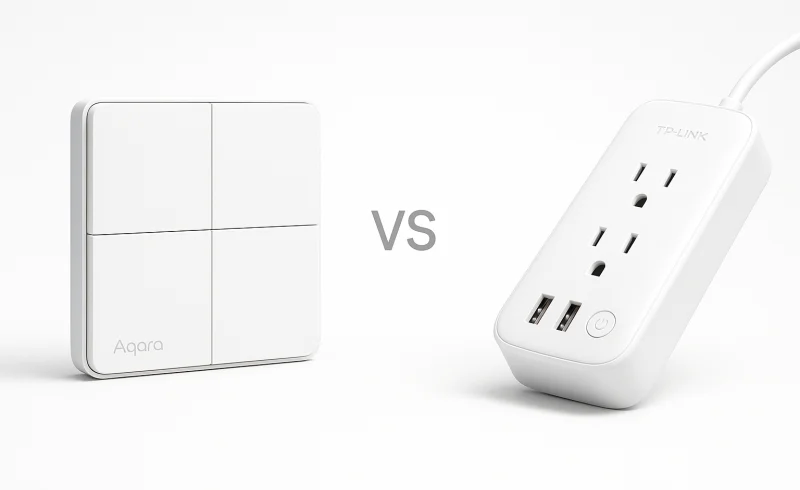
Explore the differences between Aqara WS-K04E, a multifaceted scene controller with 4 buttons, and TP‑Link S505, a straightforward smart switch designed for high power loads and simplicity. Ideal for those navigating the nuances of home automation needs.
TL;DR
- If you want a multi‑button wall controller for scenes, automations, and neutral‑optional wiring → choose Aqara WS‑K04E
- If you prefer a straightforward on/off switch with higher load capacity (15A, fan/motor support) and simpler daily use → choose TP‑Link S505
- If your priority is Matter‑certified integration in a mainstream ecosystem and you don’t need multi‑action wall controls → either works well
The Aqara WS‑K04E is a control surface (4 buttons, 3 channels) that excels in hub‑based systems but demands setup effort and platform‑dependent automation tuning. The TP‑Link S505 is a conventional single‑pole smart switch that’s easier to install and operate, but it requires a neutral wire and its Wi‑Fi dependency can become a long‑term annoyance in dense networks. The biggest practical trade‑off: more control flexibility at the wall vs. simpler, more reliable basic switching.
If you need three‑way (multi‑location) wiring or a sub‑$20 basic switch, consider a traditional dumb switch or a dedicated 3‑way smart solution instead—neither of these two handles that wiring scenario.
| Feature | TP-Link S505 | Aqara WS-K04E |
|---|---|---|
| Power | ||
| Rated input | 100-120 V~, 50/60 Hz | 110-240VAC, 50/60Hz |
| Maximum supported load | 15A General Use, 600W Incandescent, 120W Ceiling Fan, 1/6 HP Motor | Max 10 A (Resistive Load) |
| Control | ||
| Control configuration | Single-pole switch | 4 Buttons, 3 Channels |
| Physical | ||
| Dimensions | 128 × 84.6 × 35.7 mm | 119 × 74 × 42 mm |
| Environment | ||
| Operating humidity | 10%~90% RH, Non-condensing | 0 ~ 95% RH, no condensation |
| Operating temperature | 0 ºC ~ 40 ºC (32°F ~ 104°F) | 0°C ~ 40°C (32°F ~ 104°F) |
| Connectivity | ||
| Matter support | Matter-certified | Supported via Thread |
| Wireless protocols | 2.4 GHz Wi-Fi, Bluetooth 4.2 (for setup only) | Thread, Zigbee, Bluetooth |
| Compatible platforms | Apple Home, Alexa, Google Assistant, Samsung SmartThings | Aqara, Apple Home, Alexa, Google Home, SmartThings, Home Assistant, Homey |
| Installation | ||
| Neutral wire | Neutral wiring in wall box required | With or without neutral wire |
📑 Table of Contents
Control & Functionality
Wall control: multi-button scene panel vs single-circuit switch
Aqara WS-K04E is built as a «control surface,» with 4 buttons and 3 independent channels—so one wall location can manage multiple loads or be repurposed as a scene/automation trigger surface. In practice, that extra input density is what enables room-level «scene panel» behavior (multiple zones, all-off, shades, etc.) instead of a single on/off action.
TP-Link S505 is explicitly a single-pole smart switch, optimized for one circuit on/off control and not intended to replace a multi-button scene controller. TP-Link also notes it’s not compatible with 3-way wiring, reinforcing that its core role is straightforward, single-location switching.
Conclusion: For pure functionality at the wall—multiple actions from one gang—Aqara WS-K04E clearly wins thanks to 4 buttons/3 channels vs single-pole on/off.
Automation inputs: discrete button events vs basic toggle behavior
Aqara WS-K04E can map multiple presses across its buttons (e.g., single/double/long press depending on platform), which is what enables deeper automations beyond «toggle load.» The trade-off is that behavior can vary by ecosystem: the same hardware may expose richer or more limited button events depending on whether you’re using Aqara/HomeKit/SmartThings/Home Assistant, and setup often involves deciding what every button does.
TP-Link S505 largely behaves like a conventional switch first—press to toggle the circuit—then layers app/voice control on top, which keeps the mental model simple for households and guests. The limitation is that it doesn’t offer the same built-in multi-button event surface for advanced «scene controller» style routines.
Conclusion: If your priority is automation expressiveness from the wall, Aqara WS-K04E has the edge; if your priority is predictable, guest-friendly single-circuit control, the TP-Link S505 is simpler but less capable.
Winner: Aqara WS-K04E — its 4-button/3-channel design and scene-controller potential deliver a meaningful functional advantage over the S505’s single-pole on/off approach.
Connectivity & Protocols
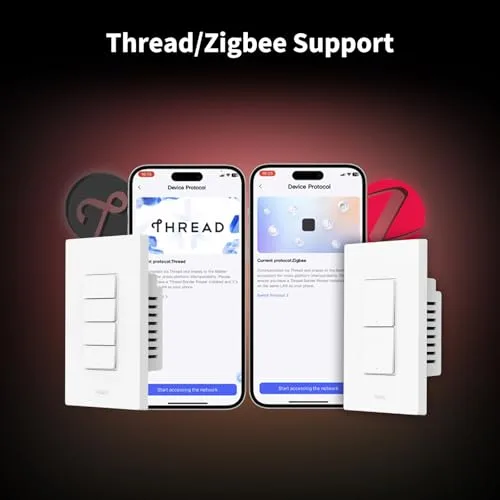
Aqara WS-K04E is built around hub/mesh-friendly radios: Thread, Zigbee, and Bluetooth. In practice, that gives it multiple paths into local-first smart-home stacks—either via Matter over Thread or via Zigbee ecosystems—while Bluetooth acts as an additional proximity/setup option.
TP-Link S505 is primarily a 2.4 GHz Wi‑Fi switch, with Bluetooth 4.2 for setup only, and it is explicitly Matter-certified. That combination favors direct router-based connectivity without requiring a separate Zigbee/Thread bridge, but it also ties day-to-day reliability more tightly to Wi‑Fi conditions (and any cloud/app dependencies for remote access).
Conclusion: On pure protocol flexibility, Aqara has the edge because Thread + Zigbee + Bluetooth offers more integration paths than Wi‑Fi + setup-only Bluetooth, while both still support Matter (Aqara via Thread, TP-Link certified).
Aqara WS-K04E can be the better choice if you want low-latency local control in a Thread-compatible ecosystem or you’re deliberately building around a hub/controller where automations can run locally. The trade-off is that multi-protocol devices can feel «platform-dependent» in how button events and advanced behaviors are exposed, and isolated reports suggest it can sometimes stop working in the app under certain conditions.
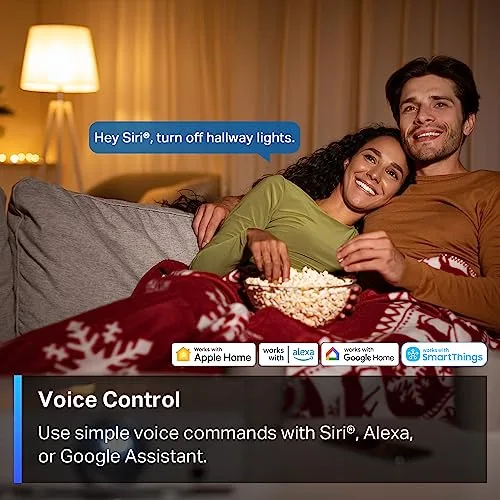
TP-Link S505 generally matches a simpler mental model: the switch talks over 2.4 GHz Wi‑Fi, and Matter makes it straightforward to add into common ecosystems (Apple Home, Alexa, Google Assistant, SmartThings). The downside is that Wi‑Fi smart switches can become more sensitive to router changes and crowded networks over time, since the network is the «hub.»
Conclusion: For local-first, hub-based architectures, Aqara is stronger; for straightforward router-based smart switching with Matter, TP-Link is the simpler fit.
Winner: Aqara WS-K04E
Installation & Wiring
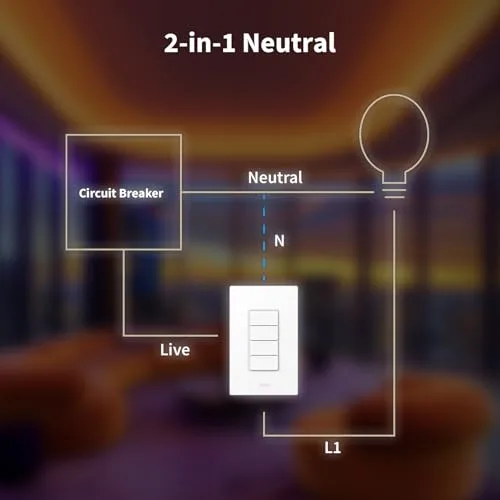
Aqara WS-K04E is explicitly rated for installs «with or without neutral wire», which is a practical advantage in older homes where neutral conductors often aren’t present in the wall box. It’s also physically a bit deeper at 42 mm (119 × 74 × 42 mm), which can matter in crowded boxes but doesn’t change its key flexibility on wiring. Electrically, it’s rated 110–240VAC, 50/60Hz.
TP-Link S505 requires neutral wiring in the wall box, which can be an immediate deal-breaker for many retrofit situations. If you do have neutral available, its single-pole design keeps the wiring concept straightforward (it’s a standard single-pole switch and not 3-way compatible per the manufacturer). Its rated input is 100–120 V~, 50/60 Hz, aligning with typical North American circuits.
Conclusion: On wiring compatibility alone, Aqara clearly wins because it supports both neutral and no-neutral installs, while the TP-Link S505 mandates neutral—a hard limitation that can exclude older houses outright.
Aqara WS-K04E is more of a «control surface» than a basic switch: it has 4 buttons and 3 channels, which can shift installation from pure wiring to «wiring + configuration.» Even after it’s physically installed, you typically need extra time to map buttons to actions/scenes to make the most of it, otherwise it may feel overcomplicated for a single-circuit wall location.
TP-Link S505 is designed as a conventional smart wall switch replacement, so the install experience is usually «replace switch, pair in app,» with less need to design button behaviors. The trade-off is that it’s dependent on 2.4 GHz Wi‑Fi and your network staying stable, which can turn «simple wiring» into «occasional troubleshooting» if the router/SSID changes.
Conclusion: TP-Link has the edge for simplicity when a neutral wire is present, but Aqara has the edge for retrofit flexibility and multi-control potential—at the cost of more setup planning beyond the wall box.
Winner: Aqara WS-K04E
Power Handling
Aqara WS-K04E is rated at 110–240VAC, 50/60Hz input and a maximum 10A (resistive load). In practical terms, that positions it primarily for standard lighting circuits where the load is predictable and non-inductive. Aqara’s own spec language does not claim fan or motor compatibility, which is where many in-wall switches get stressed.
TP-Link S505 is rated for 100–120V~, 50/60Hz input and a higher 15A General Use load. It also explicitly supports tougher, more specific categories: 600W incandescent, 120W ceiling fan, and 1/6 HP motor—all of which signal better tolerance for inductive loads and higher inrush current scenarios. That makes it a more flexible choice for controlling more than just basic lighting.
Conclusion: TP-Link S505 has the clear advantage on power handling, with higher amperage (15A vs 10A) and explicit fan/motor load ratings that the Aqara WS-K04E does not advertise. Winner: TP-Link S505
Ecosystem & Platform Support
Aqara WS-K04E is built for broader smart-home interoperability: it lists compatibility with Aqara, Apple Home, Alexa, Google Home, SmartThings, Home Assistant, and Homey. On the connectivity side, it supports Thread, Zigbee, and Bluetooth (plus Matter support via Thread), which makes it easier to slot into hub-based systems and local controllers.
TP-Link S505 targets mainstream ecosystems and standardization through Matter-certified support, with compatibility listed for Apple Home, Alexa, Google Assistant, and Samsung SmartThings. Its radio stack is 2.4 GHz Wi‑Fi with Bluetooth 4.2 for setup only, which typically keeps setup and integration focused on the Tapo/Matter path rather than hub-optional alternatives.
Conclusion: On sheer platform breadth and «choose-your-controller» flexibility, Aqara WS-K04E has the clear advantage (Home Assistant/Homey support and multiple protocols vs a Wi‑Fi + Matter approach).
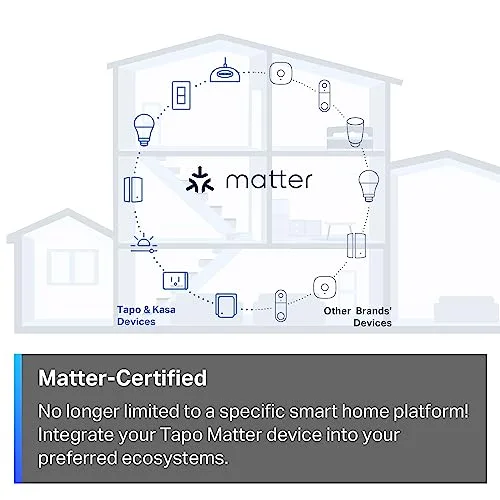
Aqara WS-K04E also lends itself to deeper, more local-first automation designs because it can participate in hub ecosystems (Thread/Zigbee) where rules can run on a local controller (for example, Home Assistant). The trade-off is complexity: multi-button devices like its 4 Buttons / 3 Channels design can expose different press events unevenly across platforms, and troubleshooting can be harder when automations span hub → platform → devices. Some users report the switch «stops working in the app» under certain conditions, which is worth weighing if you plan to rely heavily on app-based control.
TP-Link S505 tends to be simpler to reason about day-to-day because it’s a single-pole smart switch with Matter as the primary interoperability layer. That simplicity aligns well with straightforward schedules and voice assistant control, but automation depth can hit a ceiling if you want multi-action wall controls—its ecosystem is more «switch-first,» and more advanced logic commonly depends on either the Tapo app or an external platform that’s still ultimately driven by a Wi‑Fi device.
Conclusion: For advanced automations and local controller-driven smart homes, Aqara WS-K04E is the stronger fit, while TP-Link S505 is better if you prioritize a standard, Matter-centered integration with fewer moving parts.
Winner: Aqara WS-K04E
User Experience & Setup
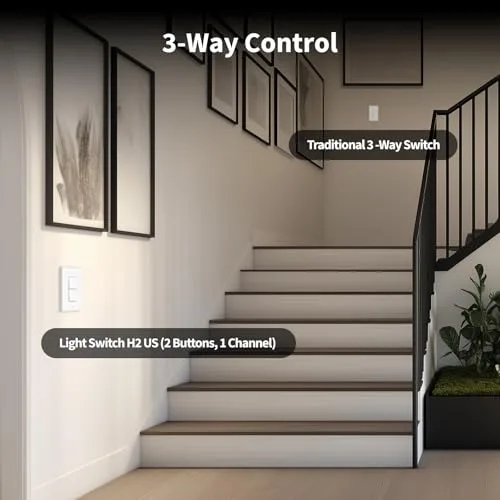
Aqara WS-K04E is fundamentally a multi-control wall surface: 4 buttons / 3 channels rather than a single circuit switch. That flexibility usually means more setup time up front, because a good experience depends on mapping each button to actions/scenes in your chosen platform and keeping those behaviors consistent for everyone in the home. It can also be a better fit for nonstandard wiring because it supports install with or without a neutral wire.
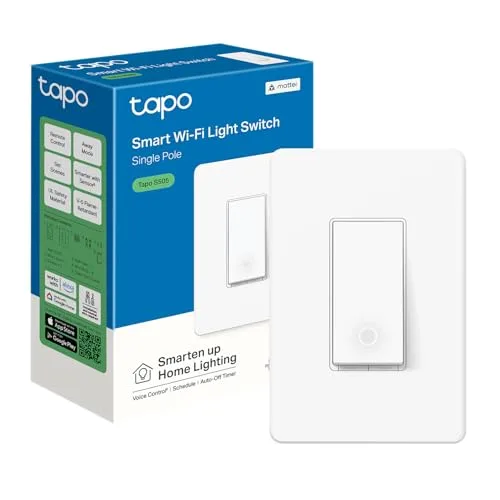
TP-Link S505, by contrast, is a conventional single-pole smart switch that’s meant to behave like a normal on/off control immediately after installation. Setup is typically a direct Wi‑Fi onboarding flow using 2.4 GHz Wi‑Fi (with Bluetooth 4.2 used for setup), and day-to-day operation doesn’t require users to learn multiple button behaviors. The trade-off is wiring: it requires a neutral wire, which can add friction (or make it a non-starter) in older electrical boxes.
Conclusion: For pure setup simplicity and «guest-proof» daily use, TP-Link S505 has the clearer advantage; Aqara WS-K04E can be worth the extra configuration when you specifically want multi-button scene control and/or need neutral-optional installation.
Aqara WS-K04E also has a more complex ecosystem decision tree because it supports Thread, Zigbee, and Bluetooth, and it’s listed as compatible with Aqara, Apple Home, Alexa, Google Home, SmartThings, Home Assistant, and Homey. That broad compatibility can be powerful, but it increases the odds that button events (single/double/long press, per-button behaviors) vary by platform—meaning you may need extra testing and rule-tuning to get consistent results. For reliability, the more steps you add (button → hub/controller → automation engine → device), the more places troubleshooting can get ambiguous; isolated reports suggest the switch can stop working in the app under certain conditions.
TP-Link S505 is more opinionated: it’s a Smart Wi‑Fi Light Switch with Matter certification, and its compatible platforms list is shorter (Apple Home, Alexa, Google Assistant, SmartThings). That narrower scope often translates to fewer decisions during onboarding and a more predictable control model once installed, assuming your Wi‑Fi is stable. The main UX dependency shifts to networking (SSID/password changes, congested 2.4 GHz environments), because Wi‑Fi is the core transport rather than an optional layer.
Conclusion: TP-Link S505 is typically easier to get to a stable, intuitive experience, while Aqara WS-K04E offers greater cross-platform and multi-protocol flexibility at the cost of more setup planning and more places for automation chains to break.
Winner: TP-Link S505
The Bottom Line
After digging into wiring, protocols, power, and day-to-day usability, the choice comes down to whether you want a straightforward smart switch or a more capable wall-mounted scene controller.
Best for Simple On/Off Control: The TP-Link S505 is the better pick because it’s designed as a single-pole «normal switch» replacement with an easy, guest-friendly control model.
Best for Multi-Scene Automation: The Aqara WS-K04E wins for its 4-button, 3-channel design that’s built to trigger richer scenes and routines from one wall location.
Best for Older Homes (No Neutral Wire): Choose the Aqara WS-K04E, since it supports installs with or without a neutral wire while the S505 requires neutral.
Best for High-Power Loads: The TP-Link S505 is the clear choice thanks to its higher 15A rating and explicit fan/motor support that Aqara doesn’t claim.
Best for Matter Ecosystem: Go with the TP-Link S505 for its Matter certification and straightforward Wi‑Fi + Matter approach, versus Aqara’s more limited Matter path via Thread.
The real «winner» here depends on your priorities: Aqara repeatedly leads on flexibility (multi-button control, multi-protocol options, and broader platform support), while TP-Link leads on simplicity, power handling, and a cleaner Matter-first experience.
If you want a powerful scene panel and you’re comfortable building around a hub/controller ecosystem, pick Aqara WS-K04E; if you want a simple, reliable, affordable smart switch that behaves like a standard wall switch (and you have a neutral wire), the TP-Link S505 is the smarter buy.
FAQ
Does the Aqara WS-K04E require a neutral wire?
Can the TP-Link S505 control scenes?
Which switch is better for Home Assistant?
Does the TP-Link S505 work without a hub?
What is the max load for Aqara WS-K04E?
Does the TP-Link S505 support 3-way wiring?
What is the price of the TP-Link S505?
Does the Aqara WS-K04E support Thread?
📄 Used Manuals & Documentation
Aqara WS-K04E
"Images are used for editorial and informational purposes only. All trademarks and images belong to their respective owners."