
TP-Link EP10 vs Leviton D215P-1RW: Kasa Basics vs Apple Home and Matter
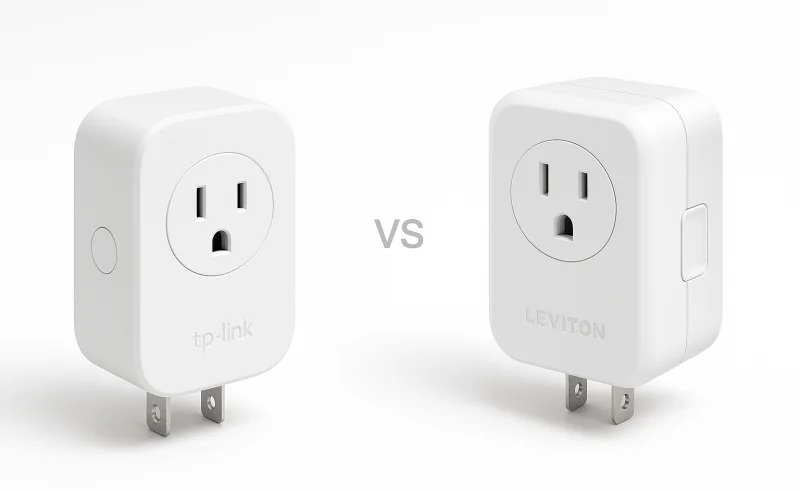
Compare the budget-friendly TP-Link EP10 with the HomeKit-compatible Leviton D215P-1RW. Understand the trade-offs between cost, setup simplicity, and ecosystem support to determine which smart plug best fits your home automation needs.
TL;DR
- TP-Link EP10 fits Kasa-centered setups that need remote on/off control, schedules, timers, Away Mode, and Alexa, Google Assistant, or SmartThings integration.
- Leviton D215P-1RW fits Apple Home households and broader Decora Smart installations. It supports Apple Home/Siri and has a firmware path to Matter, while retaining Alexa, Google Assistant, and SmartThings compatibility.
- For ordinary lamps and other straightforward loads, the two plugs cover much of the same ground. Leviton goes further with sunrise/sunset scheduling, an auto-shutoff option, optional wire-free wall-switch companions, and more detailed load-specific electrical ratings.
- Both are indoor Wi-Fi plugs that depend on 2.4 GHz coverage. Neither is a Thread smart plug.
The biggest difference is no longer simply “HomeKit versus no HomeKit.” The second-generation Leviton D215P can now be updated for Matter, giving it a much broader interoperability path than the EP10. That update comes with an important Apple Home caveat, however: moving the Leviton from its existing HomeKit connection to Matter requires re-adding the device to Apple Home, and Matter control through Apple Home requires a supported Apple home hub.
| Feature | TP-Link EP10 | Leviton D215P-1RW |
|---|---|---|
| Power | ||
| Input Voltage | 100-120VAC | 120VAC, 60Hz |
| Maximum General Use Load | 15A | 15A |
| General | ||
| Mobile App | Kasa Smart app | My Leviton app |
| Hub Required | No | No |
| Product Type | Smart Wi-Fi plug mini | Plug-in smart switch |
| Features | ||
| Scheduling | Supported | Supported |
| Scene Support | Scenes and groups | Scenes and activities |
| Remote Control | Supported | Supported |
| Away or Vacation Mode | Away Mode | Vacation mode |
| Manual On/Off Control | Power and Settings button | Status LED/button |
| Compact Outlet Sharing | Allows two plugs to be stacked in the same outlet | Allows two mini plug-ins in the same receptacle |
| Compliance | ||
| Certifications and Standards | RoHS, FCC, IC, UL | UL 916, CSA C22.2 No. 205, NOM, Wi-Fi CERTIFIED, FCC Part 15 Class B |
| Connectivity | ||
| Wi-Fi Band | 2.4GHz only | 2.4GHz only |
| Wi-Fi Standard | IEEE 802.11 b/g/n | IEEE 802.11 b/g/n |
| Environmental | ||
| Operating Humidity | 10% to 90%RH, non-condensing | 10% to 90% non-condensing |
| Operating Temperature | 0°C to 40°C (32°F to 104°F) | 0°C to 40°C (32°F to 104°F) |
| App Compatibility | ||
| iOS Requirement | iOS 10 or higher | iOS 12.0 or later |
| Android Requirement | Android 5.0 or higher | Android 8.0 or later |
| Smart Home Platforms | ||
| Amazon Alexa | Supported | Supported |
| Google Assistant | Supported | Supported |
| Samsung SmartThings | Supported | Supported |
| Apple HomeKit / Siri | Not supported | Supported |
📑 Table of Contents
- Compatibility Is the Real Dividing Line
- Setup: Similar Wi-Fi Requirements, Different Decisions
- Everyday Control: The Basics Overlap, but Leviton Goes Further
- Electrical Ratings: “15A” Does Not Tell the Whole Story
- Size and Outlet Access
- Long-Term Ownership: Matter Changes the Comparison
- Which One Fits Which Home?
- The Bottom Line
- FAQ
Compatibility Is the Real Dividing Line
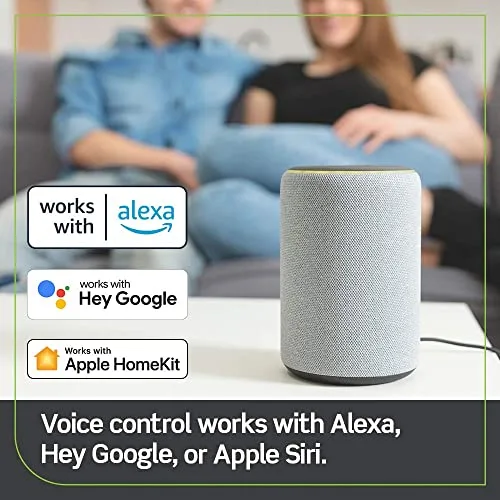
Both devices connect directly to Wi-Fi without a proprietary bridge for their respective apps, and both work with Amazon Alexa, Google Assistant, and Samsung SmartThings. If one of those platforms is the center of the home, compatibility alone does not force the decision in either direction.
The difference becomes much larger in an Apple-centered home.
The TP-Link EP10 does not list Apple Home or HomeKit among its supported platforms. Its native ecosystem is the Kasa Smart app, with third-party integration through Alexa, Google Assistant, and SmartThings.
The Leviton D215P-1RW supports Apple Home and Siri in addition to those platforms. More importantly for long-term interoperability, Leviton also offers a Matter firmware update for the D215P as part of its second-generation Decora Smart Wi-Fi line.
That does not turn the D215P into a Thread device. Matter on this model runs over its existing Wi-Fi connection. It does, however, give the plug a standards-based route into compatible Apple, Google, Amazon, and SmartThings systems instead of leaving every integration dependent entirely on a manufacturer-specific cloud connection.
The Matter upgrade has an Apple Home catch
Leviton's Matter path deserves more explanation than a compatibility logo.
A D215P already connected to Apple Home through HomeKit loses that HomeKit connection when Matter firmware is installed. The device then has to be added back to Apple Home using its Matter pairing code.
Leviton currently distributes that update through My Leviton, so the upgrade requires a My Leviton account. Apple Home users also need a compatible Apple home hub, such as a supported HomePod or Apple TV, to use the device through Matter after the migration.
For an existing HomeKit installation that is working well, there is therefore no automatic reason to change protocols simply because Matter is available. For a new mixed-platform installation, though, the D215P has an interoperability option the EP10 does not.
Setup: Similar Wi-Fi Requirements, Different Decisions

There is little basis for declaring one of these plugs universally faster to configure. Both are conventional Wi-Fi smart plugs, and the network requirement that matters most is the same: 2.4 GHz Wi-Fi.
The EP10 is configured through the Kasa Smart app. Once it is on the network, the plug can be named, assigned to a room, scheduled, grouped with compatible Kasa devices, and linked to supported third-party platforms.
The D215P-1RW uses the My Leviton ecosystem for Leviton's app-based controls and configuration. Apple Home adds another possible control layer, and Matter adds another setup path if that firmware is installed.
That makes the practical difference less about the number of taps and more about what the plug is expected to become later. An EP10 is fundamentally a Kasa Wi-Fi device with supported integrations around it. The D215P can remain a My Leviton device, participate in Apple Home, or move onto Matter firmware.
What happens when the internet goes down?
Neither device becomes a useless piece of plastic simply because a cloud connection disappears.
TP-Link states that schedules and timers are stored on Kasa devices and continue to operate during an internet outage. Remote app control and cloud integrations still depend on connectivity, but a previously programmed schedule does not need the internet for every switching event.
Leviton similarly states that schedules are stored in onboard memory on the D215P and continue running during a temporary internet outage.
That is an important distinction between losing internet service and losing local Wi-Fi entirely. Both plugs still depend on a functioning local network for normal app communication, and remote access requires internet connectivity.
Everyday Control: The Basics Overlap, but Leviton Goes Further
For the simplest job — turning a lamp, fan, holiday display, or other compatible device on and off from a phone or automation — the two products are close.
The EP10 provides:
- remote on/off control through Kasa;
- schedules;
- timers;
- Away Mode, which switches the connected load at varying times within a selected period;
- Kasa groups and scenes;
- Alexa, Google Assistant, and SmartThings control;
- a physical button for manual switching.
That is enough for most straightforward smart-plug routines. A bedside lamp can follow a schedule, a group of Kasa devices can respond together, or a connected device can be switched manually without opening an app.
The D215P-1RW covers the same fundamental on/off role but has several capabilities that matter in more structured lighting installations.
My Leviton supports scheduled switching at fixed times or relative to sunrise and sunset, along with rooms, scenes, and activities. Leviton also documents an auto-shutoff function that can behave like a countdown timer.
More unusually, the D215P can pair with Leviton's DAWSC Anywhere Switch Companion. Up to three wire-free companions can be associated with one D215P.
That can change how a plug-in lamp feels in daily use. Instead of requiring a phone, voice command, or awkward reach behind furniture, a companion can provide a wall-mounted physical switch without running line-voltage wiring from the wall switch to the receptacle. The companion itself can be mounted to an interior wall surface or installed in an existing wallbox.
For a single device controlled mostly by a schedule, that capability may never matter. For a room where a plug-in lamp is meant to behave more like permanently installed lighting, it is a genuine functional difference.
Electrical Ratings: “15A” Does Not Tell the Whole Story
Both products are commonly summarized as 15-amp smart plugs, but those headline numbers need context.
TP-Link specifies the EP10 for:
- 15A maximum load;
- 1800W maximum power for general-use resistive loads;
- 100–120V AC operation.
Leviton publishes more load-specific ratings for the D215P-1RW:
- 15A general use;
- 5A LED/CFL/electronic ballast;
- 1500W incandescent/halogen;
- 15A magnetic ballast;
- 3/4 HP motor;
- 120V AC operation.
The important lesson is not that every 15A device can automatically be attached to either plug. Resistive loads, motors, lighting ballasts, and other electrical loads can have very different startup and operating characteristics.
Leviton's documentation simply gives more explicit guidance for those categories, including a published motor rating. With either model, the connected equipment should stay within the rating that applies to that specific type of load, not merely the largest number printed on the smart plug.
Neither model is intended for outdoor use.
Size and Outlet Access
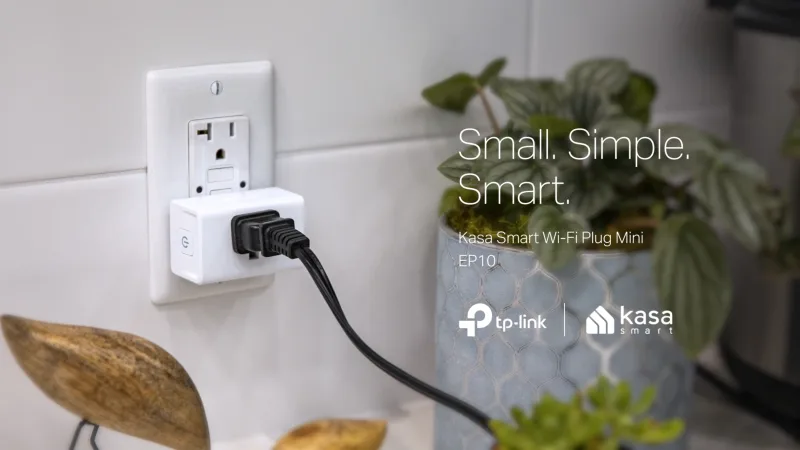
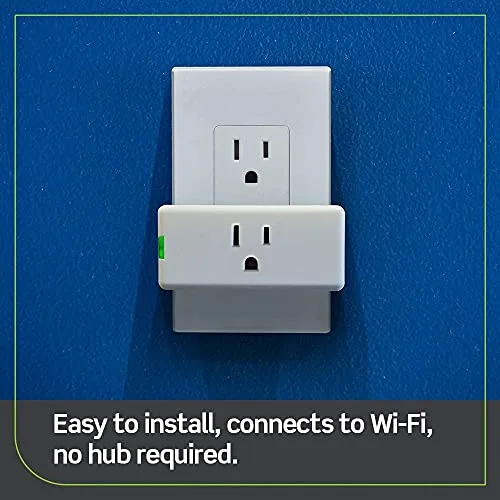
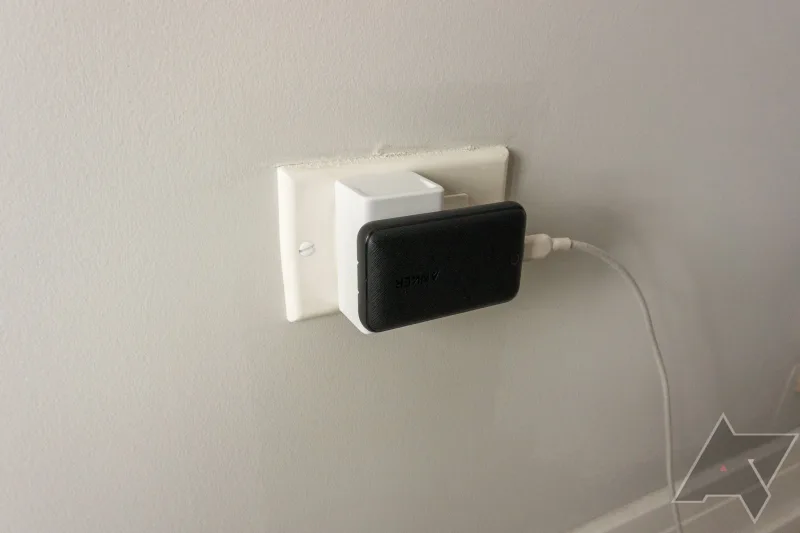
Both manufacturers specifically design these models so a standard duplex receptacle does not have to become a single-device outlet.
TP-Link lists the EP10 at roughly 2.62 × 1.57 × 1.50 inches and says its compact body leaves the neighboring receptacle available.
Leviton's dimensional drawing lists the D215P at roughly 3.15 inches wide, 1.51 inches high, and 1.18 inches deep. Leviton states that two of its mini plug-in switches can occupy the same standard duplex outlet.
The shapes are therefore different even though both solve the same basic problem. The EP10 is narrower across its face, while the D215P extends farther sideways but sits somewhat closer to the wall. For an ordinary two-socket wall receptacle, both are designed to preserve access to the second connection.
Long-Term Ownership: Matter Changes the Comparison
The original generation of Wi-Fi smart plugs was often tied almost completely to one vendor's app and cloud integrations. These two products now sit on different sides of that transition.
The EP10 remains a conventional Kasa Wi-Fi product. It does not advertise Matter or Apple Home support, but that does not mean the device has been abandoned. TP-Link's support pages list a March 2026 firmware release for EP10 hardware revisions V1.6 and V1.8, with changes covering time synchronization, local communication security, and device stability.
For a home already using Kasa, that continuity matters more than adding another protocol simply for the sake of it. The EP10 still performs its core job within an actively maintained Kasa environment on those hardware revisions.
The D215P-1RW has a different long-term story because it belongs to Leviton's second-generation Wi-Fi platform and can move to Matter firmware.
That gives Leviton the broader standards path, but it also introduces a choice that EP10 owners never have to make: whether the existing native integration should be left alone or migrated to Matter.
Matter is most relevant when devices need to coexist across platforms or when reducing dependence on one proprietary smart-home integration is a priority. It is much less consequential for a single plug that already works reliably inside one established app.
Which One Fits Which Home?
A Kasa, Alexa, Google, or SmartThings setup with basic plug automation
The TP-Link EP10 covers the essential job cleanly: remote switching, schedules, timers, Away Mode, groups, manual control, and the three major non-Apple integrations listed by TP-Link.
There is little reason to add ecosystem complexity if those are the only capabilities the installation needs.
An Apple Home household
The Leviton D215P-1RW is the substantially better fit.
It supports Apple Home/Siri directly and also provides a Matter migration path. The EP10 does not offer an equivalent Apple integration.
The only point to decide is whether to leave an existing Leviton HomeKit connection in place or move the device to Matter, because that migration changes how it is paired with Apple Home.
A broader Decora Smart lighting system
The D215P-1RW also makes more sense when the plug is part of a larger Leviton installation.
My Leviton can manage the plug alongside Decora Smart switches and dimmers, while the optional Anywhere Switch Companion can add physical wall control for a plug-in load. Those are more meaningful advantages in a whole-room or whole-home lighting plan than on an isolated outlet.
A location that needs Thread or outdoor protection
Neither product fits those requirements.
The EP10 is an indoor 2.4 GHz Wi-Fi plug. The D215P is also an indoor Wi-Fi device; its Matter support does not make it a Thread accessory.
The Bottom Line
The TP-Link EP10 and Leviton D215P-1RW overlap heavily when the job is simply turning a compatible device on and off from an app, schedule, automation, or voice assistant. Both use 2.4 GHz Wi-Fi, both work without a proprietary hub for their native app features, both preserve the second receptacle on a standard duplex outlet, and both can continue running stored schedules during a temporary internet outage.
The decision becomes clearer once the surrounding smart home matters.
For an existing Kasa environment or a straightforward Alexa, Google Assistant, or SmartThings installation, the EP10 provides the necessary controls without introducing another platform.
For Apple Home, Matter, a wider Decora Smart installation, wire-free wall-switch control, or applications where Leviton's published load-specific ratings are relevant, the D215P-1RW has substantially more flexibility.
There is no credible setup-speed advantage that applies to every network, and the shared 15A headline should not be treated as evidence that the two plugs are electrically identical. The meaningful differences are ecosystem support, Matter capability, physical-control options, and the way each manufacturer specifies supported loads.
FAQ
Does TP-Link EP10 work with Apple HomeKit?
Which smart plug is cheaper?
Do I need a hub for either plug?
Does the Leviton D215P-1RW support Apple HomeKit?
How do I reset the TP-Link EP10?
What is the maximum load rating for the TP-Link EP10 and Leviton D215P?
What causes connectivity issues with these smart plugs?
📄 Used Manuals & Documentation
TP-Link EP10
"Images are used for editorial and informational purposes only. All trademarks and images belong to their respective owners."