Makeblock mBot Ranger vs. ELEGOO UNO R3 Smart Robot Car Kit V4.0
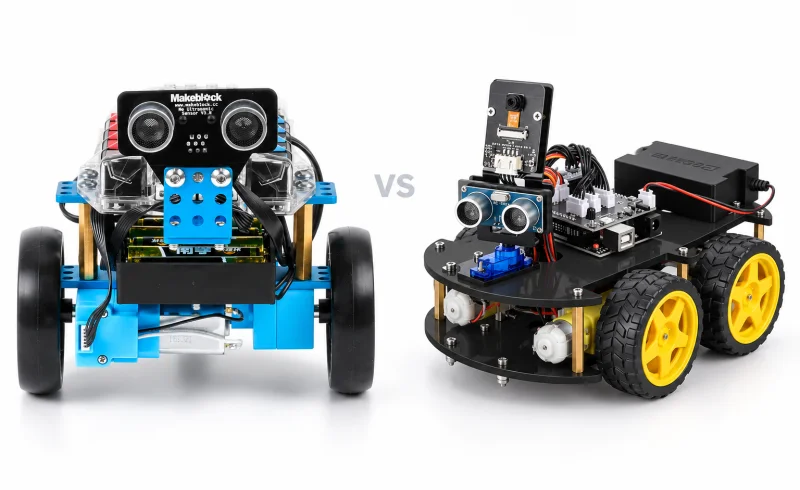
Ranger suits rebuilding and visual-block coding, while ELEGOO V4 suits car-focused Arduino projects, custom serial JSON control and USB recharging.
TL;DR
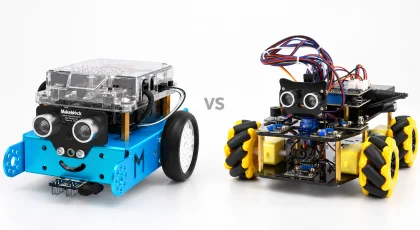
Makeblock mBot Ranger suits a learner who wants to rebuild the robot as well as program it. Its three alternative assemblies, encoder motors, and mBlock workflow make it a useful platform for exploring how construction, movement, and code affect one another.
ELEGOO Smart Robot Car Kit V4.0 with camera suits someone who wants a four-wheel Arduino car with a live video view, remote control, and room to develop custom driving behavior. Its EleRobot app includes graphical programming, too. Both kits offer a visual starting point and a route into Arduino code. What separates them is the robot you want to build and how you want to develop its behavior.
| Feature | Makeblock mBot Ranger | ELEGOO UNO R3 Smart Robot Car Kit V4 |
|---|---|---|
| Builds and operation | ||
| Autonomous modes | Line following and obstacle avoidance. [1] [2]Line following uses a black line on white, with the test pad secured on a flat surface. | Line tracking, obstacle avoidance, and object following. [3] [4]Modes documented for firmware 2.1.2. One user reported a stuck sensor and failed autonomous modes with factory code in April 2022. |
| Build configurations | Three builds: tank, self-balancing robot, or racing car; assembly required. [5] [2] | Four-motor robot car. [6]Configuration described in Techno Master’s V4.0 assembly guide. |
| Programming and control | ||
| Programming methods | mBlock visual/text programming and Arduino coding. [2] [7] | Arduino development; Arduino IDE 2.x or VS Code with the Arduino extension recommended. [3]Development-tool recommendations are from the firmware 2.1.2 README. |
| Control options and devices | Makeblock app control; USB and Bluetooth communication. [1] [2] [7] | IR remote, Android/iOS phone or tablet, and serial JSON control. [8] [3]Serial JSON control is documented for firmware 2.1.2. |
📑 Table of Contents
- What gets rebuilt, and what stays the same?
- Both offer graphical programming
- A phone can control the robot, but a computer still matters
- ELEGOO's camera adds a different kind of project
- Ranger's sensors and motors broaden the experiments
- Getting through the first session
- Power affects more than running time
- Final Verdict
- FAQ
What gets rebuilt, and what stays the same?
Ranger offers three different construction projects: the tracked Land Raider, three-wheeled Dashing Raptor, and two-wheeled, self-balancing Nervous Bird. Makeblock supplies separate assembly instructions for each configuration. They reuse the same core parts, so changing forms means taking the robot apart and rebuilding it. One kit does not produce three complete robots at once.
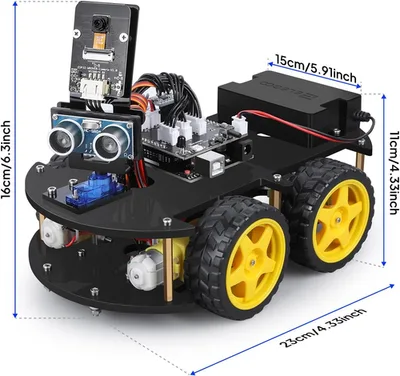
Ranger can stay in one form for as long as a project needs; rebuilding is an optional next step. For someone interested in mechanical design, the alternative assemblies provide a way to explore different methods of movement with the same electronics. ELEGOO concentrates its standard build on a four-motor car, whose assembly manual shows the motors, controller, camera, and sensors mounted on a two-level chassis.
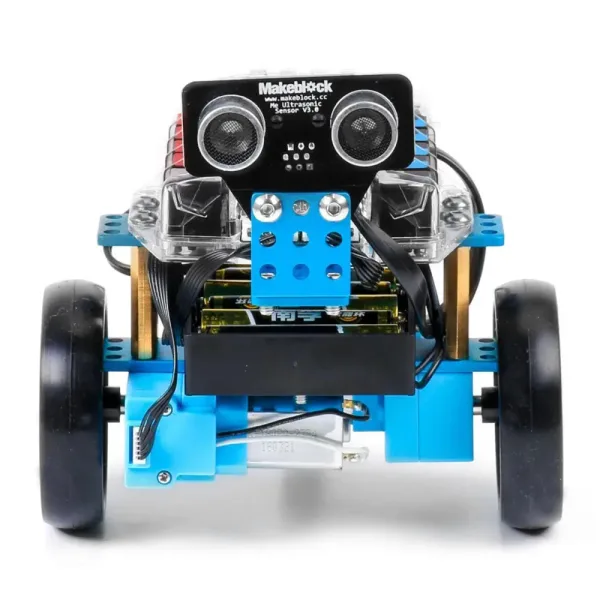
Nervous Bird adds a particular challenge: keeping the machine upright depends on the assembly as well as the program. Makeblock's balancing troubleshooting guide identifies weak batteries, reversed motor connections, misplaced beams, and loose screws as possible causes of failure. This is a useful exercise in how a physical robot behaves, but it demands more care than selecting a driving mode.
Both offer graphical programming
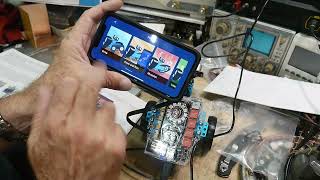
Ranger has a particularly clear connection between visual blocks and text code. In mBlock 5, you can assemble a program from blocks, view the corresponding Arduino C in Upload mode, and work with text in the same environment. That makes it possible to compare a familiar block program with the code behind it instead of starting again in an unrelated editor.
ELEGOO also has a visual entry point. The EleRobot app advertises graphical programming, and the V4 manual documents blocks for movement, control flow, sensors, math, and variables. A learner does not have to write C++ just to begin experimenting with the car.
For deeper changes to ELEGOO's onboard behavior, the route is the Arduino IDE and the supplied sketches and libraries. Its official firmware documentation also describes serial commands for controlling movement and reading sensors, which could support a custom control panel. Those commands are an optional project, not a prerequisite for using the kit.
Ranger supports the Arduino IDE as well. One practical distinction matters when following tutorials: Ranger's Auriga controller uses the Arduino Mega 2560 board setting, while ELEGOO uses Arduino Uno. Examples, pin assignments, and libraries are not automatically interchangeable just because both are Arduino-based.
A phone can control the robot, but a computer still matters
Ranger uses Bluetooth for its mobile connection. The Makeblock app provides driving and preset activities, while mBlock handles block programming. Makeblock's mobile programming guide specifies an important limitation: Ranger supports Live mode only in the mBlock mobile app. The robot must stay connected to the phone or tablet while that program runs.
To save a Ranger program that runs independently, use Upload mode from a computer. That distinction matters for a floor course where the learner wants to disconnect the programming device and let the robot continue on its own.
ELEGOO's documented phone workflow uses the car's own Wi-Fi network and the EleRobot app. Its preloaded driving modes can also be selected with the supplied infrared remote. A computer is needed for the conventional Arduino workflow of compiling and uploading a replacement sketch. The V4 manual and tutorials cover these as separate activities: operating the existing program and changing the program stored on the controller.
ELEGOO's camera adds a different kind of project
The camera-equipped V4.0 can send a live view to EleRobot for first-person driving. The manual's FPV instructions show steering controls alongside the video. For someone interested in viewing a room from the robot's height, this is a meaningful feature beyond watching a car follow tape on the floor. Ranger's standard kit does not include an equivalent camera system.
The camera feed and autonomous following do different jobs. ELEGOO's supplied follow mode responds to the ultrasonic sensor's distance readings; it does not identify a particular person from the video. Likewise, obstacle avoidance is a distance-sensing activity, not a promise of visual navigation around a room. The camera adds remote viewing, while the driving sensors determine those preset behaviors.
The documented connection is local Wi-Fi between the phone and the car. Treat it as a nearby robotics activity rather than an internet-connected camera you can steer from anywhere.
Ranger's sensors and motors broaden the experiments
Ranger provides more opportunities to make a robot react to its surroundings without adding modules. Its controller and sensor documentation lists light, sound, temperature, motion, ultrasonic, and line-following sensing. That supports projects such as changing speed with sound level or reacting when the light changes. The sound sensor measures loudness; it should not be confused with onboard speech recognition.
Its encoder motors are another useful distinction. They report motor rotation and speed, so a learner can experiment with commanding a particular rotation rather than only applying power for a set time. Wheel or track slip still affects the distance traveled, but the feedback makes a good starting point for understanding controlled movement.
ELEGOO concentrates its supplied hardware on the car: line sensors, ultrasonic ranging, a servo-mounted front assembly, and a GY-521 motion-sensing module. Motion sensing is therefore not exclusive to Ranger. Both kits also have object-following activities; Makeblock includes one among its Ranger programming examples. The more useful distinction is Ranger's wider set of environmental experiments versus ELEGOO's combination of driving sensors and a camera.
Getting through the first session
Both kits require mechanical assembly and cable connections. ELEGOO's manual says the operating program is installed at the factory, so a first drive should not require compiling firmware. Assemble the car, charge the battery, and check the supplied control modes before changing its software. This gives you a known starting point if a later code change causes a problem.
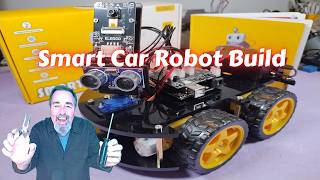
For the ELEGOO expansion board documented in the manual, the Upload/Cam switch is easy to overlook: use Upload when transferring a sketch and Cam when using the app. Follow the instructions for the hardware in your box, and keep its original program available so you can restore it after experiments.
Ranger exposes firmware updating inside mBlock over USB. Its preset line-following activity expects a black line on a white, flat surface. Makeblock also notes that strong light and incorrect sensor height can interfere with line detection. A failed run is not necessarily a programming error; the course and the assembly are part of the system.
Power affects more than running time
ELEGOO's documented V4.0 package includes a lithium battery box with USB charging. Its manual warns that a low battery can cause Wi-Fi disconnections or a frozen camera feed. If the car connects and then behaves erratically, charging it is a sensible first check before reinstalling software.
Ranger can use its six-AA holder or a compatible rechargeable pack. Whether a rechargeable pack is included depends on the package, so check the listed contents before planning the first session. The AA option allows a fresh set of cells to replace depleted ones; a rechargeable pack needs time on its charger.
Running time varies with motor load, the program, the surface, and battery condition. Makeblock's power troubleshooting guidance also links weak batteries to slow or stuck motors, failed balancing, and Bluetooth problems. Check power and mechanical resistance before treating every fault as a code problem.
Final Verdict
mBot Ranger fits a learner who wants to explore how robots are built and controlled. The alternative assemblies, motor feedback, and environmental sensors give its mBlock lessons several directions to take. Its ability to show Arduino C alongside blocks is especially relevant when the goal is a gradual transition into text programming.
ELEGOO V4.0 with camera fits a learner who wants to develop a camera-equipped Arduino vehicle. Graphical app control and preloaded modes provide a starting point; Arduino sketches provide room to change its behavior. Its appeal is the combination of live video, driving sensors, and an Arduino car that can become a continuing software project.
FAQ
Which kit should I plan around for a two-hour session?
Could one custom controller program work with both robots?
Could both robots take part in an object-following lesson?
📄 Sources & Documentation
Makeblock mBot Ranger
- [2] www.makeblock.com makeblock.com
- [5] support.makeblock.com support.makeblock.com
- [1] support.makeblock.com support.makeblock.com
- [7] www.makeblock.com makeblock.com
- support.makeblock.com support.makeblock.com
- support.makeblock.com support.makeblock.com
- support.makeblock.com support.makeblock.com
- support.makeblock.com support.makeblock.com
- support.makeblock.com support.makeblock.com