LetPot Max Hydroponics Growing System vs Click & Grow Smart Garden 9 PRO
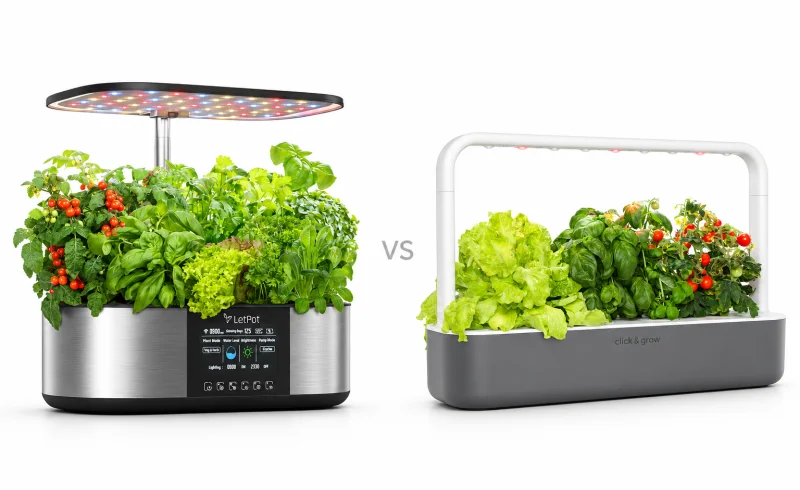
LetPot Max offers 21 planting positions and more controls, while Click & Grow Smart Garden 9 PRO suits nine-plant setups with ready-seeded, nutrient-bearing pods.
TL;DR
The LetPot Max and Click & Grow Smart Garden 9 PRO automate indoor growing in very different ways. The LetPot Max is the more configurable system: it has 21 standard planting positions, a separate two-opening tray for larger plants, a light panel that reaches up to 30 inches and rotates 180°, a 4.6-inch touchscreen, Wi-Fi app control, and automatic water refilling and nutrient dosing.
The Smart Garden 9 PRO is a nine-position passive-watering garden built around Click & Grow's nutrient-containing Smart Soil pods. Its PRO features focus on lighting: the lamp schedule can be adjusted through the app over Bluetooth, and the light can be temporarily snoozed with a swipe. You still refill its 4-liter reservoir yourself, but standard Plant Pods do not require a separate nutrient solution.
The practical split is capacity and control versus a simpler growing routine. LetPot gives you more planting positions and more control over light, water circulation, and nutrient delivery, but its full automatic mode adds an external water reservoir and nutrient supply to the setup. Click & Grow handles fewer plants and offers less tuning, but it has no circulation or dosing pump to manage and its pod system keeps water and nutrients largely separate from day-to-day care.
| Feature | Click & Grow Smart Garden 9 PRO | LetPot Max Hydroponics Growing System |
|---|---|---|
| Growing setup | ||
| Grow-light hardware | LED lighting with lamp extension arms [1] | 36 W light board; height adjustable up to 30 in [2] |
| Watering and nutrient supply | Passive capillary watering; nutrients supplied by Plant Pods [3] [1] | Manual replenishment or automatic water refilling and fertilizing [4] [2] [5] [6]Automatic mode requires a separate water reservoir placed below the unit. |
| Planting capacity and reservoir | 9 pods; 4 L tank [7] | Interchangeable trays: 21 small plantings or 2 larger plants; 7.5 L basin [2] [5] |
| Controls and planting | ||
| Seeds and growing media | Proprietary pre-seeded Plant Pods; own seeds also supported [1] [7] | Own seeds in supplied sponges and reusable baskets [6] [4]Seeds were not included in Gardening Know How's reviewed kit. |
| Controls and light settings | Bluetooth app scheduling and snooze; touch-sensitive lamp control [8] [3] [7] | Touchscreen; app offers schedules, 2 crop modes and 8 brightness levels [2] [9] [4]A 2026 review reported unspecified app features not working. |
📑 Table of Contents
Capacity: 21 positions versus nine
The LetPot Max has 21 standard planting positions, while the Smart Garden 9 PRO has nine. That difference matters most when you want several herbs or greens growing at the same time: LetPot gives you 12 additional starting positions without adding a second garden.
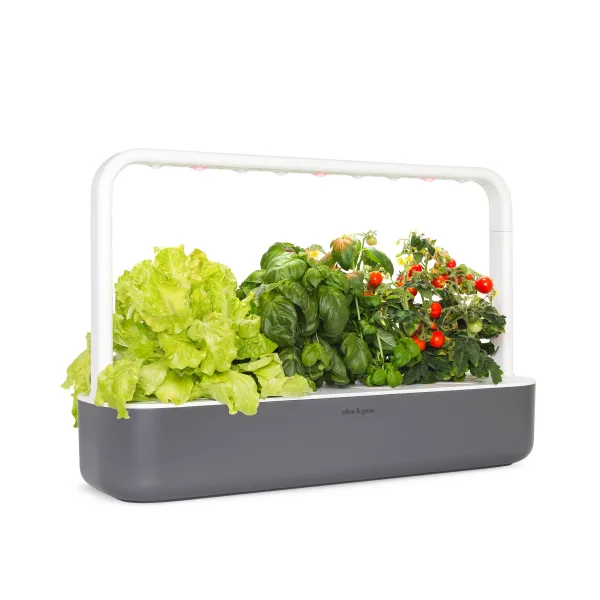
The number on the tray does not tell the whole story for larger plants. LetPot includes a separate two-opening tray with larger sponges and baskets for fruiting or otherwise larger plants, according to its manual. That tray replaces the 21-position tray; it does not turn the system into a 23-position garden. In practical terms, LetPot gives you a high-density layout for smaller plants and a much lower-density layout when individual plants need more room.
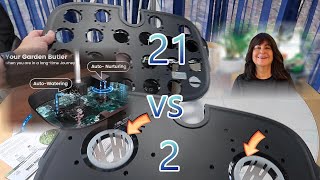
The Smart Garden 9 PRO stays with the same nine plant cups. That is easier to reason about if nine simultaneous plants are enough, while LetPot offers more flexibility when capacity itself is a priority.
The seed systems are more different than they first appear
LetPot is the more open-ended seed workflow. You place your own seeds into grow sponges held in reusable baskets, then supply A/B hydroponic nutrients. LetPot includes sponges, baskets, germination covers, and starter nutrients with the Max, and the system can automate nutrient dosing after automatic mode is configured.
Click & Grow's default workflow is different. The Smart Garden 9 PRO includes nine pre-seeded Plant Pods, and the pods contain the growing medium and nutrients. For your own seeds, Click & Grow offers Grow Anything Plant Pods, which are seedless but still use the company's Smart Soil and built-in plant food. So both gardens accept seeds you select yourself, but they do not do it in the same way: LetPot starts with a sponge-and-nutrient hydroponic setup, while Click & Grow keeps you inside its pod-and-Smart-Soil system.

That distinction affects the recurring routine. With Click & Grow's standard pods, there is no separate fertilizer to measure or refill during the pod's normal growing cycle. With LetPot, the nutrient concentrate remains part of the system even when dosing is automated.
Lighting: LetPot offers more physical and software control
LetPot's 36-watt light panel can be raised to a maximum height of 30 inches and rotated through 180°, according to the LPH-Max product specifications. The system also provides Vegetable & Herb and Flower & Fruit light modes, adjustable on/off times, and eight brightness levels through the LetPot app.
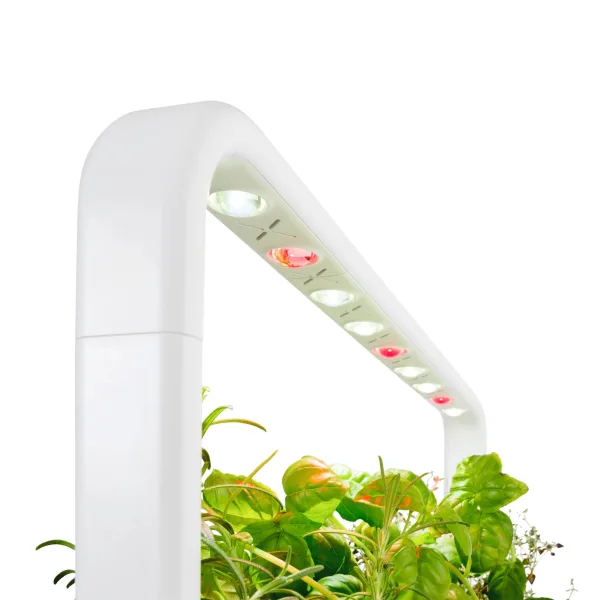
The Smart Garden 9 PRO takes a simpler approach. It includes two lamp extension arms, and Click & Grow lists the garden at 39.6 cm high in its standard specification and about 59 cm high with two extensions. Its default light cycle is 16 hours on and eight hours off. The PRO model lets you set a custom schedule in the app, with Click & Grow recommending 12 to 18 hours of light and warning when a schedule falls outside that range. A swipe over the lamp temporarily snoozes the light.
There is also an important connectivity difference. LetPot describes remote app control over Wi-Fi, including monitoring and changing settings away from the garden; its support documentation specifies a 2.4 GHz Wi-Fi connection. Click & Grow describes the Smart Garden 9 PRO lamp connection as Bluetooth. That makes the Click & Grow app useful for nearby schedule control, but it should not be treated as the same kind of internet-connected remote control.
The published power figures are not directly comparable. Click & Grow lists 13 W for the Smart Garden 9 PRO and about 6.2 kWh of monthly consumption, while LetPot lists 36 W specifically for the Max light board. Those specifications show a clear difference in light rating, but they are not enough to calculate a reliable whole-system energy-cost comparison.
Water and nutrients: automation comes with different responsibilities
The Smart Garden 9 PRO uses passive watering rather than a circulation pump. Its 4-liter reservoir feeds the pods through wicks, and a float shows when the water level is low. Click & Grow says refill intervals vary with the plants and conditions; its guidance puts the usual range around one to three weeks rather than promising a fixed interval.
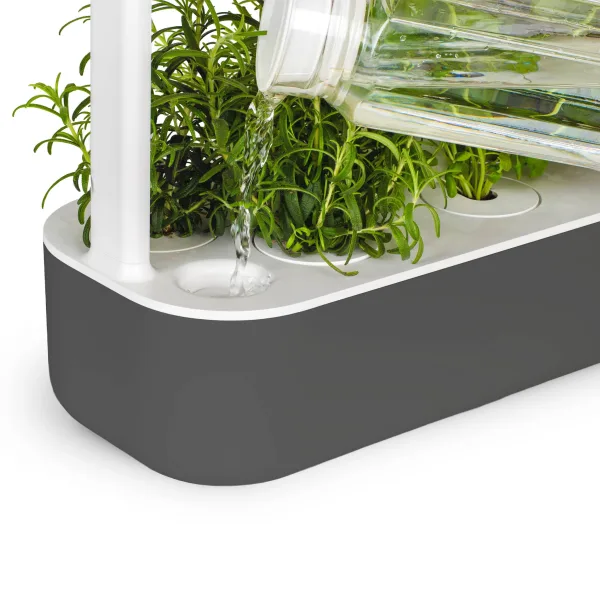
LetPot's automatic mode is more ambitious but also more physically involved. The Max has a 7.5-liter internal tank specification, and its automatic mode draws replacement water through a hose from a separate reservoir positioned below the garden. The LetPot manual calls for at least 7.5 liters of water in that external reservoir when automatic mode is enabled. The system then adds nutrient solution from its nutrient container after refilling.
That means "automatic refilling" does not mean the Max is self-contained. You still keep the external reservoir supplied, keep nutrient concentrate available, and make sure the hose is unobstructed. The advantage is that water and nutrient delivery can continue without manually topping up the garden's own tank each time. Click & Grow asks for more direct reservoir refills but avoids the external jug, hose, and nutrient dispenser entirely.
Space and placement matter before either garden is set up
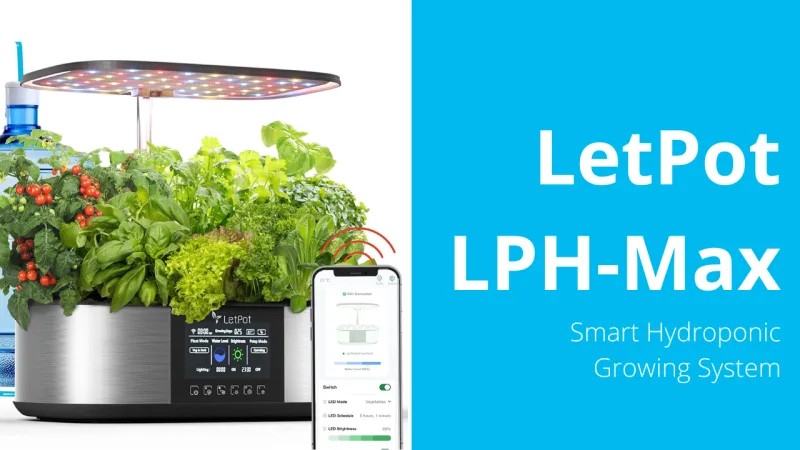
The two systems use their space differently. LetPot currently lists the Max at 17 x 11.5 x 7.2 inches, with a maximum light height of 30 inches. Those dimensions describe the garden itself; full automatic mode also needs a separate water reservoir below the unit.
Click & Grow lists the Smart Garden 9 PRO at 60.4 cm wide, 18.4 cm deep and 39.6 cm high, with a height of about 59 cm when both lamp extensions are used. Its 2.8-meter power cable gives more freedom to place it away from an outlet. There is no external water reservoir to position.
For a tight shelf, measure the full growing height rather than just the base. For LetPot, also reserve the lower space needed by the external reservoir if automatic refilling is part of the plan. For Click & Grow, leave enough vertical clearance for both lamp extensions if you expect to grow taller plants.
Final Verdict
The LetPot Max is the stronger fit when the priority is capacity, physical light adjustment, brightness control, Wi-Fi access, and automatic water and nutrient delivery. Its 21-position tray and alternative two-opening large-plant tray make it more adaptable to very different planting layouts. The trade-off is a more involved system: full automatic mode depends on an external water reservoir, a hose, and a separate nutrient supply.
The Smart Garden 9 PRO is the stronger fit when nine plants are enough and the priority is a simpler passive-watering setup. Pre-seeded Plant Pods combine seeds, growing medium, and nutrients, while Grow Anything pods allow your own seeds without changing the basic pod workflow. Its smart features are concentrated on lighting rather than water or nutrient automation, and its app-controlled lamp uses Bluetooth rather than Wi-Fi.
Both can grow seeds you select yourself, so seed freedom alone is not the deciding factor. The more meaningful question is whether you want LetPot's higher-capacity, actively managed hydroponic system or Click & Grow's smaller, pod-based system with fewer moving parts and fewer nutrient-handling tasks.
FAQ
Can I use the same planting pods in both gardens?
Does the LetPot’s 30-inch light specification mean it fits under a 30-inch shelf?
What should I plan for if I’m away for three weeks?
📄 Sources & Documentation
LetPot Max Hydroponics Growing System
"Images are used for editorial and informational purposes only. All trademarks and images belong to their respective owners."