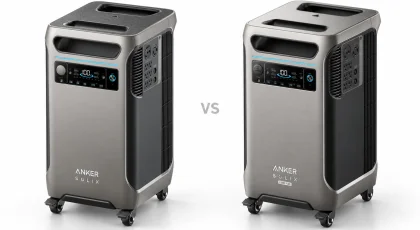
Anker SOLIX C1000 Gen 2 vs BLUETTI Elite 100 V2
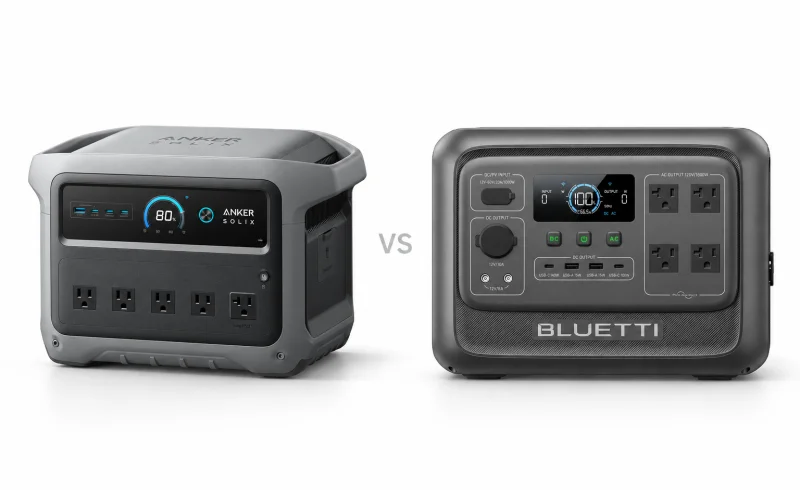
Anker SOLIX C1000 Gen 2 offers 2,000W continuous output on select regional models, while BLUETTI Elite 100 V2 accepts up to 1,000W of compatible solar input in Turbo mode.
TL;DR
The Anker SOLIX C1000 Gen 2 makes more sense when wall charging, higher continuous AC output, and direct USB-C connections matter most. The U.S. model delivers 2,000W of continuous AC power, has two 140W USB-C ports, and can recharge from a wall outlet in under an hour under suitable conditions.
The BLUETTI Elite 100 V2 has the advantage with larger solar arrays. It accepts up to 1,000W of solar input in Turbo mode, compared with Anker's 600W limit. It also provides two dedicated 12V barrel outputs and fits into a shorter enclosure, although its 1,800W continuous AC rating is lower.
Both use 1,024Wh lithium iron phosphate batteries, weigh about 25 pounds, and offer a nominal 10ms UPS switchover. Neither supports conventional expansion batteries. Their differences become much more important when you consider how the power gets into the battery, what needs to run simultaneously, and how the station behaves during an outage.
| Feature | BLUETTI Elite 100 V2 | Anker SOLIX C1000 Gen 2 |
|---|---|---|
| Charging and outage use | ||
| AC charging power and stated time | 600 W Standard/Silent; 1,200 W Turbo; 80% in 45 minutes [1]EU manual: 45-minute estimate at 25°C in Turbo; actual time varies with conditions. | 1,200 W standard; 1,600 W UltraFast; claimed 49-minute charge [2] [3]UltraFast requires battery temperature above 20°C. |
| UPS transfer time and suitability | Switches to battery within 10 ms [1]EU manual excludes data servers or workstations requiring high-performance UPS protection. | Specified 10 ms transfer [2] |
| Solar input and panel compatibility | 12–60 V Voc; 20 A max; 1,000 W Turbo or 600 W Standard/Silent; MC4 panels [1]EU manual: do not exceed 60 V Voc. Dual MC4 cable sets connect in parallel and require matching panel type and power rating. | 11–60 V; 600 W max; XT-60i, XT-60 female or MC4 [4]Japan FAQ: up to 8.2 A at 11–28 V or 14.5 A at 28–60 V. Parallel panel connection recommended; series overvoltage can cause damage. |
| Power and device connections | ||
| Battery capacity | 1,024 Wh [5] | 1,024 Wh [2] |
| AC output ratings | 1,800 W rated AC output [5]US manual V4.0. | Listing: 2,000 W continuous, 3,000 W peak; Japan FAQ: 1,500 W AC-port rating [2] [4] |
| Output connections and shared limits | 4 × 120 V AC; USB-C 100/140 W; 2 × USB-A 15 W each; 12 V car socket + 2 DC5521 [6] [5]Outlet count: 120 V review unit; limits: US manual V4.0. DC5521: 5 A each, 8 A combined; car + DC5521 share 10 A. AC + DC: 1,900 W max. | USB-C is output-only; it cannot charge the station [4]Anker Japan FAQ. |
📑 Table of Contents
- How much power can they actually deliver?
- Ports: laptops, kitchen appliances, and 12V equipment
- Wall charging: Anker has the clearer speed advantage
- Solar charging: when BLUETTI's higher limit matters
- Backup power: a 10ms rating is not the whole story
- Portability, fan noise, and battery longevity
- Final Verdict
- FAQ
How much power can they actually deliver?
A power station has two separate jobs: supplying enough power to start and operate your equipment, and storing enough energy to keep it running. These two models have the same rated battery capacity, but their AC output limits differ.
For U.S. versions, Anker specifies 2,000W continuous AC output, compared with BLUETTI's 1,800W.
That extra 200W can matter when several appliances operate together. A 1,500W cooking appliance, for example, leaves more room for additional AC equipment on the Anker. The ratings apply to the inverter's total output, however, so the limits of individual sockets and the connected equipment still matter.
The distinction also changes when a station is plugged into a wall outlet. Anker's U.S. documentation lists an 1,800W AC bypass-input limit, despite its 2,000W battery-powered inverter rating. Do not assume that the higher inverter rating is available unchanged in every pass-through or backup configuration.
Peak power isn't continuous power
Both manufacturers advertise higher short-duration output figures: 3,000W peak for Anker and 3,600W surge for BLUETTI. These figures describe temporary overload capability, not power that can be supplied indefinitely. Without comparable surge-duration testing, they also do not establish which station will start every demanding motor more reliably.
BLUETTI has a separate feature called Power Lifting. According to its user manual, it can accommodate certain purely resistive heating appliances rated between 1,800W and 2,700W, while actual output remains limited to 1,800W.
In practice, that means a compatible high-wattage heater or kettle may operate at reduced power rather than trigger an overload. It does not mean the station suddenly produces 2,700W continuously.
Anker's Gen 2 user guide also describes SurgePad operation for certain heating loads up to 2,400W. It is not intended for precision equipment and does not operate in AC bypass mode.
Neither assisted-output feature should be treated as a guarantee for compressors, power tools, or appliances with sensitive electronics.
What does 1,024Wh mean for runtime?
A 1,024Wh battery theoretically contains enough energy for a 1,024W load for one hour. Actual AC runtime is shorter because energy is lost through the inverter and the station's own electronics.
In OutdoorGearLab's comparative testing, both models delivered approximately 890Wh of usable energy under the publication's test conditions. That's about 87% of their rated capacities.
As a rough illustration, 890Wh corresponds to almost nine hours at a constant 100W draw or somewhat less than one hour at 1,000W. Actual results depend on load, inverter efficiency, ambient conditions, and how the appliance operates.
A refrigerator is particularly difficult to estimate from its nameplate wattage. Its compressor cycles on and off, and startup demand can be much higher than running consumption. Two refrigerators with similar labels may behave differently on the same battery.
For an overnight refrigerator backup, the compressor's startup demand, average energy consumption, and the station's automatic-shutdown settings matter more than a single advertised runtime.
Ports: laptops, kitchen appliances, and 12V equipment
The U.S. Anker C1000 Gen 2 has five AC outlets, three USB-C outputs, one USB-A output, and a 12V car socket. Its USB-C arrangement is particularly useful when two power-hungry laptops or other USB Power Delivery devices need power simultaneously: two ports support up to 140W each, while a third provides up to 15W.
BLUETTI's U.S. Elite 100 V2 has four AC outlets, a 140W USB-C port, a 100W USB-C port, two 15W USB-A ports, a 12V car socket, and two DC5521 barrel outputs.
For a pair of laptops, either station offers substantial USB-C output. Anker has more headroom on its second high-power USB-C connection, provided the device and cable support the required USB Power Delivery profile. BLUETTI compensates with an additional USB-A port and dedicated barrel connections.
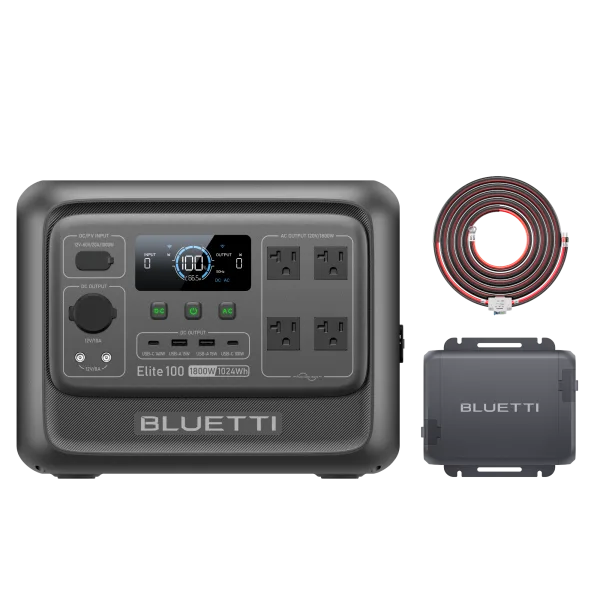
Those BLUETTI barrel connections are useful for compatible 12V accessories, but their ratings cannot simply be added together.
Its manual specifies a maximum of 5A per DC5521 port and 8A across the pair. The two barrel outputs and the car socket also share a combined 10A limit. If the car socket is already supplying 10A, there is no remaining current allowance for the barrel outputs.
Anker's USB-C ports are output-only, as its official FAQ confirms. A USB-C laptop charger cannot replenish the power station. BLUETTI likewise uses its dedicated AC and DC input connections for recharging.
Regional versions deserve attention. These outlet counts describe U.S. equipment. A UK review of the BLUETTI shows two Type G AC sockets instead of the four found on the U.S. model. Anker's Japanese C1000 Gen 2 also has a different AC rating: 1,500W rather than 2,000W. Model identity alone does not establish the socket configuration or local output rating.
Wall charging: Anker has the clearer speed advantage
When the station regularly returns to a wall outlet between uses, recharge time can be as important as battery capacity.
Anker's standard AC charging reaches up to 1,200W. Its UltraFast mode raises the input ceiling to 1,600W, with a manufacturer-stated full recharge time of 49 minutes.
That fastest setting comes with conditions. Anker says the battery cells must be above 68°F (20°C) for UltraFast operation. A station brought indoors from a cold vehicle or garage may recharge substantially more slowly until its battery reaches the required temperature.
UltraFast must also be enabled through the Anker app. The user guide says the setting is automatically disabled when the AC charging cable is unplugged, so subsequent sessions may require reactivation. Anker recommends using the accelerated setting only when necessary.
BLUETTI takes a different approach. Its default Standard mode limits AC input to 600W; Turbo raises that ceiling to 1,200W. Turbo can be selected using the station's own controls, without first opening the phone app. Silent mode also limits charging to 600W and is selected through the app.
BLUETTI advertises 80% charge in 45 minutes and a full charge in approximately 70 minutes in Turbo mode. These are different endpoints from Anker's 49-minute full-charge claim, and neither figure should be treated as a guarantee under all conditions.
Independent measurements provide a useful reality check. In separate hands-on reviews, The Solar Lab recorded approximately 47 minutes for Anker with UltraFast enabled and around 1 hour 39 minutes for BLUETTI's wall recharge.
Those results are not a controlled head-to-head test under identical conditions, but they support the practical conclusion that Anker is better suited to frequent, short wall-recharging opportunities. Charging curves, temperature, selected modes, and battery state of charge can all alter the result.
For occasional overnight charging, the speed difference is much less consequential.
Solar charging: when BLUETTI's higher limit matters
The most consequential difference for an established solar setup is the amount of photovoltaic power each station can accept.
The Anker C1000 Gen 2 has a 600W maximum solar input. BLUETTI Elite 100 V2 accepts up to 1,000W in Turbo mode.
That distinction does not matter much with a single 200W folding panel. Even two 200W panels remain below Anker's 600W ceiling, assuming compatible wiring and electrical characteristics.
It becomes more significant when an array can actually deliver more than 600W under the prevailing sunlight. In that situation, BLUETTI can make use of additional incoming energy that Anker would limit.
However, a panel's advertised wattage is not what it continuously supplies. Angle, cloud cover, temperature, shading, and cable losses all reduce available power. A nominal 800W array will not necessarily exceed 600W in ordinary conditions.
Solar charging modes change BLUETTI's input limit
BLUETTI's manual distinguishes three charging modes:
- Standard: up to 600W solar input.
- Turbo: up to 1,000W solar input.
- Silent: up to 600W solar input.
A larger array therefore needs Turbo mode to exploit the higher solar ceiling. The same manual limits combined AC and solar charging to 1,200W in Turbo, so the maximum AC and solar ratings cannot be added together.
With a small array, leaving the station in Standard mode may be entirely sufficient.
Voltage and current matter as much as wattage
BLUETTI specifies a 12–60V solar input range and a 20A maximum. The array's open-circuit voltage must not exceed 60V. Its included solar charging cable uses MC4 panel connections and connects to the station's DC input.
When combining two groups of panels through the cable's parallel MC4 connections, BLUETTI instructs users to match the panel type and power rating between branches. Panels can be connected in series within a branch only when the resulting voltage remains within the permitted range.
Anker's solar specifications also allow input up to 60V, but its current limits vary by voltage: 8.2A at 11–28V and 14.5A at higher input voltages up to 60V. That distinction matters with lower-voltage panels, where the current ceiling can prevent the station from accepting the panel's full nominal wattage.
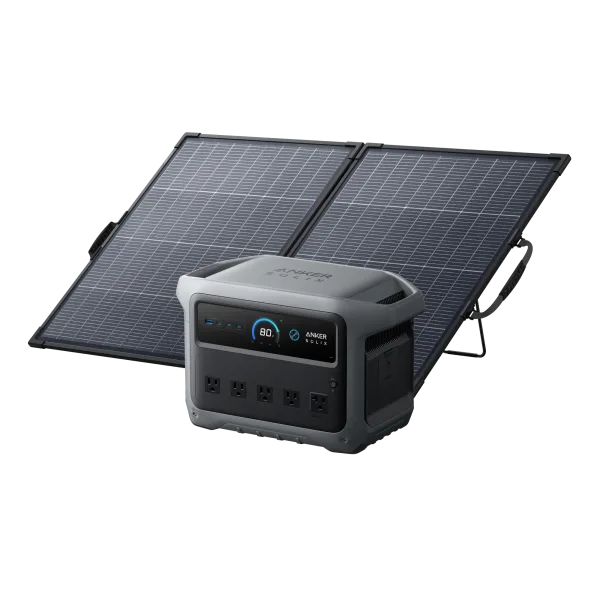
For either station, calculate the connected array's open-circuit voltage, operating voltage, and current rather than relying on its combined watt rating. Panel open-circuit voltage can increase in cold conditions, making the 60V limit particularly important when panels are connected in series.
The practical distinction is straightforward: BLUETTI offers more solar input headroom, but only a compatible, sufficiently powerful array can turn that higher ceiling into shorter recharge times.
Backup power: a 10ms rating is not the whole story
Both stations can supply connected equipment when incoming AC power fails.
Anker specifies a 10ms UPS transfer time, while BLUETTI specifies 10ms or less.
The ratings are close enough that neither establishes a meaningful advantage for ordinary backup purposes. But a 10ms transfer is not the same as an uninterrupted, zero-transfer-time power supply.
Some desktop computers, networking equipment, and other sensitive devices may tolerate that interruption; others may not. BLUETTI specifically warns against relying on its UPS function for data servers and workstations requiring high-performance UPS protection.
These are outlet-level backup devices, not automatic whole-home backup systems. Equipment must be connected appropriately, and the setup should be tested before it becomes essential.
BLUETTI's default ECO settings can interrupt a refrigerator
One easily overlooked issue is BLUETTI's automatic output shutdown.
The Elite 100 V2 ships with AC-ECO and DC-ECO enabled. After a sustained period with little or no load, the station can shut off the corresponding output.
That behavior saves battery energy when nothing useful is connected. It is less desirable for a refrigerator whose compressor remains off for extended periods, or for a low-power device that must stay connected continuously.
BLUETTI's manual explicitly recommends disabling ECO for devices below 60W and critical appliances such as refrigerators and lights.
AC-ECO does not operate while the station is charging from mains power. That distinction matters in a backup configuration: the equipment may appear to operate normally while grid power is available, yet behave differently after the station takes over on battery.
For refrigerator backup, an unattended operating test that includes several compressor cycles is more informative than simply confirming that the appliance starts.
How much configuration requires an app?
BLUETTI permits several basic adjustments on the unit itself, including Turbo charging, Power Lifting, and the main ECO toggle. Its app is required for more detailed ECO controls, UPS modes, charging-current limits, and scheduling features. Bluetooth connectivity supports local control without an internet connection.
Anker also provides app-based controls for charging behavior and battery limits. UltraFast charging specifically requires the app rather than a physical button.
The consequence is different for each model: BLUETTI offers more direct control over fast charging, while Anker's fastest wall-recharging mode depends on a phone setting.
For unattended backup, both benefit from configuration and testing before an actual outage.
Portability, fan noise, and battery longevity
Neither station is lightweight in the sense of a small USB power bank. Both weigh approximately 25 pounds, so moving one between rooms or carrying it from a vehicle to a campsite requires a deliberate lift.
Their shapes differ more than their weights.
BLUETTI measures approximately 12.6 × 8.5 × 9.8 inches, compared with 15.1 × 8.2 × 9.6 inches for Anker. BLUETTI is noticeably shorter, which may make it easier to fit into a narrow vehicle storage space or a crowded equipment shelf. Anker is slightly narrower and lower.
Both still need unobstructed ventilation, and neither should be left exposed to rain or excessive moisture.
What about fan noise?
Manufacturer noise figures need context.
Anker advertises quiet operation under favorable conditions, but OutdoorGearLab's testing found its fan noticeably loud near maximum output.
BLUETTI advertises approximately 30dB operation under a 600W load, while its technical manual lists a maximum of 50dB. Those figures describe different operating conditions and are not contradictory measurements of the same workload.
Neither should be assumed silent when supplying substantial power or charging rapidly. For equipment kept beside a bed or work desk, low-load fan behavior and the choice of charging mode may matter more than the quietest advertised number.
How long will their batteries last?
Both manufacturers use LiFePO4 battery chemistry and advertise approximately 4,000 charge cycles before capacity falls to around 80% of its original level, under their specified conditions.
That is a capacity-retention rating, not a promise that the battery remains unchanged for a particular number of years. Storage temperature, charging habits, and usage also influence longevity.
Both brands offer five-year warranties for their U.S. products. Neither model has a conventional expansion-battery connection, so extending backup duration generally requires additional independent power capacity or recharging.
Their temperature specifications are also effectively identical: discharge operation from −4°F to 104°F (−20°C to 40°C), but charging only from 32°F to 104°F (0°C to 40°C).
That can become a limitation during winter outages. A station kept in a freezing garage may still be able to supply power, but it should not be expected to recharge until its battery is within the permitted charging range.
Final Verdict
For a primarily wall-powered setup, Anker SOLIX C1000 Gen 2 has the stronger combination of AC output and recharge speed. Its U.S. version offers 2,000W continuous inverter output, five AC outlets, two 140W USB-C connections, and an UltraFast charging mode whose full-recharge advantage is supported by independent testing. The limitations are its 600W solar ceiling, app-dependent fastest charging mode, and fan noise under heavy load.
BLUETTI Elite 100 V2 is more suited to a solar-centered setup with a compatible array capable of exceeding 600W of actual output. Its 1,000W solar input ceiling, dedicated DC5521 connections, and shorter enclosure are meaningful advantages in that scenario. Its lower 1,800W continuous output and slower measured wall recharging are the principal compromises.
For a small solar panel, moderate appliances, and occasional emergency backup, the difference is narrower. Both have the same nominal battery capacity and delivered similar usable energy in independent laboratory testing.
The final distinction is not simply which model has the higher number on its specification sheet. It is whether your limiting factor is AC power, charging time, solar input, available connections, or the behavior of equipment that must remain running without supervision.