AZDOME GS63H Pro vs. REDTIGER F7NP: recording modes, parking coverage, and daily use
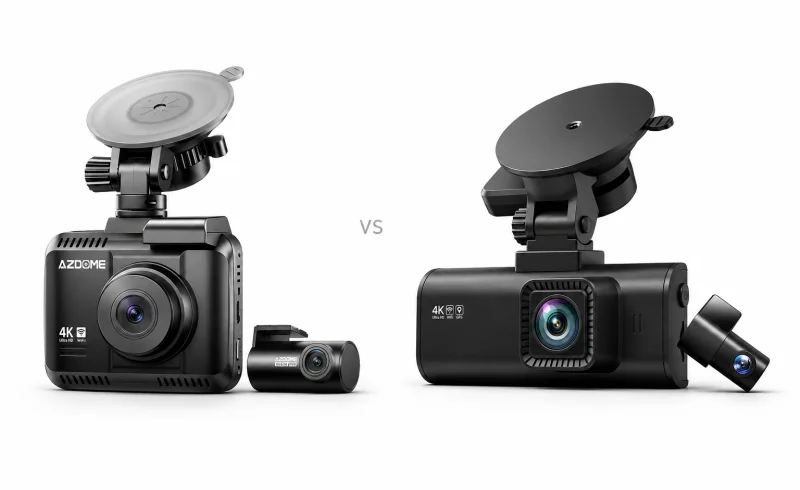
Compare AZDOME GS63H Pro and REDTIGER F7NP recording options, screens and parking setups; neither has an overall win for footage quality or plate readability.
TL;DR
The REDTIGER F7NP's larger display favors quick checks on the camera. The AZDOME GS63H Pro's distinguishing features are its documented 60 fps front recording with the rear camera active and its motion-triggered parking option. Both require compatible accessory power for automatic parking monitoring.
Check the exact version: recording settings, storage limits, and included accessories vary, and a “4K” file does not establish native 4K detail.
| Feature | REDTIGER F7NP | AZDOME GS63H Pro |
|---|---|---|
| Storage and phone access | ||
| Included memory card | 32GB memory card. [1] | 64GB microSD card. [2] [3]Listed EU and Thailand bundles. |
| Phone connectivity and clip access | REDTIGER app over camera Wi-Fi: access and download clips. [4] [1] | AZDOME app over Wi-Fi: live preview, settings and clip downloads. [5] [3]Manual specifies approximately 10-foot local Wi-Fi range; internet-based remote viewing is unsupported. |
| Recording and camera coverage | ||
| Included camera views | Front and rear cameras. [1] | Front and rear cameras. [2] [3] |
| Documented recording modes | Front-only: 4K/30, 1440p/60 or 1080p/120; dual-camera: 4K + 1080p or 1440p + 1080p. [1]Frame rates are not stated for dual-camera modes. | Front 4K + rear 1080p, both at 25 fps. [3]Thailand listing. |
📑 Table of Contents
Recording modes: what happens when the rear camera is connected?
A rear camera can show an approaching vehicle before a rear-end collision. Giving up that view is a meaningful trade-off, even if the front camera gains a higher frame-rate setting.
The GS63H Pro dual-camera manual lists these combinations:
- 4K front + 1080p rear: 25 fps on both cameras.
- 1440p front + 1080p rear: 30 fps on both.
- 1080p front + 1080p rear: either 60 fps front and 30 fps rear, or 30 fps on both.
The F7NP V2.3 manual lists 4K/30 fps, 1440p/60 fps, and 1080p/120 fps for front-only recording. With both cameras, it lists 4K + 1080p or 1440p + 1080p, without specifying their frame rates. The 60 and 120 fps figures therefore should not be treated as dual-camera specifications.
Check the recording menu with the intended camera configuration connected. REDTIGER maintains separate firmware branches for different F7NP hardware versions, so an older manual's settings should not automatically be assumed to apply to every current unit.
A 4K file does not guarantee native 4K detail
REDTIGER explicitly describes the F7NP's output as upscaled 4K in its 2026 model guide. Upscaling enlarges a lower-resolution image to the dimensions of a 4K file; the larger file dimensions do not establish equivalent captured detail.
The GS63H Pro needs similar scrutiny. Its Thai specification page identifies a Sony IMX335 sensor. Sony specifies about 5.14 million effective pixels for that sensor, fewer than the roughly 8.29 million pixels in a 3840 × 2160 frame. If that sensor identification is correct, that version cannot capture native 3840 × 2160 images. A European GS63H Pro listing instead claims an 8-megapixel sensor. Those conflicting descriptions make the exact hardware specification important.
Frame rate also leaves part of the picture unresolved. More frames can make movement look smoother, but readable plates depend on exposure time, lighting, angle, and distance. Axis's technical guide to license-plate capture explains why short exposures and suitable lighting matter for moving vehicles.
For either camera, useful sample footage should show moving traffic in conditions resembling your driving, including darkness if that matters. A clear plate on a stationary car in daylight says little about an oncoming vehicle at night.
Screen and phone access
The F7NP has a 3.18-inch display, compared with the GS63H Pro's 2.4-inch IPS display. REDTIGER's current specifications also confirm that the F7NP uses buttons rather than touch-screen controls. The AZDOME's display size is listed in its regional specifications.
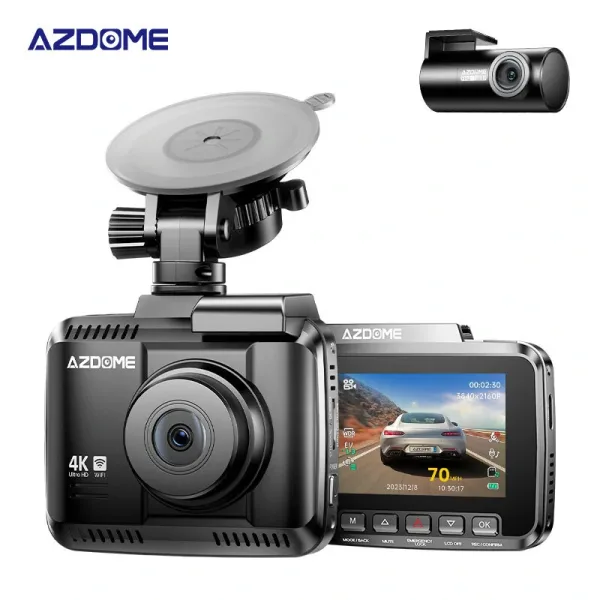
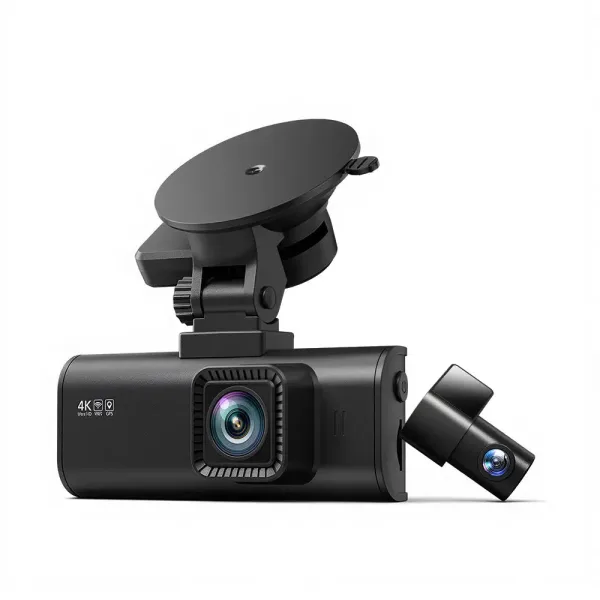
The larger screen is relevant if you often adjust framing or review clips on the camera. For examining a distant plate, a phone or computer offers a more useful view than either small built-in display.
Both cameras support nearby phone access through their respective apps. Their Wi-Fi connects the phone directly to the camera for settings and clip retrieval. The GS63H Pro manual and REDTIGER's F7N-series support guidance explicitly rule out internet-based remote viewing. Plan to retrieve recordings beside the car; these connections do not provide a live view from another location.
Parking modes: the trigger matters as much as the power supply
Both cameras need a compatible power arrangement that works after the ignition is switched off. A normal driving setup connected to a socket that loses power with the ignition cannot sustain overnight monitoring.
The GS63H Pro manual specifies the JYX05 three-lead hardwire kit for automatic parking mode. It lists time-lapse at 1 fps with impact detection, motion detection with impact detection, and a standby mode that wakes after an impact. The European listing also describes an OBD USB-C power option; its compatibility should be confirmed for the exact unit.
REDTIGER's F7NP specifications list time-lapse and collision-triggered parking recording, with a hardwire kit required. They do not establish an equivalent separate motion-triggered option.
These modes serve different situations:
- Impact detection responds to a physical disturbance that reaches the sensor's threshold. A light scrape may not trigger it. Do not assume collision activation preserves footage from before the impact.
- Time-lapse provides a continuing visual record at a reduced frame rate. It can show activity over time, but brief movements may fall between frames.
- Motion detection starts recording when movement is detected in the monitored view. It can capture activity without a detectable bump. Confirm which camera provides motion triggering on the specific unit.
The AZDOME's additional motion mode is a functional distinction. It does not establish that its parking system is more dependable in every situation.
“24-hour parking” is not a guaranteed runtime. Available battery power and the accessory's cutoff determine how long recording can continue. Both the AZDOME JYX05 manual and REDTIGER's USB-C hardwire-kit specifications describe low-voltage protection. Monitoring stops when that protection cuts power.
Storage and saving incident clips
The European GS63H Pro package lists a 64GB card and support up to 256GB; the Thai specifications list support up to 512GB. REDTIGER's current US F7NP page offers 128GB and card-free configurations, with a stated 256GB maximum. Check the included card and supported capacity against the exact unit's documentation. The parking-power accessory may also be included in some packages.
For continuous recording, use a compatible card intended for repeated video writing, with the required speed rating. KIOXIA's memory-card guidance explains both the importance of capacity compatibility and why ordinary cards are not necessarily designed for continuous dash-cam use. Format the card in the camera as its manual directs.
Both cameras use loop recording and impact-triggered file protection. After an incident, save the relevant front and rear clips elsewhere, including adjacent segments that show the lead-up. A protected file on the same card is still vulnerable to card failure or formatting.
Installation details that affect the result
Test both cameras and play back a short recording before concealing the cables. Measure the route around the cabin, including any slack needed for an opening hatch, rather than the straight-line distance between the cameras. Confirm the supplied rear-cable length before fixing either camera in place.
Keep the camera out of the driver's sightline and route wiring clear of airbag deployment paths, as the F7NP manual requires. For a three-lead hardwire installation, the connections are constant power, ignition-switched power, and ground. Fuse selection must follow the vehicle and kit instructions; fuse numbers from another vehicle's installation are not transferable.
Verdict
The F7NP fits drivers who prioritize a larger display or its documented front-only recording options. The GS63H Pro is more relevant for 60 fps front recording with the rear camera still active, or for motion-triggered parking recording, provided the exact unit supports those documented modes.
For ordinary front-and-rear recording, the decision rests on the footage the specific version produces, its installation, and the parking behavior you need. Bundled card capacity and a 4K output label do not establish an overall winner.