
XuanPad Q5 vs VOPLLS K3: Which Projector Fits Your Room Better?
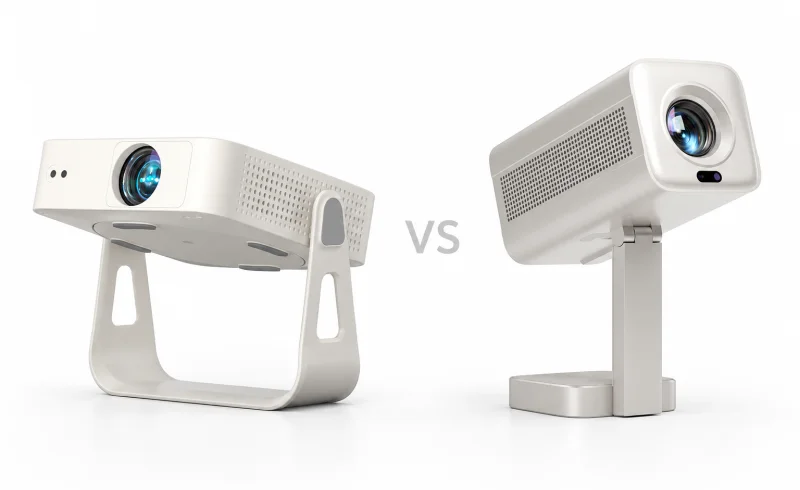
The XuanPad Q5 offers wider stand adjustment, while the VOPLLS K3 suits USB playback and Bluetooth audio; neither is a clear choice for daytime viewing.
TL;DR
The XuanPad Q5 has the more versatile stand, with 360° rotation and a detachable design that offers additional positioning options. The VOPLLS K3 has a 210° adjustable stand and a manufacturer-claimed 0.3-second autofocus system. Both can project onto a ceiling, automatically adjust the picture, and stream Netflix, YouTube, and Prime Video.
Picture quality is harder to call. XuanPad publishes conflicting brightness figures for the Q5, while independent testing found the K3 substantially dimmer than one of its advertised ratings. Neither has convincing evidence behind its suitability for a brightly lit living room.
For occasional movies in a dark bedroom, both have the necessary features. The Q5 has the clearer mechanical advantage when positioning is awkward. The K3's fast focusing system is appealing for frequent repositioning, but its measured brightness and contrast deserve attention before making it the preferred option.
| Feature | VOPLLS K3 | XuanPad Q5 |
|---|---|---|
| Brightness and setup | ||
| Brightness claims | 170–300 ANSI lumens ±10% claimed [1] [2]Manufacturer FAQ positions it for a small bedroom at night. Testberichte.de’s January 2026 conclusion describes insufficient brightness in well-lit rooms. | 600 ANSI lumens claimed [3]UK manufacturer listing; identifies ISO 21118 certification. |
| Focus and keystone adjustment | TOF autofocus; automatic keystone [4] [5] [2]Manufacturer advertises a 0.3-second autofocus time. | AI autofocus; one-touch auto keystone [6] [3] |
| Streaming and placement | ||
| Stand adjustment | 210° rotatable stand; ceiling projection supported [4] [2] | 360° rotatable, detachable stand; wall or ceiling projection [6] |
| Built-in streaming apps | Netflix, YouTube and Prime Video [4] [2] | Netflix, YouTube and Prime Video [3]UK listing specifies licensed Netflix. |
| Wireless and device connections | HDMI, USB media, Wi-Fi 6, Bluetooth 5.2, headphone output [4] [5] [2] [1]Manufacturer FAQ excludes PPT, TXT and Office files from USB playback. | HDMI, wireless mirroring, dual-band Wi-Fi, Bluetooth 5.2 [3]UK listing. |
📑 Table of Contents
- Picture Quality: Don't Trust the Brightness Numbers Alone
- Screen Size and Sharpness: Both Are 1080p, Not Native 4K
- Stand Design: Where the Q5 Has a Clear Advantage
- Autofocus and Keystone Correction: Convenience Has Limits
- Netflix, Streaming Apps, and External Devices
- Audio, Fan Noise, and Gaming
- Final Verdict: Q5 for Placement Flexibility, K3 With Picture-Quality Reservations
- FAQ
Picture Quality: Don't Trust the Brightness Numbers Alone
Brightness is the first thing to consider because it determines how much control you'll need over the room.
A projector that looks acceptable after sunset can produce a washed-out picture with the curtains open. Increasing the image size makes matters worse: a 100-inch picture covers roughly twice the area of a 70-inch picture, spreading the available light much more thinly.
The XuanPad Q5's conflicting specifications
XuanPad's own listings make it difficult to establish the Q5's actual brightness:
- The standard Q5 product page advertises 320 ANSI lumens.
- The Q5 UK listing advertises 600 ANSI lumens.
- A separate XuanPad-branded website describes the Q5 as producing 1,800 ANSI lumens.
Those are substantially different figures for products carrying the same model name. The listings do not clearly establish whether hardware revisions, measurement differences, or inconsistent marketing account for the discrepancy.
Some descriptions also reference ISO 21118, a projector measurement standard. That wording alone does not establish independently verified brightness.
Consequently, there isn't a dependable basis for treating the Q5 as a daytime projector simply because one listing advertises 600 or 1,800 ANSI lumens.
The VOPLLS K3 has a revealing independent test
VOPLLS provides more modest numbers in its projector FAQ, grouping the K3 with another model in a 170–300 ANSI-lumen range. Other K3 listings have advertised higher figures.
More importantly, the K3 appeared in The Hook Up's March 2026 comparison of 15 projectors. Using nine-point brightness measurements, the reviewer recorded approximately 150 ANSI lumens from the tested K3, despite an advertised rating of 350.
Brightness wasn't its only weakness. In that comparison, the K3 also had particularly poor contrast, with dark scenes losing important image detail.
That distinction matters. Drawing the curtains can help a dim projector, but darkness cannot restore shadow detail that the projector struggles to reproduce.
There is no equivalent head-to-head Q5 measurement in that test, so these results do not prove that the XuanPad is brighter or produces better contrast.
What this means for your room: Treat both as projectors for controlled lighting, preferably after dark. A smaller picture is a more sensible starting point than the advertised maximum screen size. If daytime television, sports with the curtains open, or viewing under ceiling lights is the primary use, neither has sufficiently convincing performance evidence.
Screen Size and Sharpness: Both Are 1080p, Not Native 4K
Both projectors are described as having native 1920 × 1080 resolution. Their advertised 4K support refers to accepting or decoding compatible higher-resolution content, not projecting four times as many pixels.
A 4K source can still look good when scaled to 1080p, but neither model should be expected to deliver the fine detail of a native 4K projector.
The practical difference between a sharp and disappointing picture may have more to do with placement than the resolution specification.
Start with the distance to the wall
An 80-inch 16:9 picture measures approximately 70 inches wide. Before settling on a location, check whether the wall has that much unobstructed space and whether the projector can create the intended image size from the available distance.
The K3 is advertised with a 30–200-inch image range. XuanPad also promotes large projection sizes for the Q5. These ranges describe potential image dimensions, not the sizes at which brightness and contrast remain satisfactory.
Neither manufacturer's headline specifications provide enough reliable throw-distance information to guarantee that a particular image size will work from a specific bedside table or shelf.
The Q5 advertises digital zoom that can reduce the picture to 50% of its original size. The K3's specification database entry also lists digital zoom, so this is not necessarily a Q5-exclusive feature.
Digital zoom should not be confused with optical zoom. It electronically resizes the picture and can reduce effective detail. Moving the projector to an appropriate distance is preferable when possible, especially for subtitles, smaller text, or presentations.
For either model, a moderately sized image with good focus is more useful than an enormous picture that looks dim or soft.
Stand Design: Where the Q5 Has a Clear Advantage
The physical mounting arrangement is the most straightforward difference between these projectors.
The XuanPad Q5 has a 360° rotating, detachable stand. The VOPLLS K3 has a 210° adjustable stand.
Both can aim toward a wall or ceiling, so the Q5's larger rotation figure does not automatically translate into a better picture. Its advantage is additional freedom in how the unit can be positioned.
Consider a bedroom where the only available surface is a narrow bedside table. The projector may need to point upward, clear a lampshade, and keep its power cable away from the edge. A detachable stand and broader adjustment range provide more ways to accommodate that arrangement.
The K3's integrated angled design still covers common bedside and ceiling-viewing situations.
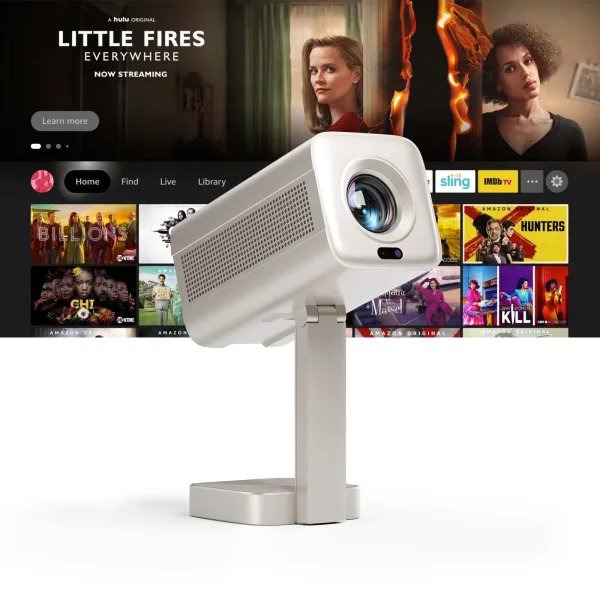
Neither projector has a meaningful weight advantage. VOPLLS specifies 880 grams for the K3, while XuanPad's UK listing gives 890 grams for the Q5. Both weigh approximately two pounds.
They also require an external power source rather than offering the freedom of a built-in rechargeable battery. VOPLLS explicitly confirms that its projectors do not contain built-in batteries, and the Q5 setup documentation specifies a power connection.
For outdoor movie nights, a suitable power supply is therefore part of the setup. A rotating stand does not make either projector an independently powered camping device.
Before positioning either one on a shelf or beside a bed, leave enough space for ventilation and check where the power and connected cables will run.
Autofocus and Keystone Correction: Convenience Has Limits
Both projectors are designed to reduce the adjustment required when they're moved.
The K3 uses time-of-flight (TOF) autofocus, which estimates the distance to the projection surface. VOPLLS claims that its autofocus operates in 0.3 seconds and describes automatic keystone correction at startup.
The Q5 also features AI autofocus. Its setup guide describes automatic adjustments on startup or movement, along with one-touch 6D keystone correction.
That means automatic startup adjustment is not exclusive to the K3. The meaningful potential distinction is how quickly and consistently the devices complete their adjustments, not whether one requires entirely manual setup.
The K3's 0.3-second claim has not been established by a comparable independent speed test against the Q5.
A rectangular picture isn't necessarily a sharp picture
Keystone correction digitally compensates when the projector isn't facing the wall squarely. It's useful when furniture prevents ideal placement, but it has trade-offs.
Substantial correction can reduce effective image resolution and make corners or fine details appear softer. Autofocus can sharpen the image, but it cannot reverse every consequence of projecting from an awkward angle.
For movies, the effect may be relatively unobtrusive. For a laptop desktop, small subtitles, or presentation slides, softness becomes easier to notice.
A practical setup is to aim the projector as directly at the wall as the room allows, then use automatic correction for the remaining misalignment. The Q5's adjustable stand can help with that positioning; the K3's TOF system is intended to make refocusing after movement quick.
Neither automated system eliminates the importance of physical placement.
Netflix, Streaming Apps, and External Devices
The core streaming experience looks similar on paper.
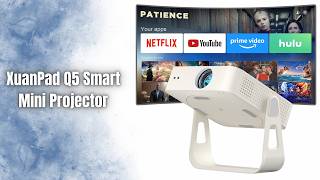
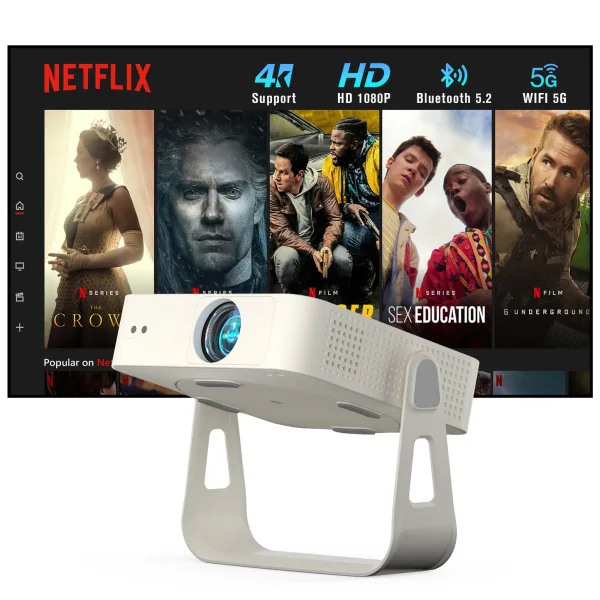
Both manufacturers advertise built-in Netflix, YouTube, and Prime Video applications. XuanPad and VOPLLS describe their Netflix implementations as officially licensed, allowing supported content to play without a separate streaming stick.
That makes either model potentially convenient for a bedroom where an additional streaming box and cable would create unnecessary clutter.
However, the presence of those three applications does not establish equal software support across every streaming service. Nor does a native 1080p projection panel guarantee that every built-in streaming application delivers video at 1080p.
The K3 uses a Linux-based smart interface, according to VOPLLS. This should not be mistaken for a full Google TV installation with access to the same application ecosystem.
For services beyond the three advertised applications, the important question is whether the particular service is supported by the projector's current software.
Both support more than built-in streaming
The Q5 and K3 offer several overlapping connection options:
- HDMI: A direct connection for compatible streaming players, laptops, and game consoles.
- USB: Playback of supported local media files.
- Wireless screen mirroring: Displaying content from compatible phones, tablets, or computers.
- Bluetooth audio: Connecting compatible speakers or headphones.
These are not strong reasons to favor the K3 over the Q5, as both support the main connection methods.
Wireless screen mirroring does have an important limitation: protected video from some streaming services may be blocked by DRM restrictions. The K3 setup guide specifically warns about such restrictions.
For a service that refuses to mirror from a phone, its built-in application or a compatible external streaming device is the more dependable approach.
USB playback also deserves a closer look. VOPLLS confirms that the K3 cannot directly open PPT, TXT, or Office documents from USB storage. It supports local media playback, but that does not make it a standalone presentation computer.
For slides or documents, connecting a laptop through HDMI avoids dependence on the projector's document compatibility.
The same general caution applies to the Q5: a USB media port should not be assumed to support arbitrary office documents or every video codec.
Audio, Fan Noise, and Gaming
Built-in sound is not the whole story
VOPLLS advertises Dolby Audio for the K3, but that branding does not establish how powerful its speakers are.
In its January 2026 assessment, Testberichte.de identified the K3's built-in speaker as insufficient for larger rooms and recommended external audio.
For a small bedroom, built-in speakers may be adequate for casual dialogue-heavy viewing. A larger living room or an outdoor setting places greater demands on volume and clarity.
Both projectors provide Bluetooth connectivity for external audio. Their documented connection options also include a 3.5 mm audio output, which can be useful for a wired speaker or headphones.
Bluetooth is convenient when cables would cross the room, but wireless audio can introduce lip-sync delay. A wired connection avoids that particular wireless complication.
There isn't enough comparable speaker testing to establish which projector sounds better on its own.
Don't overlook cooling noise
A small projector placed close to the bed can make its cooling fan more noticeable during quiet scenes.
Neither model has sufficiently documented, directly comparable operating-noise measurements here to support a claim that one is quieter.
If the projector will sit close to the viewer's head, fan noise deserves more attention than claims about cinematic sound or wireless connectivity.
HDMI doesn't guarantee responsive gaming
Both models can connect to a game console, but that says nothing about input lag.
Automatic image processing, scaling, and keystone correction can introduce delay. Without trustworthy latency measurements for both models, neither should be presented as the better option for timing-sensitive games.
For slower-paced games or occasional console use, the connection options are adequate on paper. Competitive gaming requires more performance evidence.
Final Verdict: Q5 for Placement Flexibility, K3 With Picture-Quality Reservations
The XuanPad Q5 has the stronger case when placement is the main problem. Its detachable 360° stand provides more flexibility for directing the image toward a wall or ceiling, especially where furniture restricts the available positions. It also offers autofocus, automatic alignment, built-in streaming, and the expected external connections.
That does not establish a picture-quality victory. XuanPad's inconsistent brightness ratings leave too much uncertainty to promise better daylight performance or deeper contrast.
The VOPLLS K3 remains an option when fast, automatic readjustment is the priority. Its TOF autofocus system and adjustable stand are designed for moving between viewing positions, although the advertised focusing speed is not independently established against the Q5.
Its picture-quality evidence is less encouraging. The independently measured brightness of approximately 150 ANSI lumens and weak contrast in The Hook Up's comparison are meaningful limitations, even for viewing after dark.
For a small, darkened bedroom, either may meet modest expectations for occasional movies, provided the intended screen size and placement work. The Q5 offers the more distinctive physical design, while the K3's quick-focus claims are less compelling once its measured image performance is considered.
For a bright living room, neither has the verified performance needed for a confident recommendation. And for viewers who care most about shadow detail, uniform sharpness, quiet operation, or gaming responsiveness, the available evidence does not justify declaring either model a clear overall winner.