
Yahboom ROSMASTER X3 vs Raspbot V2: Autonomy Platform or Classroom Companion?
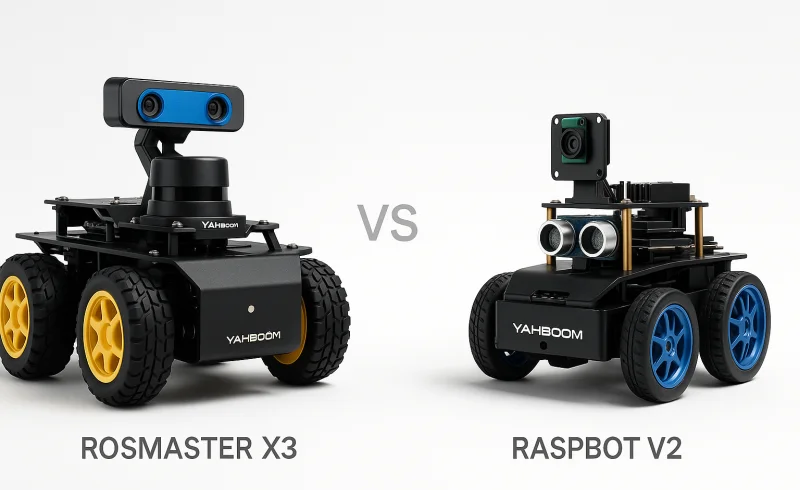
Compare Yahboom ROSMASTER X3 and Raspbot V2: evaluate their suitability for autonomy research and classroom learning. Discover the advantages of each robot in terms of mapping, navigation, compatibility, and affordability, helping you to make an informed decis...
TL;DR
- If you want a serious SLAM/navigation platform with room to scale compute from Raspberry Pi 5 up to Jetson Orin — choose Yahboom ROSMASTER X3.
- If you prioritize quick, demonstrable AI wins (face/gesture recognition, tracking) and a low-cost entry point for ROS2 learning — choose Yahboom Raspbot V2.
- If you’re equipping a classroom where every student needs a reproducible baseline and guided exercises, the Raspbot V2 is the safer bet; if you’re prototyping autonomy stacks and expect to iterate on algorithms, the ROSMASTER X3 is worth the extra investment.
Key Differentiators: The ROSMASTER X3 ships with LiDAR + depth camera and supports both ROS1 and ROS2, making it a true research platform for mapping and navigation — but setup demands calibration discipline and systems thinking. The Raspbot V2 costs roughly $115 vs the X3’s $345+, and its 2DOF PTZ camera plus broad demo library (face, pose, license plate recognition) deliver immediate gratification, yet it’s locked to Raspberry Pi 5 and lacks onboard LiDAR, so SLAM workflows require pricy add-ons. Where the X3 trades upfront simplicity for long-term flexibility, the Raspbot V2 trades future scalability for immediate teachability.
Who Should Skip Both: If you need a ready-to-run, consumer-grade robot that navigates flawlessly in any environment without tweaking parameters or troubleshooting TF trees, look at a commercial service robot instead — neither is a turn-key appliance.
| Feature | Yahboom Raspbot V2 | Yahboom ROSMASTER X3 |
|---|---|---|
| Sensors & AI | ||
| Camera Module | 1MP USB camera with 2DOF PTZ | Depth camera |
| Voice Interaction | Speech recognition and natural language processing (Superior Kit) | Voice interaction module |
| Tracking Functions | Color tracking, face tracking, visual tracking, gesture following | Color tracking, object tracking, visual tracking autopilot, LiDAR follow |
| Autonomous Navigation | Track map autopilot (purchased separately); voice control autonomous driving (Superior Kit) | 3D mapping navigation, autonomous positioning, autopilot |
| Recognition Functions | Face recognition, license plate recognition, gesture recognition, human pose estimation | Human body posture detection |
| Mobility & Build | ||
| Movement | 360° omnidirectional movement | 360° omnidirectional movement |
| Wheel System | Mecanum wheels | Mecanum wheels |
| Chassis Material | Metal body bracket | Aluminum alloy |
| Platform & Software | ||
| ROS Environment | ROS2 Humble | ROS1 and ROS2 |
| Programming Language | Python | Python |
| Bundled Board Options | Without RPi; RPi5-4G; RPi5-8G; RPi5-16G | Without board; RPi 5 8G; NANO 4GB SUB; Orin NANO SUPER 4GB/8GB; Orin NX SUPER 8GB/16GB |
| Computer Vision Frameworks | OpenCV, MediaPipe | OpenCV, MediaPipe |
| Main Control Board Compatibility | Raspberry Pi 5 | Jetson NANO / Orin NANO SUPER / Orin NX SUPER / Raspberry Pi 5 |
📑 Table of Contents
Autonomous Navigation & Mapping
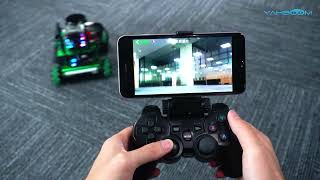
Navigation sensors & SLAM readiness
Yahboom ROSMASTER X3 is built for SLAM-style workflows out of the box, pairing LiDAR + a depth camera as part of its «high-performance hardware modules,» and it explicitly targets «3D mapping navigation» plus «autonomous positioning.» In practical terms, that sensor stack is aligned with repeatable map-building and localization experiments, which matters when you’re iterating on navigation parameters and want consistent runs.
Yahboom Raspbot V2 centers on camera-driven and teaching-friendly perception rather than mapping sensors: it includes a 1MP 110° wide-angle USB camera on a 2DOF PTZ, plus tracking modes like visual line tracking and a 4-channel tracking sensor workflow. There’s no LiDAR listed, and its «track map autopilot» is explicitly purchased separately, which makes SLAM-style navigation a less «ready on day one» proposition.
Conclusion: ROSMASTER X3 has the clear advantage for autonomous navigation and mapping because it ships with LiDAR + depth camera and is specified for 3D mapping + autonomous positioning, while Raspbot V2 is primarily set up for camera/line-follow behaviors and may require add-ons for map-based autonomy.
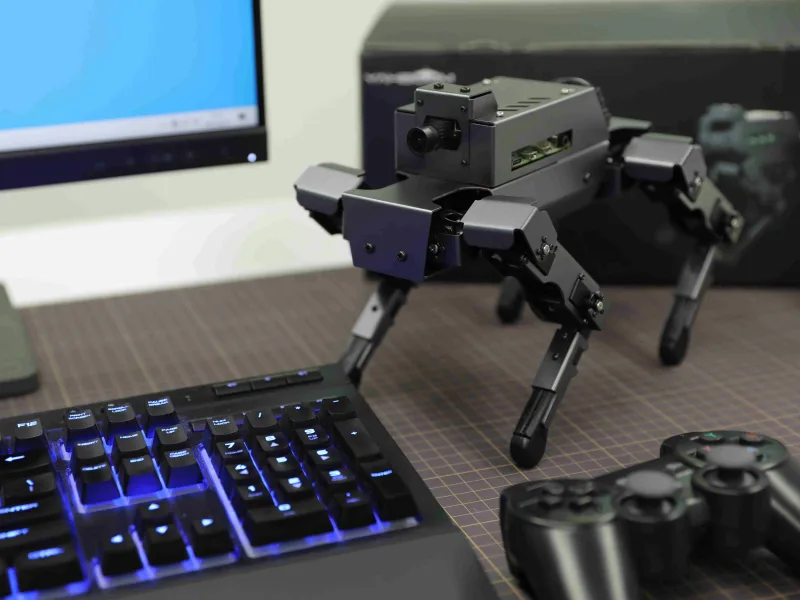
Autopilot breadth (map-based vs demo-based autonomy)
Yahboom ROSMASTER X3 lists autonomous functions that directly map to navigation stack evaluation: «autopilot,» «mapping, navigation,» and behaviors like «following or avoiding,» plus a specific «LiDAR follow» mode. Combined with its positioning/mapping claims, it’s better suited to SLAM/navigation experiments where you care about route repeatability and localization behavior over time.
Yahboom Raspbot V2 does offer autonomy-adjacent demos—manufacturer materials call out «autopilot,» plus voice control autonomous driving in the Superior Kit—but its navigation emphasis is still framed around tracking (color/face/gesture) and line-following rather than full mapping and localization. The key limitation for mapping-focused users is still that track map autopilot costs extra, so the most relevant autonomy mode isn’t guaranteed in the base experience.
Conclusion: For map-based autopilot and navigation research depth, ROSMASTER X3 wins; Raspbot V2 is better aligned with quicker, demo-driven autonomy (tracking, line following, voice-driving) than sustained SLAM/navigation iteration.
Winner: Yahboom ROSMASTER X3
Compute & Board Compatibility
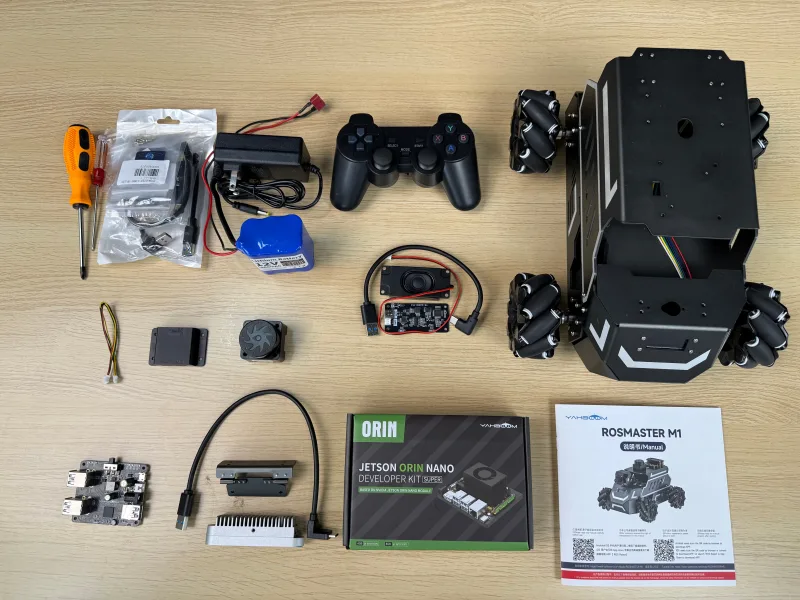
Supported main compute boards (what you can run it on)
Yahboom ROSMASTER X3 is explicitly designed to work with multiple main control boards: Jetson NANO, Orin NANO SUPER, Orin NX SUPER, and Raspberry Pi 5. Its bundled options reflect that flexibility—sold as Without board, RPi 5 8G, NANO 4GB SUB, Orin NANO SUPER 4GB/8GB, or Orin NX SUPER 8GB/16GB—so you can start cheaper and move up to a stronger AI module without changing the base robot.
Yahboom Raspbot V2 is limited to Raspberry Pi 5 as the main control board, with purchase configurations that mainly vary RAM: Without RPi, RPi5-4G, RPi5-8G, and RPi5-16G. That keeps the platform simple and standardized, but it also caps your upgrade path to «more Pi 5 RAM» rather than moving to a different compute class.
Conclusion: ROSMASTER X3 clearly wins on board compatibility and compute scalability (Jetson NANO/Orin/RPi 5 support vs Pi 5 only), which matters if you expect your workload to outgrow Raspberry Pi performance.
Practical performance headroom for AI/robotics workloads
Yahboom ROSMASTER X3’s compatibility with NVIDIA modules (up through Orin NX SUPER 16GB) is the key enabler for heavier onboard workloads—e.g., larger deep-learning inference, more aggressive perception pipelines, or running more of the autonomy stack locally. This aligns with its positioning as a platform for mapping/navigation-style work (the specs also pair it with autonomy-oriented sensors like a depth camera).
Yahboom Raspbot V2, anchored to Raspberry Pi 5, is better suited to lighter-to-moderate workloads and structured demos; its own positioning emphasizes learning «at the lowest cost» while still supporting features like tracking and recognition. You can choose up to RPi 5 16GB, but you’re still within the Pi’s overall compute envelope rather than stepping up to a dedicated AI SoC family.
Conclusion: For users planning to push computer vision or deep learning beyond entry-level demos, ROSMASTER X3 has the more defensible performance runway because it can move from RPi 5 to Jetson/Orin without changing platforms.
Winner: Yahboom ROSMASTER X3
Vision & AI Capabilities
Camera hardware & perception depth
Yahboom ROSMASTER X3 ships with a depth camera as its core vision sensor, and it’s positioned as a higher-level autonomy platform with LiDAR + depth camera + voice module in the hardware stack. That combination is inherently better suited to perception tasks where range matters (e.g., obstacle geometry, nearer-field 3D cues) rather than purely 2D tracking.
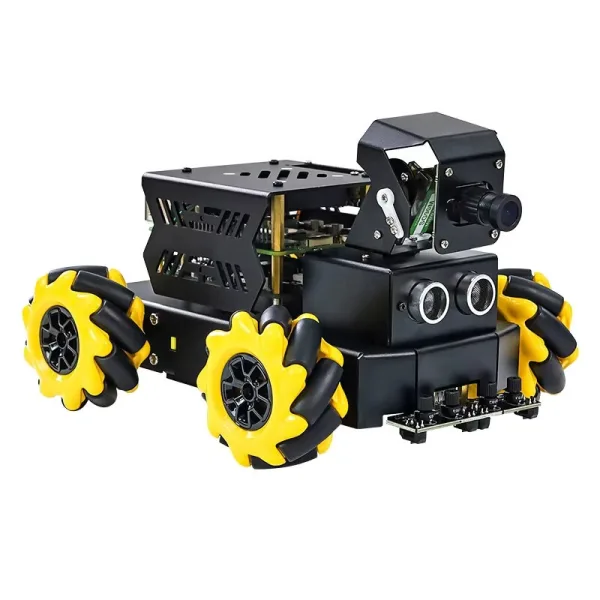
Yahboom Raspbot V2 uses a 1MP USB camera on a 2DOF PTZ mount; the manufacturer also specifies a 110° wide-angle lens. The PTZ mechanism can make 2D perception more flexible in practice (you can keep targets in frame without rotating the whole chassis), but the 1MP spec still signals a more entry-level imaging pipeline than a depth-sensing setup.
Conclusion: ROSMASTER X3 has the more research-oriented perception hardware thanks to its depth camera (and LiDAR in the overall sensor stack), while Raspbot V2’s advantage is mechanical camera flexibility (2DOF PTZ) rather than sensing depth.
Built-in vision/AI demos (recognition breadth)
Yahboom ROSMASTER X3 lists vision functions like color tracking, object tracking, visual tracking autopilot, and human body posture detection. This set maps well to autonomy workflows where tracking is used to feed navigation behaviors (e.g., following or autopilot-style routines) rather than showcasing many discrete «AI tricks.»
Yahboom Raspbot V2 has the broader out-of-box recognition menu: face recognition, license plate recognition, gesture recognition, and human pose estimation, plus tracking modes including color tracking, face tracking, visual tracking, and gesture following. It also supports OpenCV and MediaPipe, which aligns with the emphasis on quick-start, demo-driven computer vision projects.
Conclusion: Raspbot V2 wins on demo variety and beginner-friendly recognizers, while ROSMASTER X3 is narrower but more oriented toward autonomy-linked tracking behaviors.
Voice interaction as an «AI» feature
Yahboom ROSMASTER X3 includes a voice interaction module, which can be useful for HRI experiments or command-and-control demos, but the spec doesn’t detail the level of NLP support. In a lab workflow, this reads as a functional add-on rather than the centerpiece of the AI stack.
Yahboom Raspbot V2 (in the Superior Kit) explicitly calls out speech recognition and natural language processing, in addition to «voice control autonomous driving» features. That makes voice a more complete «AI lesson» component on paper, particularly for classroom-style interaction demos.
Conclusion: Raspbot V2 has the clearer voice/assistant-style feature set (speech recognition + NLP in Superior Kit), while ROSMASTER X3’s voice module is present but less specifically defined in the provided specs.
Winner: Tie — Raspbot V2 clearly leads on prebuilt AI demo breadth (face/gesture/pose/license plate + PTZ camera), but ROSMASTER X3 has the more capable perception stack for advanced autonomy work thanks to its depth camera (and LiDAR-based platform direction).
Ease of Use & Onboarding
Day-one setup complexity (what you have to understand to make it «work»)
Yahboom ROSMASTER X3 typically asks for more systems thinking on day one because it’s built around autonomy plumbing—LiDAR + depth camera and 3D mapping navigation/autonomous positioning—that depends on TF correctness, bring-up order, and calibration discipline. It also supports ROS1 and ROS2, which is flexible but can add decision overhead (and version mismatch risk) when you’re just trying to get a first successful launch.
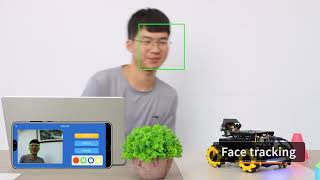
Yahboom Raspbot V2 is more straightforward for first success because its baseline is ROS2 Humble (single target) and its «early wins» skew toward packaged perception/interaction demos. The hardware also supports quick verification: a 1MP 110° wide-angle USB camera on a 2DOF PTZ makes it easy to see that vision pipelines are live without requiring mapping-grade sensor alignment.
Conclusion: For day-one onboarding, Raspbot V2 has the edge because ROS2 Humble-only + demo-first verification usually produces a faster «it’s running» moment than bringing up navigation-grade stacks.
Guided demos vs. navigation stacks (how fast you get repeatable milestones)
Yahboom ROSMASTER X3 is positioned as an educational ROS platform with capabilities like mapping, navigation, autopilot, following/avoiding, plus human body posture detection—but those milestones are inherently more fragile because autonomy is environment- and calibration-dependent (maps, localization, and sensor frames must agree). A review notes users need to assemble the ROSMASTER X3 themselves following an installation video/manual, which can further slow first use if you’re not already comfortable debugging integration steps.
Yahboom Raspbot V2 leans into breadth of guided «demoable» functions—e.g., color/face/gesture recognition, human pose estimation, and tracking behaviors—so it’s easier to run a sequence of visible successes in a workshop or classroom. It’s also explicitly described as designed for AI beginners and «lowest cost» learning, aligning with a more curated onboarding path and shorter feedback loops.
Conclusion: If your priority is quick milestones and classroom-style onboarding, Raspbot V2 wins; ROSMASTER X3 pays off more once you’re ready to manage the complexity of navigation-centric workflows.
Beginner-friendliness vs. «research platform» expectations
Yahboom ROSMASTER X3 is the better fit when onboarding is part of a longer autonomy journey: it can scale compute from Raspberry Pi 5 up through Jetson Nano/Orin Nano Super/Orin NX Super options, which is great for advanced users but increases setup variables (board choice, images, performance tuning). In practice, it behaves more like a platform you standardize and maintain (checklists, calibration discipline) than a plug-and-play kit.
Yahboom Raspbot V2 narrows the baseline to Raspberry Pi 5 options and keeps the «what next?» path simpler with Python-first control and course materials that include a packaged driver install (e.g., a driver library delivered as py_install.zip in the official course flow). That said, some users note a potential failure mode documented in the vendor study materials: if the D15 blue light doesn’t flash, the STM8 on the bottom board «may be broken» (Some users note…)—an issue that can abruptly turn onboarding into hardware triage.
Conclusion: Raspbot V2 is generally easier for beginners, while ROSMASTER X3 is better for experienced ROS users who expect to do systems engineering anyway; the Raspbot’s advantage is strongest when you value a consistent ROS2 learning baseline over platform flexibility.
Winner: Yahboom Raspbot V2
Build Quality & Durability
Yahboom ROSMASTER X3 uses an aluminum alloy chassis and Mecanum wheels, a combination that typically holds up well to repeated teardown/rebuild cycles in labs. In long-term ownership, it tends to behave more like a «lab instrument,» where durability depends on keeping hardware consistent (tight fasteners, clean wheels) so navigation results stay repeatable.
Yahboom Raspbot V2 is built around a metal body bracket with Mecanum wheels, and the manufacturer explicitly positions the chassis as «strong and durable» for an education-focused kit. In practice, its durability profile is tied to classroom-style handling—many users benefit from a restore image and spare-parts planning because frequent re-imaging and connector wear can become the limiting factors.
Conclusion: On materials and drivetrain design (metal construction + Mecanum wheels on both), neither shows a clear, defensible durability advantage from the available specs; the bigger determinant is how disciplined your maintenance process is.
Winner: Tie
Software Ecosystem & Support
ROS distribution support & platform flexibility
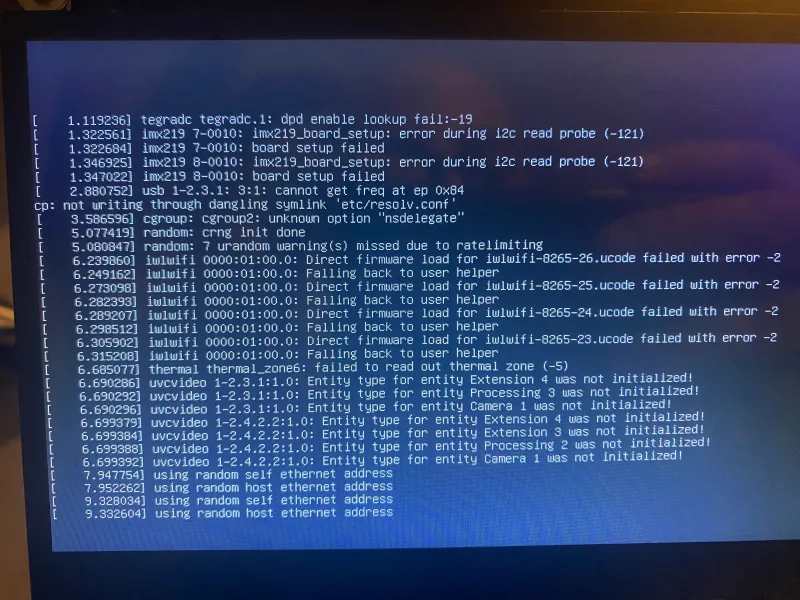
Yahboom ROSMASTER X3 supports ROS1 and ROS2, which is a practical advantage if you need to run (or port) legacy packages while still working in modern ROS2 workflows. It’s also positioned as a ROS-centric platform with resources aimed at «real» autonomy work (mapping/navigation/following), and it can scale across compute options including Raspberry Pi 5 and multiple NVIDIA Jetson modules (NANO, Orin NANO SUPER, Orin NX SUPER). That combination tends to matter when your project roadmap evolves from demos into heavier perception and navigation stacks.
Yahboom Raspbot V2 is limited to ROS2 Humble, which simplifies the baseline for classrooms and beginners but narrows compatibility with older ROS1-only packages. On compute, it’s effectively anchored to Raspberry Pi 5 configurations (4GB/8GB/16GB options), which is straightforward for standardized teaching setups but less flexible if you later want to move the same robot platform to Jetson-class acceleration.
Conclusion: ROSMASTER X3 has the edge for ecosystem flexibility because ROS1+ROS2 support and broader compute compatibility make it easier to carry projects across different ROS eras and performance targets.
Learning materials, examples, and «time-to-first-demo»
Yahboom ROSMASTER X3 is documented as having «video courses and extensive coding resources» for AI programming and ROS systems, but in practice its emphasis on mapping/navigation means users often confront more system integration complexity early (frames/launch ordering/calibration discipline). A review notes you typically assemble it yourself following an installation video or manual, which aligns with the expectation that you’ll be operating closer to «developer platform» than turnkey appliance.
Yahboom Raspbot V2 is explicitly framed as being designed for AI beginners and «lowest cost» learning, and it leans into packaged behaviors (vision/interaction/tracking) that are easier to validate quickly. Manufacturer course materials even call out a specific driver-library bundle (e.g., py_install.zip), signaling a more guided, lesson-friendly distribution style that fits workshops where «run the demo» is the first milestone.
Conclusion: Raspbot V2 has the edge for onboarding-friendly software content and fast demonstrations, while ROSMASTER X3 tends to reward users who are ready for deeper ROS stack debugging.
Reliability signals & support expectations
Yahboom ROSMASTER X3 has no specific failure mode called out in the provided sources, but its autonomy-oriented software ecosystem is inherently more sensitive to configuration and calibration drift over time (mapping/localization behavior can change with small system differences). That makes disciplined version pinning and repeatable launch procedures more important if you’re treating it as a long-running research platform.
Yahboom Raspbot V2 has an explicit troubleshooting note from the manufacturer: if the D15 blue light doesn’t flash, the STM8 microcontroller may be broken, which is a concrete support consideration when maintaining a fleet for classes. That doesn’t quantify frequency, but it does show you may need a more «replace/repair» playbook alongside software image management to keep a classroom baseline consistent.
Conclusion: Neither looks «consumer-reliable,» but ROSMASTER X3 is less constrained by a single fixed classroom baseline, while Raspbot V2 surfaces clearer kit-style support realities (including component-level failure checks) that matter for teaching environments.
Winner: Tie — ROSMASTER X3 wins on ecosystem flexibility (ROS1+ROS2, broader compute paths), while Raspbot V2 wins on guided demos and curriculum-style materials that reduce time-to-first-success for beginners.
Value for Money
Yahboom ROSMASTER X3 typically lands around $345–$396 (per the section plan) and justifies the higher entry price with a more autonomy-oriented sensor stack: a LiDAR + depth camera + voice interaction module are explicitly called out in its hardware modules. It also supports a wide range of compute options—from Raspberry Pi 5 up through Jetson Nano / Orin Nano Super / Orin NX Super—which can protect your investment if your projects outgrow Pi-class performance. For buyers who plan to do mapping and navigation seriously, its built-in focus on 3D mapping navigation and autonomous positioning can reduce the need for aftermarket sensor purchases.
Yahboom Raspbot V2 is positioned as the low-cost on-ramp, with the section plan citing $115 as the key price point and the manufacturer explicitly framing it as designed «to learn AI at the lowest cost.» Its vision hardware is simpler—listed as a 1MP USB camera with a 2DOF PTZ—but it bundles lots of beginner-friendly capabilities (e.g., face recognition, license plate recognition, gesture recognition, human pose estimation) and runs ROS2 Humble on Raspberry Pi 5. The value proposition is strongest if you want lots of «ready-to-demo» AI behaviors without paying for LiDAR/depth hardware you may not use.
Comparative conclusion: On pure dollars-per-learning-platform, Raspbot V2 has the clear advantage—$115 vs ~$345–$396 is a large gap, and it still includes a capable ROS2 + computer-vision feature set. ROSMASTER X3 can be better value only when you’ll actually leverage its premium autonomy hardware (LiDAR + depth) and broader compute scaling, because those are expensive to add later and central to SLAM/navigation workflows.
Winner: Yahboom Raspbot V2
The Bottom Line
After weighing sensors, compute options, software fit, and day-one usability, the choice comes down to whether you’re optimizing for quick ROS learning wins or long-run autonomy depth.
Best for ROS beginners & classroom learning: The Yahboom Raspbot V2 is the better pick thanks to its lower cost, simpler ROS2 Humble-only baseline, and demo-first onboarding that gets you to repeatable milestones faster.
Best for autonomous navigation research: The Yahboom ROSMASTER X3 is the clear choice because its LiDAR + depth camera stack and SLAM-ready positioning align directly with mapping, navigation, and autonomy experiments.
Best for budget-conscious hobbyists: The Yahboom Raspbot V2 wins on value by delivering a solid ROS2 + AI-vision learning platform at a much lower buy-in.
Best for advanced AI & computer vision projects: The Yahboom ROSMASTER X3 takes it with Jetson/Orin compatibility and more performance runway for heavier perception workloads.
Overall, the ROSMASTER X3 is the more future-proof robotics platform: it consistently led in autonomy hardware, navigation readiness, and compute scalability (including ROS1/ROS2 flexibility). The trade-off is that the Raspbot V2 remains stronger for beginner-friendly demo breadth and faster setup.
If you’re serious about autonomy and can justify the extra time and budget, buy the X3; if you want the fastest, most affordable path to learning ROS2 with lots of ready-to-run demos, the Raspbot V2 is the smarter start.
FAQ
Can the Raspbot V2 do autonomous navigation without extras?
Which robot is better for learning ROS2?
Does the ROSMASTER X3 come with a Jetson board?
Can I use the same code on both robots?
What tracking modes does the Raspbot V2 support?
What does a non-flashing D15 blue light indicate on the Raspbot V2?
What sensors come with the ROSMASTER X3?
"Images are used for editorial and informational purposes only. All trademarks and images belong to their respective owners."