
Sony BRC-X400 vs Canon CR-N300: Which PTZ Camera Fits a Home Studio?
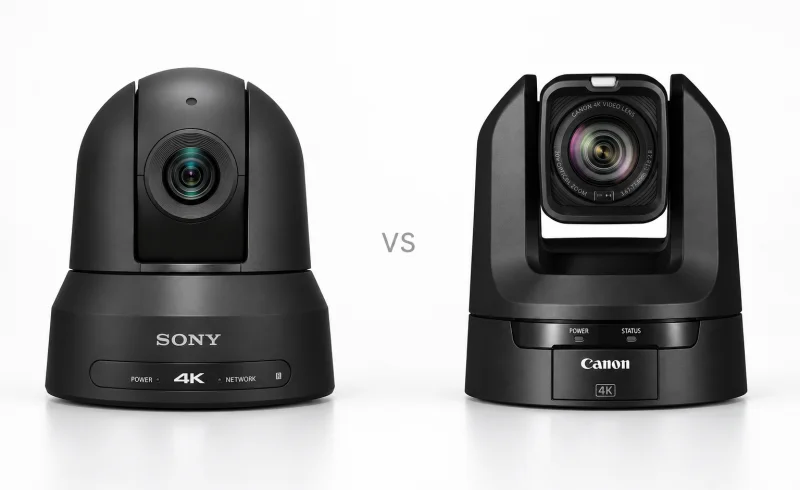
For home studios, Sony BRC-X400 offers wider framing, while Canon CR-N300 suits direct USB video up to 1080p30/25, with limits on simultaneous outputs.
TL;DR
The Canon CR-N300 is better suited to a one-person studio where the presenter moves around. It combines direct USB webcam connectivity, face-detection autofocus and Canon's Auto Tracking Lite, which can automatically follow a person by moving the camera. Its 20× optical zoom also provides plenty of flexibility for switching between a desk, a standing presenter and a demonstration area.
The Sony BRC-X400 makes more sense in a controlled, multi-camera production. Its slightly wider lens helps in tight rooms, while external synchronization, repeatable camera movements and extensive preset controls are useful when several cameras need to work together. Both deliver 4K video at up to 29.97 fps and Full HD at up to 59.94 fps. Neither provides 4K over SDI.
The deciding question is less about resolution than how the camera will be operated: unattended, connected directly to a computer, or integrated into a larger production system.
| Feature | Canon CR-N300 | Sony BRC-X400 |
|---|---|---|
| Image and framing | ||
| Sensor and UHD HDMI output | 1/2.3-type CMOS; UHD up to 29.97p [1] | 1/2.5-type Exmor R CMOS; UHD up to 29.97p [2] [3] |
| Optical zoom and pan/tilt range | 20× optical; pan ±170°; tilt −30° to +100° [1] | 20× optical; pan ±170°; tilt −20° to +90° [4] [5] |
| Production connections | ||
| Video output options | 4K HDMI/IP; HD 3G-SDI; USB [1]HDMI/SDI require the same format; 4K HDMI disables SDI. USB supports up to 1080p30 Motion JPEG at 59.94 Hz. | 4K HDMI/IP; HD 3G-SDI [3] |
| IP streaming protocols | NDI HX2, RTSP/RTP, RTMP/RTMPS, SRT [1] | NDI|HX, RTSP, RTMP, SRT [5] [4]RTMP/SRT require firmware 3.00. Sony warns SRT audio may lag video depending on initialization timing; it recommends RTSP if delay is a concern. |
📑 Table of Contents
- Framing a Small Room: How Much Wider Is the Sony?
- Operating Alone: Autofocus Is Not the Same as Auto Tracking
- Image Quality: What 4K and Low-Light Specifications Actually Tell You
- Connecting to a Computer, Switcher or Recorder
- Network Streaming and Multi-Camera Production
- Power, Mounting and Audio in a Permanent Studio
- Final Verdict: Match the Camera to How the Studio Operates
- FAQ
Framing a Small Room: How Much Wider Is the Sony?
A wide-angle lens becomes especially important when a camera sits against the back wall of a small studio. Moving the camera farther away may not be possible, and digital zoom cannot make a lens wider.
The Sony BRC-X400 has an approximately 70° horizontal field of view at its widest setting. The Canon CR-N300 offers 65.6° at 23.98, 25 or 29.97 Hz, narrowing to 63.5° in its 50/59.94 Hz modes. Those numbers come from the Sony BRC-X400 specifications and Canon's CR-N300 specifications.
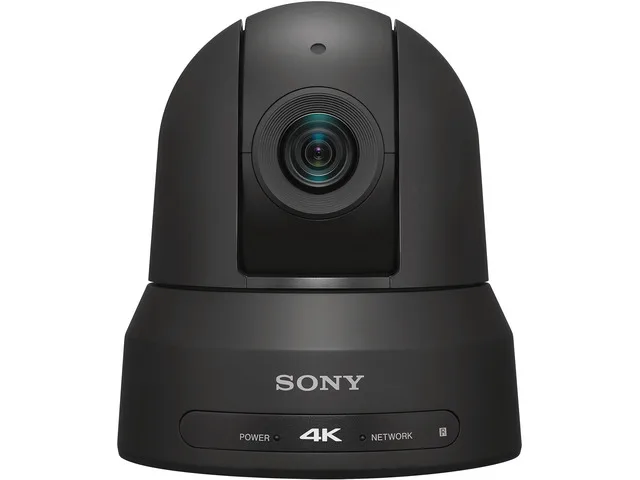
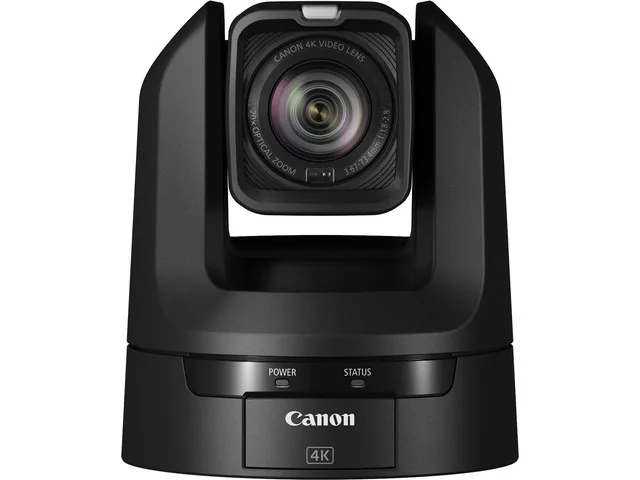
What does that mean in an actual room? At approximately 6.5 feet (2 meters) from the subjects, the Sony can frame roughly 9.2 feet of horizontal space, compared with about 8.5 feet for the Canon in its 29.97 Hz mode. These are approximate geometric estimates at the widest zoom settings.
The difference is noticeable when three people sit across a table or a demonstration involves equipment spread across a workbench. It is much less important when recording a single person at a desk.
Both cameras have 20× optical zoom, so either can move from a room-wide view to a close-up without physically repositioning the camera. Sony also offers Clear Image Zoom, extending its stated range to 30× in 4K or 40× in HD. Its higher advertised magnification modes rely on additional processing rather than a longer optical lens, so they should not be treated as equivalent to extra optical zoom.
Looking Up at a Presenter or Down at a Desk
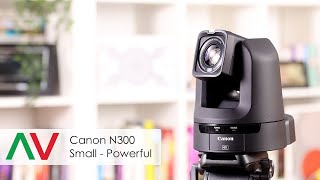
The Canon has greater mechanical tilt travel: −30° to +100°, compared with −20° to +90° for the Sony. Both can pan approximately 170° to either side.
That extra tilt range is useful for an elevated camera overlooking a tabletop demonstration or for a low installation aimed toward a standing speaker. Actual usable angles still depend on mounting orientation and nearby obstructions.
For a fixed talking-head setup, the difference may never matter. For a studio that regularly changes between seated interviews, standing demonstrations and overhead-style compositions, it deserves consideration.
Operating Alone: Autofocus Is Not the Same as Auto Tracking
This is one of the more consequential differences between the cameras.
The Canon CR-N300 uses Hybrid AF, combining phase-detection and contrast-detection methods. It supports continuous autofocus, Face AF and subject-tracking focus modes.
Those focusing features help keep a person sharp, but they are not the same as physically turning the camera to follow someone.
For that, Canon also provides Auto Tracking Lite, included with supported firmware. It can automatically select and follow a subject using the camera's pan, tilt and zoom mechanisms.
A presenter can move between a desk and a demonstration area without continuously operating a joystick. The framing remains subject to the tracking system's limitations, but this substantially changes how the CR-N300 can be used in a one-person production.
Canon's Auto Tracking documentation explains the distinction between the free Lite version and the more configurable licensed application. Lite provides basic automatic tracking with limited composition adjustments. More advanced controls, including finer tracking sensitivity and subject placement, belong to the licensed version.
The Sony BRC-X400 also has autofocus, saved camera positions and programmable movements. Its PTZ Trace Memory can record and replay a predetermined pan, tilt and zoom sequence. That is useful when a demonstration follows the same route each time, but it should not be confused with automatically recognizing and following a moving person.
For example, a camera could repeatedly move from a wide view of a desk to a close-up of a demonstration area. If the presenter unexpectedly walks elsewhere, a prerecorded movement will not adapt to that change.
Presets for Repeated Studio Setups
Both cameras can recall saved framings rather than requiring each shot to be composed from scratch.
Canon supports up to 100 presets, including its home position. Sony supports up to 256 when accessed through a web browser, although its physical controllers expose smaller selections: 100 with the RM-IP500, 16 with the RM-IP10 and six with its infrared remote.
For most home studios, the important distinction is not 100 versus 256 positions. It is how conveniently the required shots can be recalled while recording. A desk close-up, a wide room view and two demonstration angles may be all that is needed.
Sony's larger preset capacity becomes relevant in a production with numerous fixed positions or repeated shooting configurations.
Image Quality: What 4K and Low-Light Specifications Actually Tell You
Both cameras use relatively small CMOS sensors:
- Sony BRC-X400: 1/2.5-type Exmor R CMOS sensor.
- Canon CR-N300: 1/2.3-type CMOS sensor with Canon's DIGIC DV 6 processing.
The Canon sensor is slightly larger by format designation, but that alone does not establish superior image quality. Lens transmission, exposure, processing, noise reduction and lighting all affect the result.
Both support UHD 4K at approximately 24, 25 or 30 frames per second and Full HD at rates approaching 60 fps.
For a seated presenter, 4K30 generally provides enough temporal detail for normal speech and modest movement. It also leaves more resolution for reframing during editing, assuming the footage is captured and retained at 4K resolution.
Full HD60 becomes more relevant when a subject moves quickly, such as during an active product demonstration. The higher frame rate can render movement more smoothly, although it may require faster shutter speeds and consequently more light.
Canon specifies 4K HDMI output at 4:2:2 10-bit, while its documented 4K IP output uses 4:2:0 8-bit. Those outputs should not be assumed to provide equivalent material for color correction. The complete signal path, including the capture device and recording format, determines what reaches the editing system.
Low-Light Performance: Nearly Identical Lux Numbers Are Not a Draw
Sony specifies approximately 1.6 lux minimum illumination, while Canon lists approximately 1.5 lux under conditions that include a 1/30-second shutter and automatic slow-shutter operation.
These figures are not controlled side-by-side performance measurements. They do not establish which camera produces cleaner skin tones, retains more detail or handles motion better in a dim studio.
A slow shutter can make a relatively dark scene appear brighter, but movement may become blurred. Increasing electronic gain can also lift the image while making noise more visible.
Both cameras are better evaluated under the lighting conditions that will actually be used. A modest, consistent light on the presenter's face may have a greater practical effect than the small difference between their published sensor specifications.
Canon also includes optical image stabilization and scene presets for situations such as portraits, sports, low light and spotlit subjects. Sony provides image stabilization and extensive picture adjustments. Neither set of features replaces controlled studio lighting.
Connecting to a Computer, Switcher or Recorder
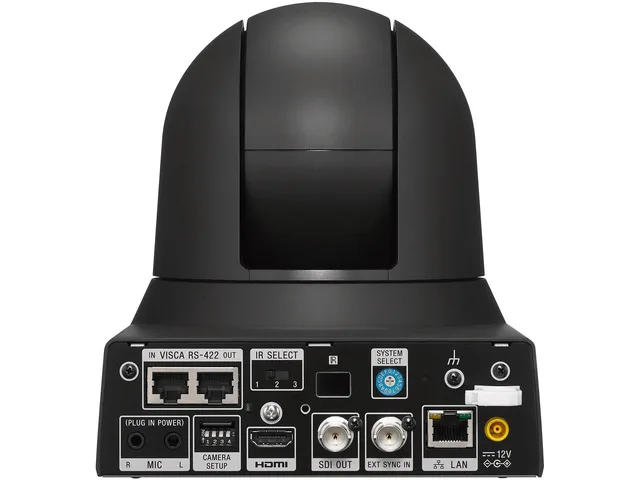
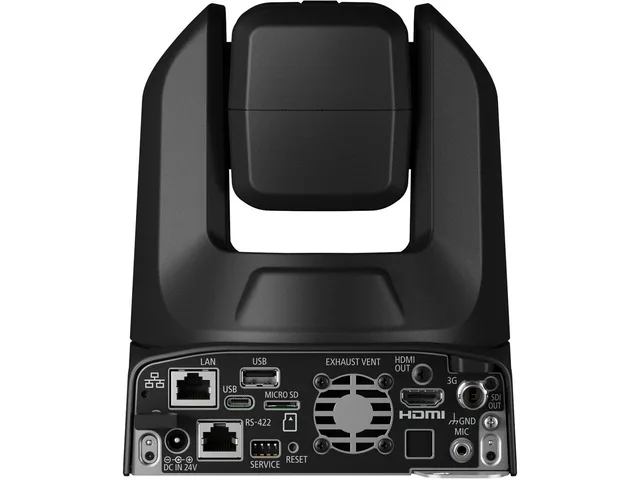
The rear connections reveal why these cameras suit somewhat different workflows.
Canon's Direct USB Connection
The Canon CR-N300 has a USB-C video connection that supports UVC, the standard used by many computer webcams. A compatible computer can receive its video without a proprietary camera driver.
This makes the Canon particularly practical for a studio where the primary destination is a conferencing application or software running on a computer.
USB video uses Motion JPEG at resolutions up to 1920 × 1080, rather than providing the same 4K signal available through HDMI or IP.
There is an important documentation inconsistency concerning frame rate. Canon Singapore's specifications list USB Motion JPEG at up to 1080p30 in 59.94 Hz mode and 1080p25 in 50 Hz mode, while Canon USA's published technical specifications list lower USB frame rates. The exact supported mode should therefore be verified against the camera's firmware and the connected computer before relying on a particular USB frame rate.
Canon also offers a separate network-based Webcam Driver, which the company describes as supporting video up to 4K30. This is a different workflow from connecting a USB cable directly to the camera.
Sony Can Work With Conferencing Software Too
The BRC-X400 does not have an equivalent native USB webcam output. Its video can reach a computer through an HDMI capture device or a network workflow.
Sony has also released a Virtual Webcam Driver for compatible remote cameras, including the BRC-X400. It allows a network-connected camera to appear as a video source in supported conferencing software.
That means a computer-centered setup does not automatically rule out Sony. The practical difference is that Canon provides direct UVC connectivity, while Sony requires an additional capture or software path. Operating-system and application compatibility should be checked for either manufacturer's virtual webcam software.
HDMI and SDI: A Shared Limitation
Both cameras provide UHD video over HDMI or IP, while their 3G-SDI connectors are limited to HD.
More importantly, neither camera provides an active SDI video feed when its video output is configured for 4K. Sony's operating instructions describe this limitation, and Canon specifies the same restriction for its CR-N300.
For Canon, HDMI and SDI must also use the same selected video format when both are active.
A studio requiring an HD feed for a hardware switcher and a separate 4K HDMI feed cannot assume either camera will deliver both simultaneously. Alternative IP routing or external conversion may be necessary.
Neither camera should be treated as a self-contained video recorder. Footage needs to be captured by a connected computer, recorder or suitable network recording system. In particular, the CR-N300's microSD slot is not a normal internal video-recording facility.
Network Streaming and Multi-Camera Production
Both models support IP video workflows, including RTSP and SRT, as well as RTMP/RTMPS streaming on supported firmware.
Sony added SRT and RTMP/RTMPS support to the BRC-X400 through firmware version 3.00. Consequently, RTMPS compatibility alone is not a reason to favor Canon over an updated Sony.
The distinction is more about integration and control.
Canon supports NDI HX2, SRT, RTSP/RTP, RTMP/RTMPS, its XC control protocol and standard IP/serial communication. Sony supports NDI|HX, SRT, RTSP, RTMP/RTMPS, VISCA over IP, VISCA RS-422 and other production-control interfaces.
The NDI variants and receiving applications should be checked for compatibility rather than assuming all NDI-labeled products offer identical functionality. Sony's NDI|HX functionality involves license activation; the company announced a complimentary license program for the BRC-X400, with current eligibility and activation availability subject to confirmation.
Where Sony's Broadcast Features Matter
The BRC-X400 has an external synchronization input for genlock, along with a tally lamp and its programmable PTZ movements.
Genlock is relevant when multiple cameras need to be synchronized to a common production reference. It can simplify workflows involving tightly synchronized switching or other broadcast equipment.
The Canon CR-N300 does not provide an equivalent genlock input, although it supports remote control, tally functionality and multi-camera operation through compatible systems.
For a single-camera recording or ordinary live stream, genlock usually provides little benefit. For a production already built around synchronized cameras, it can be a meaningful reason to use the Sony.
Both also support FreeD-related virtual-production workflows through supported firmware and configurations. Those capabilities matter mainly when camera-position data must be integrated with graphics or a virtual set.
Power, Mounting and Audio in a Permanent Studio
A ceiling-mounted PTZ camera eliminates the need for a floor tripod, but it changes the installation requirements.
Both models support PoE+, allowing a compatible network connection to provide power without a separate outlet near the camera. Ordinary PoE should not be assumed sufficient.
Sony also supports 12 V DC power, while Canon specifies 24 V DC through its external adapter.
Both cameras are intended for indoor operation and have a specified operating temperature range of 32–104°F (0–40°C). Neither should be installed outdoors or in an environment exposed to moisture without appropriate protection.
Overhead installations require suitable structural support, manufacturer-approved mounting components and the prescribed safety measures. Sony and Canon provide installation requirements in their respective documentation.
Both cameras accept external audio through 3.5 mm connections. That offers a way to incorporate a microphone or suitable audio feed into the camera's output, but audio synchronization still needs consideration when video and sound travel through different devices or software paths.
For a permanent studio, reliable cabling, accessible controls and consistent lighting will often have more impact on everyday operation than the less frequently used camera features.
Final Verdict: Match the Camera to How the Studio Operates
The Canon CR-N300 has the more convenient feature set for a solo presenter who moves between positions. Direct USB video simplifies computer integration, and its combination of face autofocus and Auto Tracking Lite can reduce the need for someone to operate the camera. Its greater tilt range also helps with unusual camera positions and tabletop demonstrations.
The Sony BRC-X400 is more compelling when camera movement is planned and production control is centralized. Its wider field of view helps in restricted rooms, PTZ Trace Memory can repeat rehearsed movements, and genlock supports workflows involving externally synchronized equipment. Its larger preset library is useful where many fixed shots need to be recalled.
Neither is inherently the stronger image-quality camera based on the available specifications alone. A meaningful image-quality ranking would require controlled comparisons of exposure, autofocus behavior, noise, color and motion under the same conditions.
For a conventional home studio, the most useful questions are whether the camera must follow a person automatically, whether the computer needs a direct video connection, and whether the installation will eventually become part of a multi-camera production. Those requirements provide a clearer answer than the shared 4K resolution or 20× optical zoom.