
Ring Indoor Cam (2nd Gen) vs Google Nest Cam (indoor, wired): Which Fits Your Smart Home?
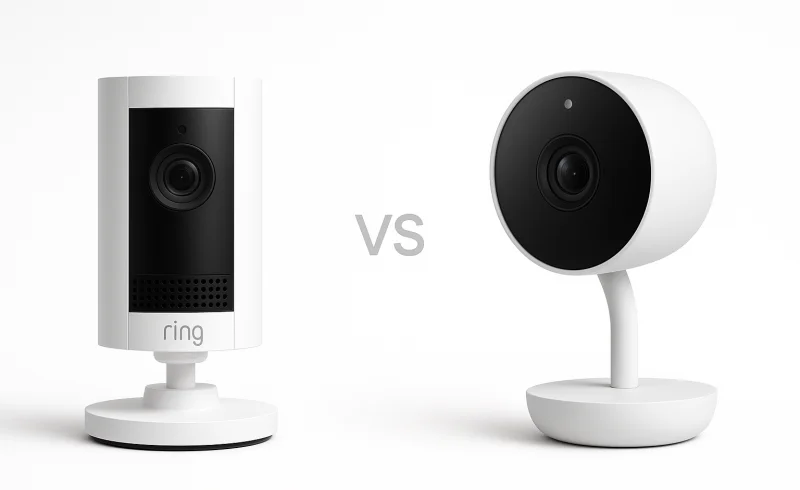
Compare the Ring Indoor Cam (2nd Gen) and Google Nest Cam (indoor, wired) to find which fits your smart home better. Consider subscription impacts, video quality, and ecosystem compatibility in your decision.
TL;DR
- Google Nest Cam (indoor, wired) is stronger without a subscription. It keeps event video from the previous 3 hours and Google currently lists person, animal, vehicle, and motion alerts, plus Activity Zones, for this generation without a paid plan.
- Ring Indoor Cam (2nd Gen) has the more meaningful hardware privacy controls. Its manual cover turns off the camera and microphone, while Ring Privacy Zones can black out parts of the image. It also has a slightly wider 143° diagonal field of view.
- Paid cloud history changes the balance. In the U.S., Ring Protect Solo is currently $4.99/month or $49.99/year for one device with up to 180 days of event video history. Google Home Premium Standard is $10/month or $100/year for the home with 30 days of event history.
- Nest has the more flexible Wi-Fi setup. It supports 2.4 GHz and 5 GHz networks; Ring is 2.4 GHz only. Ring, however, is easier to place high because it officially supports wall, ceiling, and tabletop mounting.
Model note for 2026: This comparison covers the previous-generation Google Nest Cam (indoor, wired), which Google now identifies in current subscription documentation as the 2nd-gen wired indoor model. It is not the newer Nest Cam Indoor (wired, 3rd gen) with 2K video. Ring also lists a newer 2K indoor model alongside the 1080p Indoor Cam (2nd Gen). Those newer cameras are outside the scope of this comparison.
| Feature | Ring Indoor Cam (2nd Gen) | Google Nest Cam (indoor, wired) |
|---|---|---|
| Audio | ||
| Two-way audio | Two-way audio with noise cancellation | Full-duplex 2-way audio with noise cancellation |
| Power | ||
| Power source | Plug-in power adapter | Plug-in USB-A power adapter (7.5W) |
| Included power cable length | 6.5 ft | 10 ft |
| Video | ||
| Live view | Live View | 24/7 live view |
| Night vision | Yes | Yes |
| Max frame rate | 24 fps | 30 fps |
| Max video resolution | 1080p HD | Up to 1080p (1920 x 1080) |
| Diagonal field of view | 143° | 135° |
| General | ||
| Dimensions | 1.93 x 1.93 x 3.81 in (49.02 x 49.02 x 96.77 mm), including stand | 3.88 x 2.52 x 2.24 in (98.47 x 64.03 x 56.93 mm) |
| Product type | Indoor wired security camera | Indoor wired security camera |
| Indoor use only | Yes | Yes |
| Available colors | White, Black | Snow, Fog (US only), Linen (US only), Sand with maple wood base (US only) |
| Environment | ||
| Operating temperature | -4°F to 113°F (-20°C to 45°C) | 32°F to 104°F (0°C to 40°C) |
| Connectivity | ||
| Wi-Fi bands | 2.4 GHz | 2.4 GHz / 5 GHz |
| Required app | Ring app | Google Home app |
| Internet upload requirement | 2 Mbps minimum upload speed | 2 Mbps upload speed per camera recommended for 1080p |
| Installation | ||
| Mounting options | Tabletop, wall, or ceiling | Tabletop, wall, or ceiling |
| Motion & Detection | ||
| Custom activity/motion zones | Customizable motion zones | Activity Zones |
| Storage & Subscription | ||
| Included free event video history | Not included without Ring subscription | 3 hours free event video history |
📑 Table of Contents
Storage & Subscription
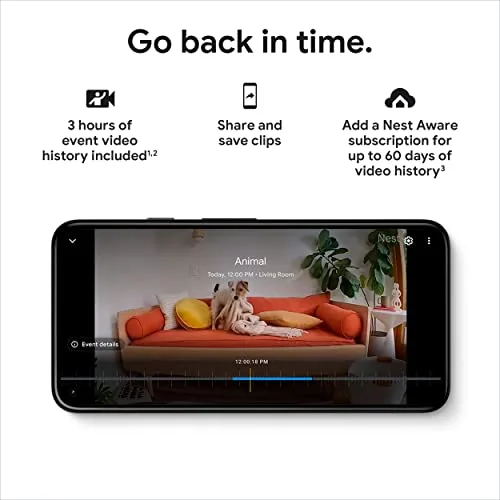
The most consequential difference is what happens after you miss an alert.
Without a Ring Protect plan, Ring Indoor Cam (2nd Gen) still provides Live View, two-way talk, motion notifications, and customizable Motion Zones. What it does not provide is saved video playback. If motion happened while you were away and you did not open the live feed at the time, there is no recorded clip to review later.
Google Nest Cam (indoor, wired) is more useful on the free tier. Google currently provides event-based recordings from the previous 3 hours for this camera. That is a rolling lookback window, not three hours of accumulated footage: an event from four hours ago has already fallen outside it. Google also lists person, animal, vehicle, and motion alerts without a subscription for this generation.
That makes Nest materially more functional for short-term questions such as whether someone entered a room recently or when a pet moved through the house. It is still a narrow history window, but it is a real history window.
What the paid plans change
For current U.S. pricing, Ring Protect Solo is $4.99/month or $49.99/year for one camera or doorbell and includes up to 180 days of event video history. Ring Protect Multi is $9.99/month or $99.99/year for devices at one location.
Google has renamed Nest Aware to Google Home Premium. The Standard plan is currently $10/month or $100/year and provides 30 days of event video history across compatible devices in the home. The Advanced plan is $20/month or $200/year, extending event history to 60 days and adding up to 10 days of 24/7 video history on compatible wired cameras.
For a single camera, Ring's paid event-history tier costs less and retains event clips for much longer. Once several cameras are involved, the comparison changes: Ring Multi and Google Home Premium Standard are almost the same monthly cost, but Ring still offers the longer event-history window.
There is another 2026 wrinkle. Google Home Premium now includes newer Gemini-based camera features on some hardware, but Google's current feature matrix does not list this older Nest Cam (wired) as supporting features such as AI notifications, AI descriptions, Home Brief, or Ask Home video-history search. The subscription name has evolved faster than this camera's feature set.
If continuous recording matters
Both cameras can now support continuous cloud recording, but the plans are structured differently.
For Ring Indoor Cam (2nd Gen), 24/7 Continuous Recording is an eligible-camera add-on that currently costs $3/month per camera on top of a Ring Protect plan. Ring says continuous footage is kept for up to 14 days.
For Nest Cam (indoor, wired), continuous recording is included with Google Home Premium Advanced, which keeps up to 10 days of 24/7 history on compatible wired cameras.
For one camera, Ring's current structure results in a lower monthly total. As more continuously recorded cameras are added, Google's whole-home Advanced plan avoids a separate 24/7 add-on for each camera.
Storage verdict: Nest is stronger without a subscription; Ring is stronger for long paid event retention. Neither system is simply "subscription-free" if you need dependable history beyond Nest's three-hour window.
Video Quality & Field of View
The original comparison overstated one point: Ring's current official specification does not publish a frame-rate figure that supports a clean "24 fps versus 30 fps" matchup. It is more accurate to compare what each manufacturer actually specifies.
Ring Indoor Cam (2nd Gen) records in 1080p HD and has night vision. Its published field of view is 143° diagonal, 115° horizontal, and 59° vertical.
Google Nest Cam (indoor, wired) also records at up to 1080p, but Google explicitly specifies up to 30 frames per second and HDR. Its field of view is 135° diagonal, and Google lists night vision with illumination out to about 15 ft (4.6 m).
On paper, Nest has the more detailed imaging specification because Google confirms both HDR and the maximum frame rate. Ring has the wider view. The 8° diagonal difference is real but modest; it may help when one camera has to cover a doorway and a larger portion of the same room, but it is not a dramatic change in perspective.
The safer conclusion is not that one camera is categorically sharper. Both are 1080p devices, and resolution alone does not establish real-world detail, exposure, or motion clarity. Without controlled same-scene testing, the defensible distinction is narrower: Nest specifies HDR and 30 fps, while Ring gives you a somewhat wider frame.
Live view is not the same as continuous recording
Google describes the Nest Cam as supporting 24/7 live view, but that should not be confused with free 24/7 recording. Live view means the camera can be opened for real-time viewing while it is online. Recorded continuous history requires Google Home Premium Advanced.
Ring also provides on-demand Live View without a subscription. Continuous Live View and 24/7 recording are separate paid capabilities on eligible Ring cameras.
Video verdict: Nest has the stronger published video specification; Ring has the wider field of view. Neither difference is large enough, on specs alone, to settle the entire comparison.
Motion Detection & Alerts
Google Nest Cam (indoor, wired) has a notable free-tier advantage here. Google's current feature matrix lists person, animal, vehicle, and motion alerts without Google Home Premium. It also supports Activity Zones, which let you define parts of the frame for specific event and notification behavior.
Those Activity Zones are useful, but they are not privacy masks. Google states that Activity Zones do not change what the camera sees or what is stored in video history; they change how activity is categorized and when notifications are generated.
Ring Indoor Cam (2nd Gen) provides customizable Motion Zones and real-time motion alerts without a subscription. Ring's current plan structure places its Smart Alerts in paid tiers, so the free experience is more centered on general motion than on the richer object classification Google exposes on this Nest model.
For smart-home behavior, Nest camera events can also act as starters in Google Home automations. That matters if, for example, a detected person or animal should trigger another compatible device.
Alerts verdict: Nest offers more event classification without a paid plan. Ring's free motion tools are useful, but its stronger classification and recorded-event workflow depend more heavily on Ring Protect.
Privacy & Audio

Privacy is where the two cameras differ most clearly.
The Ring Indoor Cam (2nd Gen) has a manual privacy cover built into the camera. Closing it does more than hide the lens: Ring says it deactivates audio, video recording, Live View, and motion detection. For an indoor camera pointed at living space, that physical state is easy to understand at a glance.
Ring also supports up to two Privacy Zones that appear as blacked-out areas in live and recorded video. One important limitation: Ring notes that motion can still be detected behind a Privacy Zone, so the Motion Zone settings need separate attention if activity in that area should not trigger events.
The Google Nest Cam (indoor, wired) does not include a physical shutter. Its Activity Zones are designed for event filtering and notifications, not for visually blocking parts of the scene. That makes Ring's privacy controls meaningfully different rather than just a variation on the same feature.
For audio, both cameras support two-way communication with noise cancellation. Google additionally specifies full-duplex two-way audio, meaning its published design supports simultaneous speaking and listening. Ring's current specification simply says two-way audio with noise cancellation, so it would be inaccurate to characterize Ring as half-duplex without stronger evidence.
Privacy and audio verdict: Ring has the clear privacy-hardware advantage; Nest has the more explicit audio specification.
Ecosystem, App & Connectivity
The ecosystem choice is less binary than "Ring equals Alexa, Nest equals Google."
Ring Indoor Cam (2nd Gen) is managed in the dedicated Ring app and works with Alexa. Ring cameras can provide Live View on compatible Alexa displays, motion announcements, and Alexa routines after the Ring and Amazon accounts are linked. That is the most natural fit for a home already centered on Ring cameras, Ring Alarm, and Alexa devices.
Google Nest Cam (indoor, wired) is managed in the Google Home app, where its camera events can participate in Home automations alongside lights, speakers, displays, and other compatible devices. It is also compatible with Alexa: Google supports Nest camera live view on Alexa displays and motion announcements on compatible devices. An Alexa household therefore does not automatically rule Nest out.
The more concrete connectivity difference is Wi-Fi. Ring supports 802.11 b/g/n at 2.4 GHz only. Nest supports 2.4 GHz and 5 GHz Wi-Fi.
That does not mean 5 GHz is always preferable. The 2.4 GHz band generally reaches farther and handles walls better, while 5 GHz can offer more capacity and less congestion at shorter range. Nest simply gives you both options, which is useful in dense apartment networks or homes where one band performs better at the camera's location.
Ecosystem verdict: Nest is more flexible across Google Home and Alexa, while Ring is more deeply centered on the Ring/Alexa security stack. Nest also has the advantage in Wi-Fi flexibility.
Installation & Design
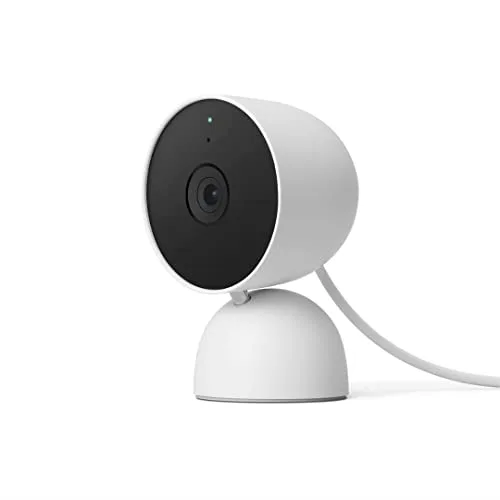
Placement
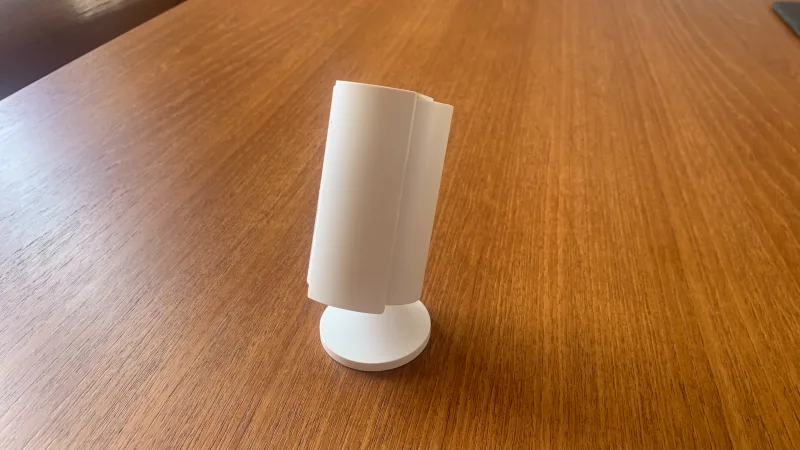
Ring measures about 1.93 × 1.93 × 3.81 in including its stand. Google lists the Nest Cam at roughly 3.9 in high, 2.5 in wide, and 2.2 in deep. Ring therefore occupies less shelf width, even though the two cameras are similar in height.
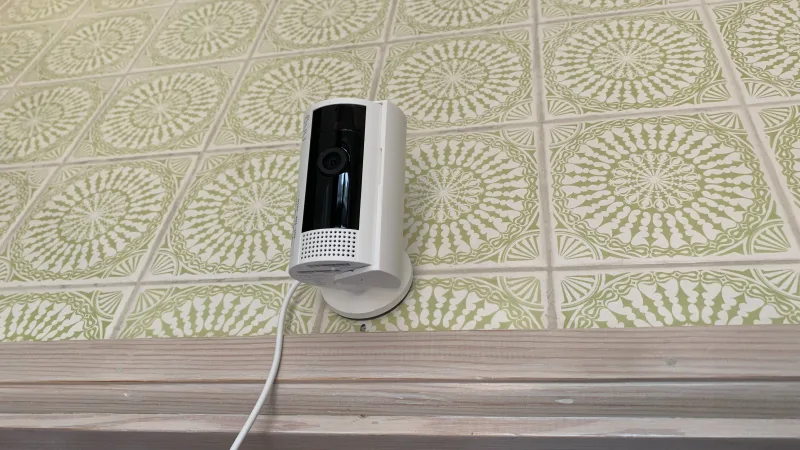
Ring officially supports tabletop, wall, and ceiling placement. Google officially lists tabletop and wall mounting for this Nest model. Ceiling mounting is therefore a real Ring advantage when the desired view is from above.
Power-cable reach
Ring includes a 6.5 ft Micro-USB power cable. Google attaches a 10 ft power cable to the Nest Cam.
The practical trade-off is straightforward: Nest gives you more outlet-to-camera reach from the box, while Ring's shorter cable can constrain a high corner or ceiling location unless cable routing is planned around it. Ring also lists a longer 10 ft cable accessory for this model.
Operating temperature
Ring is rated for -4°F to 113°F (-20°C to 45°C). Nest is rated for 32°F to 104°F (0°C to 40°C).
That wider Ring range can matter in an unconditioned interior space, but it should not be mistaken for outdoor capability. Both cameras are indoor-only, and neither is weather-resistant.
Appearance
The older Nest Cam was offered in more finishes, including Snow and several U.S.-only variants, while Ring's U.S. Indoor Cam (2nd Gen) is listed in White and Black. Finish choice is secondary to placement, cable reach, and privacy behavior, but it can matter when a camera stays visible in a living area.
Installation verdict: Ring is more flexible for compact or ceiling placement; Nest is easier when the nearest outlet is farther away.
The Bottom Line
These two cameras are closer in basic hardware than the original spec-sheet comparison suggested. Both are wired, indoor-only 1080p cameras with night vision, motion alerts, Live View, and two-way audio. The real decision is about history, privacy, placement, and ecosystem.
Google Nest Cam (indoor, wired) fits better when:
- You want useful event review without a monthly plan, even if the free window is only three hours.
- Person, animal, and vehicle classification without a paid plan matters.
- Your home is organized around Google Home automations or Google displays.
- Dual-band Wi-Fi or the attached 10 ft power cable solves a placement problem.
- You prefer Google's explicitly specified HDR and 30 fps video pipeline.
Ring Indoor Cam (2nd Gen) fits better when:
- A physical camera-and-microphone shutoff is important for an indoor space.
- You need true privacy masking for parts of the frame rather than notification-only zones.
- Ceiling mounting, a smaller footprint, or the wider operating-temperature range matters.
- You already use Ring and Alexa devices.
- You expect to keep paid event history and value Ring's longer up-to-180-day retention.
There is no honest universal winner here. For a no-subscription setup,
. For physical privacy controls and long paid event retention, Ring Indoor Cam (2nd Gen) has the more compelling feature set.One final point matters in 2026: this Nest model is no longer Google's newest wired indoor camera, and Ring also has a newer 2K indoor option. If image resolution and the latest platform features are the priority, this comparison should be treated as a matchup between two specific 1080p-generation products, not as a guide to the newest indoor cameras from either brand.
FAQ
Do I need a subscription for the Ring Indoor Cam?
Does the Google Nest Cam offer free cloud storage?
Which camera has better video quality?
Can these cameras be used outdoors?
Which is easier to install?
Does the Google Nest Cam have connectivity issues?
Does the Ring Indoor Cam have a privacy cover?
Which camera has better two-way audio?
"Images are used for editorial and informational purposes only. All trademarks and images belong to their respective owners."