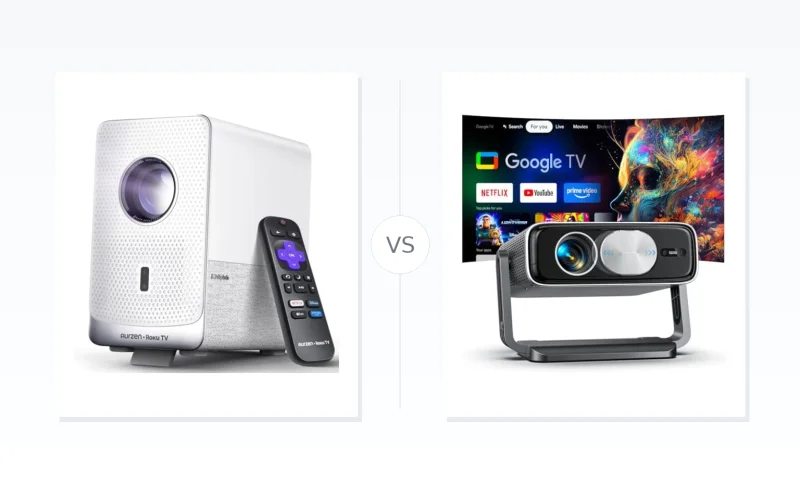
Aurzen D1R Cube vs Pemoon 4K Projector with Google TV: Dark-Room Simplicity or 4K Living-Room Power?
Compare the Aurzen D1R Cube, a compact 1080p Roku TV projector for dark rooms, with the Pemoon 4K Google TV model boasting 2500 lumens. Which fits your viewing needs?
TL;DR
If you want a compact, easy-to-use projector for dark bedrooms or dorms and don’t need 4K → choose Aurzen D1R Cube.
If you care about native 4K detail, much higher brightness, and a larger usable image in mixed light → choose Pemoon 4K Projector with Google TV.
If your priority is simple streaming in a small, light-controlled space, both work, but the Aurzen has the lighter overall setup.
The biggest divide is output: the Aurzen is a 330 ANSI lumen 1080p model best suited to small, dark-room screens, while the Pemoon offers 2500 ANSI lumens and native 4K, making it far more practical for living-room or shaded-room viewing. Software flips the trade-off: Roku TV is cleaner and more predictable but closed, while Google TV adds app flexibility and casting at the cost of heavier setup and less certain long-term brand support. Lens care also separates them—a manual cap on the Aurzen versus an automatic lens cap on the Pemoon that adds convenience but introduces a mechanical wear point.
If you need bright, daylight-visible images, battery-powered portability, or established hardware service and long-term support, consider a portable laser projector or a model from a proven home-theater brand instead.
The Aurzen D1R Cube uses a native 1080p Full HD (1920 x 1080) panel. It can accept a 4K input but downscales it to 1080p, so fine 4K source detail is not preserved. The Pemoon 4K Projector with Google TV, by contrast, features native 4K UHD resolution. For 4K movies and high-bitrate content, Pemoon has a clear sharpness advantage.
See the Pemoon 4K projector in action as the reviewer evaluates its claimed 2500 ANSI lumens and 4K authenticity.
Brightness separates these projectors sharply. The Aurzen D1R Cube is certified at 330 ANSI lumens under SGS/ANSI/ISO 21118, which is workable mainly in dark rooms. The Pemoon projector outputs 2500 ANSI lumens, roughly 7.5 times higher. That makes Pemoon far more usable with some ambient light and gives it a decisive edge for living-room or shaded-room viewing.
Projection size tells a similar story. Aurzen supports a 40-to-150-inch image range, but its low output makes the upper half of that range practical only in near-total darkness. Pemoon’s much higher brightness supports larger usable image sizes more realistically in mixed light. On practical screen scale, Pemoon again wins.
Optically, the Aurzen has a sealed engine to reduce dust buildup, but it lacks an automatic lens cap. The Pemoon adds an automatic lens cap, protecting the optics without requiring the user to remember a manual cover. It is a small but meaningful durability and convenience advantage.
Winner: Pemoon 4K Projector with Google TV. Native 4K resolution, dramatically higher brightness, and larger practical image sizes give it the stronger display and optics package.
Smart TV & Software
Tech Brothers tests whether Roku TV or Google TV is better on a projector, focusing on the Aurzen D1R Cube's smart system.
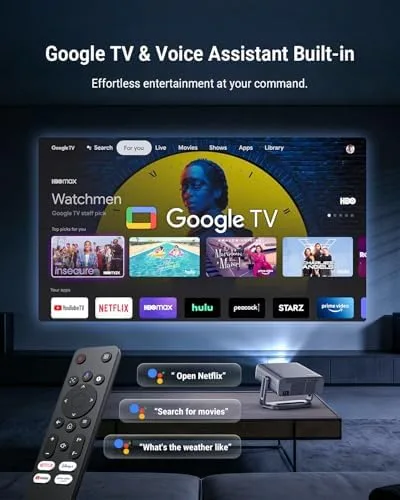
The Aurzen D1R Cube runs Roku TV OS, with direct access to Netflix, Prime Video, Disney+, YouTube, and Roku Channel, but app installs are limited to the Roku Channel Store. Unlike Android-based platforms, Roku blocks sideloading and third-party app stores. The Pemoon 4K Projector with Google TV runs Google TV, which offers a broader app catalog, including Android apps and additional streaming services outside a single store. Google TV's wider selection gives the Pemoon a clear edge for app flexibility.
Voice and casting are another split. The Aurzen supports Apple AirPlay, HomeKit, Alexa, and Google Assistant, but it is not built around native Chromecast-style casting. The Pemoon includes native Google Assistant voice control and Chromecast-style casting, tying it directly into Android and Google Home routines. For Google-centric households, the Pemoon wins; iOS and HomeKit users may find the Aurzen more practical.
Onboarding is simpler on the Aurzen despite requiring a Roku account and internet connection: its Roku interface stays straightforward and uncluttered. The Pemoon requires Google account sign-in and presents a content-heavy home screen with recommendations and sponsored rows. Roku's cleaner setup is the better choice for non-technical users, while Google TV's richer home screen can feel more powerful but also more cluttered.
Long-term software support is a trade-off. The Aurzen benefits from Roku-managed platform updates, which are predictable and stable. The Pemoon relies on Google TV for its software foundation, but firmware and security patch continuity depend on Pemoon's less established support record. Neither has a clear overall advantage here.
Winner: Pemoon 4K Projector with Google TV — its broader app catalog and native Google ecosystem integration outweigh Roku's simplicity for buyers who want a flexible smart projector.
Setup & Image Adjustment
Aurzen D1R Cube handles geometry automatically with auto focus and auto keystone correction; manual focus and keystone adjustments remain available through the Roku interface. Pemoon 4K Projector with Google TV offers the same auto focus and auto keystone correction, with manual adjustment via Google TV. On core image alignment, this is a tie.
For onboarding, the Aurzen requires only a Roku account and internet connection for activation, keeping setup relatively direct. The Pemoon requires a Google account sign-in, acceptance of service prompts, and navigation of a content-heavy Google TV home screen. That makes first-time setup more involved on the Pemoon, giving the Aurzen the edge for faster activation.
For physical relocation, the Aurzen’s compact cube design makes it easier to carry and re-aim in different rooms. The Pemoon is a larger, more stationary projector, though its automatic lens cap removes one manual step at startup. On balance, the Aurzen D1R Cube wins this section for simpler onboarding and more flexible setup, while the Pemoon counters with hands-off lens protection.
Design & Hardware Features
Design differentiation here centers on lens protection and optical longevity. The Aurzen D1R Cube uses a compact, boxy body, but its front lens requires a manual cover after shutdown. The Pemoon 4K Projector with Google TV takes a larger, more stationary-focused form and builds lens protection into the hardware.
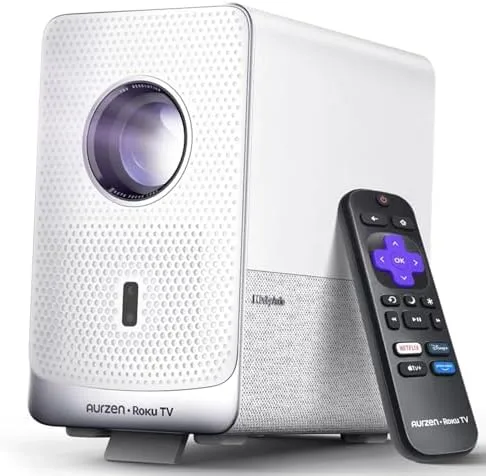
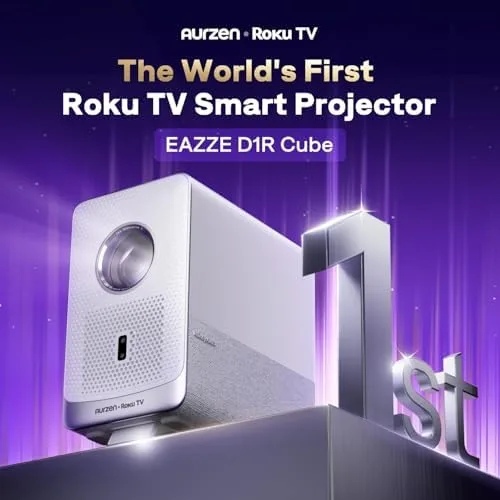
The Aurzen D1R Cube’s compact cube design is easy to spot here.
This angle highlights the manual lens cover users need to replace after each session.
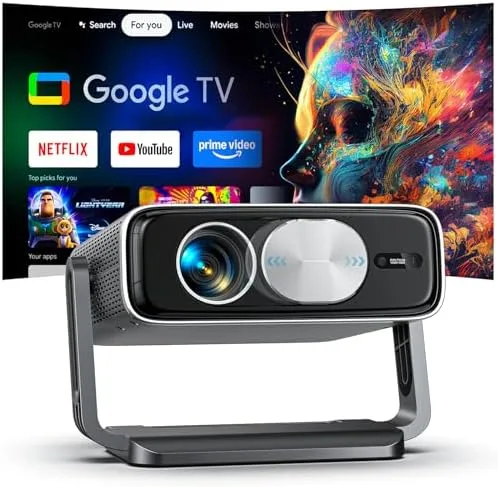
The Pemoon 4K Projector presents a larger, more stationary-focused body.
Here the front lens area suggests the automatic lens cap mechanism.
Lens-cap convenience: The Aurzen D1R Cube does not support an auto lens cap, so users must manually cover the lens to prevent dust and smudges. The Pemoon 4K Projector with Google TV includes an auto lens cap that opens and closes with startup and shutdown, removing that user-dependent step. Pemoon wins on everyday hardware convenience and front-lens protection.
Optical protection and reliability: The Aurzen D1R Cube counters its exposed front lens with a sealed optical engine that prevents dust from accumulating internally and helps maintain image clarity. The Pemoon 4K Projector with Google TV protects the front element automatically, but the auto lens cap is a moving part that may wear over time, and its higher 2500 ANSI lumen output is more likely to rely on active cooling than the Aurzen’s 330 ANSI lumens. This is a trade-off: Aurzen’s sealed optics reduce internal dust risk, while Pemoon’s automated cap protects the external lens without user action.
Overall, the Pemoon 4K Projector with Google TV wins for adding the more meaningful daily-use hardware feature: automatic lens protection. The Aurzen’s sealed engine is useful, but it still leaves front-lens care to the user.
Winner: Pemoon 4K Projector with Google TV
Audio & Connectivity
Aurzen D1R Cube packs built-in Dolby Audio-certified 10W speakers, a documented output useful for small spaces. Pemoon 4K Projector with Google TV, by contrast, does not highlight speaker wattage or certification in the available specs. On built-in audio, Aurzen’s certified 10W setup gives it a clear documented advantage.
Aurzen also supports Bluetooth 5.2 for wireless headphones or external speakers, and adds Apple AirPlay and HomeKit compatibility. Pemoon includes WiFi and Bluetooth, with Chromecast streaming via Google TV. Both cover standard wireless playback, but Aurzen’s AirPlay/HomeKit support makes it the more flexible pick for mixed-device households.
For voice and casting ecosystems, Aurzen works with Amazon Alexa, Google Assistant, and Apple HomeKit, spanning all three major assistants. Pemoon relies on Google Assistant through Google TV, which is powerful but less cross-platform. Aurzen wins on ecosystem breadth, though Google-first users may prefer the Pemoon’s tighter Android integration.
Winner: Aurzen D1R Cube
Long-Term Ownership & Reliability
Aurzen D1R Cube runs Roku TV OS, which receives predictable platform updates directly from Roku rather than relying solely on Aurzen’s hardware support. Its lower 330-ANSI-lumen output places less thermal stress on internal components, and the sealed optical engine prevents dust buildup inside the light path. Pemoon 4K Projector with Google TV uses Google TV, but long-term firmware patches, security updates, and bug fixes depend on Pemoon’s less verifiable support continuity. Its 2500-ANSI-lumen output and more complex electronics increase cooling demands and potential dust intake over time. For software longevity and lower internal wear, the Aurzen has the edge.
Aurzen D1R Cube does not support an automatic lens cap, so users must manually replace the cover; forgetting exposes the lens to smudges and dust accumulation. Pemoon 4K Projector with Google TV includes an automatic lens cap, protecting optics without user action. However, the Pemoon’s auto cap is a moving mechanical part that may wear or misalign, while the Aurzen’s manual cover has no mechanism to fail. Pemoon wins on hands-off lens protection, but it introduces a minor mechanical risk.
Winner: Aurzen D1R Cube. The Pemoon’s auto lens cap is a genuine advantage, but Aurzen’s Roku platform stability, lower thermal load, and sealed optical engine make it the more predictable long-term choice.
The Bottom Line
After comparing display, software, setup, hardware, audio, and long-term reliability, the right choice depends on how you’ll use the projector.
Casual bedroom or dorm viewing: The Aurzen D1R Cube is best for its simpler Roku setup and compact size. Dedicated home theater with 4K content, bright living room viewing, and Google ecosystem and smart home integration: The Pemoon 4K Projector with Google TV wins with native 4K, 2500 lumens, and Google TV. Roku cable-cutters wanting simplicity: The Aurzen D1R Cube is the straightforward pick.
Overall, the Pemoon 4K Projector with Google TV is the better buy for most buyers. Its superior resolution, brightness, app flexibility, and auto lens cap overcome the Aurzen’s stronger audio and more predictable Roku reliability.
✦✧✦✧
🏆
Best Overall
Best fit for most usersPemoon 4K Projector with Google TV
If you want a high-value home theater projector, get the Pemoon; choose the Aurzen mainly for simple small-room streaming.
FAQ
Does the Aurzen D1R Cube support 4K content?
The Aurzen D1R Cube does not display true 4K. It uses a native 1080p Full HD panel and accepts 4K input but downscales it to 1080p, so fine 4K detail is not preserved. For native 4K, the Pemoon 4K Projector with Google TV is the better option.
Which projector is brighter?
The Pemoon 4K Projector with Google TV is significantly brighter. It outputs 2500 ANSI lumens, roughly 7.5 times higher than the Aurzen's 330 ANSI lumens. This makes the Pemoon far more usable in rooms with some ambient light, while the Aurzen is best in dark rooms.
Does either projector have an automatic lens cap?
Yes, the Pemoon has an automatic lens cap that opens and closes with startup and shutdown. The Aurzen does not; it requires a manual lens cover and instead uses a sealed optical engine to prevent internal dust buildup.
Can I use the Aurzen with Apple AirPlay?
Yes, the Aurzen D1R Cube supports Apple AirPlay for wireless iOS mirroring and also works with HomeKit, Alexa, and Google Assistant for voice control. It also includes Bluetooth 5.2 for connecting wireless headphones or external speakers.
Is the Aurzen suitable for gaming?
No, the Aurzen is not suitable for fast-paced gaming. Its HDMI input lag is around a quarter second, which creates noticeable delay. It may be fine for casual content but is poor for competitive or action games.
What projection size range does the Aurzen D1R Cube support?
The Aurzen D1R Cube projects an image from 40 to 150 inches. However, its low 330 ANSI lumens brightness makes the upper half of that range practical only in near-total darkness; smaller sizes are more usable in mixed light.
Does the Aurzen D1R Cube have built-in speakers?
Yes, the Aurzen has built-in Dolby Audio-certified 10W speakers. They are adequate for small spaces, but for larger rooms you may want to connect external speakers via Bluetooth 5.2 or the audio output.